Restaurant POS
Management System.
Every order, connected.
Bring your counter, kitchen, tables and stock together. Give your team a clear workflow and your restaurant room to grow.
A smoother service.
A clearer view of your business.
Keep the whole restaurant working from the same order context, even when guests add dishes, the kitchen makes changes or payment is split.
Counter. Table. QR.
Capture items, options and preparation notes through the right ordering channel.
Keep the kitchen in sync.
Send KOTs, follow preparation stages and coordinate service with the floor team.
Every payment accounted for.
Review the bill, collect payment and use controlled corrections when needed.
See beyond the sale.
Review collections, ingredient usage, purchases and supplier dues.
The right tools.
For every part of your restaurant.
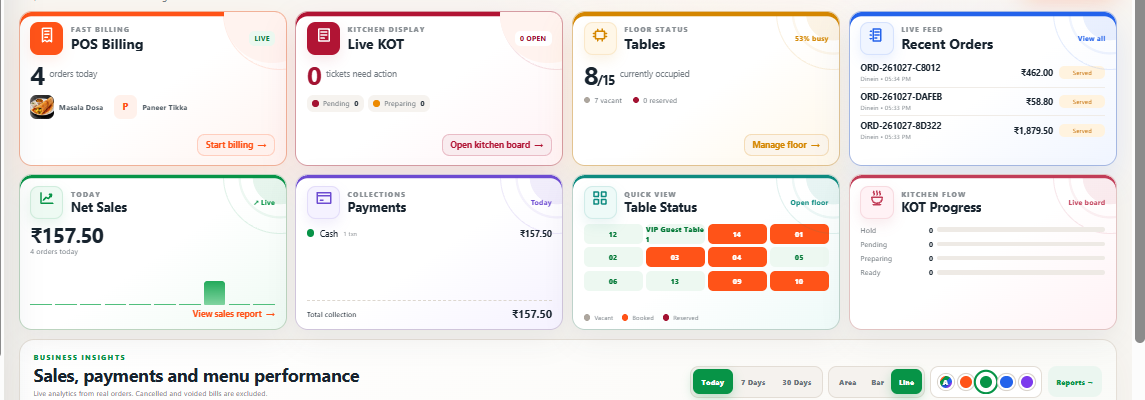
Select a module to explore its features and software display. Every module has a relevant software view. Click any screenshot to see it in detail.
More control, from
front desk to back office.
Explore the details behind each module. Enabled options and device requirements are confirmed during your trial setup.
One restaurant.
Different responsibilities.
Give each team member the screens and permissions needed for their daily work. Owners retain a wider view of performance and sensitive actions.
See your team's workflow ↗For the way you serve.
Your questions, answered.
How do I request the free 7-day trial?
Send your restaurant details using the enquiry form below. Adwing will coordinate trial activation and confirm the included modules, setup requirements and options after the trial.
Can I use Bhojoo on my phone?
Bhojoo offers responsive browser-based access for permitted users on compatible phones, tablets and computers. Remote access depends on your deployment and connectivity.
Can we add repeat orders to the same table?
Yes. Additional items can generate ADD KOTs while remaining linked to the running table bill until settlement.
Does Bhojoo support kiosk and digital display screens?
These are deployment-specific options. Confirm enabled modules, device compatibility and the complete order-to-kitchen or token-display flow during your demo.
Can it work locally or with hybrid access?
Discuss online, local/LAN and hybrid requirements with Adwing. Local QR access, remote use, printers and synchronisation need to be planned for the selected edition.
Are online payments automatically activated?
No. Recording cash, UPI or card is separate from an integrated online payment gateway. Gateway support and activation must be confirmed for your setup.
Will you help with setup and training?
Adwing Technologies provides implementation guidance, staff training and product support. Discuss your menu, table layout, kitchen devices and support requirements before launch.
Start with a
free 7-day trial.
See an order travel from table to kitchen to settlement. Explore the modules that matter to your restaurant with guided support.
Speak with Adwing Technologies
+91 90447 05123
Trial access is activated by the team. Included modules, device setup and subsequent pricing are confirmed before you begin.