
Turn Every Enquiry into Organised Sales Lead
CRM Software for small business, Adwing CRM brings leads, follow-ups, clients, sales pipeline, quotations, invoices, payments, tasks, employees and business reporting into one practical web-based system for growing organisations.
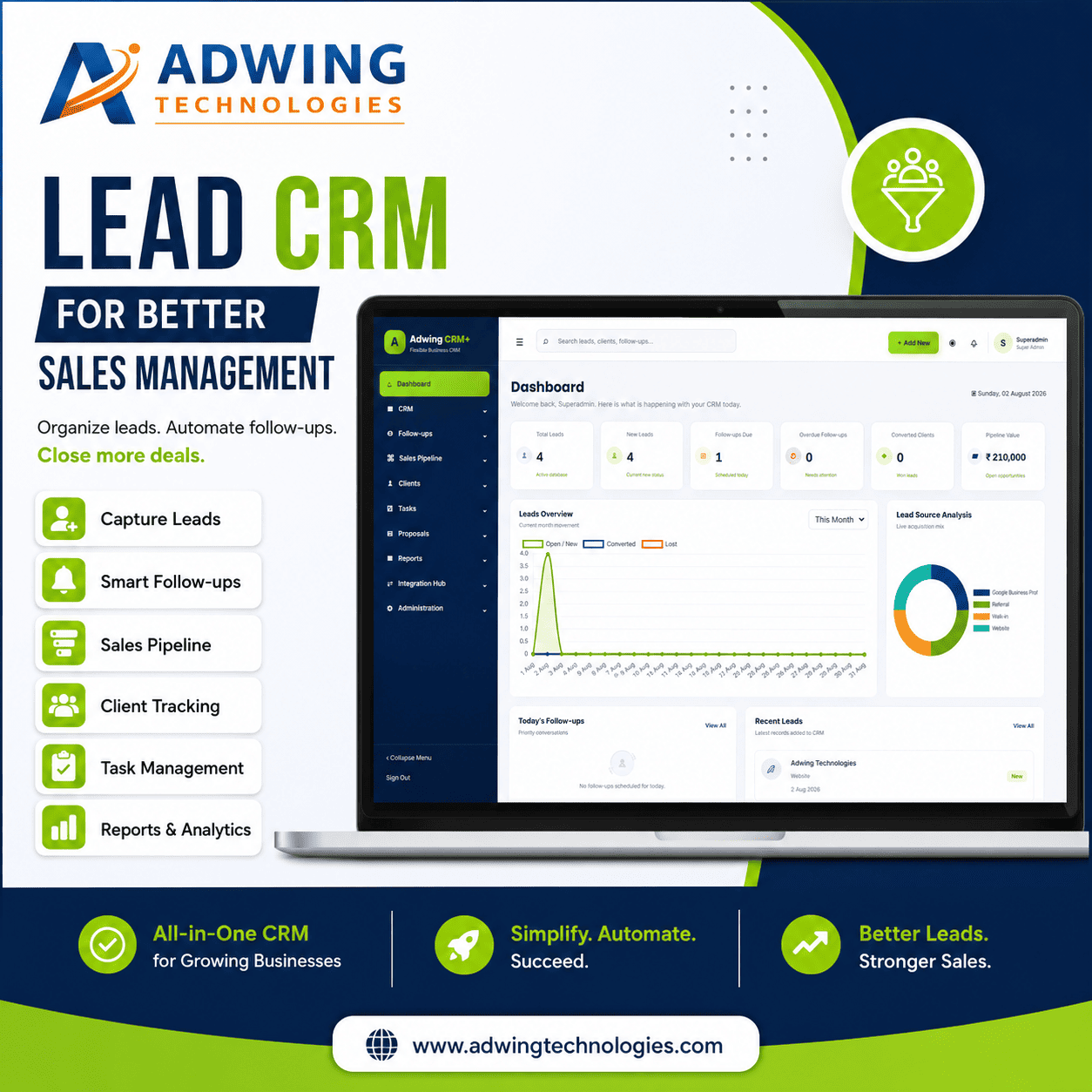
A Practical CRM Built Around Your Daily Business Process
Adwing CRM Software for Small Business is designed for small and growing organisations that need more control than scattered spreadsheets, diaries and WhatsApp chats can provide. The system connects sales, customer management, operations and finance in one structured workflow.
Modules and automation can be configured according to business nature, employee count, branches, user roles and reporting requirements.
Everything Needed to Manage Leads, Sales and Operations
The following module groups describe the available CRM scope. Final modules depend on the selected package and implementation plan.
Sales & Customer Management
Capture, qualify, convert and maintain customer relationships.
Products, Billing & Payments
Connect quotations and sales activity with commercial records.
Employees, Tasks & Productivity
Assign ownership and create clear accountability across the team.
Communication & Customer Engagement
Keep sales communication connected to the customer journey.
Users, Roles & Security
Control what each user can view and what actions they can perform.
Reports, Settings & Administration
Support management decisions and system control from one place.
From First Enquiry to Payment Collection
Adwing CRM+ creates one continuous process rather than separate, disconnected records.
Capture Lead
Add enquiries manually or receive supported website form submissions.
Qualify & Assign
Set source, status, value, owner, requirement and next action.
Schedule Follow-Up
Plan calls, meetings, reminders and outcome-based next steps.
Share Proposal
Track scope, proposal value, validity and customer decision.
Convert Client
Move successful opportunities into organised customer records.
Invoice & Collect
Record invoices, payments, due balances and collection references.
Assign Tasks
Coordinate implementation, service, support and internal responsibilities.
Review Reports
Measure pipeline, sales, collections, workload and pending actions.
More Than Software—A Complete CRM Setup Service
Adwing Technologies can support system setup, workflow configuration, onboarding and practical adoption within the agreed project scope.
Business Process Consultation
Understand how enquiries, sales, billing and customer service currently work.
- Requirement discussion
- Process and pain-point mapping
- Module suitability assessment
- Implementation recommendation
CRM Configuration
Prepare the CRM structure according to the approved business workflow.
- Lead sources and statuses
- Sales stages and dropdowns
- Company and GST settings
- User and permission setup
Data Setup & Migration
Assist with importing suitable existing data into agreed CRM templates.
- Lead and customer templates
- Product or service masters
- Basic opening records
- Data validation support
User Training
Help employees understand the correct CRM workflow for their roles.
- Admin orientation
- Sales-user training
- Accounts workflow guidance
- Daily-use best practices
Website Lead Integration
Connect supported contact forms and popup enquiries to lead capture.
- Form field mapping
- Lead-source tagging
- Website integration testing
- Enquiry workflow setup
Support & Enhancement
Provide remote assistance and approved changes after implementation.
- Go-live support
- Issue resolution
- Usage assistance
- Quoted custom enhancements
Give Every User the Right Level of CRM Access
Role-based access helps separate sales, accounts, employee and management responsibilities. Administrators can configure permitted modules and actions according to the organisation’s internal process.
CRM Software for Service, Sales and Distribution Teams
The workflow can be configured for organisations that manage enquiries, quotations, follow-ups, customer accounts, tasks and payments.
Book a Guided Demo Based on Your Business
A useful CRM demo should not be a generic tour. Share your business type, team size and current process so the demonstration can focus on the modules that matter to your organisation.
Request a Demo & Requirement Assessment
Tell us about your organisation. Adwing Technologies will review your team size, process and required modules before suggesting the suitable CRM scope.
Adwing CRM Software FAQs
What type of businesses can use Adwing CRM+?
It is suitable for organisations that manage enquiries, follow-ups, proposals, customer accounts, tasks, invoices or payment collection. The exact configuration depends on the business process and selected scope.
Can multiple employees use the CRM?
Yes. Supported deployments can include individual user accounts, employee mapping, role-based module access and action permissions. The number of users depends on the selected plan and implementation.
Can our existing Excel or Google Sheet data be imported?
Suitable data can be reviewed and mapped into agreed CRM templates. Data cleaning, restructuring and large or complex migration may require a separate quotation.
Can website enquiries enter the CRM automatically?
Supported website forms and lead popups can be connected to the CRM lead-capture endpoint. Field mapping and testing are included only when website integration is part of the approved scope.
Can modules or fields be customised?
Approved fields, dropdowns, reports and workflow adjustments can be quoted according to feasibility. Major custom development is assessed separately from the standard CRM setup.
Is training and support provided?
Adwing Technologies can provide remote setup, administrator orientation, user training and go-live support according to the selected package or service agreement.
How much does Adwing CRM cost?
Pricing depends on employee count, CRM users, modules, data migration, website integration, customisation and support requirements. Submit the enquiry form for a business-specific quotation.
Stop Managing Leads in Scattered Sheets and Chats
Book an Adwing CRM+ demonstration and see how your sales, follow-ups, clients, tasks and payments can work together.