
Free Restaurant POS System? Explore Bhojoo Trial
Looking for a Free Restaurant POS System? Discover Bhojoo for Complete Restaurant Management A busy restaurant needs more than a billing screen. Orders must reach the kitchen correctly, repeat orders must stay linked to the right table, payments must match the final bill, and stock movement must remain visible to the owner. If you are […]
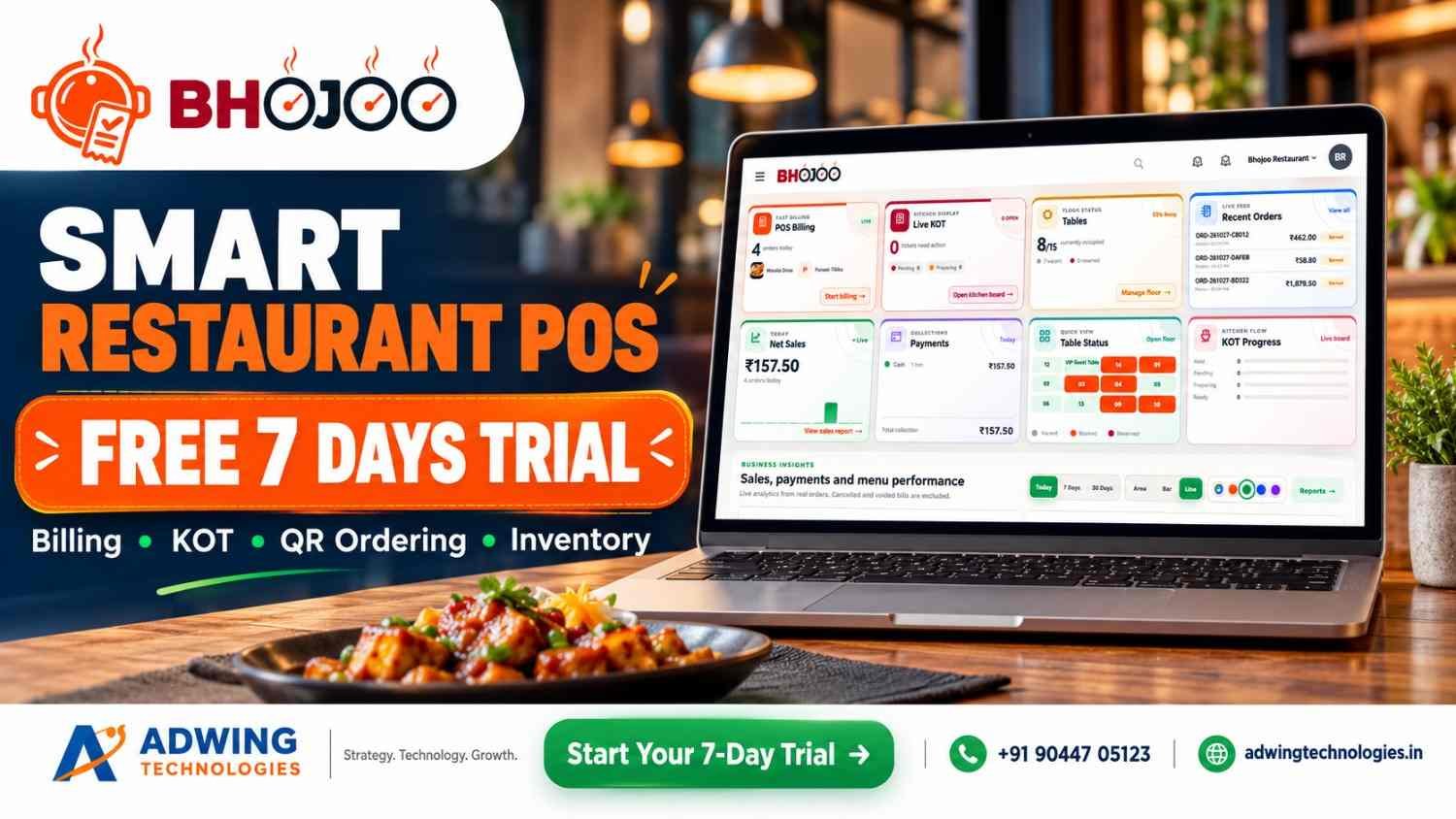
Looking for a Free Restaurant POS System? Discover Bhojoo for Complete Restaurant Management
A busy restaurant needs more than a billing screen. Orders must reach the kitchen correctly, repeat orders must stay linked to the right table, payments must match the final bill, and stock movement must remain visible to the owner.
If you are searching for a free restaurant POS system, start by asking a bigger question: Will this system support the way my restaurant actually works?
A basic billing tool may be enough for simple transactions. But dine-in restaurants, cafés, quick-service outlets and cloud kitchens often need connected ordering, kitchen, inventory and reporting workflows.
Bhojoo Restaurant POS by Adwing Technologies brings these operations together, helping restaurant teams manage the journey from order entry to kitchen preparation, settlement and daily review.
Explore Bhojoo Restaurant POS Software
Free Restaurant POS Software: What Should You Check First?
Before selecting any restaurant billing software, understand what the advertised offer includes. “Free” may refer to a limited edition, a temporary trial or selected functions.
Check whether your required package includes:
- POS billing and kitchen tickets.
- Table management and repeat orders.
- QR menu and customer ordering.
- Inventory and recipe consumption.
- Payment reconciliation and reports.
- Staff permissions, training and support.
- Suitable deployment, backup and renewal arrangements.
Bhojoo’s pricing, demo availability and included modules should be confirmed with Adwing Technologies. This article does not describe Bhojoo as a free-forever product. The right choice is the software that fits your service workflow and gives your team dependable support.
What Is Bhojoo Restaurant POS?
Bhojoo is a restaurant management platform designed to connect the counter, kitchen, floor staff and owner. Its product portfolio covers billing, KOT, table operations, menu management, QR ordering, inventory, procurement, customer engagement and management reporting. Module availability depends on the selected package and restaurant setup.
Here is how these features support everyday restaurant work.
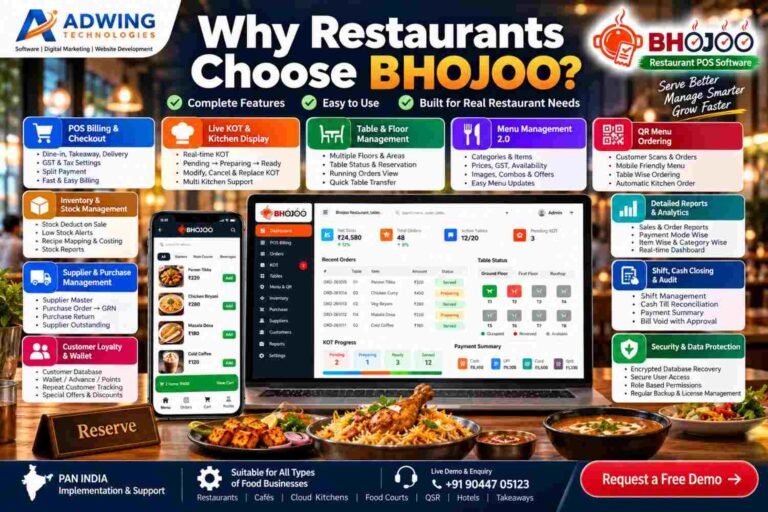
1. POS Billing for Dine-In, Takeaway and Delivery
Bhojoo helps staff create orders, select menu items, adjust quantities and prepare customer bills. The billing workflow includes:
- Dine-in, takeaway and delivery order handling.
- Customer and table selection.
- Item rates, quantities, taxes and discounts.
- Kitchen notes and preparation instructions.
- Hold orders and running bills.
- Customer bill printing and final settlement.
For example, a family can order starters first and main courses later while the team maintains one running table bill.
2. Live KOT and Kitchen Communication
A Kitchen Order Ticket, or KOT, tells the kitchen what to prepare. Bhojoo’s kitchen workflow connects order details with preparation activity. Staff can work with table references, items, quantities and instructions such as “less spicy” or “no onion.”
Key functions include:
- New KOT and additional KOT.
- Kitchen ticket printing and reprinting.
- Pending, preparing, ready and served stages.
- Controlled quantity changes.
- Item replacement and cancellation.
- Traceable kitchen adjustments.
This helps the counter and kitchen stay aligned when guests change or extend an order.
3. Same-Table Repeat Orders
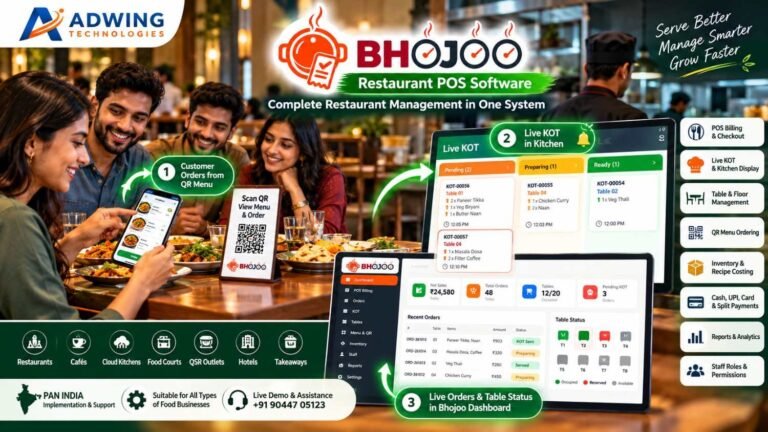
Customers frequently order additional dishes during a meal. Bhojoo supports this through the running-table workflow. Additional items can generate a separate ADD KOT while remaining connected to the existing bill. The kitchen receives the new preparation requirement, and the cashier retains a consolidated view for settlement. This is useful for family restaurants, cafés and other outlets where a single visit involves several ordering rounds.
4. Tables, Floors, Reservations and Waitlist
Bhojoo supports floor-wise table organisation, table capacity, reservations and running-order visibility. Restaurants can organise sections such as:
- Ground floor and upper floor.
- Family dining area.
- Main hall.
- Rooftop or outdoor seating.
- Private or group tables.
Graphical and floating table views help staff identify table activity. Reservation and waitlist workflows support advance bookings and walk-in coordination where enabled. The goal is straightforward: staff should be able to find the right table, open its order and understand its service status quickly.
5. QR Menu and Customer Ordering
With a configured QR ordering system, guests can scan a table QR code, browse the menu and submit an order from their phone. The customer journey can include:
- Scan the table QR.
- Browse categories and food images.
- Select dishes and available options.
- Review the cart and instructions.
- Submit the order into the restaurant workflow.
QR ordering provides another ordering channel while keeping menu information easier to update.
6. Menu Management 2.0
Bhojoo’s advanced menu tools go beyond item names and prices.
Categories, Images and Descriptions
Organise dishes into categories, add food photos, maintain descriptions and control availability.
Sizes and Variations
Create options such as small, medium and large, with individual prices.
Add-ons and Modifiers
Offer toppings, extra cheese and preparation choices that help customers customise their order.
Meal Combos
Group items into offers such as a burger, fries and beverage.
Dynamic Pricing and Timed Menus
Configure applicable price rules and service-time availability for breakfast, lunch, dinner or other selected periods. These tools help restaurants present more structured choices without managing every option manually.
7. Digital Kitchen Screens, Kiosks and Token Displays
Different teams and customers need different screens. Bhojoo’s product portfolio includes configuration-dependent options for:
- Digital kitchen display: preparation tickets and status tracking.
- Self-ordering kiosk: customer menu browsing and order submission on a dedicated device.
- Customer token display: visibility of preparing and ready orders.
- Customer feedback: structured input after service.
These options are particularly relevant to QSRs, takeaway counters and food courts. Required devices, enabled modules and connected workflows should be demonstrated before deployment.
8. Inventory and Recipe Costing
Restaurant stock control becomes more useful when it connects to menu sales. Bhojoo’s inventory tools cover stock records, transactions, recipe mapping, consumption, wastage and low-stock visibility. For example, a configured recipe can define the ingredient quantities used in a dish. Relevant sales activity can then drive stock consumption through that mapping.
This helps owners review:
- Ingredient balances.
- Stock movement.
- Recorded wastage.
- Replenishment needs.
- Recipe-related food costs.
Accurate opening stock, units and recipe quantities are essential for meaningful results.
9. Suppliers, Purchases and Goods Receipt
Bhojoo connects procurement with stock and supplier-account visibility. The purchasing workflow includes:
Supplier setup → Draft purchase order → Approval → Goods receipt → Supplier-account review
Supporting functions include purchase returns, supplier payments, outstanding balances, due ageing and purchase-related reports. This gives management a clearer view of what was ordered, what arrived and what remains payable.
10. Payments, Split Settlement and Controlled Corrections
Restaurant payment handling often involves more than one method. Bhojoo supports cash, UPI, card and split-payment workflows, along with cash-received and change-return calculations.
Other controls include:
- Bill round-off.
- Discounts and relevant remarks.
- Customer bill before final settlement.
- Authorised payment-mode corrections.
- Controlled settled-bill void approval.
- Payment summaries and audit-oriented records.
Recording a payment method should not be confused with an activated online payment gateway. Connected online payment requires the relevant supported integration and setup.
11. Customer Management, Loyalty and Wallet
Returning guests are valuable to a restaurant. Bhojoo’s customer tools help connect customer records with repeat visits and configured engagement workflows. Depending on the enabled modules, these can include:
- Customer database and visit activity.
- Loyalty points.
- Customer offers.
- Wallet or advance balances.
- Feedback collection.
Earning, redemption and wallet rules should be configured clearly so staff can explain them consistently.
12. Dashboard, Reports and Business Insights
Owners need visibility into service activity and financial results. Bhojoo’s dashboard brings together operating information such as billing activity, recent orders, KOT, tables, net sales and payments.
Its reporting portfolio covers:
- Sales and order activity.
- Item and category movement.
- Payment-mode summaries.
- Kitchen and table-related information.
- Inventory and purchases.
- Supplier dues.
- Shift and cash-closing review.
These reports support practical questions: Which dishes are moving? What payments were collected? Which supplier balances need attention?
13. Staff Permissions, Audit and Recovery
Bhojoo supports role-based access for owner/admin, cashier, waiter and kitchen users. Permissions help define who can manage menus, settle payments, adjust orders or perform sensitive actions. Audit-oriented workflows, backups and recovery capabilities support operational accountability. Backup schedules and recovery procedures should form part of the restaurant’s implementation plan.
14. Web, Mobile and Deployment Options
Bhojoo is designed for responsive browser-based use on compatible desktop, laptop, tablet and mobile devices. Deployment planning can cover online, local/LAN or hybrid requirements, depending on the available edition and configuration. QR access, remote owner access, printers and synchronisation should be checked against the selected setup.
Discuss Bhojoo Deployment and Request a Demo
How Bhojoo Works: A Practical Restaurant Journey
- Prepare: configure menus, taxes, tables, staff and recipes.
- Take orders: use POS, waiter access or enabled customer ordering.
- Send KOT: communicate dishes and instructions to the kitchen.
- Manage service: handle preparation, repeat orders and changes.
- Present the bill: review the customer’s active items.
- Settle: record payment and complete the order.
- Review: check collections, stock, purchases and daily reports.
Support Restaurant Growth Beyond Billing
Software manages operations; your online presence helps customers discover your restaurant. Adwing also provides related services that can complement restaurant growth:
- Restaurant website design for menus, location details and enquiries.
- SEO services to improve search relevance and website visibility.
- Google Business Profile services for local business information and profile management.
- Social media marketing for food creatives, offers and customer engagement.
Explore Adwing Technologies’ digital services alongside software consulting and support.
Frequently Asked Questions
Is Bhojoo a free restaurant POS system?
A permanent free plan is not confirmed here. Contact Adwing Technologies for current pricing, demo terms and included modules.
Can Bhojoo handle QR orders and kitchen tickets?
QR ordering and KOT are part of the product offering. The complete order-to-kitchen flow should be configured and demonstrated for your restaurant.
Can customers split a bill payment between cash and UPI?
Bhojoo supports split-payment workflows, including supported combinations of cash, UPI and card.
Does Bhojoo manage inventory and suppliers?
Its portfolio includes inventory, recipe mapping, purchases, goods receipt, purchase returns and supplier-account workflows.
Is Bhojoo suitable for a small restaurant or café?
It can be considered for restaurants, cafés, QSRs and takeaway businesses. Select the modules and deployment that match your operation.
Can owners use Bhojoo from a mobile device?
Responsive browser access is supported for permitted users. Remote access depends on the deployment and connectivity.
See Bhojoo With Your Own Restaurant Workflow
Choose a restaurant POS system by testing your actual needs: a repeat table order, a kitchen change, a split payment, a stock transaction and a daily closing report.
Adwing Technologies can help you evaluate Bhojoo, plan implementation and train your team around those workflows.
Call or WhatsApp: +91 90447 05123
Request a Personalised Bhojoo Demo
View Bhojoo Restaurant POS Features

Adwing Technologies
Business software, website design and digital growth support for organisations across India.
Related Business Insights

Turn Your Digital Presence Into Qualified Enquiries
Discuss your website, SEO, software or digital marketing requirement with Adwing Technologies.