by adwingservices | Oct 29, 2026 | hotel software, Restaurant Management Software, website designing
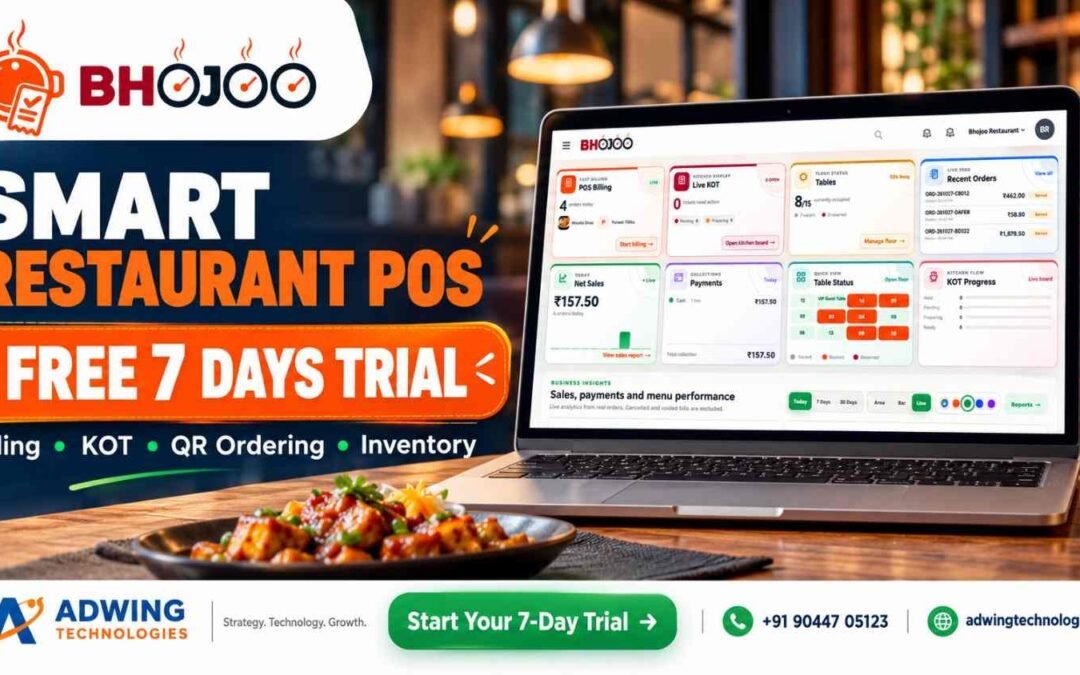
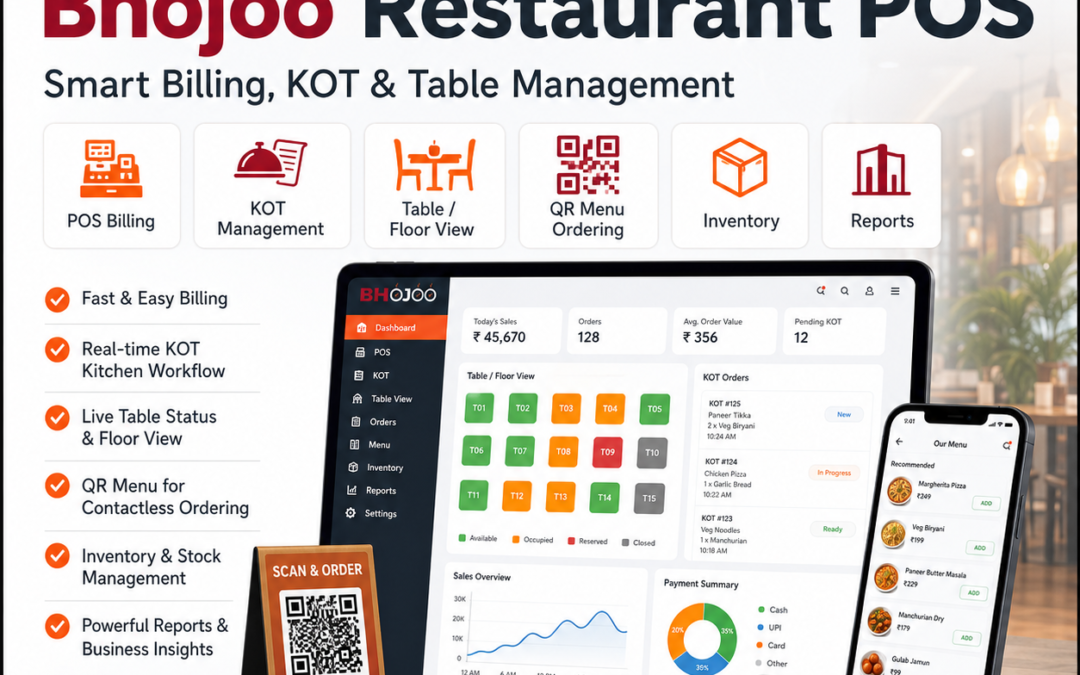
Looking for a Free Restaurant POS System? Discover Bhojoo for Complete Restaurant Management
A busy restaurant needs more than a billing screen. Orders must reach the kitchen correctly, repeat orders must stay linked to the right table, payments must match the final bill, and stock movement must remain visible to the owner.
If you are searching for a free restaurant POS system, start by asking a bigger question: Will this system support the way my restaurant actually works?
A basic billing tool may be enough for simple transactions. But dine-in restaurants, cafés, quick-service outlets and cloud kitchens often need connected ordering, kitchen, inventory and reporting workflows.
Bhojoo Restaurant POS by Adwing Technologies brings these operations together, helping restaurant teams manage the journey from order entry to kitchen preparation, settlement and daily review.
Explore Bhojoo Restaurant POS Software
Free Restaurant POS Software: What Should You Check First?
Before selecting any restaurant billing software, understand what the advertised offer includes. “Free” may refer to a limited edition, a temporary trial or selected functions.
Check whether your required package includes:
- POS billing and kitchen tickets.
- Table management and repeat orders.
- QR menu and customer ordering.
- Inventory and recipe consumption.
- Payment reconciliation and reports.
- Staff permissions, training and support.
- Suitable deployment, backup and renewal arrangements.
Bhojoo’s pricing, demo availability and included modules should be confirmed with Adwing Technologies. This article does not describe Bhojoo as a free-forever product. The right choice is the software that fits your service workflow and gives your team dependable support.
What Is Bhojoo Restaurant POS?
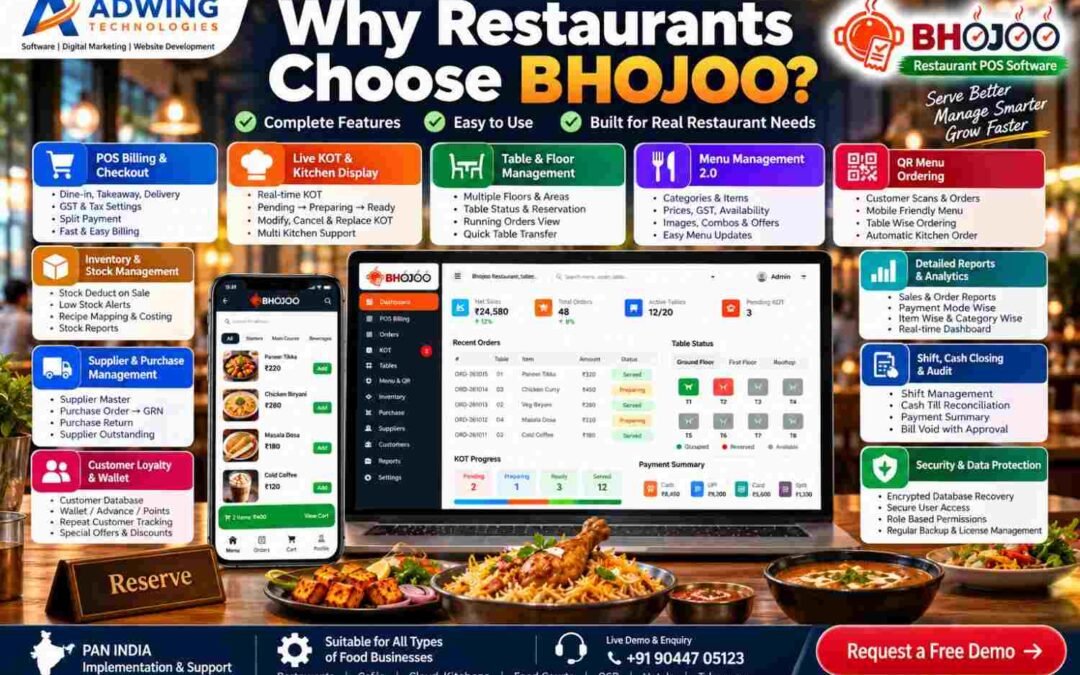
Bhojoo is a restaurant management platform designed to connect the counter, kitchen, floor staff and owner. Its product portfolio covers billing, KOT, table operations, menu management, QR ordering, inventory, procurement, customer engagement and management reporting. Module availability depends on the selected package and restaurant setup.
Here is how these features support everyday restaurant work.
1. POS Billing for Dine-In, Takeaway and Delivery
Bhojoo helps staff create orders, select menu items, adjust quantities and prepare customer bills. The billing workflow includes:
- Dine-in, takeaway and delivery order handling.
- Customer and table selection.
- Item rates, quantities, taxes and discounts.
- Kitchen notes and preparation instructions.
- Hold orders and running bills.
- Customer bill printing and final settlement.
For example, a family can order starters first and main courses later while the team maintains one running table bill.
2. Live KOT and Kitchen Communication
A Kitchen Order Ticket, or KOT, tells the kitchen what to prepare. Bhojoo’s kitchen workflow connects order details with preparation activity. Staff can work with table references, items, quantities and instructions such as “less spicy” or “no onion.”
Key functions include:
- New KOT and additional KOT.
- Kitchen ticket printing and reprinting.
- Pending, preparing, ready and served stages.
- Controlled quantity changes.
- Item replacement and cancellation.
- Traceable kitchen adjustments.
This helps the counter and kitchen stay aligned when guests change or extend an order.
3. Same-Table Repeat Orders
Customers frequently order additional dishes during a meal. Bhojoo supports this through the running-table workflow. Additional items can generate a separate ADD KOT while remaining connected to the existing bill. The kitchen receives the new preparation requirement, and the cashier retains a consolidated view for settlement. This is useful for family restaurants, cafés and other outlets where a single visit involves several ordering rounds.
4. Tables, Floors, Reservations and Waitlist
Bhojoo supports floor-wise table organisation, table capacity, reservations and running-order visibility. Restaurants can organise sections such as:
- Ground floor and upper floor.
- Family dining area.
- Main hall.
- Rooftop or outdoor seating.
- Private or group tables.
Graphical and floating table views help staff identify table activity. Reservation and waitlist workflows support advance bookings and walk-in coordination where enabled. The goal is straightforward: staff should be able to find the right table, open its order and understand its service status quickly.
5. QR Menu and Customer Ordering
With a configured QR ordering system, guests can scan a table QR code, browse the menu and submit an order from their phone. The customer journey can include:
- Scan the table QR.
- Browse categories and food images.
- Select dishes and available options.
- Review the cart and instructions.
- Submit the order into the restaurant workflow.
QR ordering provides another ordering channel while keeping menu information easier to update.
6. Menu Management 2.0
Bhojoo’s advanced menu tools go beyond item names and prices.
Categories, Images and Descriptions
Organise dishes into categories, add food photos, maintain descriptions and control availability.
Sizes and Variations
Create options such as small, medium and large, with individual prices.
Add-ons and Modifiers
Offer toppings, extra cheese and preparation choices that help customers customise their order.
Meal Combos
Group items into offers such as a burger, fries and beverage.
Dynamic Pricing and Timed Menus
Configure applicable price rules and service-time availability for breakfast, lunch, dinner or other selected periods. These tools help restaurants present more structured choices without managing every option manually.
7. Digital Kitchen Screens, Kiosks and Token Displays
Different teams and customers need different screens. Bhojoo’s product portfolio includes configuration-dependent options for:
- Digital kitchen display: preparation tickets and status tracking.
- Self-ordering kiosk: customer menu browsing and order submission on a dedicated device.
- Customer token display: visibility of preparing and ready orders.
- Customer feedback: structured input after service.
These options are particularly relevant to QSRs, takeaway counters and food courts. Required devices, enabled modules and connected workflows should be demonstrated before deployment.
8. Inventory and Recipe Costing
Restaurant stock control becomes more useful when it connects to menu sales. Bhojoo’s inventory tools cover stock records, transactions, recipe mapping, consumption, wastage and low-stock visibility. For example, a configured recipe can define the ingredient quantities used in a dish. Relevant sales activity can then drive stock consumption through that mapping.
This helps owners review:
- Ingredient balances.
- Stock movement.
- Recorded wastage.
- Replenishment needs.
- Recipe-related food costs.
Accurate opening stock, units and recipe quantities are essential for meaningful results.
9. Suppliers, Purchases and Goods Receipt
Bhojoo connects procurement with stock and supplier-account visibility. The purchasing workflow includes:
Supplier setup → Draft purchase order → Approval → Goods receipt → Supplier-account review
Supporting functions include purchase returns, supplier payments, outstanding balances, due ageing and purchase-related reports. This gives management a clearer view of what was ordered, what arrived and what remains payable.
10. Payments, Split Settlement and Controlled Corrections
Restaurant payment handling often involves more than one method. Bhojoo supports cash, UPI, card and split-payment workflows, along with cash-received and change-return calculations.
Other controls include:
- Bill round-off.
- Discounts and relevant remarks.
- Customer bill before final settlement.
- Authorised payment-mode corrections.
- Controlled settled-bill void approval.
- Payment summaries and audit-oriented records.
Recording a payment method should not be confused with an activated online payment gateway. Connected online payment requires the relevant supported integration and setup.
11. Customer Management, Loyalty and Wallet
Returning guests are valuable to a restaurant. Bhojoo’s customer tools help connect customer records with repeat visits and configured engagement workflows. Depending on the enabled modules, these can include:
- Customer database and visit activity.
- Loyalty points.
- Customer offers.
- Wallet or advance balances.
- Feedback collection.
Earning, redemption and wallet rules should be configured clearly so staff can explain them consistently.
12. Dashboard, Reports and Business Insights
Owners need visibility into service activity and financial results. Bhojoo’s dashboard brings together operating information such as billing activity, recent orders, KOT, tables, net sales and payments.
Its reporting portfolio covers:
- Sales and order activity.
- Item and category movement.
- Payment-mode summaries.
- Kitchen and table-related information.
- Inventory and purchases.
- Supplier dues.
- Shift and cash-closing review.
These reports support practical questions: Which dishes are moving? What payments were collected? Which supplier balances need attention?
13. Staff Permissions, Audit and Recovery
Bhojoo supports role-based access for owner/admin, cashier, waiter and kitchen users. Permissions help define who can manage menus, settle payments, adjust orders or perform sensitive actions. Audit-oriented workflows, backups and recovery capabilities support operational accountability. Backup schedules and recovery procedures should form part of the restaurant’s implementation plan.
14. Web, Mobile and Deployment Options
Bhojoo is designed for responsive browser-based use on compatible desktop, laptop, tablet and mobile devices. Deployment planning can cover online, local/LAN or hybrid requirements, depending on the available edition and configuration. QR access, remote owner access, printers and synchronisation should be checked against the selected setup.
Discuss Bhojoo Deployment and Request a Demo
How Bhojoo Works: A Practical Restaurant Journey
- Prepare: configure menus, taxes, tables, staff and recipes.
- Take orders: use POS, waiter access or enabled customer ordering.
- Send KOT: communicate dishes and instructions to the kitchen.
- Manage service: handle preparation, repeat orders and changes.
- Present the bill: review the customer’s active items.
- Settle: record payment and complete the order.
- Review: check collections, stock, purchases and daily reports.
Support Restaurant Growth Beyond Billing
Software manages operations; your online presence helps customers discover your restaurant. Adwing also provides related services that can complement restaurant growth:
Explore Adwing Technologies’ digital services alongside software consulting and support.
Frequently Asked Questions
Is Bhojoo a free restaurant POS system?
A permanent free plan is not confirmed here. Contact Adwing Technologies for current pricing, demo terms and included modules.
Can Bhojoo handle QR orders and kitchen tickets?
QR ordering and KOT are part of the product offering. The complete order-to-kitchen flow should be configured and demonstrated for your restaurant.
Can customers split a bill payment between cash and UPI?
Bhojoo supports split-payment workflows, including supported combinations of cash, UPI and card.
Does Bhojoo manage inventory and suppliers?
Its portfolio includes inventory, recipe mapping, purchases, goods receipt, purchase returns and supplier-account workflows.
Is Bhojoo suitable for a small restaurant or café?
It can be considered for restaurants, cafés, QSRs and takeaway businesses. Select the modules and deployment that match your operation.
Can owners use Bhojoo from a mobile device?
Responsive browser access is supported for permitted users. Remote access depends on the deployment and connectivity.
See Bhojoo With Your Own Restaurant Workflow
Choose a restaurant POS system by testing your actual needs: a repeat table order, a kitchen change, a split payment, a stock transaction and a daily closing report.
Adwing Technologies can help you evaluate Bhojoo, plan implementation and train your team around those workflows.
Call or WhatsApp: +91 90447 05123
Request a Personalised Bhojoo Demo
View Bhojoo Restaurant POS Features
by adwingservices | Oct 27, 2026 | hotel software, Restaurant Management Software
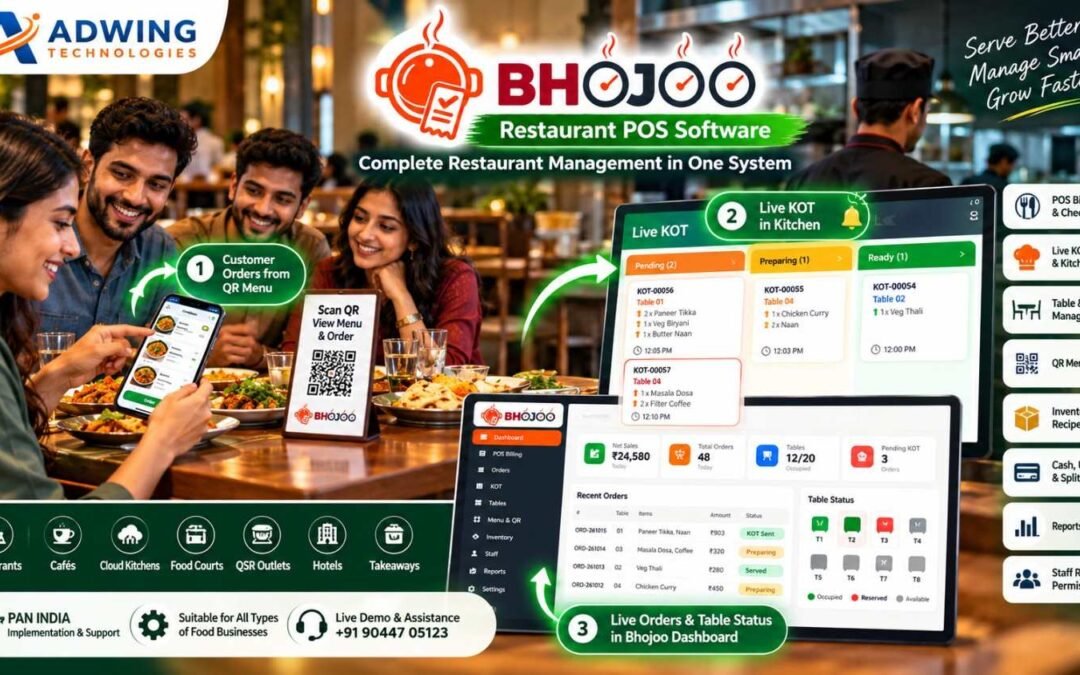
Bhojoo Restaurant Management Software in India
Complete Restaurant Control – From Customer Order to Kitchen, Billing, Inventory & Owner Reports
Modern restaurants need much more than a billing machine.
Customers expect faster ordering.
Kitchen teams need accurate KOTs.
Waiters need live table information.
Cashiers need fast settlements.
Owners need control over inventory, suppliers, customers, staff, payments and daily closing. Bhojoo Restaurant Management Software by Adwing Technologies brings these restaurant operations together through one connected web-based platform.
From POS Billing and Live KOT to QR Ordering, Self-Ordering Kiosk, Digital Kitchen Display, Customer Token Screen, Table Management, Inventory, Supplier Purchases, Customer Loyalty and Business Reports, Bhojoo is designed around the way modern restaurants actually operate.
Serve Better. Manage Smarter. Grow Faster.
CTA: Request Bhojoo Live Demo
Call / WhatsApp: +91 90447 05123
One Restaurant Management System. Multiple Operations Connected.
Bhojoo connects the complete restaurant journey:
Customer Order → Table / QR / Kiosk → Live KOT → Kitchen → Ready Status → Billing → Payment → Inventory → Customer → Reports
Instead of using different software for billing, QR menu, stock, kitchen and customer management, Bhojoo keeps the important restaurant workflow connected. This gives the team a simpler operating process and gives the owner stronger visibility over daily business activity.
Built as a Web & Mobile Restaurant Application
One of Bhojoo’s major strengths is its browser-based restaurant workflow. Authorized users can access relevant Bhojoo screens through supported web browsers according to their login permissions. This makes Bhojoo suitable for different restaurant operating points.
Desktop & Laptop
Use the complete restaurant dashboard, POS, reports, settings and administrative controls.
Tablet
Useful for counter billing, table management, waiter operations or kiosk-style environments.
Mobile
Restaurant owners, waiters and authorized team members can access mobile-friendly workflows according to assigned permissions.
Secure URL-Based Access
Open the restaurant application through the assigned Bhojoo URL, sign in with authorized credentials and access relevant modules. One system designed to work across the restaurant—not only on one billing computer.
Fast POS Billing & Checkout
Bhojoo provides a fast restaurant billing workflow designed for everyday counter operations. Restaurants can manage applicable order types such as:
Dine-In • Takeaway • Delivery
Billing can include item quantity, applicable GST/tax, discounts, round-off, payment information and restaurant-specific transaction details. The billing process remains connected with orders, KOTs, tables, payments and reports.
Customer Bill Before Payment Settlement
Bhojoo can maintain the difference between preparing the customer bill and finally settling the transaction. A customer can request the bill before actually making payment. The running order can remain active until settlement is completed by an authorized user. This reflects how dine-in restaurants actually operate.
Live KOT & Kitchen Display System
The kitchen should know immediately when a new order arrives. Bhojoo provides Live KOT – Kitchen Order Ticket Management to connect order-taking staff with the kitchen. KOT workflow can move through statuses such as:
Pending → Preparing → Ready → Served
Kitchen teams can view active orders, preparation requirements and order status through the live kitchen interface. Waiters and operating staff get better visibility without repeatedly asking the kitchen for updates.
Digital Kitchen Screen
Move beyond only printed KOT slips. Bhojoo can provide a Digital Kitchen Display where active restaurant orders appear on-screen for kitchen staff. The kitchen can identify:
New Orders
Pending Orders
Preparing Orders
Ready Orders
Table Number
Order Items
Special Instructions
This gives kitchens a more organized digital workflow and becomes especially useful during peak restaurant hours.
Same Table Repeat Order – ADD KOT
Customers rarely complete their entire order at once. A table may first order starters and beverages, then add main course and dessert later. With Bhojoo, the same running table can continue receiving additional orders. Only the newly added items can be sent to the kitchen through an ADD KOT, while the final customer bill remains combined. This avoids duplicate billing and keeps kitchen communication clear.
Modify, Cancel & Replace KOT with Control
Restaurant orders sometimes change after being placed. Bhojoo supports controlled KOT operations such as:
Modify Quantity
Cancel Item
Replace Item
Repeat KOT
Cancel KOT
Reprint KOT
Changes can be controlled according to user permissions and operational rules so restaurant owners maintain better accountability.
Smart Table & Floor Management
Bhojoo provides a visual table-management workflow for dine-in restaurants. Restaurants can create different service areas such as:
Main Hall
Family Area
Ground Floor
First Floor
Rooftop
Outdoor Seating
Window Area
Tables can display operational status such as: Available • Occupied • Booked • Reserved This gives the front desk, waiter and cashier a common live view of restaurant seating.
Floating Table View – Faster Table Control
Bhojoo’s table workflow can be presented through a floating / visual table view so staff can quickly see the restaurant floor without opening individual order screens repeatedly. The floating table interface can help authorized users identify:
Which table is running
Which table is free
Which table is reserved
Which tables have active orders
Which table needs attention
Current table order status
This makes table handling especially useful on tablets and mobile-friendly screens.
Quick Table Transfer & Running Order Control
If a guest changes seats or the restaurant needs to move an active party, a running order can be managed through the table workflow rather than recreating the complete bill.
This keeps restaurant operations cleaner and helps reduce duplicate entries.
Public Reservation & Digital Waitlist
Bhojoo can support restaurant reservation and waiting workflows for restaurants that manage busy dining periods. Customers can be added to the reservation or digital waitlist, while authorised restaurant users can monitor upcoming and waiting guests. This can help restaurants manage:
Advance Reservations
Walk-In Waiting Customers
Table Allocation
Estimated Waiting Flow
Reservation Status
A digital waitlist provides a more professional alternative to handwritten waiting registers.
QR Menu – Scan, View & Order from Mobile
Bhojoo transforms the restaurant table into a digital ordering point. Customers can scan a QR code using their mobile phone and access the restaurant’s digital menu. The customer journey becomes:
Scan QR → Browse Menu → Select Items → Choose Table → Add Instructions → Place Order → Live KOT
The customer can order without installing a separate application. This makes QR ordering practical for restaurants that want faster table service and a modern digital experience.
Customer Order Confirmation
After a QR order is successfully placed, the customer can receive a clear confirmation screen with order reference information. This reassures the customer that the order has reached the restaurant and kitchen workflow. The order can then appear inside Bhojoo for authorized restaurant processing.
Self-Ordering Kiosk
For restaurants, cafés, QSR outlets and food courts that want customer self-service, Bhojoo can support a Self-Ordering Kiosk workflow. Customers can use a dedicated tablet or kiosk screen to:
Browse Menu
Select Food
Add Quantity
Choose Options
Review Cart
Place Order
The order can then flow into the restaurant’s Bhojoo order and KOT system. This helps reduce counter dependency and creates a modern quick-service ordering experience.
Digital Customer Token Display
Bhojoo can extend restaurant operations beyond billing and kitchen management with a Customer Token Display. Once an order enters preparation, restaurants can display token/order information on a separate customer-facing screen.
A typical flow can be:
Token Generated → Preparing → Ready → Customer Called
This is especially useful for:
QSR Restaurants
Takeaway Counters
Food Courts
Cafés
Self-Service Restaurants
Fast Food Outlets
Where configured, token-ready status can also be paired with an audible/voice alert to improve customer communication.
Customer Display Screen
Restaurants can use a dedicated screen to communicate important order information to waiting customers. The display can show relevant tokens or order statuses without exposing internal restaurant management information. This keeps the customer-facing experience separate from the cashier or kitchen dashboard.
Advanced Menu Management 2.0
Bhojoo’s Menu Management is designed for more than basic food-item entry. Restaurant operators can manage:
Categories
Menu Items
Food Images
Descriptions
Prices
GST / Tax
Availability
Variants
Combos
Customizations
Recommended Items
Popular Items
This improves both internal POS usability and the customer-facing QR / kiosk menu experience.
Item Availability Control
If an item becomes temporarily unavailable, staff can update its availability rather than deleting the product. This reduces confusion for staff and helps customers avoid selecting unavailable food through digital ordering interfaces.
Inventory & Stock Management
Restaurant profitability depends heavily on inventory control. Bhojoo connects restaurant operations with stock-management workflows.
Restaurants can manage:
Raw Material Stock
Current Stock
Stock Transactions
Low Stock
Reorder Levels
Consumption
Stock Adjustments
Inventory Reports
The goal is to give restaurant owners better visibility over what is available and what is being consumed.
Recipe Mapping & Automatic Stock Consumption
Menu items can be connected with configured recipe ingredients. For example, when a menu item is sold, related ingredient quantities can be consumed from stock according to the configured recipe. This helps owners understand:
Ingredient Consumption
Food Cost
Stock Movement
Recipe Usage
Item Profitability
Restaurant software becomes much more valuable when billing and inventory work together.
Wastage Management
Food wastage affects profit. Bhojoo can maintain wastage and stock-adjustment activity so restaurant owners can identify why inventory changed. This helps distinguish real sales consumption from spoilage, damage or operational wastage.
Supplier Management
Restaurant inventory begins with suppliers. Bhojoo provides supplier-management workflows so purchasing and inventory are not managed separately. Restaurant operators can maintain supplier details and connect them with purchases, received stock and payment information.
Purchase Order → Approval → GRN
Bhojoo supports a structured purchasing workflow:
Supplier → Purchase Order → Approval → GRN → Stock
This allows restaurants to create purchase requirements, approve purchases and record the actual quantity received through Goods Receipt Note processing. Accepted stock can then become part of inventory records.
Purchase Return
If goods are damaged, incorrect or need to be returned, Bhojoo can maintain purchase-return transactions. This keeps supplier records and inventory more accurate.
Supplier Outstanding & Accounts
Restaurant owners can track supplier-related information such as:
Purchases
Payments
Outstanding Amount
Purchase Returns
Supplier Ledger
Pending / Ageing Information
This creates a stronger back-office procurement and account-control workflow.
Customer Database
Bhojoo can maintain customer information for restaurants that want to understand repeat business. Customer history provides the foundation for better loyalty, service and promotional strategies.
Customer Loyalty & Wallet
Bhojoo’s customer-management capabilities can extend into Loyalty and Wallet workflows. Supported restaurant setups can maintain:
Customer Wallet
Advance Balance
Loyalty Points
Repeat Customer History
Special Offers
Discount Programs
This helps restaurants focus on customer retention rather than only first-time transactions.
Customer Feedback Management
Understanding the customer experience is important for improving restaurant service. Bhojoo can include a Customer Feedback workflow so restaurants can collect structured feedback after dining or ordering. Feedback can help management understand areas such as:
Food Quality
Service Experience
Restaurant Experience
Order Accuracy
Overall Satisfaction
This creates a structured customer-feedback channel rather than relying only on informal comments.
Fast Payments – Cash, UPI & Card
Bhojoo supports practical restaurant settlement workflows through commonly used payment modes such as:
Cash • UPI • Card
Restaurant payments remain connected with the actual order and reporting workflow.
Split Payment
One restaurant bill can be settled using multiple payment modes where configured.
For example:
Part Cash + Part UPI + Part Card
The restaurant does not need to create artificial duplicate bills just to accommodate different payment methods.
Cash Received & Change Return
Cashiers can record cash received from the customer and determine applicable change return. This helps make counter settlement clearer during busy service periods.
Automatic Round-Off
Applicable bill values can be rounded according to configured restaurant billing rules. The final payable amount remains clear to both customer and cashier.
Payment Mode Correction with Audit
Human mistakes happen.
If a Cash transaction is accidentally recorded as UPI—or another payment mode is entered incorrectly—authorized users can correct the payment mode through a controlled workflow. The reason for correction can remain part of the system’s audit history. This gives restaurant owners more control than simply deleting and recreating bills.
Settled Bill Void Approval
Voiding a completed restaurant bill should not be available to every employee. Bhojoo supports controlled bill-void workflows where sensitive actions can require appropriate permissions or owner/admin approval. This protects restaurant financial records and improves accountability.
Discounts with Remarks
Discounts can affect restaurant margins. Bhojoo can maintain discount information and applicable remarks so management can understand why concessions were given. This provides better visibility when reviewing restaurant reports.
Shift Management
Restaurants often operate through multiple staff shifts. Bhojoo provides shift-management functionality to organise cashier and operational activity according to working periods. This becomes particularly valuable for restaurants operating long hours.
Shift & Cash Closing
At the end of a shift, restaurant management needs clear reconciliation. Bhojoo can help review:
Cash Sales
UPI Collection
Card Collection
Split Payments
Payment Corrections
Voided Transactions
Expected Cash
This helps restaurant owners compare actual cashier collection with system records.
Online Payment Framework
Bhojoo includes an online-payment framework designed to support applicable digital-ordering and payment workflows. This strengthens the platform for restaurants moving toward QR ordering, customer self-service and broader digital operations.
Owner Dashboard & Mobile Control
Restaurant owners should not have to remain permanently seated at the billing counter. Bhojoo provides management views designed to bring important restaurant information together. The owner can review relevant information such as:
Sales
Orders
Active Tables
Pending KOT
Payments
Recent Orders
Inventory Information
Business Reports
The mobile-friendly web architecture makes restaurant information easier to review from supported devices according to user permissions.
Multi-User Role-Based Access
Different employees need different permissions. Bhojoo can provide role-based restaurant access for users such as:
Admin / Owner
Full management visibility, configuration, reports, approvals and sensitive controls.
Cashier
POS billing, settlement and permitted cashier functions.
Waiter
Tables, guest orders and relevant service workflows.
Kitchen
KOT, preparation and kitchen-order status. Role-based control keeps sensitive restaurant functions away from users who do not require them.
Reports & Restaurant Analytics
Bhojoo turns daily restaurant transactions into useful business information. Management reporting can cover areas such as:
Sales Reports
Order Reports
Item-Wise Sales
Category-Wise Sales
Payment Mode Reports
Table Reports
KOT Reports
Inventory Reports
Purchase Reports
Supplier Reports
Customer Activity
Shift Closing
Audit Activity
Restaurant owners can use these reports to understand operations rather than relying only on total daily sales.
Live Restaurant Dashboard
The Bhojoo dashboard can provide a quick operating snapshot containing indicators such as:
Today’s Sales
Total Orders
Active Tables
Pending KOT
Payments
Recent Orders
Table Status
This gives restaurant management a quick overview before opening detailed reports.
Security & Data Protection
Restaurant data contains important information related to billing, payments, customers, suppliers and stock. Bhojoo includes role-based access controls and other security-oriented workflows to help protect restaurant operations.
Database Backup & Encrypted Recovery
Business software should have a strategy not only for creating data but also for recovering it. Bhojoo’s latest architecture includes backup-oriented protection and encrypted database recovery capability. This strengthens the reliability of the restaurant operating environment.
Audit Trail
Sensitive restaurant changes can remain traceable. Audit workflows can help authorised restaurant management review activities such as:
Payment Corrections
Bill Void
KOT Modification
Administrative Changes
This improves staff accountability and protects business records.
One System for the Complete Restaurant Team
Bhojoo connects the restaurant from customer to owner. Customer: QR ordering, kiosk, token status and feedback.
Waiter: Tables and orders.
Kitchen: Live KOT and Digital Kitchen Screen.
Cashier: Billing and settlement.
Inventory Team: Stock and consumption.
Purchase Team: Suppliers, PO and GRN.
Manager: Staff control, shifts and reports.
Owner: Business visibility, audit and decision-making.
That is why Bhojoo should be positioned as a Restaurant Management Platform, not only a POS.
Suitable for Different Food Businesses
Bhojoo can be configured for different food-service operations including:
Restaurants
Family Restaurants
Cafés
QSR Outlets
Food Courts
Cloud Kitchens
Takeaway Counters
Hotel Restaurants
Fast Food Outlets
Other organised food businesses
The final modules and configuration should be planned according to actual restaurant operations.
Bhojoo Restaurant Software Across India
Adwing Technologies provides Bhojoo product demonstration, implementation discussion, onboarding and support for restaurants across India. Restaurants in Delhi NCR, Noida, Ghaziabad, Lucknow, Varanasi, Prayagraj, Mirzapur, Mumbai, Pune, Bengaluru, Hyderabad, Chennai, Kolkata, Jaipur, Ahmedabad and other Indian cities can discuss their requirements remotely.
PAN-India Restaurant Software – Local Workflow, Digital Control.
Why Restaurants Choose Bhojoo
Bhojoo connects the features that matter during actual restaurant service.
Fast Billing
Live Kitchen Control
Visual Tables
Customer QR Ordering
Self-Service Kiosk
Digital Kitchen Screen
Customer Token Display
Advanced Menu
Inventory & Recipe Costing
Supplier Procurement
Customer Loyalty
Feedback
Payment Control
Shift Closing
Owner Reports
Role Security
Encrypted Recovery
Instead of adding disconnected applications one by one, Bhojoo provides a connected restaurant-management foundation.
See Bhojoo with Your Restaurant Workflow
The best way to evaluate restaurant software is to see how it works with your actual business.
Share your:
Restaurant Name
Number of Tables
Floors / Areas
Billing Counters
Kitchen Setup
QR Ordering Requirement
Kiosk Requirement
Token Display Requirement
Inventory Requirement
Staff Roles
Supplier Workflow
Customer Loyalty Requirement
Reporting Requirement
and request a guided Bhojoo demonstration.
Request a Bhojoo Live Demo
Call / WhatsApp: +91 90447 05123
Bhojoo Restaurant Management Software by Adwing Technologies
Serve Better. Manage Smarter. Grow Faster.
Frequently Asked Questions
What is Bhojoo Restaurant Management Software?
Bhojoo is a restaurant-management platform designed to connect POS billing, Live KOT, tables, QR ordering, menu, kiosk, inventory, suppliers, customers, payments, reports and owner controls.
Is Bhojoo a web-based application?
Bhojoo is designed with web-based restaurant workflows that can be accessed on supported browsers and devices according to the restaurant setup and user permissions.
Can Bhojoo work on mobile?
Bhojoo includes mobile-friendly restaurant workflows so authorised users can access relevant functions from supported mobile devices.
Does Bhojoo support QR ordering?
Yes. Customers can use a restaurant QR menu to view food items and place orders through the configured workflow.
Does Bhojoo support self-ordering kiosk?
Bhojoo can support customer self-ordering kiosk workflows for suitable restaurant and QSR setups.
Can Bhojoo display customer tokens?
Customer-facing token/order-status displays can be used for applicable takeaway, QSR and self-service workflows.
Does Bhojoo have a Digital Kitchen Display?
Yes. Bhojoo can provide a digital Live KOT / kitchen display workflow to help kitchen teams manage active orders.
Can customers give feedback?
Bhojoo includes customer-feedback workflows that restaurants can use to capture structured dining or ordering feedback.
Does Bhojoo manage restaurant tables?
Yes. Bhojoo supports floor-wise tables, table status, reservations, running orders and visual table workflows.
Does Bhojoo support inventory and recipe costing?
Yes. Inventory workflows can include stock, consumption, recipe mapping, wastage and applicable food-cost monitoring.
Does Bhojoo manage suppliers and purchases?
Supplier workflows can include supplier master, purchase orders, approvals, GRN, purchase returns, supplier payments and outstanding records.
Does Bhojoo have customer loyalty?
Customer-management functions can support loyalty, wallet, advances, points and repeat-customer workflows according to configuration.
Can Bhojoo handle split payment?
Yes. Applicable restaurant bills can be settled through supported combinations of Cash, UPI and Card.
Can payment mistakes be corrected?
Authorised Bhojoo users can use controlled payment-correction workflows with audit visibility.
Does Bhojoo provide cash closing?
Yes. Shift and cash-closing workflows can help authorised restaurant management reconcile payments and cashier activity.
Does Bhojoo provide reports?
Bhojoo provides restaurant dashboards and reports covering relevant sales, orders, payments, KOT, tables, inventory, purchasing and operational activity.
Is Bhojoo suitable for restaurants across India?
Yes. Adwing Technologies can discuss Bhojoo demonstrations, implementation requirements and support with restaurants across India.
by adwingservices | Oct 27, 2026 | Restaurant Management Software, hotel software
Why Are Restaurant Owners Choosing Bhojoo Restaurant POS Software?
A restaurant may look simple from the customer side.
A customer enters, selects a table, places an order, receives food, pays the bill and leaves. But behind that single experience, the restaurant is handling dozens of connected activities.
The waiter needs the right order.
The kitchen needs the correct KOT.
The cashier needs accurate billing.
The owner needs stock visibility.
Suppliers need to be managed.
Payments need to reconcile.
Tables need to become available again.
Customer history needs to remain organized.
And at the end of the day, the restaurant owner needs to know one thing: “What actually happened in my business today?”
This is exactly where Bhojoo Restaurant POS Software by Adwing Technologies becomes different from a basic billing application.
Bhojoo is designed as a complete restaurant operating system where billing, orders, KOT, tables, menu, inventory, purchases, suppliers, customers, loyalty, payments, shifts, reports and security work together. It is designed for restaurant owners who want more control over their operations—not just a faster way to print a bill.
Bhojoo Is More Than Restaurant Billing Software
Many restaurant applications begin and end with POS billing.
Select items.
Create bill.
Take payment.
Print receipt.
That may be enough for a very small counter, but a restaurant has much more happening behind the bill. Bhojoo connects the restaurant workflow from the moment the order begins. A typical Bhojoo workflow can look like:
Customer/Table → Order → KOT → Kitchen → Additional Order → Final Bill → Payment → Inventory → Reports
The same system can then extend into supplier purchases, customer loyalty, cash closing and business analytics. That connected workflow is one of the biggest reasons a restaurant owner should consider Bhojoo.
1. Fast POS Billing That Connects with the Entire Restaurant
Billing should be fast, but speed alone is not enough. The bill should also remain connected with the restaurant table, KOT, payment, inventory and reporting system.
Bhojoo POS Billing is designed for restaurant workflows including Dine-In, Takeaway and Delivery, according to the configured setup.Users can select menu items, quantity and applicable pricing while the system maintains the transaction inside the restaurant workflow.For busy restaurants, cafés and food outlets, this means less dependence on handwritten notes and disconnected billing records.
Customer Bill and Final Settlement Are Different
A particularly practical feature is that the customer bill can be generated before the transaction is finally settled.
This reflects how restaurants actually work.The customer may ask for the bill, review it, and then pay a few minutes later.Bhojoo can maintain the running order until authorised settlement is completed.This gives the cashier and restaurant team better operational clarity.
2. Live KOT Creates a Direct Connection with the Kitchen
One of the biggest operational problems in restaurants is communication between the order-taking team and the kitchen. Bhojoo addresses this through Live KOT and Kitchen Display workflows. When an order reaches the kitchen, the team can track its status through stages such as:
Pending → Preparing → Ready → Served
This creates much clearer communication. The waiter does not need to repeatedly ask the kitchen whether an order is ready. The kitchen gets a structured view of incoming orders. Management gets visibility into pending KOT activity. For a busy restaurant, this can significantly improve order coordination.
3. Same Table, Additional Order, One Final Bill
Real restaurant customers rarely order everything at once.
They may begin with starters. Later they add another beverage. Then main course. Then dessert.
Bhojoo supports this real-life behavior through same-table repeat ordering and ADD KOT workflows. Newly ordered items can be sent separately to the kitchen without unnecessarily recreating the original transaction. At final settlement, the customer can still receive one combined bill. This is a small operational feature that can make a major difference during busy service hours.
4. Better Control When Customers Change Their Order
Customers change their minds. An item may need to be cancelled. Quantity may need to change. One dish may need to be replaced with another.
A restaurant management system should not simply erase the previous activity and pretend nothing happened. Bhojoo supports controlled KOT modifications so operational changes can be handled more systematically. This improves both kitchen communication and management accountability.
5. Smart Table & Floor Management
Restaurants with multiple dining areas need more than a numbered table list. Bhojoo can organize restaurant seating into different floors or areas, such as Main Hall, Family Section, Rooftop, Ground Floor, Outdoor Area or other restaurant-specific layouts.
The team can view table status and understand which tables are available, occupied or reserved. This helps reception, waiters and cashiers operate from the same information rather than relying only on verbal communication. Reservations can also be handled as part of the table workflow.
6. Customers Can Order Through QR Menu
Modern customers increasingly prefer digital convenience. With Bhojoo QR Menu Ordering, a customer can scan the restaurant’s QR code using a smartphone and access the menu. Depending on the configured workflow, customers can view dishes, prices and menu categories, select items and submit an order.
The real advantage is what happens next. The digital order does not remain separate from restaurant operations. It can move into the Bhojoo restaurant workflow and become available for kitchen/KOT processing.
The journey becomes:
Scan QR → View Menu → Select Food → Place Order → Live KOT → Kitchen
This gives restaurants a modern customer experience while keeping the operational side connected.
7. Advanced Menu Management for Real Restaurant Needs
Restaurant menus are constantly changing. Prices change. Seasonal dishes are added .Items become unavailable. Different categories need to be organised. Restaurants may want images, descriptions or recommended items. Bhojoo’s menu-management structure is designed to make these updates easier.
Instead of treating the menu as a simple price list, restaurants can maintain a more organised digital menu experience for both staff and QR customers.
8. Billing and Inventory Work Together
One of the strongest reasons to move beyond basic POS software is inventory control. If the restaurant sells 50 dishes but stock remains completely disconnected from sales, the owner still has to manually understand what was consumed. Bhojoo can connect restaurant billing with inventory and recipe-based consumption.
That means restaurant owners can develop better visibility over raw materials, current stock, stock transactions, low-stock situations and consumption. This is extremely useful for controlling one of the biggest restaurant expenses: Food Cost.
9. Recipe Costing Helps Owners Understand What They Are Actually Selling
Revenue alone does not determine restaurant profitability. A dish may sell well but still produce a poor margin if ingredient costs are too high. Recipe mapping and costing allow restaurant owners to better understand how menu sales relate to raw-material consumption. This creates a stronger management foundation for controlling wastage, identifying expensive recipes and evaluating menu profitability.
Bhojoo therefore moves restaurant owners beyond the simple question: “How much did we sell?” towards the more useful question: “How efficiently did we sell it?”
10. Supplier & Purchase Management Connects the Back Office
Restaurant inventory comes from suppliers. Vegetables, grocery items, dairy products, beverages, packaging and other materials need to be purchased continuously. Bhojoo’s supplier and procurement workflow can help connect these activities through processes such as: Supplier → Purchase Order → Approval → GRN → Stock → Supplier Account
Purchase returns and supplier outstanding can also form part of the procurement workflow. This gives restaurant owners a much clearer picture of what was purchased, what was received and what remains payable.
11. Customer Loyalty & Wallet Can Encourage Repeat Business
A good restaurant does not only need new customers. It needs customers to return. Bhojoo’s Customer Loyalty and Wallet capabilities allow restaurants to build stronger repeat-customer strategies.
Depending on the configured setup, restaurants can maintain customer information, wallet balances, advances, points, repeat-customer history, discounts or promotional benefits. Instead of every transaction being anonymous, restaurants can gradually create a valuable customer relationship database. This can become especially useful for cafés, family restaurants and outlets with regular local customers.
12. Cash, UPI, Card and Split Payment Support
Indian restaurants regularly receive payment through different modes. Bhojoo supports structured settlement through options such as:
Cash, UPI, Card and Split Payment.
Split payment is especially useful when customers want to divide one bill between multiple payment methods. For example, part of the bill may be paid through UPI and the remaining amount in cash. The transaction can remain connected to one order instead of requiring artificial duplicate bills.
13. Payment Mistakes Can Be Corrected with Better Control
Restaurant cashiers are human. Mistakes can happen. A UPI payment may accidentally be recorded as Cash. A payment mode may be selected incorrectly.In many basic billing systems, fixing this requires deleting or recreating the transaction.Bhojoo provides a more controlled approach where authorised corrections can be made with appropriate reasons and audit visibility.This protects both the cashier and the restaurant owner.
14. Shift and Cash Closing Helps Owners Reconcile the Day
One of the most important moments in restaurant operations happens after customers leave.
Day closing.
How much cash should be available?
How much came through UPI?
What was collected through card?
Were any bills corrected? Were there voided transactions?
Does the cashier’s amount match the software? Bhojoo’s Shift and Cash Closing workflow is designed to support this reconciliation process. For restaurant owners who are not physically present at the counter every minute, this gives much stronger operational control.
15. Detailed Reports Turn Transactions into Business Information
Restaurant software should not only record transactions. It should help the owner understand them. Bhojoo provides reporting and dashboard capabilities that can help owners review information related to sales, payments, orders, tables, KOT activity, inventory and other configured restaurant operations.
Reports can help answer practical questions such as: Which payment mode is being used most?
How much was sold today?
Which orders are still pending?
What stock is becoming low?
How are restaurant operations performing? Better information allows better decisions.
16. Different Staff Get Different Access
Your waiter should not have the same access as your administrator. Your kitchen staff should not be changing financial reports. Your cashier should not necessarily have unrestricted system configuration access.
Bhojoo uses role-based access and restrictions so different restaurant employees can receive the controls appropriate to their responsibilities. Possible operational roles include Admin, Cashier, Waiter, Kitchen and other configured user types. This reduces unnecessary access to sensitive functions.
17. Security and Encrypted Database Recovery
Restaurant data is valuable.
Orders, payments, customers, inventory, suppliers and reports represent months or years of business activity. Bhojoo’s newer security framework includes stronger controls around user access, data protection, database backup and encrypted database recovery.
This becomes especially important when restaurant software is being treated as a core operational system rather than a temporary billing utility. A restaurant owner should always think about not only how data is created—but how it can be protected and recovered.
18. Online Payment Framework Makes Bhojoo Ready for Digital Ordering
Restaurant ordering is increasingly moving beyond the counter. QR orders, online orders and digital customer experiences are becoming normal. Bhojoo includes an online payment framework that provides the foundation for supported online payment workflows. This helps prepare restaurant operations for a more digital ordering environment while maintaining the central POS and reporting system.
19. Bhojoo Is Built for the Whole Restaurant, Not One Employee
One of the strongest reasons to choose Bhojoo is that it is not designed only for the cashier. It connects multiple participants inside a restaurant.
The customer can interact through QR ordering.
The waiter works with tables and orders.
The kitchen receives KOT information.
The cashier manages billing and settlement.
The inventory team manages stock and purchases.
The owner or administrator gets reports, controls and audit visibility.
When everyone works through the same connected workflow, restaurant operations can become much easier to monitor.
Why Choose Bhojoo Instead of Basic POS Software?
The difference becomes clearer when you look at the complete system. Bhojoo can bring together:
- POS Billing & Checkout
- Dine-In, Takeaway and Delivery
- Live KOT & Kitchen Display
- Same-Table ADD KOT
- Table & Floor Management
- Reservations
- Advanced Menu Management
- QR Menu & Customer Ordering
- Inventory & Stock Management
- Recipe Mapping & Costing
- Supplier & Purchase Management
- Customer Loyalty & Wallet
- Cash, UPI, Card & Split Payments
- Payment Correction & Audit
- Shift & Cash Closing
- Detailed Reports & Analytics
- Role-Based Staff Access
- Online Payment Framework
- Security, Backup & Encrypted Database Recovery
Instead of purchasing different applications for these processes, restaurant owners can manage more of their operation through one connected platform.
Who Should Choose Bhojoo?
Bhojoo can be considered by businesses such as family restaurants, cafés, cloud kitchens, food courts, QSR outlets, takeaway restaurants, hotel restaurants and other organised food businesses.
It is particularly useful for restaurant owners who have moved beyond simply needing a bill printer and now want stronger control over kitchen operations, stock, staff, customers, suppliers and financial reporting.
Why Bhojoo Can Be a Better Long-Term Investment
The cheapest POS is not necessarily the lowest-cost restaurant system. If the owner later has to buy separate applications for inventory, QR menu, supplier management, reporting or customer loyalty, the restaurant may end up managing multiple disconnected systems.
The real value of Bhojoo comes from connecting these workflows. The restaurant can start with its immediate operational requirements and use a system designed around broader restaurant management. That makes Bhojoo particularly relevant for restaurants that want to build better processes as the business grows.
Built for Restaurants Across India
Bhojoo is designed for Indian restaurant workflows and can be demonstrated for restaurant requirements across India. Restaurants can discuss their number of tables, billing workflow, kitchen setup, menu, staff structure, inventory requirements and reporting expectations before final implementation.
Whether you operate a restaurant in a metro city or a growing regional market, the goal remains the same: faster service, better control and clearer business information.
See Bhojoo Working with Your Own Restaurant Name
Software should be evaluated through a real workflow—not only screenshots and feature lists. Restaurant owners can request a Bhojoo Live Demo and discuss how their actual restaurant operations can be handled. During the demonstration, you can review billing, tables, KOT, QR orders, payments, inventory, reports and other relevant modules.
Live Demo & Enquiry:
+91 90447 05123
Bhojoo Restaurant POS Software by Adwing Technologies
Serve Better. Manage Smarter. Grow Faster.
Frequently Asked Questions
Why should I choose Bhojoo for my restaurant?
Bhojoo combines restaurant billing with KOT, table management, QR ordering, inventory, purchases, suppliers, customer loyalty, payments, reports, staff controls and security workflows. This makes it suitable for restaurant owners looking for broader operational control rather than only billing.
Is Bhojoo only a billing software?
No. Billing is one component of Bhojoo. The platform is designed around broader restaurant operations including orders, KOT, tables, inventory, procurement, customer management, reporting and administrative controls.
Does Bhojoo support QR ordering?
Yes. QR-based menu and ordering workflows can allow customers to view the menu and place orders using their smartphones according to the configured restaurant setup.
Can Bhojoo manage inventory?
Yes. Bhojoo supports inventory and stock workflows and can connect restaurant operations with recipe mapping and consumption where configured.
Can Bhojoo manage suppliers?
Yes. Supplier, purchase, GRN, purchase return and supplier-account workflows can form part of Bhojoo’s procurement management.
Does Bhojoo support customer loyalty?
Bhojoo includes customer loyalty and wallet capabilities for supported setups, allowing restaurants to develop stronger repeat-customer engagement.
Can the owner see business reports?
Yes. Bhojoo provides restaurant dashboards and detailed operational reporting so authorised users can review relevant sales, payment, order, KOT and inventory information.
Can cashier payments be corrected?
Authorised workflows can support payment-mode corrections with reasons and audit visibility instead of simply deleting transaction history.
Does Bhojoo support cash closing?
Yes. Shift and cash-closing workflows can help restaurants reconcile collections and operational activity.
Is Bhojoo secure?
Bhojoo’s current feature set includes role-based controls, data protection, backups and encrypted database-recovery capabilities as part of its security approach.
How do I get a Bhojoo demo?
Contact Adwing Technologies on +91 90447 05123 and share your restaurant name and key requirements to arrange a Bhojoo demonstration.
by adwingservices | Aug 12, 2026 | Accounting Software, Adwing Technologies, billingSoftware, GSt Billing SOftware, hospital software, hotel software, Software company
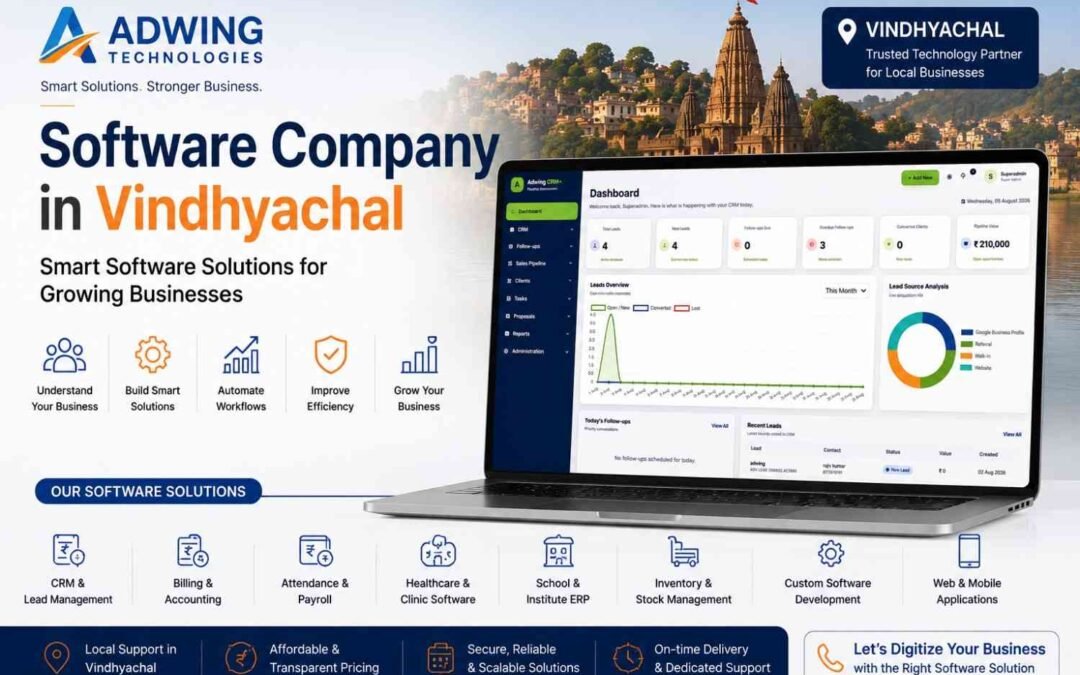
Software Company in Vindhyachal – Smart Solutions for Growing Businesses By Adwing Technologies
Software Company in Vindhyachal, Businesses in Vindhyachal are rapidly adopting digital tools to manage customers, sales, billing, employees and everyday operations more efficiently. Whether you run a retail store, healthcare facility, educational institution, service company or growing enterprise, the right software can reduce manual work and provide better control over your business.
If you are looking for a software company in Vindhyachal, Adwing Technologies provides business software solutions, implementation assistance and technology support for different industries and business requirements.
Business Software Solutions in Vindhyachal
Every business has a different workflow. A retail store may need billing and inventory management, while a service business may need CRM software to manage leads and follow-ups.Adwing Technologies helps businesses identify suitable technology solutions based on their actual operational requirements.Our business software solutions include:
- CRM & Lead Management Software
- Billing & Business Software
- Attendance & Payroll Software
- Healthcare & Clinic Software
- School & Institute ERP
- Inventory & Stock Management
- Restaurant Billing & Management Software
- Pathology Software
- Business ERP Solutions
- Web-Based Business Applications
CRM & Lead Management Software in Vindhyachal
Generating enquiries is valuable only when those leads are followed up systematically.CRM software helps businesses maintain their customer enquiries in one centralized system.With CRM and lead management software, businesses can manage:
- New leads and enquiries
- Lead sources
- Sales executives
- Follow-up schedules
- Overdue follow-ups
- Sales pipeline stages
- Tasks
- Client information
- Proposals
- Deal values
- Won and lost opportunities
- Business reports
Website enquiries can also be connected to an appropriate lead-management workflow, helping businesses move from lead generation to lead conversion in a more organized manner.
Manual billing and scattered records can make business management unnecessarily difficult.Billing software can help maintain invoices, customer information, sales records and business reports in a structured format.Depending on business requirements, solutions can be considered for:
- Retail stores
- Garment businesses
- General stores
- Hardware businesses
- Auto spare businesses
- Restaurants and cafés
- Medical stores
- Distributors
- Other trading businesses
Managing employee attendance and salaries manually becomes increasingly difficult as a business grows. Attendance and payroll solutions can help organizations manage employee information, attendance records, shifts, salary processing, payslips and reports through a more systematic workflow.This can be useful for offices, schools, healthcare establishments, service businesses and other organizations in Vindhyachal.
Healthcare & Clinic Software
Healthcare establishments require organized patient and administrative records. Adwing Technologies can assist businesses looking for software solutions for:
- Clinics
- Hospitals
- Pathology laboratories
- Healthcare establishments
Depending on the selected solution, software can support appointments, patient records, billing, reports and other administrative workflows.
School & Institute ERP Solutions
Educational institutions also require technology to manage their growing administrative workload. School and institute software can help organize requirements such as admissions, fees, attendance, student information, reports and other academic or administrative processes.
Why Businesses Need Modern Software
A good software system does more than digitize records. It can help a business:
Reduce Manual Work
Routine information can be maintained through a structured system instead of multiple registers or spreadsheets.
Improve Follow-Ups
CRM software can help ensure that important customer enquiries and follow-up dates remain visible to the team.
Access Better Business Information
Dashboards and reports can provide management with clearer information for decision-making.
Improve Team Coordination
Centralized systems make it easier for authorized team members to access relevant information.
Build Scalable Processes
As a business grows, structured digital workflows can be easier to manage than disconnected manual processes.
Why Choose Adwing Technologies for Software Solutions in Vindhyachal?
Businesses looking for a software company in Vindhyachal often need more than just a software application. They also need assistance in understanding which solution is appropriate for their business. Adwing Technologies follows a requirement-oriented approach.
Local Business Support
Being accessible to businesses in Vindhyachal and the surrounding region can make consultation and implementation easier.
Multiple Software Solutions
Businesses can explore CRM, billing, payroll, healthcare, education and other business software requirements through one technology partner.
Business-Focused Approach
The objective is to understand the business workflow first and then identify an appropriate software solution.
Software + Digital Growth
Businesses can also combine their software requirements with website development, SEO, Google Business Profile optimization and digital marketing services.
Connect Your Website With CRM
One of the most useful digital workflows for a growing business is:
Website → Enquiry → CRM → Sales Executive → Follow-Up → Proposal → Customer
Instead of allowing website enquiries to remain scattered across emails, spreadsheets or messages, an integrated CRM workflow can help organize them centrally. For businesses investing in SEO, Google Business Profile or digital advertising, this can also make lead management significantly more systematic.
Software Solutions for Different Industries
Adwing Technologies can assist organizations exploring business software for industries such as:
- Retail
- Healthcare
- Education
- Restaurants
- Professional services
- Distribution
- Solar businesses
- Jewellery
- Dairy
- Small and medium businesses
The appropriate solution depends on the actual operational requirements of each business.
Looking for a Software Company in Vindhyachal?
If your business still relies heavily on manual registers, spreadsheets or disconnected applications, this may be the right time to explore a more organized digital system. Adwing Technologies helps businesses evaluate CRM, billing, payroll, ERP and other business software solutions in Vindhyachal according to their operational requirements. Whether your priority is managing leads, improving follow-ups, simplifying billing, organizing employee records or digitizing business processes, the first step is understanding which software solution fits your workflow.
Contact Adwing Technologies to discuss your business requirements and request a software consultation or demo.
Frequently Asked Questions
Which software company provides business software in Vindhyachal?
Adwing Technologies provides software consultation and business software solutions for organizations looking for CRM, billing, payroll, healthcare, ERP and other business applications in Vindhyachal.
Is CRM software available for businesses in Vindhyachal?
Yes. CRM solutions can help businesses manage enquiries, lead sources, follow-ups, sales pipelines, proposals, clients and reports.
Can website leads be connected with CRM software?
Website enquiry forms can be connected to a CRM or lead-management workflow depending on the website and CRM configuration.
Is billing software available for small businesses?
Yes. Billing and business-management solutions can be considered according to the type, size and operational requirements of the business.
Does Adwing Technologies provide local software support?
Adwing Technologies provides technology consultation and support for businesses in Vindhyachal, Mirzapur and nearby areas.
by adwingservices | Nov 3, 2023 | billingSoftware, hotel software, Restaurant Management Software
Restaurant Management Software: Complete POS, KOT, Billing, Inventory & Reporting Solution
Running a restaurant successfully requires much more than taking orders and generating bills. Restaurant owners need to manage billing, kitchen orders, tables, staff, inventory, payments, customer records and business reports every day.
A modern Restaurant Management Software helps bring all these operations into one system so restaurants can work faster, reduce manual errors and improve control over daily activities.
For restaurants, cafés, food courts, cloud kitchens and quick-service outlets, software like Bhojoo Restaurant POS by Adwing Technologies can simplify both front-desk and back-end restaurant operations.
What is Restaurant Management Software?
Restaurant Management Software is a digital system designed to manage the complete workflow of a food business.
Instead of maintaining separate registers, handwritten KOT slips, manual stock records and disconnected reports, restaurant owners can use one centralized platform to manage:
- POS Billing
- KOT / Kitchen Orders
- Table Management
- Menu Management
- Dine-In Orders
- Takeaway Orders
- Delivery Orders
- Inventory & Stock
- Staff & User Roles
- Customer Management
- Payments
- Sales Reports
- Order History
- Business Analytics
This helps restaurant teams coordinate better and gives owners clearer visibility into business performance.
Why Restaurants Need POS and Management Software
Manual restaurant operations can create common problems such as:
- Wrong billing
- Lost kitchen orders
- Delayed service
- Table confusion
- Stock mismatch
- Payment errors
- Untracked cancelled items
- Poor sales visibility
- Difficulty monitoring staff activities
A good restaurant POS billing software helps reduce these problems by creating a structured digital workflow.
The objective is simple: faster service, better accuracy and improved operational control.
1. Fast POS Billing
Billing is one of the most important restaurant operations.
Restaurant POS software allows staff to quickly select menu items, create bills and process payments.
A fast billing system can help reduce customer waiting time, especially during busy hours.
Modern POS billing may support:
- Dine-in bills
- Takeaway bills
- Delivery bills
- Discounts
- Taxes
- Round-off
- Cash received
- Change return
- Split payments
This makes the billing process more flexible and practical for everyday restaurant operations.
2. KOT – Kitchen Order Ticket Management
KOT is the communication link between the ordering staff and the kitchen.
When a waiter or cashier places an order, the KOT can be generated for kitchen preparation.
Restaurant software can help manage:
- New KOT
- Repeat KOT
- Updated orders
- Cancelled items
- Replaced items
- KOT reprint
- Kitchen status
This creates a clearer workflow between the front desk and kitchen team. For busy restaurants, good KOT management can significantly improve kitchen coordination.
3. Table Management
Restaurants with dine-in service need real-time visibility of table status. A table management module can show:
- Vacant tables
- Occupied tables
- Reserved tables
- Active orders
- Table-wise bill amount
Restaurants with multiple floors can also manage tables floor-wise.This makes it easier for waiters and managers to know which tables are available and which require attention.
4. Menu Management
Menu management allows restaurant owners to organize food items properly. Menu items can be categorized into groups such as:
- Starters
- Main Course
- South Indian
- Beverages
- Desserts
- Snacks
- Combos
Each item can include price, category and tax information.A well-organized menu helps billing staff locate items quickly and improves order accuracy.
5. Dine-In, Takeaway and Delivery Orders
Modern restaurants usually handle multiple order types.Restaurant Management Software can manage:
Dine-In
Customers place orders at a table and settle the bill after dining.
Takeaway
Orders are prepared for pickup.
Delivery
Orders are delivered to a customer address.
Handling all three order types from the same system helps restaurant owners maintain better order records.
6. QR Menu Ordering
QR-based ordering has become popular in restaurants and cafés. Customers can scan a QR code using their smartphone to access the menu. Depending on the configured workflow, they may be able to:
- View menu items
- Check prices
- Select products
- Submit orders
QR menus reduce dependency on printed menus and provide a more modern customer experience.
7. Inventory & Stock Management
Food cost and stock control are critical for restaurant profitability.Restaurant inventory software helps track:
- Raw materials
- Available stock
- Purchase entries
- Stock consumption
- Wastage
- Stock adjustments
- Low-stock items
Without proper inventory management, restaurants may experience excessive wastage and inaccurate food costing.A digital inventory system helps owners monitor stock more closely.
8. Recipe Costing and Auto Stock Consumption
Advanced restaurant management systems can connect menu items with recipes.For example, if one dosa is sold, configured ingredient quantities may be deducted from inventory.This helps restaurants understand:
- Ingredient consumption
- Food cost
- Item profitability
- Recipe usage
- Stock variance
Recipe costing is especially useful for restaurants that want stronger control over food margins.
9. Supplier and Purchase Management
Restaurant stock usually comes from multiple suppliers.A complete restaurant system can also support purchasing workflows such as:
Supplier → Purchase Order → Approval → Goods Receipt This allows restaurant owners to maintain records of:
- Suppliers
- Purchases
- Received goods
- Purchase returns
- Outstanding supplier payments
- Payment history
For growing restaurants, supplier management becomes an important part of inventory control.
10. Wastage Management
Food wastage can directly affect restaurant profitability.A wastage module allows staff to record stock that has been:
- Damaged
- Expired
- Spilled
- Overprepared
- Unusable
Recording wastage helps owners understand where stock loss is occurring.
11. Multiple Payment Modes
Customers use different payment methods.Restaurant POS software can support:
- Cash
- UPI
- Card
- Wallet
- Split Payment
Split payment is especially useful when a customer wants to pay one bill using multiple methods.Payment-mode reports also help restaurant owners reconcile daily collections.
12. Staff Roles and Permissions
Not every employee should have access to every function.Restaurant software can provide role-based permissions for:
- Owner
- Admin
- Cashier
- Waiter
- Kitchen Staff
- Manager
For example, a waiter may be allowed to create orders but may not have permission to change settings or view financial reports.
This improves security and operational control.
13. Customer Management
Restaurants can store customer information for future reference.Customer management may include:
- Name
- Phone number
- Order history
- Delivery address
- Repeat customer records
This can help restaurants improve customer service and engagement.
14. Reports and Analytics
Restaurant Management Software should provide more than billing. Owners need reports to understand business performance. Useful reports may include:
- Daily Sales
- Total Orders
- Payment Summary
- Item Sales
- Order Type Summary
- Table-wise Sales
- Inventory Reports
- Purchase Reports
- Expense Reports
- Cancelled Orders
- Business Analytics
These reports help owners make better operational decisions.
15. Restaurant Dashboard
A dashboard gives restaurant owners a quick snapshot of daily activity.A restaurant dashboard can display:
- Net Sales
- Orders
- Recent Orders
- Payment Summary
- Table Status
- KOT Progress
- Inventory Alerts
- Sales Trends
This helps management monitor the restaurant without opening multiple reports.
Online and Offline Restaurant Management Software
Internet interruptions can affect restaurant billing if the software is completely dependent on a constant connection. For this reason, many restaurants prefer online/offline restaurant management software. A hybrid setup can allow important local operations to continue while also syncing data with the cloud when internet connectivity is available.
This can provide better continuity for restaurants that cannot afford billing downtime.
Restaurant Software for Cafés
Cafés usually need:
- Fast counter billing
- KOT
- Takeaway
- Inventory
- Customer records
- Reports
Restaurant management software can be configured for smaller café workflows without unnecessary complexity.
Restaurant Software for Cloud Kitchens
Cloud kitchens rely heavily on order management. Software can help them manage:
- Kitchen orders
- Delivery orders
- Menu items
- Inventory
- Payments
- Sales reports
Centralized order tracking can reduce operational confusion.
Restaurant Software for Food Courts
Food courts and high-volume outlets require fast billing and organized kitchen communication. POS and KOT modules can help staff process multiple orders efficiently during peak periods.
Benefits of Restaurant Management Software
Using a modern restaurant system can provide several benefits:
Faster Billing
Reduce billing time and customer waiting.
Better Kitchen Coordination
KOT keeps order information organized.
Improved Inventory Control
Track stock, recipe consumption and wastage.
Better Payment Tracking
Monitor cash, UPI, card and split payment transactions.
Stronger Business Reports
Understand sales and performance.
Reduced Manual Work
Automate repetitive restaurant tasks.
Better Customer Experience
Faster service and accurate orders improve customer satisfaction.
Why Choose Bhojoo Restaurant POS?
Bhojoo Restaurant POS by Adwing Technologies is designed to manage essential restaurant workflows from one platform.It can support restaurant operations such as:
POS Billing + KOT + Tables + Menu + Inventory + Payments + Reports + Staff Control
The system is suitable for restaurants, cafés and food businesses that want a simple and practical management solution.
Who Can Use Restaurant Management Software?
Restaurant management software can be useful for:
- Family Restaurants
- Cafés
- Fast Food Outlets
- Cloud Kitchens
- Food Courts
- Takeaway Businesses
- Multi-table Restaurants
- Casual Dining Restaurants
- Small Restaurant Chains
Restaurant Management Software in India
Restaurants across India are increasingly adopting digital billing and management systems. As customers expect faster service and digital payment options, restaurants need software that can handle both operational and reporting requirements .A reliable Restaurant Management Software in India should be easy to use, flexible and suitable for local restaurant workflows.
Conclusion
A restaurant runs on many connected processes. Billing, kitchen orders, tables, stock, staff, payments and reports must all work together.A complete Restaurant Management Software helps organize these operations into a single workflow.
For restaurants looking for a practical POS solution, Bhojoo Restaurant POS by Adwing Technologies provides tools for billing, KOT, table management, inventory, payments and reports. If you want to reduce manual work, improve billing speed and gain better control over your restaurant operations, a modern restaurant management system can be a valuable investment.
by adwingservices | Feb 20, 2023 | billingSoftware, hotel software, Restaurant Management Software
School Management Software
EduPlus is an advanced Education management software created with students in mind which makes it a user-friendly software for anyone trying it for the first time –
WHY EDUPLUS EDUCATION MANAGEMENT SOFTWARE?
EduPlus School Management Software is very Comprehensive and Extensive reaserch Based Education management Software Since 2015. it has All Built in Module and Very Easy to operate .Moreover Other Software Company Charging per Student Base Software Fee ,that Leads to Costly. We Adwing EduPlus is Desktop Application Software runs On Windows Platform and Can Run Without Internet and Secure your data in Easily as a Backup in Desktop Drive . Very Affordable Cost ,so that Any School Can Easily Manage.
Admission Management module is for managing Students Admission ,inquiry with All required Field , i.e. Student Name ,family detail educational and Official Document required .unique registration No.s, Admit card,Admission form also printed in single clinic .
Fees Management is a Crucial for Any School , in this Software you can Manage Fees Head wise,Frequncy wise and Easily setup the Fees Head as per requirement without any hassle .even a bigineer cam manage easily . Fees Dues report ,Defaulter list ,Auto SMS for reminder and reminder letter Auto generated in Single Clinic . Report can be Access easily for Fees related .
Easy to management your School Transport with Location and Distance wise Fee Planning . Easily Setup your route and Route Fees Plan and Manage dues and Route Wise Report When and Where required .
- Student Registration
- Student enquiry
- ID Card
- Front Office
- Class,Section and Category Setup
- Fees Management
- Fees Dues Reminder
- School Bus Registration
- Transport Management
- Library Management
- Book Issues Date
- Stock management
- Material Management
- Account Management
- Employee Salary Account
- Vendor management
- Messaging
- SMS Integration
- Reports
- Student List
- Notifications
- Calender and To Do List
- Setup
- Website
- Online Facility
- Web/Desktop Application
- Admin/Operator Login
Vivamus magna justo, lacinia eget consectetur sed
Vivamus magna justo, lacinia eget consectetur sed
Vivamus magna justo, lacinia eget consectetur sed
Vivamus magna justo, lacinia eget consectetur sed
Vivamus magna justo, lacinia eget consectetur sed
Vivamus magna justo, lacinia eget consectetur sed
Vivamus magna justo, lacinia eget consectetur sed
Vivamus magna justo, lacinia eget consectetur sed
Vivamus magna justo, lacinia eget consectetur sed
To know More about Our School Software Please Contact or WhatsApp . our Software is Desktop/ Web Based Application One can Access From Anywhere . WhatSApp: 7007122137
Call +91-9044705123 For Free Demo
by adwingservices | Feb 8, 2022 | Accounting Software, Adwing Technologies, hospital software, hotel software, Software company, website designing
Hospital Management Software
Admin Panel consist 24 modules listed below –
- Front Office – for all OPD appointment and reception/front office related activities like enquiries, calls, visitors, postal receive/dispatch
- OPD – Out Patient – for all OPD patient registration, visits, revisits, old OPD patients
- IPD – In Patient – for all IPD patients admission, consultant register, diagnosis, timeline, IPD charges, payments, bill and discharged ipd patients
- Pharmacy – for all medicine list, stock, and pharmacy bills
- Pathology – for all pathology test details and patient test records
- Radiology – for all radiology test details and patient test records
- Operation Theater – for managing patient operation activities and operation records
- Blood Bank – for managing blood group available blood stock, donor details and blood issue details
- Zoom Live Consultation – for patient zoom live consultation and for staff live meetings.
- TPA Management – Third Party Administrator for managing changes and records of insurance or mediclaim companies
- Finance – for managing general income and expense
- Ambulance – for managing ambulance vehicles and ambulance call details
- Birth And Death Record – for managing all details of newly born babies birth and patients death
- Human Resource – for all the information related to staff members can be manage here like staff search, profile, attendance, payroll, leaves
- Messaging – it works like a notice board basically a messaging system for communication to patient and staff
- Download Center – for managing downloadable documents that need to distribute staff
- Inventory – manage all the assets of your hospital with stocks and store under inventory module
- Front CMS – manage front website of Smart Hospital here by creating pages, menus, events, gallery, news
- Reports – all the various reports related to different modules can be found here
- Patient – all patient related details can be found here
- Notifications – all automated notifications can be found here
- Calendar & ToDo List – track and manage all daily/monthly activities and create your task in todo list
- Setup – configure Smart Hospital here for different settings like hospital, sessions, admin password, SMS, Paypal, backup / restore, languages
- One Click Updater – to install new update in existing system
.
OPD (Out Patient Department) module is for managing out patient who just come for doctor for their issue/disease check up.managing those patient who admit in hospital for their issues/disease treatment.
Pharmacy module is for managing medicines stock, selling and generating medicine bill.Pathology module is for managing patient pathology test and reports.
Vestibulum ac diam sit amet quam vehicula elementum sed sit amet dui. Sed porttitor lectus nibh. Vestibulum ante ipsum primis in faucibus orci luctus et ultrices posuere cubilia Curae; Donec velit neque, auctor sit amet aliquam vel, ullamcorper sit amet ligula. Lorem ipsum dolor sit amet, consectetur adipiscing elit.
- Patient Registration
- OPD registration
- IPD Care
- Front Office
- Blood Bank
- Ambulance
- Birth & Death Record
- Vehical Register
- Pathology
- Pathology
- Radiology
- Operation Theater
- TPA Management
- Human Resource
- Account
- Inventory management
- Messaging
- Download Section
- Reports
- Patient List
- Notifications
- Calender and To Do List
- Setup
- Website
- Online Consulting
- Web Application
- Separate Login
by adwingservices | Jan 5, 2022 | Adwing Technologies, hotel software, Software company, website designing
Best hotel and restaurant management software in Lucknow . Leisure Plus ,Restaurant and Hotel Software is complete Hotel software ERP
Leisure Plus Hotel Software will Gives You full control of Access With Dashboard ,Reservation ,Check in & Out ,Billing Stay View ,Room type .So, take your time, look around, and learn all there is to know about us. We hope you enjoy our Product and take a moment to drop us a line. Our restaurant software will keep focus on all record that a Owner required for his business.
Features
Check in & Check Out
Customers have questions, you have answers. Display the most frequently asked questions, so everybody benefits for check in and Check out , timing and Facilities .
Dashboard
Which room is full and Which one is Vacate .Dashboard display a consolidated Image of Booking Stauts.
Stay View
If customers can’t find it, it doesn’t exist. Clearly list and describe the services you offer. Also, be sure to showcase a premium service.J
Stay View
If customers can’t find it, it doesn’t exist. Clearly list and describe the services you offer. Also, be sure to showcase a premium service.J
POS
Customers have questions, you have answers. Display the most frequently asked questions, so everybody benefits.Z
Reservation System
Complete reservation and Booking system about room ,Room type ,Cost and Detail of customer with Duration of stay Details.v
Room Services
The Kind of room services Provided by Hotel Management may help customers to attarct and gets excited about it.v
Restaurant Services.
Have you opened a new location, redesigned your shop, or added a new product or service? Don’t keep it to yourself,
K.O.T. Management
Customers have questions, you have answers. Display the most frequently asked questions, so everybody benefits.e
Accounting & Billing
All Billing and Accounting related Activities Available in Account section with Bill and Vouchers
RESTAURANT MANAGEMENT SOFTWARE