by adwingservices | Aug 16, 2026 | Adwing Technologies, Software company, website designing
Web Development Company in New Delhi – Professional Websites Built for Business Growth
A professional website is no longer simply an online profile. For businesses operating in a competitive market like Delhi, it can become an important platform for building credibility, attracting potential customers, showcasing services and generating enquiries.
If you are searching for a Web Development Company in New Delhi, Adwing Technologies provides professional website development solutions for businesses, startups, consultants and organizations looking to strengthen their digital presence.
Our approach combines modern website design, responsive development, SEO-oriented architecture and lead-generation features to create websites that support real business objectives.
Professional Web Development Services in New Delhi
Every business has different website requirements.
A startup may need a modern corporate website, while a service business may require detailed service pages, landing pages and lead-generation forms.
Adwing Technologies provides website solutions that can include:
Business Website Development
Corporate Website Development
WordPress Website Development
Responsive Web Design
Landing Page Development
Website Redesign
E-Commerce Website Development
CMS-Based Websites
Blog Development
Website Maintenance
Lead Generation Forms
WhatsApp Integration
CRM Lead Integration
The website structure can be planned according to the company’s services, customers and marketing strategy.
Website Development Company in New Delhi for Modern Businesses
New Delhi has a highly competitive business environment. Customers may compare several businesses online before deciding whom to contact. Your website therefore needs to communicate three things quickly:
What does your business provide?
Why should a customer trust your company?
What should the visitor do next?
A clear website architecture helps visitors move naturally from discovering your business to exploring services and making an enquiry.
Responsive Website Development
Modern websites must work properly across different screen sizes.Responsive website development helps your website adapt across:
Smartphones
Tablets
Laptops
Desktop computers
Menus, images, text, forms and calls-to-action should remain easy to use regardless of the device. Mobile usability is particularly important because many potential customers discover businesses directly through mobile Google searches, Maps and social media.
SEO-Friendly Web Development in New Delhi
A visually attractive website is valuable, but it also needs a strong technical and content foundation for search visibility.SEO considerations can be incorporated during website development through:
Proper H1, H2 and H3 hierarchy
SEO-friendly URLs
Optimized title tags
Meta descriptions
Image ALT attributes
Internal linking
Relevant service content
Mobile-friendly design
Optimized images
Structured service pages
FAQ content
Schema markup where appropriate
Search-friendly site architecture
Important services should ideally have their own useful pages rather than being compressed into a single generic services page.
WordPress is a practical website platform for many businesses because it provides flexibility and makes ongoing content management easier.WordPress development can be suitable for:
A properly structured WordPress website also makes it easier to publish blogs, create new service pages and expand the website as the business grows.
Business Website Development in New Delhi
A professional business website should support the customer’s decision-making process. Depending on the project, useful sections can include:
The objective is to make important information easy to discover without overwhelming the visitor.
A business website becomes significantly more valuable when it creates a clear path toward enquiry.Conversion-focused websites can include:
WhatsApp CTA
Allows visitors to start a direct conversation with the business.
Click-to-Call
Provides a quick contact option for mobile visitors.
Enquiry Forms
Collect customer details and project requirements.
Request a Quote
Useful for businesses where services require customized pricing.
Consultation CTA
Encourages prospects to discuss their requirements before making a decision.These actions should be positioned naturally throughout important pages rather than appearing only on the Contact page.
Businesses running Google Ads, Meta Ads or specific SEO campaigns can benefit from dedicated landing pages.For example:
Google Search → Relevant Advertisement → Dedicated Landing Page → Enquiry Form → Lead
Instead of sending every visitor to the homepage, a landing page can focus entirely on the service that generated the visitor’s interest.Landing pages can be developed for:
E-Commerce Website Development
Businesses planning to sell products online may require an e-commerce website with more advanced functionality.Depending on project requirements, an e-commerce website can include:
The exact technology and functionality should be selected according to the business model, product catalogue and operational requirements.
Website Redesign Services in New Delhi
Having an existing website does not necessarily mean it is supporting your current business goals.A website redesign may be worth considering when the existing site:
Looks outdated
Is difficult to navigate
Performs poorly on mobile
Has weak service pages
Loads slowly
Does not clearly communicate the business
Has poor CTA placement
Generates few enquiries
Has an outdated SEO structure
A redesign can improve the visual identity while also strengthening usability, content architecture and lead generation.
Website + SEO: Build for Long-Term Visibility
Website development and SEO should not operate as completely separate activities.A stronger digital foundation connects:
Website Structure + Useful Content + Technical SEO + Internal Links + Local Relevance
For example, a business offering several services can create individual pages around each important service rather than expecting a single homepage to rank for every search. Supporting blog content can then internally link to these core service pages. This creates a clearer topical structure for both visitors and search engines.
Local SEO for New Delhi Businesses
Businesses targeting customers in New Delhi can also strengthen their local digital presence through relevant location information and Google Business Profile optimization.Depending on the actual services offered, customers may search phrases such as:
Web Development Company in New Delhi
Website Development Company in New Delhi
Website Designing Company in Delhi
WordPress Development Company in Delhi
Business Website Developer in Delhi
Location-focused content should remain useful and genuinely relevant rather than simply repeating city names.
Website + Google Business Profile
For businesses with a genuine local presence or service area, the website can complement Google Business Profile.A potential customer journey might be:
Google Search → Business Profile → Website → Service Page → Enquiry
The website provides room for detailed service information, case examples, FAQs and conversion options that cannot always be communicated fully through a business listing.
Connect Website Leads With CRM
Businesses investing in digital marketing should also consider what happens after an enquiry is generated.A connected lead-management workflow can look like:
Website → Enquiry Form → CRM → Lead Assignment → Follow-Up → Proposal → Conversion
CRM can help teams organize:
Lead information
Lead sources
Assigned executives
Follow-up dates
Overdue follow-ups
Sales pipeline
Proposals
Deal values
Customer records
This can help prevent valuable website enquiries from being lost in disconnected spreadsheets or messages.
Website Development for Different Industries
Adwing Technologies can assist with website requirements for businesses and organizations across sectors such as:
Each industry requires a different website structure and customer journey.
Why Choose Adwing Technologies for Web Development?
Business-Focused Website Strategy
Website structure can be planned around services, target customers and conversion goals rather than visual appearance alone.
Responsive Development
Pages are developed with usability across major device sizes in mind.
SEO-Oriented Architecture
Search-friendly headings, URLs, content structure and technical elements can be considered during development.
Lead Generation Features
WhatsApp, Call, Consultation and Request a Quote actions can be incorporated strategically.
WordPress Development
Businesses can have a flexible platform for managing pages, images and blog content.
Digital Marketing Integration
Websites can work alongside SEO, Google Business Profile and digital marketing campaigns.
CRM Integration
Where technically appropriate, website enquiries can be connected with a lead-management workflow.
How Much Does Web Development Cost in New Delhi?
There is no universal website development price because requirements vary significantly.
Website cost can depend on:
Number of pages
Design complexity
Functionality
CMS requirements
E-commerce functionality
Forms and integrations
SEO requirements
Custom development
Content requirements
Ongoing maintenance
Businesses should compare website proposals based on scope, functionality, quality and long-term requirements rather than price alone.
How to Choose a Web Development Company in New Delhi
Before selecting a web development company, consider asking:
Will the website be fully responsive?
Is SEO considered during development?
Will important services receive individual pages?
Can the website be expanded later?
Can blogs be published easily?
Can WhatsApp and enquiry forms be integrated?
Can Google Analytics and Search Console be connected?
Can landing pages be developed for advertising campaigns?
Is website maintenance available?
Can website enquiries integrate with CRM?
The answers can help you determine whether the website will support your business beyond its initial launch.
Looking for a Web Development Company in New Delhi?
If you are searching for a Web Development Company in New Delhi, Adwing Technologies can help you create a professional, responsive and SEO-oriented website designed around your business requirements.Whether you need a corporate website, WordPress website, lead-generation landing page, e-commerce solution or redesign of an existing website, the objective should be to build a digital platform that supports visibility, credibility and customer acquisition.
Discuss your website development requirements with Adwing Technologies and build a stronger digital presence for your business.
Frequently Asked Questions
Which company provides web development services in New Delhi?
Adwing Technologies provides professional website development solutions for businesses requiring responsive websites, WordPress development, landing pages and related digital solutions.
Do you provide WordPress website development in Delhi?
Yes. WordPress development can be provided for suitable business, corporate, service and content-based website projects.
Can you build an SEO-friendly website?
Yes. SEO considerations such as site structure, headings, URLs, metadata, image optimization and internal linking can be incorporated into website development.
Can you redesign an existing business website?
Yes. Existing websites can be evaluated for improvements in design, responsiveness, content organization, SEO structure and lead generation.
Can you create landing pages for Google Ads?
Yes. Dedicated landing pages can be developed around specific services and advertising campaigns.
Can website enquiries be connected with CRM?
Depending on the technical setup, website forms can be integrated with an appropriate CRM or lead-management workflow.
Do you provide website maintenance?
Website maintenance and ongoing support can be provided according to the agreed project scope.
by adwingservices | Aug 16, 2026 | Adwing Technologies, Software company, Web Hosting, website designing, Website Development
Website Designing Services in Delhi – Professional Web Design & Development
In a competitive business market like Delhi, your website is often the first serious interaction a potential customer has with your company. Before calling, requesting a quotation or visiting a business, customers frequently search online, compare websites and evaluate credibility.
This makes professional Website Designing Services in Delhi important for businesses that want to establish a strong digital presence and generate enquiries online.Adwing Technologies provides professional website designing and development solutions for businesses, startups, consultants, healthcare organizations, educational institutions, hotels, retailers and service providers.
Our approach combines:
Professional Design + Responsive Development + SEO Structure + Lead Generation + Digital Marketing Readiness
The objective is not simply to create a good-looking website. It is to develop a digital platform that can support your business growth.
Professional Website Designing Company in Delhi
Every business website should be developed around a clear purpose.A corporate company may require detailed service and industry pages. A clinic may prioritize appointment enquiries. A hotel may require room information and booking functionality, while a B2B organization may need lead forms and detailed capability pages.
Before developing a website, important factors should therefore be considered:
- Business objectives
- Target audience
- Products and services
- Target locations
- Competitors
- Required functionality
- SEO strategy
- Lead-generation requirements
- Future scalability
A professional Website Designing Company in Delhi should connect these requirements with the actual website architecture.
Website Designing Services We Offer in Delhi
Adwing Technologies provides website solutions according to different business requirements, including:
- Business Website Designing
- Corporate Website Development
- WordPress Website Development
- Responsive Website Designing
- Website Redesign
- E-Commerce Website Development
- Landing Page Development
- Lead Generation Websites
- Hotel & Travel Websites
- Healthcare & Clinic Websites
- Educational Websites
- Consulting Company Websites
- Software & IT Websites
- Blog Development
- Website Maintenance
- SEO-Friendly Website Development
The appropriate technology and structure depend on the scope of the individual project.
SEO-Friendly Website Development in Delhi
A website should be designed for both users and search engines.SEO should therefore be considered while planning the website instead of being added only after development.
An SEO-oriented website can include:
1. Proper Website Architecture
Important services should have their own useful pages rather than placing every service on one generic page.
2. SEO-Friendly URLs
A descriptive URL such as:
/website-designing-services-in-delhi/
provides clearer context than an arbitrary page ID.
3. Proper Heading Structure
Each page should use H1, H2 and H3 headings logically to organize information.
4. Unique SEO Titles & Meta Descriptions
Important pages should have titles and descriptions relevant to their actual content.
5. Image Optimization
Images should use suitable dimensions, compression, filenames and descriptive ALT text.
6. Internal Linking
Related services and blogs should link naturally to one another.
7. Mobile Responsiveness
The website should provide a usable experience across modern screen sizes.
8. Relevant Local Content
Businesses targeting Delhi customers should provide useful information relevant to their actual services and geographic market.
Responsive Website Designing Services in Delhi
A significant part of online discovery happens through smartphones.A website therefore needs to adapt properly across:
Mobile → Tablet → Laptop → Desktop
Responsive development helps ensure that important website elements remain usable across devices, including:
- Navigation
- Images
- Text
- Forms
- Buttons
- Tables
- Service sections
- Calls-to-action
For mobile visitors, Call, WhatsApp, Enquiry and Get Quote actions should also be convenient to access.
WordPress Website Development in Delhi
WordPress can be a practical platform for businesses that require flexibility and ongoing content management.A professionally structured WordPress website can support:
- Service pages
- Product pages
- Blogs
- Portfolio
- Testimonials
- Enquiry forms
- Landing pages
- SEO tools
- Analytics integration
- WhatsApp
- Other suitable business integrations
Businesses can also continue expanding their website as new products, services and locations are introduced.
Business Website Designing in Delhi
A business website should quickly communicate:
Who are you?
What do you offer?
Why should customers consider your business?
How can they contact you?
A professional business website can therefore include:
- Homepage
- About Us
- Individual service pages
- Product/solution pages
- Industries served
- Portfolio
- Testimonials
- FAQs
- Blogs
- Contact page
- Enquiry form
- Request a Quote
- WhatsApp and Call CTA
The structure should guide visitors naturally toward the information they need.
Corporate Website Development in Delhi
Corporate websites often require a more detailed information architecture.Depending on the organization, a corporate website may include:
- Company profile
- Leadership information
- Business verticals
- Solutions
- Industries
- Projects
- Case studies
- Resources
- Careers
- Investor or corporate information
- Contact locations
The design should maintain a consistent professional identity throughout the website.
Lead Generation Website Designing
Website traffic alone is not the final objective for most businesses.The website should provide visitors with clear opportunities to take the next step.Conversion elements can include:
WhatsApp Enquiry
Allows potential customers to communicate directly.
Click-to-Call
Particularly useful for mobile visitors.
Request a Quote
Suitable for service businesses with customized requirements.
Consultation Form
Collects prospect information for follow-up.
Service-Specific Forms
Different services can use different forms to collect more relevant lead information.This changes the website from an online brochure into a potential lead-generation platform.
Landing Page Development in Delhi
Businesses investing in Google Ads, Meta Ads or focused digital campaigns should consider dedicated landing pages.For example:
Google Search → Advertisement → Service Landing Page → CTA → Lead
A visitor searching specifically for website development should ideally reach a page focused on that service rather than an unrelated generic homepage.Landing pages can be developed for:
- Website Designing
- SEO Services
- Digital Marketing
- Software Solutions
- CRM Software
- Google Business Profile Services
- Industry-specific services
Each landing page should have a clear message and conversion objective.
E-Commerce Website Development in Delhi
Businesses selling products online may require a complete e-commerce website.Depending on project requirements, functionality can include:
- Product categories
- Product pages
- Search and filters
- Shopping cart
- Checkout
- Payment gateway
- Customer accounts
- Order management
- Shipping configuration
- Offers and coupons
The e-commerce architecture should be selected according to catalogue size, customer journey and operational requirements.
Website Redesign Services in Delhi
An old website can sometimes create a weaker impression than having a simple but modern website.Consider redesigning your website if it:
- Looks outdated
- Is difficult to use on mobile
- Has poor navigation
- Contains outdated information
- Loads slowly
- Has weak service pages
- Has no clear CTA
- Generates very few enquiries
- Has poor SEO structure
- Does not reflect your current brand
A redesign provides an opportunity to improve appearance, usability, content and conversion strategy together.
Website Designing for Delhi Startups
Startups need websites that can evolve as their business develops.An initial startup website may focus on:
Problem → Solution → Product/Service → Benefits → Trust → CTA
As the company grows, the same website can expand with new landing pages, blogs, case studies and product information.Building a scalable structure from the beginning can reduce unnecessary redesign later.
Website Development for B2B Companies in Delhi
B2B buyers usually need more information before submitting an enquiry.A B2B website may therefore require:
- Detailed service pages
- Industries served
- Capabilities
- Solutions
- Business benefits
- Case studies
- FAQs
- Downloadable resources
- Request for Proposal
- Consultation forms
The website should support the longer decision-making journey common in B2B sales.
Hotel & Travel Website Development
Delhi’s hospitality and travel industry can benefit from websites designed around travellers’ requirements.Hotel and travel websites may include:
- Room information
- Booking enquiries
- Tour packages
- Photo galleries
- Amenities
- Maps
- WhatsApp booking
- Payment integration
- Travel information
The exact booking functionality should be selected according to the business model.
Healthcare & Clinic Website Designing
Healthcare businesses require websites that communicate information clearly and responsibly.Depending on the organization, a healthcare website can contain:
- Clinic information
- Doctor profiles
- Treatment/service pages
- Appointment enquiry
- FAQs
- Location
- Call and WhatsApp
- Educational articles
The customer journey should make it easy for patients to locate relevant information without unnecessary complexity.
Website Designing for Schools & Educational Institutions
Schools, coaching institutes and training organizations can use their website to present:
- Admissions
- Courses
- Facilities
- Academic information
- Notices
- Events
- Galleries
- Enquiry forms
- Contact information
A modern website also helps create a stronger institutional presentation for prospective students and parents.
Local SEO for Delhi Businesses
Businesses serving local customers can combine website development with Local SEO.Potential searches may include:
- Website Designing Services in Delhi
- Website Designing Company in Delhi
- Website Development Company in Delhi
- Web Design Company in Delhi
- Website Designer in Delhi
- WordPress Website Development Delhi
However, keywords should be incorporated naturally.
Publishing hundreds of near-identical location pages with only city names changed is not a strong long-term SEO strategy. Each important location page should provide meaningful information relevant to the market and service.
Website + Google Business Profile
For eligible local businesses, a professional website can work alongside Google Business Profile.A potential customer journey can become:
Google Search → Google Business Profile → Website → Service Page → Enquiry
The business profile supports local discovery, while the website gives potential customers more detailed information about the company.
A professionally developed website can act as the central destination for multiple marketing channels:
Google SEO
↓
Google Ads
↓
Google Business Profile
↓
Facebook & Instagram
↓
YouTube & Content Marketing
↓
Website
↓
Lead
This is why website development should ideally be considered as part of the broader digital strategy.
Website + CRM Lead Management
Generating a lead is only the beginning.Businesses receiving regular enquiries also need a structured process for managing them.Website forms can, where technically appropriate, be integrated with a CRM workflow:
Website → Lead Capture → CRM → Follow-Up → Proposal → Conversion
A CRM can help organize:
- Lead details
- Lead sources
- Assigned executives
- Follow-up dates
- Sales stages
- Proposals
- Deal values
- Conversion status
This connects digital marketing more directly with sales activity.
Website Performance & User Experience
A professional website should balance visual quality with performance.Very large images, unnecessary animations and excessive scripts can make a website feel slow.
A better approach focuses on:
- Optimized images
- Clean layouts
- Readable typography
- Logical navigation
- Clear CTAs
- Mobile usability
- Appropriate caching and performance optimization
The objective is to create a website that looks professional without compromising usability.
Business-Focused Approach
Website architecture is planned around the business, services and target customers.
Professional Responsive Design
Websites are designed for consistent usability across major screen sizes.
SEO-Oriented Development
SEO considerations can be incorporated during the website-development process.
WordPress Expertise
WordPress provides a flexible platform for many business and content-oriented projects.
Lead Generation Integration
Websites can incorporate Call, WhatsApp, Enquiry and Request a Quote options.
Landing Page Development
Dedicated campaign pages can support Google Ads, Meta Ads and targeted SEO strategies.
Digital Marketing Support
Website development can work alongside SEO, local search and other digital marketing activities.
CRM Integration
Where technically appropriate, website enquiries can be connected with lead-management workflows.
Website Designing Cost in Delhi
The cost of website development depends on the scope of the project.
Important factors include:
- Number of pages
- UI/UX requirements
- Custom functionality
- WordPress configuration
- E-commerce requirements
- Forms and integrations
- Content requirements
- SEO scope
- Landing pages
- Maintenance and support
Businesses should therefore evaluate website proposals according to quality, functionality, scalability and scope, rather than price alone.
Before choosing a website development partner, ask:
- Will my website be mobile responsive?
- Will the website have an SEO-friendly structure?
- Will important services have individual pages?
- Can I manage content after launch?
- Can blogs be published?
- Can Google Analytics and Search Console be integrated?
- Can WhatsApp and enquiry forms be added?
- Can landing pages be developed for advertisements?
- Can the website expand as my business grows?
- Can leads integrate with CRM?
- Is website maintenance available?
A professional development partner should be able to explain these areas clearly before the project begins.
Looking for Website Designing Services in Delhi?
If you are searching for professional Website Designing Services in Delhi, Adwing Technologies can help you build a responsive, SEO-oriented and conversion-focused website designed around your business requirements.
From WordPress business websites and corporate websites to landing pages, e-commerce solutions and complete website redesign, the focus is on creating a website capable of supporting your broader digital strategy.
Your website should work toward a measurable business journey:
Search Visibility → Professional Presence → Customer Trust → Enquiry → Follow-Up → Business Growth
Connect with Adwing Technologies to discuss your website designing and development requirements in Delhi.
Frequently Asked Questions
Which company provides website designing services in Delhi?
Adwing Technologies provides website designing and development solutions for businesses requiring responsive websites, WordPress development, landing pages and related digital solutions.
Do you provide WordPress website development in Delhi?
Yes. WordPress can be used for suitable business, corporate, consulting, hospitality, educational and content-oriented website projects.
Can you develop an SEO-friendly website?
Yes. SEO-oriented development can incorporate search-friendly architecture, headings, metadata, URLs, image optimization and internal linking.
Can you redesign my existing website?
Yes. Existing websites can be evaluated for improvements in design, responsiveness, navigation, content architecture, SEO and lead-generation elements.
Do you develop e-commerce websites?
Yes. E-commerce functionality can be developed according to product, payment, checkout and order-management requirements.
Can you create landing pages for Google Ads?
Yes. Dedicated landing pages can be developed around specific services and advertising campaigns.
Can website enquiries connect with CRM?
Depending on the website and CRM configuration, lead forms can be integrated with an appropriate CRM workflow.
Do you provide website maintenance?
Ongoing website maintenance and support can be provided according to the agreed service scope.
by adwingservices | Aug 14, 2026 | Lab Software, Pathology Lab Management, Pathology Software
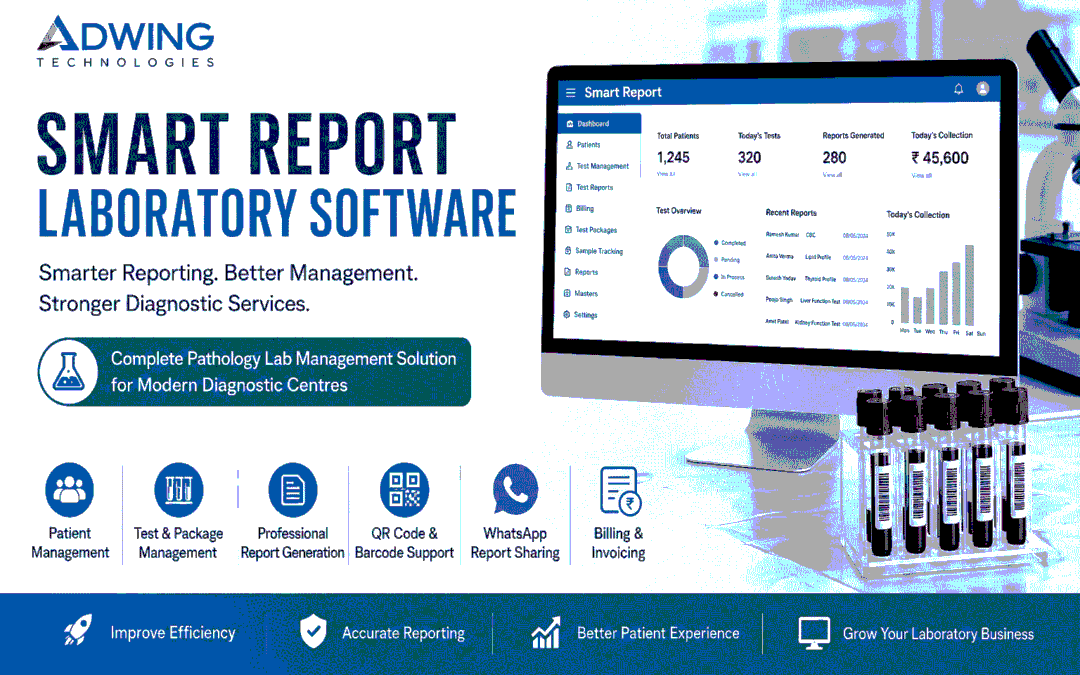
Smart Report Pathology Software – Simplify Your Laboratory Management
Running a pathology or diagnostic laboratory involves much more than preparing test reports. Patient registration, billing, test management, sample handling, report preparation, result delivery and daily records all need to work together accurately and efficiently. When these processes depend heavily on manual registers, spreadsheets or disconnected applications, everyday laboratory operations can become unnecessarily complicated.
Smart Report Pathology Software by Adwing Technologies provides a structured digital solution to help pathology laboratories manage routine operations from one system. Whether you operate an independent pathology lab, diagnostic Centre or collection facility, the software can help organize your workflow and improve the way patient and laboratory information is managed.
Why Pathology Labs Need Dedicated Laboratory Software
A general billing application is not designed around the workflow of a pathology laboratory. A diagnostic Centre has specific requirements. A patient needs to be registered, tests need to be selected, charges calculated, samples processed, results entered and the final report delivered. As patient volume increases, manually coordinating all these activities becomes more difficult. A dedicated pathology lab management system helps create a structured workflow from registration to final reporting.
Instead of maintaining multiple disconnected records, laboratory staff can access relevant information through a centralized system.
Patient Registration Made Simple
Patient registration is generally the first step in the laboratory workflow. Smart Report helps staff maintain patient information in an organized format and associate requested tests with the correct patient record. This can reduce repetitive data entry and make previous records easier to locate when required .A streamlined registration process is particularly useful during busy laboratory hours when multiple patients need to be processed quickly.
Test Master & Test Group Management
Different laboratories offer different combinations of tests. The software can organize commonly performed investigations into a structured Test Master, allowing the laboratory to maintain test information according to its working requirements. Tests can also be grouped into relevant categories to make selection and reporting easier for staff. For laboratories offering health checkups or combined investigations, predefined packages can further simplify billing and test selection.
Professional Pathology Report Generation
The quality of a laboratory report is an important part of the patient experience. A digital reporting system helps maintain a consistent report format while making the result-entry process easier for laboratory staff. Patient information, selected investigations and recorded results can be organized into a professional report suitable for printing or digital delivery. This reduces dependence on manually prepared report documents.
Sample Collection & Workflow Management
A pathology laboratory may process many samples throughout the day. Maintaining a structured sample workflow helps staff understand which patient and investigation a sample belongs to and where it currently stands in the reporting process. Depending on the configured workflow, laboratories can manage activities such as:
Patient Registration → Test Selection → Sample Collection → Result Entry → Validation → Report Generation → Report Delivery
This provides better operational visibility than relying entirely on paper-based tracking.
Barcode & QR-Based Identification
For laboratories handling larger patient volumes, sample identification becomes increasingly important. Barcode or QR-based workflows can help associate samples and records with the appropriate patient information, depending on the configured implementation. This can make sample handling more organized and reduce unnecessary manual searching.
Pathology Billing Management
Billing is another important part of diagnostic-centre operations.The software can help maintain charges associated with selected tests and packages, creating a more organized billing process alongside patient registration.Having billing and reporting within the same operational environment can reduce the need to maintain separate records for the same patient visit.
Test Packages & Health Profiles
Many diagnostic centres provide combined health packages such as preventive checkups or groups of commonly requested investigations.Instead of selecting each test individually every time, predefined packages can help staff quickly add the relevant set of investigations.This makes the process more convenient for both billing staff and patients.
WhatsApp Report Sharing
Patients increasingly expect digital access to reports .Where configured, pathology reports can be shared through WhatsApp, helping laboratories provide a more convenient report-delivery experience. Patients may no longer need to visit the laboratory solely to collect a printed copy when an appropriate digital delivery option is available .Laboratories should, of course, use patient information and messaging features in accordance with their applicable privacy and consent requirements.
Doctor & Referral Management
Doctors and referral sources can be an important part of a diagnostic laboratory’s operations .A structured laboratory system can help maintain relevant referral information and associate it with patient records where required. This can make referral-related reporting and operational analysis easier than maintaining disconnected manual records.
Report Validation & Approval
Laboratory reporting often requires review before the final report is issued.A validation or approval workflow can provide an additional control stage between result entry and final report generation.This helps the laboratory structure responsibilities according to its internal processes.
Patient & Doctor Access
For laboratories that require a more connected digital experience, portal-based access can be useful.Depending on the selected setup, patient-facing or doctor-facing access can make relevant reports or information available digitally.This can reduce repetitive communication while improving convenience for authorized users.
Multi-Branch & Collection Centre Management
Growing pathology businesses may operate more than one branch or work with collection centres.A centralized laboratory-management environment can make it easier to organize information across multiple operational locations, depending on the configuration selected.This becomes particularly useful as a diagnostic business expands beyond a single laboratory.
Reports, Analytics & MIS
Software should not only store information—it should help management understand the business.Operational reports and MIS can provide insights into areas such as patient activity, tests, billing and other configured business metrics.This helps laboratory owners make decisions using organized information rather than manually compiling data from registers or spreadsheets.
Who Can Use Smart Report?
The solution can be suitable for different diagnostic setups, including:
Independent Pathology Labs
Diagnostic Centres
Clinical Laboratories
Collection Centres
Multi-Branch Diagnostic Businesses
Hospital-Associated Labs
The required modules and workflow can be selected according to the laboratory’s actual operations.
Key Benefits for a Pathology Laboratory
Moving to a structured laboratory-management solution can help create a smoother working environment.Instead of switching between registers, spreadsheets and separate reporting documents, important processes can be brought together.
Potential operational benefits include:
Faster patient registration
Structured test management
Professional report generation
Organized billing
Improved sample workflow
Convenient digital report delivery
Better record management
Management reports and analytics
Scalability for growing labs
The objective is not simply to replace paper—it is to make daily laboratory operations easier to manage.
Pathology Software for Small and Growing Labs
A small laboratory may initially need only registration, billing and reporting.As the business grows, requirements may expand to include sample tracking, packages, portals, WhatsApp delivery, analytics or multiple locations.Choosing software with room for operational growth can reduce the need to repeatedly change systems. Adwing Technologies can help laboratories understand which features are relevant to their present workflow instead of implementing unnecessary complexity from the beginning.
Why Choose Adwing Technologies?
Software implementation does not end when an application is installed.A laboratory also needs proper setup, understanding of the workflow and ongoing assistance.Adwing Technologies provides software marketing, implementation and support solutions for businesses, including diagnostic and pathology operations.Our approach focuses on understanding how the laboratory currently works and then configuring an appropriate digital workflow around those requirements.
Along with laboratory software, Adwing Technologies also provides solutions related to:
Website Design & Development
Digital Marketing
Google Business Profile
Business Software
CRM & Lead Management
Attendance & Payroll
Hosting & Technology Solutions
This allows a diagnostic business to develop both its operational systems and its online presence through a coordinated technology partner.
Pathology Software + Professional Website + Local Marketing
For a growing diagnostic centre, software can improve internal operations while digital marketing improves customer discovery.
A connected strategy may look like:
Google Search → Google Business Profile → Pathology Website → Test/Service Information → Call or WhatsApp → Patient Registration → Lab Software → Report Delivery
This connects marketing and operational technology instead of treating them as completely separate activities.For example, a laboratory can use its website to explain available services while its internal software handles patient registration and reporting.
Suitable for Labs in Mirzapur, Varanasi, Prayagraj & Across India
Adwing Technologies provides software solutions and implementation assistance for businesses in Mirzapur and surrounding commercial markets such as Varanasi, Prayagraj and Bhadohi, while software solutions can also be supported for customers in other locations depending on requirements. Remote demonstrations and consultations make it possible for laboratories outside the immediate local area to evaluate the solution as well.
Move from Manual Lab Management to a Smarter Workflow
As a pathology laboratory grows, efficient management becomes increasingly important. Patient registration, tests, billing, reports and communication should work as parts of one organized process rather than separate tasks. Smart Report Pathology Software helps laboratories move toward a more structured digital workflow while keeping everyday operations practical for laboratory staff.
Request a Software Demo
If you are planning to digitize your pathology laboratory or replace an existing reporting system, contact Adwing Technologies for product information and a demonstration. Tell us about your laboratory size, current workflow and required modules so the appropriate solution can be discussed.
Adwing Technologies
Pathology Software • Business Software • Website Development • Digital Marketing • Technology Support
Explore Adwing Technologies Software Solutions
by adwingservices | Aug 14, 2026 | website designing, Website Development
Website Designing Company in Varanasi – Build a Website That Grows Your Business
A professional website is no longer just an online introduction to your company. It is your digital storefront, sales platform, credibility builder, and one of the most important foundations of your online marketing strategy. If you are searching for a reliable Website Designing Company in Varanasi, Adwing Technologies helps businesses create modern, responsive, fast-loading, and SEO-friendly websites designed to attract visitors and convert them into potential customers.From business website design and WordPress development to e-commerce websites, landing pages, SEO, Google Business Profile optimization, and digital marketing, we provide integrated digital solutions for businesses in Varanasi.
Professional Website Designing Company in Varanasi
Your website often creates the first impression of your business.A potential customer may discover your company through Google Search, Google Maps, social media, or an online advertisement. After discovering your business, many customers visit your website before deciding whether to call, message, visit, or make an enquiry.
That is why website design should combine four important elements: Professional Design + User Experience + SEO + Conversion Strategy
At Adwing Technologies, we develop business websites with these objectives in mind. Our website designing services in Varanasi include:
Business Website Design
Corporate Website Development
WordPress Website Development
E-Commerce Website Development
Landing Page Design
Website Redesign
Portfolio Websites
School & Educational Websites
Hospital & Clinic Websites
Hotel & Restaurant Websites
Product & Service Websites
Website Maintenance
SEO-Friendly Website Development
Why Your Business in Varanasi Needs a Professional Website
Varanasi has businesses operating across healthcare, education, tourism, hospitality, manufacturing, retail, real estate, professional services, handicrafts, exports, restaurants, hotels, and many other sectors. Regardless of the industry, customers increasingly use online search to compare businesses and evaluate their credibility.A professional website helps your business establish a stronger digital presence.
Build Trust and Credibility
A professionally designed website gives potential customers a clear understanding of who you are, what you offer, where you operate, and how they can contact you.
Generate Business Enquiries
Strategically placed Call Now, WhatsApp, Get a Quote, Book Appointment, Request Demo, and Contact Us buttons can turn website traffic into enquiries.
Showcase Your Services Professionally
Dedicated service pages allow you to explain your expertise, solutions, advantages, pricing approach, frequently asked questions, and other useful information.
Stay Available 24×7
Your website continues presenting your business even when your physical office is closed.
Strengthen Your Google Presence
A properly structured and optimized website creates a strong foundation for SEO and local search marketing.
A visually attractive website has limited value if potential customers cannot discover it.This is why we focus on developing SEO-friendly websites with a structure that supports search engine optimization from the beginning.
Depending on the project, our SEO-focused approach can include:
Keyword research
SEO-friendly URLs
Optimized page structure
H1, H2 and H3 hierarchy
Meta title optimization
Meta descriptions
Image optimization
Descriptive image alt text
Internal linking
Local business information
Mobile responsiveness
Website performance optimization
Google Maps integration
Search engine indexing setup
Schema-ready website structure
Google Search Console integration
Google Analytics integration
SEO results depend on competition, website authority, content quality, backlinks, technical performance, and many other factors. No legitimate agency can guarantee a specific Google position, but building the website correctly gives your SEO strategy a much stronger starting point.
Website Design That Focuses on Conversions
Getting visitors to your website is only the first step.The next objective is encouraging those visitors to take meaningful action.We focus on creating clear customer journeys with strategically positioned calls-to-action such as:
Call Now
Chat on WhatsApp
Get a Free Consultation
Request a Quote
Book an Appointment
Request a Demo
Send an Enquiry
The right CTA depends on your industry and how your customers normally make purchasing decisions.
Responsive Website Designing for Mobile Users
A large portion of local searches takes place on smartphones.Customers searching for businesses in Varanasi may be looking for immediate information such as services, directions, phone numbers, prices, availability, or WhatsApp contact.Your website therefore needs to perform effectively on smaller screens.
Our responsive website designs are optimized for:
Smartphones
Tablets
Laptops
Desktop computers
We focus on readable text, mobile-friendly menus, responsive images, properly sized buttons, fast-loading pages, and accessible contact options.
WordPress Website Development in Varanasi
For many businesses, WordPress offers an excellent balance between flexibility, scalability, and ease of management.Our WordPress Website Development Services in Varanasi are suitable for businesses that need a professional website that can evolve over time.
WordPress can be used for:
Business websites
Corporate websites
Blogs
Educational websites
Healthcare websites
Portfolio websites
Service websites
E-commerce stores
Landing pages
Product websites
Depending on the requirements, we can integrate contact forms, WhatsApp, maps, galleries, testimonials, blogs, service pages, lead forms, analytics, and other functionality.
E-Commerce Website Development in Varanasi
Businesses wanting to sell products online need more than an attractive product catalogue. Customers should be able to browse products conveniently, understand pricing and product information, and complete their purchase through a smooth process.Our e-commerce website solutions can include:
We can customize the website according to your products and business model.
Website Redesign Services in Varanasi
Already have a website but not satisfied with its appearance or performance?An outdated website can negatively affect customer perception and marketing performance.Our Website Redesign Services in Varanasi focus on improving:
Instead of redesigning purely for appearance, the objective should be to create a website that better supports your current business goals.
Website Designing for Businesses Across Varanasi
Different industries require different website strategies.
Hospital, Clinic & Healthcare Website Design
Healthcare websites need clear information, trust signals, easy navigation, and convenient appointment options.
Websites can include:
School & Coaching Website Development
Educational websites can provide information about:
Hotel & Hospitality Website Design
For hotels, guest houses, resorts, and hospitality businesses in Varanasi, visual presentation and mobile usability are particularly important.Websites can showcase:
Restaurant Website Design
Restaurants can showcase menus, photographs, location, opening information, offers, contact options, and reservation enquiries.
Manufacturing & B2B Website Development
Manufacturers, suppliers, distributors, and B2B businesses can use their website to present:
Real Estate Website Design
Real estate businesses can showcase properties, projects, locations, galleries, amenities, enquiry forms, and contact options through professionally structured pages.
Website Design for Local Businesses
We also create websites for retailers, consultants, professional services, startups, NGOs, travel businesses, wholesalers, distributors, and other local enterprises.
Local SEO Services in Varanasi
If your customers are primarily located in Varanasi, local SEO should be an important part of your digital strategy.Local SEO helps search engines better understand your business, services, and geographic relevance.
Our local SEO approach can include:
Local keyword research
Location-focused website content
Google Business Profile optimization
On-page SEO
Service-area optimization
Google Maps integration
Business information consistency
Local landing pages
Review strategy
Internal linking
Local content development
For example, instead of targeting only broad keywords such as Website Designing Company, a local strategy can also target relevant searches involving Varanasi, specific services, and user intent.
Google Business Profile Optimization in Varanasi
For local businesses, your website and Google Business Profile should work together.A properly maintained Google Business Profile can help customers discover important business information directly through Google Search and Maps.
Our Google Business optimization services can include:
Combining your website, SEO strategy, and Google Business Profile can create a more consistent digital presence.
Digital Marketing Company in Varanasi
A website gives your business a digital foundation. Digital marketing helps bring the right audience to it.Adwing Technologies also provides Digital Marketing Services in Varanasi to support businesses after their website is launched.
Search Engine Optimization
Improve your organic search presence through technical SEO, on-page optimization, content development, local SEO, and other search strategies.
Google Ads & PPC Advertising
Reach potential customers who are actively searching for relevant products and services with targeted Google advertising campaigns.
Social Media Marketing
Build your brand visibility and connect with customers through strategic content and campaigns across Facebook, Instagram, LinkedIn, and other suitable platforms.
Meta Ads
Use targeted Facebook and Instagram advertising to reach audiences based on campaign objectives and available targeting options.
Content Marketing
Create informative website pages, blogs, service content, graphics, and marketing material that strengthens your brand and supports search visibility.
Why Website Design and Digital Marketing Should Work Together
One common mistake businesses make is treating website development, SEO, Google Business, and advertising as completely independent activities.A better strategy is to connect them.Your website should be built with marketing in mind from the beginning.A strong digital journey can look like:
Google Search / Ads / Social Media → Website → Relevant Service Page → Trust Building → CTA → Enquiry
This is why Adwing Technologies focuses on both Website Designing and Digital Marketing rather than website appearance alone.
What Makes a Good Business Website?
A professional business website should ideally provide:
Clear value proposition
Professional visual design
Mobile responsiveness
Fast-loading pages
Easy navigation
Relevant service information
Clear calls-to-action
WhatsApp integration
Click-to-call functionality
Contact forms
Google Maps
Trust-building content
Testimonials where appropriate
SEO-friendly structure
Secure browsing
Analytics integration
Easy content management
The exact features should depend on the objectives of your business rather than simply adding every available feature.
Why Choose Adwing Technologies for Website Designing in Varanasi?
At Adwing Technologies, we focus on creating websites that support business growth rather than simply delivering attractive pages.Our approach combines:
Professional Website Design
Modern layouts designed around your brand, industry, and customers.
SEO-Friendly Development
Website structures created with search optimization requirements in mind.
Mobile-First Experience
Responsive layouts designed to provide a smooth experience across different screen sizes.
Conversion-Focused Approach
Strategic calls-to-action that make it easier for customers to contact your business.
Website design can be integrated with SEO, Google Business Profile optimization, social media marketing, and paid advertising.
Business-Specific Solutions
Instead of applying exactly the same structure to every company, websites can be customized according to business requirements.
Ongoing Website Support
Maintenance and technical assistance can help keep your website secure, updated, and effective.
Choosing the Right Website Designing Company in Varanasi
Before selecting a web design company, businesses should evaluate more than the initial development price.Consider whether the company understands:
Responsive website design
Search engine optimization
Website performance
User experience
Conversion optimization
Local SEO
Google Business Profile
Digital marketing
Website maintenance
Business-specific requirements
A low-cost website that does not support search visibility, mobile users, or lead generation may ultimately provide less value than a strategically developed business website.
Frequently Asked Questions
The right website designing company depends on your requirements, budget, industry, and marketing goals. Look for a provider that offers responsive design, SEO-friendly development, clear communication, ongoing support, and the ability to integrate the website with your digital marketing strategy.
How much does website designing cost in Varanasi?
Website development cost varies according to the number of pages, design complexity, functionality, e-commerce requirements, integrations, content, and customization. A business website and a feature-rich e-commerce platform will naturally have different development requirements.
How long does it take to develop a business website?
Development time depends on the project’s scope, content availability, design requirements, revisions, and functionality. Clearly defining the website requirements before development can make the process more efficient.
Can you redesign my existing website?
Yes. Existing websites can be redesigned to improve visual appearance, responsiveness, navigation, content structure, SEO foundation, performance, and conversion opportunities.
Do you provide SEO with website development?
SEO-friendly development can be incorporated into the website structure. Ongoing SEO is a separate process that may involve keyword research, content optimization, technical improvements, local SEO, authority building, and continuous performance analysis.
Can my website have WhatsApp and enquiry buttons?
Yes. WhatsApp chat, click-to-call, enquiry forms, quotation requests, appointment enquiries, and other relevant calls-to-action can be integrated according to business requirements.
Do you provide website maintenance after development?
Website maintenance and support services can be provided to help businesses keep their websites updated, secure, and functional.
Looking for a Website Designing Company in Varanasi?
Your website should do more than simply establish your presence online.It should help potential customers understand your business, trust your brand, explore your services, and easily contact you.If you are looking for a Website Designing Company in Varanasi for a new business website, WordPress development, e-commerce website, website redesign, or digital marketing support, Adwing Technologies can help you develop a digital presence aligned with your business objectives.
Let’s Build a Website That Works for Your Business
Build a professional, responsive, and SEO-friendly website backed by a complete digital marketing strategy.
Adwing Technologies
Website Designing | WordPress Development | E-Commerce | SEO | Google Business Optimization | Google Ads | Social Media Marketing
Get a Consultation →
by adwingservices | Aug 14, 2026 | website designing, Website Development
Website Designing Company in Mirzapur – Build a Powerful Online Presence
In today’s digital-first world, having a professional website is no longer optional for a growing business. Your website is often the first place potential customers learn about your company, services, products, and credibility. A well-designed website can help you create a strong first impression, generate enquiries, and turn online visitors into potential customers.
If you are looking for a reliable Website Designing Company in Mirzapur, Adwing Technologies provides professional, responsive, SEO-friendly, and business-focused website solutions designed to strengthen your online presence and support long-term growth.
Why Does Your Business Need a Professional Website?
Customers increasingly search online before contacting a business or purchasing a service. Whether you operate a retail store, clinic, hospital, school, coaching institute, hotel, restaurant, manufacturing company, consultancy, or professional service, your website represents your business 24×7.
A professionally designed website can help your business:
Establish a strong digital presence
Build credibility and customer trust
Showcase products and services effectively
Generate online enquiries and leads
Reach customers beyond your local market
Improve visibility on Google
Connect customers through WhatsApp, phone, and enquiry forms
Support your digital marketing campaigns
Build a recognizable brand identity
A website should therefore be more than an attractive collection of pages. It should work as a digital marketing and lead-generation platform for your business.
Professional Website Designing Services in Mirzapur
At Adwing Technologies, we create modern websites according to the requirements, industry, target customers, and marketing objectives of each business.
Our website designing and development services include:
Business Website Design
We develop professional business websites that clearly communicate your services, strengths, contact information, and unique value proposition.
WordPress Website Development
WordPress provides businesses with a flexible and easy-to-manage platform. We develop responsive WordPress websites that can be expanded as your business grows.
Corporate Website Development
For established businesses and organizations, we create professional corporate websites focused on brand identity, credibility, services, company information, and lead generation.
E-Commerce Website Development
Take your products online with an e-commerce website designed to provide customers with an easy browsing and purchasing experience.
Landing Page Design
Our conversion-focused landing pages are suitable for Google Ads, Meta Ads, product promotions, service campaigns, and lead-generation activities.
Website Redesign
Already have a website that looks outdated or does not perform well? We can redesign it with a modern layout, improved navigation, mobile responsiveness, better calls-to-action, and an enhanced user experience.
Website Maintenance & Support
Regular maintenance helps keep your website updated, secure, functional, and optimized for visitors.
Mobile-Responsive Website Designing
A significant number of customers browse websites using smartphones. A website that looks good on a desktop but performs poorly on mobile can result in lost enquiries and a frustrating user experience.
Our websites are designed to adapt across:
Desktop computers
Laptops
Tablets
Smartphones
We focus on readable content, responsive layouts, easy navigation, properly sized buttons, optimized images, and prominent contact options.
SEO-Friendly Website Development in Mirzapur
Simply launching a website does not guarantee that customers will find it on Google.
This is why we consider Search Engine Optimization (SEO) while developing websites. A properly structured website gives search engines a better foundation to understand your business and its services.
Our SEO-focused website approach can include:
Search-friendly page structure
Proper heading hierarchy
SEO-friendly URLs
Meta title and description optimization
Image alt text optimization
Internal linking
Local keyword targeting
Mobile-friendly layouts
Website speed optimization
Local business information
Google Business Profile integration
Contact and location optimization
For businesses targeting Mirzapur and nearby markets, local SEO can help improve visibility for searches related to their products and services.
Website Design + Digital Marketing: A Better Growth Strategy
A professional website gives your business a strong foundation, while digital marketing helps potential customers discover it.
Adwing Technologies combines Website Designing and Digital Marketing Services so businesses can build their online presence through an integrated strategy.
Our digital marketing solutions include:
Search Engine Optimization (SEO)
Local SEO
Google Business Profile Optimization
Google Ads / PPC
Social Media Marketing
Facebook & Instagram Marketing
Meta Ads
Content Marketing
Blog Content
Lead Generation Campaigns
Instead of treating your website and marketing as separate activities, we focus on creating a connected digital ecosystem that helps attract visitors and convert them into enquiries.
Website Designing for Local Businesses in Mirzapur
Every business has different requirements. A clinic may need appointment enquiries, while a school may need admission information and a retailer may want to showcase products.
We provide website solutions for industries such as:
Hospitals and clinics
Diagnostic centres and pathology labs
Schools and educational institutions
Coaching institutes
Hotels and restaurants
Retail businesses
Manufacturers and distributors
Real estate businesses
Consultants
Professional service providers
NGOs
Startups
Local shops and enterprises
The website structure and calls-to-action can be customized according to the objectives of the business.
Features We Focus On While Designing a Website
A successful website needs the right combination of design, technology, content, and usability.
We focus on features such as:
Responsive Design: A consistent experience across desktop, tablet, and mobile devices.
Fast Loading: Optimized pages and images for better website performance.
SEO-Friendly Structure: A website architecture designed with search visibility in mind.
WhatsApp Integration: Allow customers to start conversations directly from your website.
Click-to-Call: Make it easier for mobile visitors to contact your business.
Lead Enquiry Forms: Capture enquiries from potential customers.
Google Maps Integration: Help customers easily locate your business.
Social Media Integration: Connect your website with your active social channels.
SSL & Security: Support a secure browsing experience.
Easy Navigation: Help visitors quickly find important information.
Why Choose Adwing Technologies for Website Designing in Mirzapur?
Choosing the right website designing company is about more than selecting an attractive template. Your website should represent your brand and contribute to your marketing goals.
At Adwing Technologies, our approach combines website design, SEO, digital marketing, branding, and ongoing technical support.
Businesses choose us for:
Professional and modern website designs
Mobile-responsive development
SEO-focused website structure
Customized website solutions
WordPress development
Digital marketing integration
Local business marketing
WhatsApp and enquiry integration
Website maintenance and support
Business-focused approach
Our objective is simple: build websites that don’t just look good—they help businesses grow online.
Website Designing & Digital Marketing Under One Roof
Managing separate providers for website development, SEO, social media, Google Ads, and maintenance can become complicated.
Adwing Technologies provides businesses with an integrated approach covering Website Designing, Website Development, SEO, Google Business Optimization, Social Media Marketing, Google Ads, Branding, Hosting, and Website Maintenance.
This makes it easier to maintain consistent branding and develop a unified online growth strategy.
Looking for the Best Website Designing Company in Mirzapur?
If you are planning to launch a new website, redesign an existing one, or improve your business visibility online, choosing an experienced Website Designing Company in Mirzapur can be an important step toward building a stronger digital presence.
Adwing Technologies helps businesses create professional websites backed by SEO and digital marketing strategies designed to attract customers and generate enquiries.
Ready to Build Your Business Online?
Turn your business idea into a professional digital presence with Adwing Technologies.
Professional Website Design | WordPress Development | SEO | Google Business Optimization | Google Ads | Social Media Marketing
Get a Free Consultation →
Best Website Designing company in Mirzapur
Adwing Technologies is a leading website design company in Mirzapur. We do not provide web development solutions but also web services in Mirzapur. we have a team of highly skilled experts who one of the best in the industry. In the digital era, it is “Not only #website, but promotion is equally important”. We have more than 50 clients across India.
Our Core Strength is our Team who is very passionate and innovative and proved their presence among the best website design company in Mirzapur.
We provide fully Flexible and optimized websites by discussing about in-depth concept of client’s businesses and understand their vision and objectives for their online presence.
We feel proud when our clients share their experience with us by stating and recommended us as “Best SEO Company in Mirzapur” “Web Design Company Mirzapur ” “Best Web Development Company Mirzapur” etc.
For any kind of solutions like Web Design Mirzapur, Web Development Mirzapur and SEO Services Mirzapur you may reach our sales team who will respond to your queries on priority.
No matter where you are located in India, We Presence Online Everywhere.
Website Development Company ,best website design in mirzapur , Website designing services in vindhyachal ,Website designing services in Prayagraj,Website designing services in Bhadohi,Website designing services in Jaunpur,Website designing services in prayagraj,Website designing services in chunar
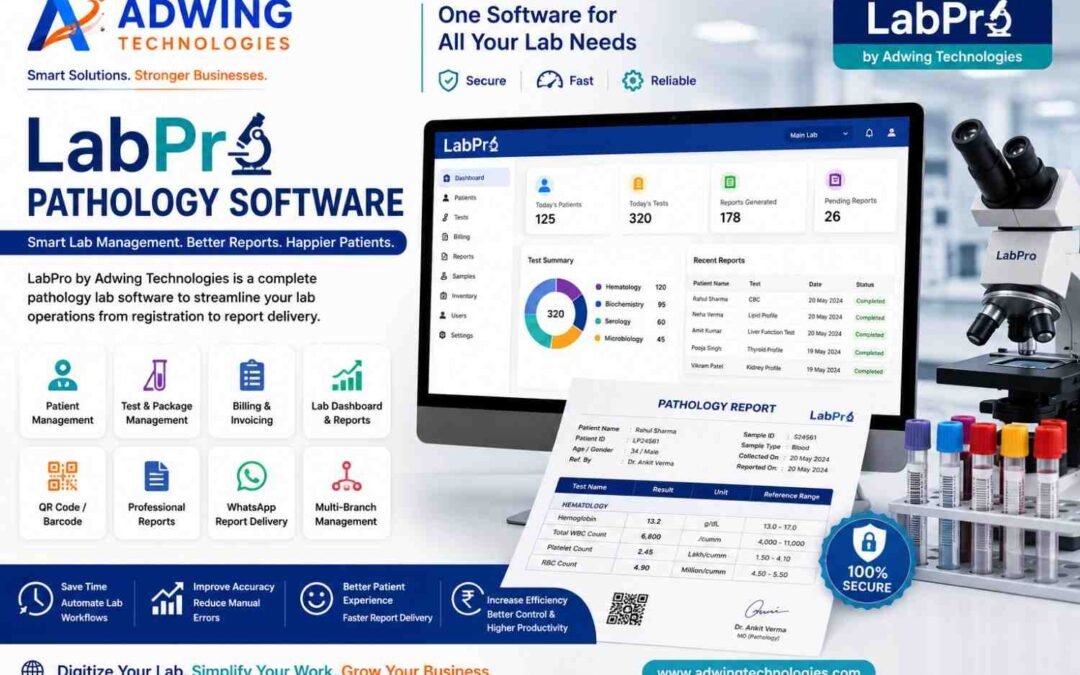
by adwingservices | Aug 12, 2026 | Lab Software, Pathology Lab Management, Pathology Software
Best Offline Pathology Software– LabPro by Adwing Technologies for Smarter Lab Management
Managing a pathology laboratory involves much more than preparing test reports. Patient registration, test selection, billing, sample tracking, report preparation, record management and report delivery all need to work together efficiently.
LabPro by Adwing Technologies is a pathology and diagnostic lab software solution designed to help laboratories organize these everyday operations through a structured digital workflow.
Whether you operate an independent pathology lab, diagnostic centre or a growing laboratory business, LabPro can help reduce repetitive manual work and make patient, billing and reporting processes easier to manage.
LabPro is designed to provide laboratories with a centralized system for managing routine pathology operations.
Instead of maintaining patient information, test details, invoices and reports across multiple registers or spreadsheets, a pathology lab can organize important information through one software workflow.
The objective is simple:
Patient Registration → Test Selection → Billing → Sample/Report Workflow → Report Generation → Digital Delivery
This helps laboratories maintain a more systematic process from patient entry to final report delivery.
Patient Registration & Management
Fast and accurate patient registration is an important part of laboratory operations. LabPro can help maintain important patient and visit information in an organized format, making it easier to retrieve records when required.A digital patient workflow can also reduce repeated manual entry and make previous records easier to manage.
Pathology Test Management
Different laboratories offer different tests, profiles and packages. LabPro helps organize laboratory test information so that available tests can be managed systematically.Depending on the configured setup, laboratories can maintain:
- Individual tests
- Test groups
- Profiles
- Packages
- Test rates
- Relevant reporting information
This provides a structured test catalogue for day-to-day laboratory operations.
Professional Pathology Report Generation
The final pathology report is one of the most important outputs of a diagnostic laboratory. LabPro is designed to simplify the reporting workflow and help laboratories create professional digital reports. An organized reporting system can make it easier to maintain patient information, test results and report records while reducing dependence on manually prepared documents.
QR Code & Barcode Support
Digital identification can make laboratory workflows easier to organize. LabPro can support QR/barcode-oriented workflows according to the configured system, helping connect patient, test or report information more systematically. QR-enabled reports can also provide an additional digital element to professional laboratory reporting.
Digital & WhatsApp Report Delivery
Patients increasingly expect convenient access to their reports.Instead of requiring every patient to visit the laboratory only to collect a printed report, digital reporting can simplify report delivery.LabPro can support digital report workflows, including options for sharing reports through appropriate online or WhatsApp-based processes.This can improve convenience for both the laboratory and the patient.
Pathology Billing Software
Billing is another important part of laboratory management.A pathology billing system can help maintain patient billing records alongside test and reporting information.This creates a more connected workflow:
Patient → Tests → Charges → Invoice → Report
Instead of maintaining completely separate billing and reporting records, laboratory operations can become easier to track.
Test Groups & Health Packages
Many diagnostic centres offer profiles or health packages containing multiple tests.LabPro can help laboratories organize tests into appropriate groups and packages.For example, laboratories may configure their own preventive health packages or diagnostic profiles according to the services they actually provide.Centralized package management can make test selection and billing more convenient for staff.
Lab Dashboard & Business Overview
A well-designed dashboard gives laboratory operators quick access to important operational information.Instead of checking multiple records manually, management can use the software dashboard to understand relevant laboratory activity from a centralized interface.This can make routine monitoring and reporting more convenient.
Branch Management for Growing Diagnostic Labs
Laboratories expanding to multiple collection points or branches may require better control over records and reporting workflows.Where supported by the selected LabPro configuration, branch-oriented management can help organize operations across different locations.The exact branch workflow should be configured according to the laboratory’s operational requirements.
Why Move From Manual Reporting to Pathology Software?
Manual registers, spreadsheets and separately prepared reports may work for a very small laboratory, but the process can become difficult to manage as patient volume increases.A dedicated pathology software solution can help improve:
Organization
Patient, test, billing and report information can be maintained in a more structured format.
Reporting Workflow
Laboratory staff can follow a consistent process for entering results and preparing reports.
Record Retrieval
Digital records can be easier to locate than searching through physical registers and files.
Patient Convenience
Digital report delivery can reduce unnecessary visits for report collection.
Operational Visibility
Centralized dashboards and reports can provide management with a clearer view of routine activities.
Best Offline Pathology Software LabPro for Diagnostic Centers
LabPro can be considered by different types of diagnostic businesses, including:
- Pathology laboratories
- Diagnostic centres
- Independent labs
- Collection centres
- Growing laboratory businesses
The appropriate configuration should depend on the tests offered, reporting workflow, number of users and operational requirements of the laboratory.
Online and Offline Workflow Requirements
Internet availability and operating conditions can vary between laboratories.When selecting pathology software, labs should evaluate whether their workflow requires online access, local/offline operation or a combination supported by the chosen deployment.This should be discussed during software consultation so that the deployment matches the laboratory’s actual working environment.
Professional Reports Build a Better Lab Experience
A pathology report is not only a medical document; it is also one of the primary documents through which patients interact with a diagnostic laboratory.Clear, consistent and professionally formatted reports can contribute to a more organized patient experience.Digital pathology software can also reduce the amount of repetitive formatting required during everyday reporting.
Pathology Software for Small & Growing Labs
A laboratory does not need to be a large diagnostic chain to benefit from digital management.Small and medium pathology labs can also use software to organize:
- Patient records
- Test information
- Packages
- Billing
- Reports
- Digital report delivery
- Day-to-day lab records
Starting with an organized digital workflow can also make future expansion easier.
How to Choose the Right Best Offline Pathology Software LabPro?
Before choosing pathology lab software, laboratory owners should evaluate their actual workflow.Important questions include:
- Is patient registration easy for staff?
- Can tests and profiles be managed conveniently?
- Can the laboratory configure its test rates?
- Does the software simplify report generation?
- Can previous patient records be retrieved?
- Is billing integrated into the workflow?
- Can reports be delivered digitally?
- Does the software support the lab’s required QR/barcode workflow?
- Can the solution handle the laboratory’s future growth?
- Is implementation and support available?
The best software is not necessarily the product with the longest feature list. It should match the actual requirements of the laboratory.
Why Choose LabPro by Adwing Technologies?
LabPro focuses on bringing important laboratory activities into a more organized digital workflow.The solution can help pathology and diagnostic businesses move toward:
Faster Registration
Organize patient entry and test selection.
Structured Test Management
Maintain tests, groups, profiles and packages.
Professional Reporting
Create a more systematic pathology reporting process.
Billing Management
Connect billing with patient and test workflows.
Digital Reports
Provide more convenient report-delivery options.
QR & Barcode Workflow
Use digital identification features according to the configured solution.
Business Organization
Reduce dependence on disconnected registers, spreadsheets and manual documents.
Pathology Software + Digital Presence
Modern diagnostic centres can go beyond internal lab management.A professional laboratory website can work alongside pathology software to create a broader digital journey:Google Search → Lab Website → Patient Enquiry → Laboratory → Test → Digital Report
Diagnostic centres can also strengthen their online presence through a professional website, local SEO and Google Business Profile optimization.This helps connect operational digitization with customer-facing digital visibility.
Looking for Best Offline Pathology Software LabPro for Your Lab?
If your laboratory still depends heavily on registers, spreadsheets or manually prepared reports, moving to a dedicated pathology software system can help create a more organized workflow.LabPro by Adwing Technologies provides pathology and diagnostic lab software capabilities for managing patients, tests, billing, reporting and digital report workflows.Whether you operate a small pathology lab or a growing diagnostic centre, the right system can simplify everyday operations and provide a stronger foundation for future growth.
Contact Adwing Technologies to discuss LabPro and request a product demonstration for your laboratory.
Frequently Asked Questions
What is LabPro Pathology Software?
LabPro is a pathology and diagnostic laboratory software solution for organizing patient registration, tests, billing, reports and related laboratory workflows.
Can LabPro generate pathology reports?
LabPro is designed to support digital pathology reporting and structured report-management workflows.
Does LabPro support QR codes or barcodes?
QR/barcode functionality can be supported according to the configured LabPro workflow and deployment.
Can pathology reports be shared digitally?
Digital report-delivery workflows can be supported, including appropriate WhatsApp-based report sharing where configured.
Can tests and packages be managed?
LabPro can help organize individual tests, test groups, profiles and packages according to the laboratory’s setup.
Is LabPro suitable for small pathology labs?
Yes. The software can be considered by smaller laboratories as well as growing diagnostic businesses, depending on their operational requirements.
Can LabPro be used for multiple branches?
Branch-management requirements can be evaluated and configured according to the selected LabPro setup.
How can I get a LabPro demo?
Businesses interested in LabPro can contact Adwing Technologies to discuss their laboratory workflow and arrange a suitable product demonstration.
by adwingservices | Aug 12, 2026 | Software company, website designing, Website Development
Hotel Booking Website in Vindhyachal – Room Booking, Vindhyachal Darshan & Direct Guest Enquiries
Vindhyachal attracts visitors for pilgrimage, religious tourism and local sightseeing. For hotels, guest houses, dharamshalas and accommodation providers in the area, having a professional online presence can make it easier for travelers to discover rooms, understand facilities and contact the property directly.
A professionally developed Hotel Booking Website in Vindhyachal can combine hotel information, room booking, guest enquiries and Vindhyachal Darshan information within one convenient platform. Adwing Technologies provides website development solutions for hotels and hospitality businesses looking to build a stronger digital presence and generate direct guest enquiries.
Why Hotels in Vindhyachal Need Their Own Website
Travelers often research their destination and accommodation online before beginning their journey. A hotel’s own website can provide guests with important information such as:
- Room categories
- Room photographs
- Tariff information
- Hotel facilities
- Location
- Check-in and check-out information
- Room booking or enquiry
- WhatsApp assistance
- Nearby places
- Vindhyachal Darshan information
- Google Maps location
Instead of relying entirely on third-party platforms, hotels can use their own website as a direct communication and enquiry channel.
Room booking should be one of the most important features of a hotel website. Depending on the required booking system, guests can be allowed to select: Check-in Date → Check-out Date → Number of Guests → Room Type → Booking/Enquiry
Room pages can display information such as:
- Room name and category
- Room images
- Number of guests
- Bed type
- Room facilities
- Pricing
- Availability enquiry
- Book Now button
A clear room presentation helps visitors compare available accommodation before contacting or booking the hotel.
Direct Hotel Booking & Enquiry
Hotels can also encourage direct enquiries through their website. A prominent Book Now or Check Availability button can guide visitors toward the booking process. Additional contact options can include:
- WhatsApp booking enquiry
- Click-to-call
- Booking form
- Email enquiry
- Request callback
This creates multiple ways for travellers to communicate with the hotel.
Vindhyachal Darshan Section
A hotel website in Vindhyachal can provide more value than accommodation information alone.Visitors travelling for pilgrimage may also be searching for information related to Vindhyachal Darshan.A dedicated Vindhyachal Darshan section can provide useful information about pilgrimage and sightseeing options relevant to the hotel’s guests.The website could organize this into sections such as:
Provide visitors with an introduction to the destination and useful travel information.
Local Sightseeing
Hotels can highlight nearby places that guests may wish to visit during their stay.
Suggested Travel Plans
Where appropriate, the website can provide sample travel plans such as short visits, full-day sightseeing or pilgrimage-oriented itineraries.
Travel Assistance
Hotels that genuinely provide transport or travel assistance can display enquiry options for these services.This transforms the hotel website from a simple room catalogue into a more useful destination resource.
Hotel + Room Booking + Vindhyachal Darshan
A well-planned hospitality website can create a complete visitor journey:
Search for Vindhyachal → Discover Hotel → Explore Rooms → Check Booking Options → Read Darshan Information → Contact/Book → Visit Vindhyachal
This structure is particularly useful because accommodation and destination information are closely connected from the traveller’s perspective.
Mobile-Friendly Hotel Website
Travellers frequently search for hotels while using smartphones.
A hotel booking website should therefore work properly across:
- Smartphones
- Tablets
- Laptops
- Desktop computers
On mobile devices, important actions such as Book Room, WhatsApp, Call and Directions should be easy to find.
Room photographs should also load efficiently without making the page unnecessarily heavy.
Google Maps & Hotel Location
Location is extremely important for travellers.A hotel website can integrate Google Maps so guests can understand where the property is located and obtain directions.The contact page can also clearly present useful arrival and location information provided by the hotel.
WhatsApp Hotel Booking
WhatsApp can provide a convenient enquiry channel for guests who want to confirm details before booking.A WhatsApp booking CTA can be configured with a message such as:“Hello, I would like to check room availability for my Vindhyachal visit.”The guest can then discuss dates, number of travellers, room preferences and other requirements with the hotel.
Hotel Website With Payment Gateway
Where the booking model requires online payment, a suitable payment gateway can be integrated subject to the selected booking system and payment provider. A booking workflow could include:
Select Room → Enter Guest Details → Review Booking → Payment → Booking Confirmation
The exact functionality should be planned according to the hotel’s operational requirements.
Hotel Room Management
A more advanced booking website may also require administrative features. Depending on the project scope, an admin system can help manage:
- Room categories
- Room details
- Pricing
- Booking records
- Guest information
- Booking status
- Website content
- Offers
- Images
For properties requiring real-time room inventory or integration with external booking platforms, the technical requirements should be evaluated separately.
SEO-Friendly Hotel Website in Vindhyachal
A hotel’s website should also be structured for relevant Google searches. SEO can include pages and content around genuine services such as:
- Hotel in Vindhyachal
- Room Booking in Vindhyachal
- Hotel Booking in Vindhyachal
- Accommodation in Vindhyachal
- Vindhyachal Darshan
- Places to Visit in Vindhyachal
Each important topic should provide genuinely useful information instead of repeating the same keywords across multiple pages.
Google Business Profile + Hotel Website
For a local hotel, Google Business Profile and the hotel’s own website can work together. A traveller’s journey may look like: Google Search → Google Maps/Profile → Hotel Website → View Rooms → Check Location → Booking Enquiry
A professional website can provide significantly more information than can fit within a business listing alone.
Hotel Website Design Features
A modern hotel website can include:
- Premium hero banner
- Hotel introduction
- Room categories
- Photo gallery
- Room booking/enquiry
- Check-in/check-out selection
- Facilities and amenities
- Guest reviews
- Google Maps
- WhatsApp booking
- Click-to-call
- Vindhyachal Darshan section
- Nearby attractions
- Travel information
- FAQ
- Blog
- Offers
- Contact page
Blog Section for Hotel SEO
A hotel website can also publish useful destination content. Potential blog topics include:
Vindhyachal Darshan Guide
How to Plan a Vindhyachal Trip
Where to Stay in Vindhyachal
Vindhyachal Hotel & Room Booking Guide :
Places to Visit Around Vindhyachal
Tips for Planning a Family Visit to Vindhyachal
Useful travel content can attract visitors earlier in their trip-planning journey and introduce them to the hotel’s accommodation options naturally.
Why Choose Adwing Technologies for a Hotel Website?
Adwing Technologies can develop a hospitality website around the requirements of the individual property rather than limiting the project to a basic hotel homepage. The website can combine:
Professional Hotel Design
Present rooms, amenities and property information through an attractive visual layout.
Room Booking & Enquiry
Give visitors a clear route from room discovery to booking or availability enquiry.
Vindhyachal Darshan Content
Create a useful destination section for visitors planning their stay.
Mobile Responsive Design
Make important information and booking actions accessible across devices.
SEO-Oriented Structure
Develop separate, useful pages for rooms, hotel information, location and relevant destination content.
Digital Marketing Integration
Connect the website with SEO, Google Business Profile and appropriate digital marketing campaigns.
A Complete Digital Journey for Vindhyachal Hotels
The strongest approach is to connect accommodation, destination information and lead generation:
Google Search → Hotel Website → Rooms → Vindhyachal Darshan → Check Availability → WhatsApp/Booking → Guest
This gives the hotel its own digital platform for attracting and communicating with prospective guests.
Looking for a Hotel Booking Website in Vindhyachal?
If you operate a hotel, guest house or accommodation business and need a Hotel Booking Website in Vindhyachal, Adwing Technologies can help develop a professional website with room presentation, booking enquiries, WhatsApp integration, location information and Vindhyachal Darshan content. A well-designed hotel website should do more than show photographs—it should help travellers plan their stay and make it easy to take the next step toward booking.
Discuss your hotel website and room-booking requirements with Adwing Technologies.
Frequently Asked Questions
Can you create a hotel booking website in Vindhyachal?
Yes. A hotel website can be developed with room pages, booking or availability enquiries, WhatsApp, location information and other hospitality features according to project requirements.
Can guests select check-in and check-out dates?
Yes, this can be included depending on the selected booking system and required functionality.
Can we add Vindhyachal Darshan information?
Yes. A dedicated destination section can provide useful Vindhyachal Darshan, local sightseeing and travel information for hotel guests.
Can online payment be integrated?
A suitable payment gateway can be integrated where required, subject to the booking workflow and payment provider.
Can we manage rooms from an admin panel?
Room categories, information and booking records can be managed through an appropriate booking or content-management system depending on the project’s technical scope.
Can WhatsApp booking be added?
Yes. WhatsApp enquiry buttons can be placed on room pages and other important sections of the website.
Will the hotel website be SEO-friendly?
The website can be developed with an SEO-oriented structure, including relevant page titles, headings, URLs, image ALT text, internal links and destination content.
by adwingservices | Aug 12, 2026 | Digital Business Growth, digital marketing software tools, Web Hosting, website designing, Website Development
Digital Marketing Company in Vindhyachal – Grow Your Business Online
Customers increasingly use Google, Google Maps, websites and social media before deciding which business to contact. For local businesses in Vindhyachal, building a strong digital presence can therefore play an important role in attracting new customers and establishing credibility.
If you are searching for a Digital Marketing Company in Vindhyachal, Adwing Technologies provides digital marketing solutions designed to improve online visibility, strengthen local presence and generate relevant customer enquiries.Our digital services can combine SEO, Google Business Profile optimization, social media marketing, website development, content marketing and lead-management solutions according to the requirements of your business.
Digital marketing should not mean simply publishing social media posts.An effective strategy connects multiple digital channels so that potential customers can discover your business, understand your services and easily contact you.Depending on your business requirements, a digital marketing strategy can include:
- Search Engine Optimization (SEO)
- Local SEO
- Google Business Profile Optimization
- Social Media Marketing
- Content Marketing
- Website Design & Optimization
- Landing Page Development
- Google Ads campaign support
- Meta/Facebook/Instagram campaign support
- Lead Generation
- CRM & Lead Management Integration
- Analytics and Conversion Tracking
The appropriate combination depends on your target customers, competition, budget and business objectives.
Local SEO Services in Vindhyachal
For a business serving customers in a particular location, local SEO can be particularly valuable. Customers may search Google for phrases such as:
Digital Marketing Company in Vindhyachal
SEO Company in Vindhyachal
Website Designing Company in Vindhyachal
Software Company in Vindhyachal
or searches directly related to the products and services they need.Local SEO focuses on helping search engines understand your business, services and geographic relevance.This may include:
- Location-focused website content
- Service pages
- SEO titles and descriptions
- Internal linking
- Image optimization
- Local keyword research
- Google Business Profile optimization
- Relevant business information
- Blog content
- Technical website improvements
The objective is to create a stronger and more useful local search presence over time.
Google Business Profile Optimization in Vindhyachal
For many local businesses, Google Business Profile is one of the most important digital assets.When customers search for nearby businesses, Google may display profiles directly in Search and Maps.A properly maintained profile can provide potential customers with important information such as:
- Business category
- Services
- Business description
- Photos
- Website
- Directions
- Reviews
- Business hours
- Updates and posts
Regularly maintaining accurate information and useful content can make the profile more informative for potential customers.
Google Maps Visibility for Local Businesses
Google Maps is particularly important for businesses that depend on local customers.Clinics, restaurants, shops, schools, consultants, service providers and other businesses can benefit from maintaining accurate location and business information.Your website and Google Business Profile should also communicate consistent information about your services and location.This creates a more connected local digital presence.
SEO Company in Vindhyachal
SEO is a long-term strategy for improving relevant organic search visibility. Rather than repeatedly placing the same keyword throughout a website, good SEO focuses on creating useful pages that answer what customers are actually searching for.
An SEO strategy may involve:
Keyword Research
Identifying relevant searches connected with your products, services and locations.
On-Page SEO
Improving titles, headings, content, images, internal links and page structure.
Local SEO
Strengthening location relevance for businesses serving Vindhyachal and surrounding markets.
Technical SEO
Reviewing indexing, mobile usability, performance and other technical elements.
Content Marketing
Publishing useful service pages, FAQs and blogs that address customer searches.
Social Media Marketing in Vindhyachal
Social media can help businesses remain visible and communicate their services regularly.Depending on the target audience, businesses may use platforms such as Facebook, Instagram, LinkedIn or YouTube.Content can include:
- Service promotions
- Product information
- Educational posts
- Business updates
- Offers
- Customer-focused tips
- Videos
- Reels
- Testimonials
- Project highlights
The objective should be consistent and professional brand communication rather than posting simply for activity.
Facebook & Instagram Marketing
Facebook and Instagram can be useful for businesses whose customers spend significant time on social platforms.Creative campaigns can help businesses promote services, build awareness and direct interested users toward:
Website → Landing Page → WhatsApp → Call → Enquiry Form
Paid campaigns can also be used when appropriate, with targeting and conversion measurement configured according to campaign goals.
Google Ads & Lead Generation
Businesses looking for faster search visibility may consider Google Ads alongside organic SEO.For example, a customer searching for a particular service may already have strong purchase intent.A well-structured campaign should connect:
Relevant Search → Advertisement → Focused Landing Page → Clear CTA → Lead
Sending every advertisement to a generic homepage may not provide the clearest customer journey.Dedicated landing pages can instead focus on a specific service and conversion objective.
Professional Website + Digital Marketing
Digital marketing becomes significantly stronger when the business has a professional website.Social media platforms and third-party profiles are useful, but your website remains a digital property controlled by your business.
A professional website can provide:
- Detailed service information
- Individual SEO pages
- Lead forms
- WhatsApp CTA
- Call CTA
- Portfolio
- Testimonials
- Blogs
- FAQs
- Landing pages
It can therefore act as the central destination for multiple marketing channels.
Landing Pages for Lead Generation
A landing page is designed around one primary campaign or objective.For example, a business can have separate landing pages for:
- Website Designing
- SEO Services
- Digital Marketing
- Software Solutions
- CRM Software
- Google Business Profile Services
A focused landing page can communicate the offer clearly and give visitors an obvious next step.
From Digital Marketing to Lead Management
Generating enquiries is only the first half of the process.Businesses also need to manage those enquiries properly.A more complete digital system can look like:
Google / Social Media → Website → Lead → CRM → Follow-Up → Proposal → Customer
CRM software can help organize:
- Lead sources
- Customer details
- Assigned executives
- Follow-up dates
- Overdue follow-ups
- Sales stages
- Proposals
- Deal values
- Conversion status
This helps businesses connect marketing activities with their actual sales process.
Digital Marketing for Different Businesses in Vindhyachal
Digital marketing strategies can be adapted for different industries, including:
- Retail businesses
- Healthcare and clinics
- Schools and institutes
- Hotels and hospitality
- Restaurants
- Tour and travel businesses
- Professional services
- Solar businesses
- Real estate
- Consultants
- Software businesses
- Local service providers
A healthcare business should not necessarily use the same digital strategy as a restaurant or B2B consulting company.The marketing plan should reflect how customers actually search for and choose that particular service.
Local Market Focus
Digital strategies can be developed around businesses targeting customers in Vindhyachal, Mirzapur and surrounding markets.
SEO + Website Approach
SEO works better when the underlying website provides useful content and a clear structure.
Google Business Optimization
Local businesses can strengthen their presence across Google Search and Maps through an informative, properly maintained profile.
Lead Generation Focus
Digital campaigns can be connected with dedicated landing pages, WhatsApp, calls and enquiry forms.
CRM Integration
Businesses receiving regular enquiries can organize leads and follow-ups through a CRM workflow.
Multiple Digital Services
Website development, SEO, Google Business Profile, content and digital marketing can work together as part of one broader digital strategy.
Digital Marketing for Businesses Near Vindhyachal
Businesses serving customers around Vindhyachal and Mirzapur can use location-oriented digital content where it genuinely matches their service area.Rather than creating dozens of thin pages with almost identical content, businesses should develop useful pages containing information relevant to each location and service.This approach provides greater value to visitors and creates a healthier long-term SEO structure.
How to Choose a Digital Marketing Company in Vindhyachal
Before selecting a digital marketing partner, ask:
- Will they understand your business before starting?
- Is the website properly optimized?
- Do they provide local SEO?
- Can they optimize Google Business Profile?
- Can they create SEO-focused content?
- Can they develop landing pages?
- Can campaign leads be tracked?
- Can website enquiries be connected with CRM?
- Are analytics and conversions measured?
- Will you receive clear information about the work being performed?
Avoid selecting an agency only because it promises an immediate #1 Google ranking or a guaranteed number of customers.Digital marketing performance depends on factors including competition, website quality, market demand, budget, offer, content and execution.
Looking for a Digital Marketing Company in Vindhyachal?
If you are searching for a Digital Marketing Company in Vindhyachal, Adwing Technologies can help you build a more connected online presence through website development, local SEO, Google Business Profile optimization, social media and lead-generation solutions.The objective is not simply to increase online activity. A stronger strategy connects visibility with measurable customer actions.
A practical digital journey can become:
Get Discovered → Build Trust → Generate Enquiry → Manage Lead → Follow Up → Convert
Contact Adwing Technologies to discuss a digital marketing strategy for your business in Vindhyachal.
Frequently Asked Questions
Which digital marketing company provides services in Vindhyachal?
Adwing Technologies provides digital marketing solutions for businesses targeting Vindhyachal and nearby markets, including SEO, Google Business Profile optimization, social media, websites and lead-generation solutions.
Do you provide SEO services in Vindhyachal?
Yes. SEO services can include keyword research, on-page optimization, local SEO, content development and website improvements according to project requirements.
Can you optimize my Google Business Profile?
Google Business Profile optimization can include reviewing business information, categories, services, content, photos and other relevant profile elements.
Do you provide social media marketing?
Yes. Social media marketing can include content planning, creatives and campaign support according to the selected service scope.
Can digital marketing leads be connected to CRM?
Depending on the technical setup, website forms and other suitable lead sources can be connected with a CRM or lead-management workflow.
Do you guarantee first position on Google?
No responsible SEO provider can guarantee a specific organic Google ranking. SEO aims to improve relevance, website quality and search visibility over time.
Can you create landing pages for digital campaigns?
Yes. Dedicated landing pages can be developed for SEO, Google Ads, Meta campaigns and individual services.
by adwingservices | Aug 12, 2026 | Web Hosting, Software company, website designing, Website Development
Web Development Company in Vindhyachal – Build a Powerful Digital Presence
A professional website has become one of the most important digital assets for modern businesses. Customers increasingly use Google to research companies, compare services and decide whom to contact.
If you are searching for a Web Development Company in Vindhyachal, Adwing Technologies provides professional website development solutions designed to help businesses create a strong, credible and conversion-focused online presence. Our approach combines modern design, responsive development, SEO-friendly structure and lead-generation features to create websites that support long-term business growth.
Professional Web Development Services in Vindhyachal
Every business has different website requirements. A clinic may need appointment functionality, while a consulting company may require detailed service pages and enquiry forms.Our website development solutions can include:
- Business Website Development
- Responsive Web Design
- WordPress Development
- Corporate Websites
- Landing Page Development
- E-Commerce Websites
- Website Redesign
- Blog Development
- CMS-Based Websites
- Website Maintenance
- Lead Generation Forms
- WhatsApp & Call Integration
The website structure is planned according to your business requirements and target customers.
Responsive Website Development
Today, a large percentage of website visitors use smartphones.A professionally developed website should provide a consistent experience across:
- Mobile phones
- Tablets
- Laptops
- Desktop computers
Responsive development helps menus, images, text, forms and calls-to-action adjust properly to different screen sizes.For local businesses, this is particularly important because customers often search for nearby products and services directly from their phones.
SEO-Friendly Web Development in Vindhyachal
Website development and SEO should work together from the beginning. An SEO-friendly website can include:
- Proper H1, H2 and H3 structure
- Search-friendly URLs
- SEO titles and meta descriptions
- Optimized images and ALT text
- Internal linking
- Relevant service content
- Mobile-responsive layouts
- Local keyword targeting
- FAQ sections
- Schema markup where appropriate
- Fast-loading page structure
Instead of placing every service on one page, important services can have individual SEO-focused pages.This gives both visitors and search engines a clearer understanding of your business.
WordPress Development in Vindhyachal
WordPress is a practical solution for many business websites because it provides flexibility and makes future content management easier.
A WordPress website can be suitable for:
- Small businesses
- Corporate companies
- Consultants
- Healthcare organizations
- Schools and institutes
- Solar companies
- NGOs
- Professional services
- Blogs
- Portfolio websites
Businesses can publish blogs, update images, create new pages and expand their website as their requirements grow.
Business Website Development
A business website should quickly answer four important questions:
Who are you?
What services do you provide?
Why should a customer choose your business?
How can they contact you?
A clear website structure can help guide visitors from initial interest toward an enquiry.
Lead Generation Website Development
A website should do more than simply display information.
Conversion-focused websites can include:
WhatsApp Integration
Visitors can start a conversation directly from the website.
Click-to-Call
Mobile users can quickly contact the business.
Enquiry Forms
Forms can collect customer details and requirements.
Request a Quote
Useful for service businesses where pricing depends on project requirements.
Free Consultation CTA
A consultation option can encourage interested prospects to initiate contact.
Landing Page Development
Businesses running SEO, Google Ads or social media campaigns can benefit from dedicated landing pages.
A landing page normally focuses on one service and one primary conversion objective.
For example:
Google Search → Landing Page → Service Information → CTA → Enquiry
Dedicated landing pages can be created for website development, SEO, digital marketing, software solutions and other individual services.
E-Commerce Website Development
Businesses planning to sell products online may require an e-commerce website.Depending on the project, functionality can include:
- Product categories
- Product pages
- Shopping cart
- Checkout
- Payment gateway integration
- Customer accounts
- Order management
- Shipping configuration
- Offers and promotions
E-commerce functionality should be planned according to the actual business model and operational requirements.
Website Redesign Services in Vindhyachal
An outdated website can affect both customer experience and brand perception.
Website redesign may be worth considering if your existing website:
- Looks outdated
- Is difficult to use on mobile
- Loads slowly
- Has confusing navigation
- Contains outdated information
- Has weak CTA placement
- Does not generate enquiries
- Has poor SEO structure
A redesign can modernize the website while improving usability, content organization and lead-generation opportunities.
Website + Local SEO
For businesses serving customers in Vindhyachal, a professional website can become an important part of local SEO.
Potential customers may search Google for terms such as:
- Web Development Company in Vindhyachal
- Website Development Company in Vindhyachal
- Website Designer in Vindhyachal
- WordPress Developer in Vindhyachal
- Digital Marketing Company in Vindhyachal
Useful location-oriented content can help establish greater relevance for genuine services offered in the area.
Website + Google Business Profile
A website and Google Business Profile can work together to create a stronger local presence. A typical customer journey may look like: Google Search → Google Business Profile → Website → Service Page → Call / WhatsApp / Enquiry
Your Google profile helps customers discover the business, while your website provides more detailed information about services and expertise.
Connect Website Leads With CRM
Businesses generating regular enquiries can also connect website forms with an appropriate CRM workflow.
A more organized process can look like: Website Visitor → Enquiry → CRM → Lead Assignment → Follow-Up → Proposal → Conversion CRM can help maintain customer details, lead sources, follow-up dates and sales stages.This creates a stronger connection between your website and sales process.
Web Development for Different Industries
Website requirements can be developed for businesses and organizations across industries such as:
- Healthcare and clinics
- Schools and educational institutions
- Solar companies
- Consultants
- Retail businesses
- Restaurants
- Hotels
- Tour and travel companies
- NGOs
- Software companies
- Professional service providers
- Small and medium businesses
The website should reflect the requirements and customer journey of the particular industry.
Why Choose Adwing Technologies for Web Development in Vindhyachal?
Professional & Modern Design
Websites are designed with clear layouts, professional typography and a strong business presentation.
Responsive Development
Pages are designed to work across major screen sizes.
SEO-Oriented Structure
SEO considerations can be incorporated during website development rather than being treated only as an afterthought.
Lead Generation Focus
WhatsApp, Call, Quote and enquiry CTAs can be positioned strategically.
Website + Digital Marketing
Businesses can combine their website with SEO, Google Business Profile optimization and digital marketing.
CRM Integration
Website enquiries can be connected with suitable lead-management workflows where required.
How Much Does Website Development Cost inVindhyachal?
Website development cost depends on several factors, including:
- Number of pages
- Design complexity
- Required functionality
- WordPress or other technology
- Forms and integrations
- E-commerce requirements
- SEO requirements
- Custom features
- Maintenance requirements
Businesses should evaluate website development based on functionality, quality, scalability and long-term digital requirements rather than simply selecting the lowest quotation.
How to Choose a Web Development Company in Vindhyachal
Before selecting a web development partner, consider asking:
- Will my website be responsive?
- Is the structure SEO-friendly?
- Will important services have separate pages?
- Can WhatsApp and Call CTAs be integrated?
- Can I publish blogs?
- Can Google Analytics and Search Console be connected?
- Can landing pages be developed later?
- Can the website be expanded?
- Is website maintenance available?
- Can enquiries be integrated with CRM?
These questions can help you evaluate the long-term usefulness of a website.
Looking for a Web Development Company in Vindhyachal?
If you are searching for a Web Development Company in Vindhyachal, Adwing Technologies can help you develop a professional website designed around your business, customers and digital growth requirements.From responsive business websites and WordPress development to landing pages, website redesign and lead-generation integration, the objective is to build a website that supports your overall digital strategy.
Discuss your website requirements with Adwing Technologies and start building a stronger online presence.
Hotels aur guest houses ke liye hum Hotel Booking Website in Vindhyachal bhi design karte hain, jisme room booking, Vindhyachal Darshan aur direct enquiry features include kiye ja sakte hain.
Frequently Asked Questions
Which company provides web development services in Vindhyachal?
Adwing Technologies provides professional website development and related digital solutions for businesses serving Vindhyachal and nearby areas.
Do you develop WordPress websites?
Yes. WordPress can be used for business websites, corporate websites, blogs and other suitable projects.
Can you create an SEO-friendly website?
Yes. Website development can incorporate SEO-friendly URLs, headings, metadata, image optimization, internal links and relevant service content.
Do you create mobile-responsive websites?
Yes. Websites can be designed to adapt across smartphones, tablets, laptops and desktop computers.
Can you redesign an existing website?
Yes. Existing websites can be evaluated for improvements in design, responsiveness, content structure, SEO and lead-generation elements.
Can website enquiries be connected with CRM?
Depending on the website and CRM configuration, enquiry forms can be connected with an appropriate lead-management workflow.
Do you develop landing pages?
Yes. Dedicated landing pages can be developed for individual services, SEO and digital advertising campaigns.
by adwingservices | Aug 12, 2026 | website designing
Website Designing Company in Sonbhadra & Robertsganj – Build a Professional Online Presence
A professional website is one of the most important digital assets for a growing business. Customers often search online before calling, visiting or purchasing from a company, which means your website can strongly influence trust, visibility and lead generation.
If you are searching for a Website Designing Company in Sonbhadra or a Website Designing Company in Robertsganj, Adwing Technologies provides professional, responsive and SEO-oriented website solutions for businesses, institutions and service providers.
Our focus is to create websites that look professional, communicate your services clearly and make it easy for potential customers to contact your business.
Professional Website Design Services in Sonbhadra
Businesses across Sonbhadra are increasingly using websites to reach customers beyond their immediate location.
A professionally designed website can help you:
- Build credibility
- Present services and products professionally
- Generate online enquiries
- Improve visibility on Google
- Connect customers through WhatsApp and phone calls
- Support SEO and digital marketing
- Showcase projects and achievements
- Build long-term brand value
Adwing Technologies designs websites according to the actual goals and requirements of each business.
Website Designing Company in Robertsganj
Robertsganj is an important commercial centre in Sonbhadra, with growing businesses across retail, healthcare, education, solar, professional services and other industries.
For businesses looking for a Website Designing Company in Robertsganj, a strong website can help create a professional digital identity and connect with customers searching online.
Depending on your business requirements, a website can include:
- Homepage
- About Us
- Services
- Product pages
- Contact page
- Google Map
- WhatsApp button
- Call button
- Enquiry form
- Testimonials
- Portfolio
- Blog
- FAQ
- Lead-generation landing pages
Responsive Website Design
Most customers today access websites through smartphones.
A responsive website should automatically adjust to:
- Mobile phones
- Tablets
- Laptops
- Desktop computers
We focus on layouts that remain easy to navigate and visually balanced across different screen sizes.
SEO-Friendly Website Development in Sonbhadra
Website design and SEO should work together from the beginning.
An SEO-oriented website structure can include:
- Proper H1, H2 and H3 headings
- SEO-friendly URLs
- Optimized page titles
- Meta descriptions
- Image ALT text
- Internal links
- Local service content
- Fast-loading page structure
- Mobile-friendly design
- Schema markup where appropriate
- Blog architecture
For local businesses, location-specific pages can also target relevant search phrases such as:
Website Designing Company in Sonbhadra
Website Designing Company in Robertsganj
Web Development Company in Sonbhadra
Website Designer in Robertsganj
Business Website Development
Different businesses need different website structures.
A clinic may need treatment pages and appointment CTAs, while a solar company may need service pages, project information and quotation forms.
Adwing Technologies can develop websites for:
- Local businesses
- Corporate companies
- Healthcare organizations
- Schools and institutes
- Solar companies
- Consulting businesses
- Retail businesses
- Restaurants
- NGOs
- Professional service providers
- Software and IT companies
WordPress Website Development
WordPress is suitable for many business websites because it provides flexibility and allows content to be updated more easily.
WordPress websites can support:
- Service pages
- Blogs
- Images
- Contact forms
- Landing pages
- SEO plugins
- Google Analytics
- Search Console
- WhatsApp integration
This makes it useful for businesses that want to grow their website over time.
A good website should not only provide information; it should guide interested visitors toward taking action.
Lead-generation elements can include:
WhatsApp CTA
Allows visitors to start a conversation quickly.
Call Button
Important for mobile users and local customers.
Enquiry Form
Collects customer requirements in a structured format.
Request a Quote
Useful for service-based businesses.
Free Consultation CTA
Encourages prospects to initiate contact.
Dedicated Landing Pages
Useful for SEO, Google Ads and social media campaigns.
Website + Google Business Profile
For local businesses in Sonbhadra and Robertsganj, a website becomes more effective when connected with a properly optimized Google Business Profile.
A potential customer journey may be:
Google Search → Google Business Profile → Website → Service Page → Call / WhatsApp / Enquiry
This helps build both visibility and trust.
Website + CRM Lead Management
Businesses generating regular enquiries can take the next step by connecting their website with CRM.
A structured workflow may look like:
Website Lead → CRM → Sales Executive → Follow-Up → Proposal → Customer
This helps prevent enquiries from being lost and gives management better visibility into the sales process.
Website Development for Local Businesses in Sonbhadra
A local website strategy can be particularly useful for businesses operating in:
- Robertsganj
- Renukoot
- Chopan
- Dudhi
- Ghorawal
- Obra
- Other areas of Sonbhadra
Businesses can create relevant service pages and local content based on their actual service area.
Why Choose Adwing Technologies?
Professional Design
Websites are designed with clear typography, modern layouts and business-focused presentation.
Mobile Responsive
Pages are structured to work across different device sizes.
SEO-Oriented Structure
Website architecture can be developed with SEO-friendly headings, URLs and content.
Lead Generation Focus
Call, WhatsApp, forms and consultation CTAs can be placed strategically.
Business Software Integration
Website enquiries can be connected with CRM or other business workflows where required.
Digital Marketing Support
Website development can be combined with SEO, Google Business Profile and digital marketing services.
How Much Does Website Designing Cost in Sonbhadra?
Website development cost varies according to:
- Number of pages
- Design complexity
- Required functionality
- Forms and integrations
- Blog requirements
- E-commerce requirements
- SEO requirements
- Custom features
- Maintenance support
A business should select a website solution based on quality, usability, scalability and future marketing requirements rather than only the lowest price.
How to Choose the Best Website Designing Company in Sonbhadra
Before selecting a website company, ask:
- Will the website be mobile responsive?
- Is the structure SEO friendly?
- Can WhatsApp and Call buttons be integrated?
- Can I add pages later?
- Will each service have a separate SEO-friendly URL?
- Can blogs be published easily?
- Can Google Analytics and Search Console be connected?
- Can landing pages be developed for advertisements?
- Is support available after launch?
- Can leads be integrated with CRM?
If you are looking for a Website Designing Company in Sonbhadra or Website Designing Company in Robertsganj, Adwing Technologies can help you build a professional website designed around your services, customers and business goals.
Whether you need a new business website, a website redesign, SEO-ready service pages or lead-generation landing pages, the right website can become an important part of your digital growth strategy.
Contact Adwing Technologies to discuss your website requirements and request a consultation or quotation.
Frequently Asked Questions
Which company provides website designing services in Sonbhadra?
Adwing Technologies provides professional website design, responsive development, SEO-oriented structure and lead-generation integrations for businesses in Sonbhadra.
Do you provide website design services in Robertsganj?
Yes. Businesses in Robertsganj and nearby areas can contact Adwing Technologies for website design and digital solutions.
Can you create an SEO-friendly website?
Yes. Websites can be structured with SEO-friendly URLs, headings, metadata, image optimization and relevant local content.
Can WhatsApp and enquiry forms be added?
Yes. WhatsApp, Call, Request a Quote and consultation forms can be integrated according to the project requirements.
Can website leads be connected to CRM?
Website enquiry forms can be connected to a suitable CRM or lead-management workflow depending on the technical configuration.
Do you redesign old websites?
Yes. Existing websites can be evaluated for improvements in design, mobile responsiveness, SEO structure and lead generation.
by adwingservices | Aug 12, 2026 | Accounting Software, Adwing Technologies, billingSoftware, GSt Billing SOftware, hospital software, hotel software, Software company
Software Company in Vindhyachal – Smart Solutions for Growing Businesses By Adwing Technologies
Software Company in Vindhyachal, Businesses in Vindhyachal are rapidly adopting digital tools to manage customers, sales, billing, employees and everyday operations more efficiently. Whether you run a retail store, healthcare facility, educational institution, service company or growing enterprise, the right software can reduce manual work and provide better control over your business.
If you are looking for a software company in Vindhyachal, Adwing Technologies provides business software solutions, implementation assistance and technology support for different industries and business requirements.
Business Software Solutions in Vindhyachal
Every business has a different workflow. A retail store may need billing and inventory management, while a service business may need CRM software to manage leads and follow-ups.Adwing Technologies helps businesses identify suitable technology solutions based on their actual operational requirements.Our business software solutions include:
- CRM & Lead Management Software
- Billing & Business Software
- Attendance & Payroll Software
- Healthcare & Clinic Software
- School & Institute ERP
- Inventory & Stock Management
- Restaurant Billing & Management Software
- Pathology Software
- Business ERP Solutions
- Web-Based Business Applications
CRM & Lead Management Software in Vindhyachal
Generating enquiries is valuable only when those leads are followed up systematically.CRM software helps businesses maintain their customer enquiries in one centralized system.With CRM and lead management software, businesses can manage:
- New leads and enquiries
- Lead sources
- Sales executives
- Follow-up schedules
- Overdue follow-ups
- Sales pipeline stages
- Tasks
- Client information
- Proposals
- Deal values
- Won and lost opportunities
- Business reports
Website enquiries can also be connected to an appropriate lead-management workflow, helping businesses move from lead generation to lead conversion in a more organized manner.
Manual billing and scattered records can make business management unnecessarily difficult.Billing software can help maintain invoices, customer information, sales records and business reports in a structured format.Depending on business requirements, solutions can be considered for:
- Retail stores
- Garment businesses
- General stores
- Hardware businesses
- Auto spare businesses
- Restaurants and cafés
- Medical stores
- Distributors
- Other trading businesses
Managing employee attendance and salaries manually becomes increasingly difficult as a business grows. Attendance and payroll solutions can help organizations manage employee information, attendance records, shifts, salary processing, payslips and reports through a more systematic workflow.This can be useful for offices, schools, healthcare establishments, service businesses and other organizations in Vindhyachal.
Healthcare & Clinic Software
Healthcare establishments require organized patient and administrative records. Adwing Technologies can assist businesses looking for software solutions for:
- Clinics
- Hospitals
- Pathology laboratories
- Healthcare establishments
Depending on the selected solution, software can support appointments, patient records, billing, reports and other administrative workflows.
School & Institute ERP Solutions
Educational institutions also require technology to manage their growing administrative workload. School and institute software can help organize requirements such as admissions, fees, attendance, student information, reports and other academic or administrative processes.
Why Businesses Need Modern Software
A good software system does more than digitize records. It can help a business:
Reduce Manual Work
Routine information can be maintained through a structured system instead of multiple registers or spreadsheets.
Improve Follow-Ups
CRM software can help ensure that important customer enquiries and follow-up dates remain visible to the team.
Access Better Business Information
Dashboards and reports can provide management with clearer information for decision-making.
Improve Team Coordination
Centralized systems make it easier for authorized team members to access relevant information.
Build Scalable Processes
As a business grows, structured digital workflows can be easier to manage than disconnected manual processes.
Why Choose Adwing Technologies for Software Solutions in Vindhyachal?
Businesses looking for a software company in Vindhyachal often need more than just a software application. They also need assistance in understanding which solution is appropriate for their business. Adwing Technologies follows a requirement-oriented approach.
Local Business Support
Being accessible to businesses in Vindhyachal and the surrounding region can make consultation and implementation easier.
Multiple Software Solutions
Businesses can explore CRM, billing, payroll, healthcare, education and other business software requirements through one technology partner.
Business-Focused Approach
The objective is to understand the business workflow first and then identify an appropriate software solution.
Software + Digital Growth
Businesses can also combine their software requirements with website development, SEO, Google Business Profile optimization and digital marketing services.
Connect Your Website With CRM
One of the most useful digital workflows for a growing business is:
Website → Enquiry → CRM → Sales Executive → Follow-Up → Proposal → Customer
Instead of allowing website enquiries to remain scattered across emails, spreadsheets or messages, an integrated CRM workflow can help organize them centrally. For businesses investing in SEO, Google Business Profile or digital advertising, this can also make lead management significantly more systematic.
Software Solutions for Different Industries
Adwing Technologies can assist organizations exploring business software for industries such as:
- Retail
- Healthcare
- Education
- Restaurants
- Professional services
- Distribution
- Solar businesses
- Jewellery
- Dairy
- Small and medium businesses
The appropriate solution depends on the actual operational requirements of each business.
Looking for a Software Company in Vindhyachal?
If your business still relies heavily on manual registers, spreadsheets or disconnected applications, this may be the right time to explore a more organized digital system. Adwing Technologies helps businesses evaluate CRM, billing, payroll, ERP and other business software solutions in Vindhyachal according to their operational requirements. Whether your priority is managing leads, improving follow-ups, simplifying billing, organizing employee records or digitizing business processes, the first step is understanding which software solution fits your workflow.
Contact Adwing Technologies to discuss your business requirements and request a software consultation or demo.
Frequently Asked Questions
Which software company provides business software in Vindhyachal?
Adwing Technologies provides software consultation and business software solutions for organizations looking for CRM, billing, payroll, healthcare, ERP and other business applications in Vindhyachal.
Is CRM software available for businesses in Vindhyachal?
Yes. CRM solutions can help businesses manage enquiries, lead sources, follow-ups, sales pipelines, proposals, clients and reports.
Can website leads be connected with CRM software?
Website enquiry forms can be connected to a CRM or lead-management workflow depending on the website and CRM configuration.
Is billing software available for small businesses?
Yes. Billing and business-management solutions can be considered according to the type, size and operational requirements of the business.
Does Adwing Technologies provide local software support?
Adwing Technologies provides technology consultation and support for businesses in Vindhyachal, Mirzapur and nearby areas.
by adwingservices | Aug 12, 2026 | website designing, Website Development
Website Designing Company in Mirzapur – Build a Professional Website That Grows Your Business
In today’s digital-first market, customers often search online before contacting a business. Whether someone is looking for a clinic, school, solar company, consultant, retailer or professional service provider, a well-designed website can strongly influence their first impression.
If you are searching for a Website Designing Company in Mirzapur, Adwing Technologies provides professional, responsive and SEO-oriented website solutions designed around real business requirements.We focus on creating websites that not only look professional but also help businesses build trust, improve online visibility and generate customer enquiries.
Professional Website Design Services in Mirzapur
A business website should clearly communicate who you are, what you provide and how a potential customer can contact you.A professionally structured website can include:
Modern homepage design
About Us page
Individual service pages
Product pages
Contact and enquiry forms
WhatsApp integration
Click-to-call buttons
Google Maps integration
Testimonials
Portfolio or project showcase
Blog section
Frequently Asked Questions
Request a Quote sections
Lead-generation landing pages
The final structure should depend on your business, target customers and digital marketing objectives.
Why Does Your Business Need a Professional Website?
Social media and Google Business Profile are valuable marketing channels, but your own website gives your business a dedicated digital platform.A professional website can help you:
Build Customer Trust
A properly designed website containing clear business information, services, images and contact options can improve credibility.
Generate Business Enquiries
Strategically placed enquiry forms, WhatsApp buttons and calls to action make it easier for interested visitors to contact your business.
Improve Google Visibility
SEO-oriented pages give search engines more information about your business, services and target locations.
Present Your Services Professionally
Instead of explaining everything repeatedly through messages, customers can review detailed service information directly on your website.
Support Digital Marketing
Google Ads, social media campaigns and local SEO can direct visitors toward dedicated website or landing pages.
Customers access websites through many different devices.Your website should therefore work properly on:
Smartphones
Tablets
Laptops
Desktop computers
Responsive website design automatically adapts the layout according to screen size.Menus should remain easy to use, text should be readable, images should scale correctly and important CTA buttons should remain easily accessible.A mobile-friendly website is particularly important for local businesses because many customers search for nearby services directly from their phones.
SEO-Friendly Website Development
An attractive website alone does not guarantee visibility in Google Search. SEO should be considered while planning the website architecture.An SEO-oriented website can include:
For example, instead of putting every service on one page, important services can have their own dedicated pages.This gives search engines a clearer understanding of what your business provides.
Local SEO for Businesses in Mirzapur
For businesses serving local customers, website development and local SEO should work together.Potential customers may search Google using phrases such as:
Creating useful, relevant pages around genuine services and locations can strengthen your overall local search presence.
WordPress Website Development in Mirzapur
WordPress is a practical platform for many business websites because it provides flexibility and makes future content management easier. A WordPress website can be suitable for:
Businesses can add new pages, publish blog posts, update images and expand their website as their requirements grow.
Business Website Design
Every industry requires a different website strategy. A clinic website may need treatment pages and appointment CTAs.A school website may require admission information, facilities, notices and enquiry options. A solar business may need product information, installation services and quotation forms.A consulting company may require detailed service pages, industry information and lead-generation forms.That is why professional website development should begin by understanding the business rather than applying exactly the same template to every customer.
Website Solutions for Different Businesses
Adwing Technologies can assist with website requirements for businesses and organizations such as:
Small and medium businesses
Healthcare and clinics
Schools and educational institutions
Solar businesses
Consulting companies
Software businesses
Retail companies
Tour and travel businesses
Restaurants
NGOs
Professional service providers
Lead Generation Website Design
Website traffic becomes more valuable when interested visitors have a clear way to contact your business. A lead-focused website can include several conversion points.
WhatsApp Integration
Visitors can quickly initiate a WhatsApp conversation from the website.
Click-to-Call
Mobile visitors can call the business directly.
Enquiry Forms
Forms can collect customer names, contact information and service requirements.
Request a Quote
Quotation forms are useful for businesses where pricing depends on individual requirements.
Free Consultation CTA
Consultation buttons can encourage prospects who need more information before making a decision.
Dedicated Landing Pages
A landing page is different from a general homepage because it normally focuses on a specific service or campaign.For example, a website company may create separate landing pages for:
This allows visitors to see highly relevant information based on what they searched for or which advertisement they clicked.
Website + Google Business Profile
For a local business, Google Business Profile and a professional website can complement each other.A typical customer journey could be: Google Search → Google Business Profile → Website → Service Page → WhatsApp / Call / Form
The Google profile helps customers discover the business, while the website provides deeper information and additional opportunities to convert the visitor into an enquiry.
Website + CRM Lead Management
Generating leads is only part of the sales process. Businesses receiving regular enquiries may also need a system to organize and follow up those leads.A connected workflow can look like:
Website → Lead Form → CRM → Lead Assignment → Follow-Up → Proposal → Customer
CRM integration can make it easier to maintain lead sources, follow-up dates, sales stages and customer information. This is particularly useful for businesses investing in SEO or digital advertising.
Website Redesign Services in Mirzapur
An existing website does not always need to be completely abandoned. Website redesign may be appropriate when the current site:
Looks outdated
Is difficult to use on mobile
Loads slowly
Has unclear navigation
Has weak service pages
Does not generate enquiries
Has poor CTA placement
Lacks proper SEO structure
A redesign can improve both appearance and functionality while retaining valuable existing content where appropriate.
E-Commerce Website Development
Businesses selling products online may require an e-commerce website. Depending on project requirements, an online store can include:
Product categories
Product pages
Shopping cart
Checkout
Payment gateway
Customer accounts
Order management
Shipping configuration
Promotional offers
E-commerce requirements should be evaluated separately because functionality can vary considerably between businesses.
Why Choose Adwing Technologies for Website Designing in Mirzapur?
Business-Oriented Approach
The website structure is planned according to the business, its services and target customers.
Responsive Design
Websites are developed with desktop and mobile usability in mind.
SEO-Oriented Structure
SEO-friendly architecture can be incorporated from the development stage.
Lead Generation Focus
Important contact actions such as WhatsApp, Call, Quote and Consultation can be integrated strategically.
Website + Digital Marketing
Businesses can combine their website with SEO, Google Business Profile optimization and digital marketing.
CRM Integration
Where required, website enquiries can be connected with an appropriate lead-management workflow.
There is no single price suitable for every website. Website development cost depends on factors such as:
Businesses should therefore compare website proposals based on the complete scope rather than only the initial price.A low-cost website that cannot support SEO, mobile visitors or future growth may eventually require redevelopment.
How to Choose a Website Designing Company in Mirzapur
Before finalizing a website company, consider asking:
Will my website be mobile responsive?
Will every important service have a separate page?
Will the website have an SEO-friendly structure?
Can I publish blogs?
Can WhatsApp and Call buttons be integrated?
Can enquiry forms be customized?
Can Google Analytics and Search Console be connected?
Can dedicated landing pages be developed?
Can the website be expanded later?
Is website maintenance available?
Can website leads be integrated with CRM?
These questions can help you evaluate the long-term value of the website rather than judging only its appearance.
Website Designing Services in Mirzapur and Nearby Areas
Adwing Technologies provides website and digital solutions for businesses in Mirzapur and surrounding areas.Businesses looking to strengthen their online presence can consider combining:
Professional Website + Local SEO + Google Business Profile + Content + Lead Management
Instead of treating these as unrelated services, connecting them can create a stronger digital customer journey.
Looking for a Website Designing Company in Mirzapur?
If you are looking for a Website Designing Company in Mirzapur, your goal should be to build more than an attractive homepage .A modern business website should communicate your services clearly, work properly on mobile devices, support SEO and provide obvious ways for potential customers to contact you. Adwing Technologies provides professional website design and digital solutions for businesses looking to establish or improve their online presence. Discuss your website requirements with Adwing Technologies and request a website consultation or quotation.
Frequently Asked Questions
Which company provides website designing services in Mirzapur?
Adwing Technologies provides professional website design and related digital solutions for businesses and organizations in Mirzapur.
Does Adwing Technologies develop responsive websites?
Yes. Websites can be designed to adapt across mobile phones, tablets, laptops and desktop screens.
Can you create an SEO-friendly website?
Yes. SEO-oriented website development can include appropriate headings, URLs, metadata, internal links, image optimization and service-page architecture.
Do you develop WordPress websites in Mirzapur?
Yes. WordPress can be used for business websites, corporate websites, healthcare websites, educational websites, blogs and other suitable projects.
Can you redesign my existing website?
Yes. Existing websites can be evaluated for improvements in design, responsiveness, SEO structure, content presentation and lead generation.
Can WhatsApp be integrated with my website?
Yes. WhatsApp buttons and other contact CTAs can be incorporated according to the website requirements.
Can website leads be connected to CRM?
Yes, depending on the website and CRM configuration, enquiry forms can be connected with a suitable lead-management workflow.
Do you create landing pages for Google Ads?
Dedicated landing pages can be created for advertising, SEO and specific service campaigns.
by adwingservices | Aug 11, 2026 | Digital Business Growth, digital marketing software tools, website designing
Professional Website Designing for Growing Businesses
Aapka website aapke business ka digital showroom hai. Adwing Technologies businesses ke liye modern, responsive aur conversion-focused websites design karta hai jo desktop, tablet aur mobile par smoothly work karein.
Ham website design mein focus karte hain:
- Responsive website design
- Mobile-friendly layout
- Fast loading pages
- SEO-ready structure
- WhatsApp & enquiry CTA
- Service and product pages
- Contact and lead forms
- Professional business branding
Agar aap naya website banana chahte hain ya existing website ko professionally redesign karna chahte hain, Adwing Technologies aapke business requirement ke according solution provide kar sakta hai.
Build a stronger online presence with a professional business website.
#WebsiteDesign #WebsiteDevelopment #ResponsiveWebsite #BusinessWebsite #WebDesignCompany #WebsiteDesigner #WebDevelopmentIndia #AdwingTechnologies #WebsiteDesignMirzapur #SmallBusinessWebsite
Affordable ,Attractive and SEO Optimized Websites help your Brand and Digital Presence across Google Platform
#WebsiteDesigningCompanyInMirzapur #WebsiteDesignerMirzapur #WebsiteDevelopmentMirzapur #WebDesignMirzapur #BusinessWebsite #WordPressWebsite #SEOReadyWebsite #DigitalMarketingMirzapur #AdwingTechnologies
by adwingservices | Aug 11, 2026 | Accounting Software, jewellery software
Jewellery ERP Software for Retail – Smarter Billing, Inventory & Store Management
Running a jewellery retail business involves much more than creating invoices. Jewellery retailers need accurate stock records, product details, purchases, sales, pricing, billing and business reports while handling a large number of valuable items.
A dedicated Jewellery ERP Software for Retail can help jewellery businesses organize these daily operations through a centralized digital system.Adwing Technologies offers business software solutions for jewellery retailers looking to simplify billing, inventory management and everyday store operations.
What is Jewellery ERP Software?
Jewellery ERP software is a business-management solution designed around the operational requirements of jewellery retailers.Unlike basic billing software, an ERP-oriented system can bring multiple business processes together.A typical workflow may include:
Purchase → Stock Entry → Item Management → Sales → Billing → Reports
This provides jewellery business owners with a more organized way to manage store information and monitor daily operations.
Jewellery Billing Software for Retail Stores
Billing is one of the most important operations in a jewellery showroom.A dedicated Jewellery Billing Software can help retailers prepare structured invoices while maintaining relevant transaction records.Depending on the configured solution, billing workflows can accommodate jewellery-specific product information and applicable charges.Digital billing also makes previous transaction records easier to retrieve than maintaining information entirely through manual registers.
Jewellery Inventory Management Software
Jewellery businesses often manage many individual products across different categories, designs and specifications.An organized inventory system can help maintain information about available jewellery stock.Products can be categorized according to the retailer’s requirements, such as:
- Gold Jewellery
- Silver Jewellery
- Rings
- Chains
- Necklaces
- Earrings
- Bangles
- Bracelets
- Pendants
- Other jewellery categories
A structured stock-management system gives the business better visibility over inventory.
Product & Item Management
Every jewellery item may have multiple pieces of information associated with it.Jewellery retail software can help maintain product information systematically rather than relying on disconnected spreadsheets or handwritten records.This makes it easier for staff to search, identify and process products during everyday operations.
Barcode functionality can make product identification more convenient.Where supported by the selected solution, jewellery items can be associated with barcode labels for faster product identification during stock management and billing.A barcode-oriented workflow can help reduce repetitive manual searching and improve operational organization.
Purchase Management
Jewellery retailers need to maintain clear records of incoming stock.A purchase-management workflow can help organize:
- Purchase entries
- Supplier-related transactions
- Product quantities
- Stock additions
- Purchase values
- Relevant purchase records
Once a purchase is recorded, the corresponding inventory information can be maintained more systematically.
Sales Management
A centralized sales system helps maintain information about completed transactions.Instead of keeping billing and sales records separately, jewellery ERP software can connect relevant transaction information within the same business workflow.This can make sales history and business reporting easier to review.
GST Billing for Jewellery Businesses
Jewellery retailers operating under GST need their billing process to support applicable tax requirements.A suitable jewellery billing solution can help prepare structured invoices and maintain relevant taxation information according to the configured business setup.Businesses should ensure their tax configuration reflects their current statutory and accounting requirements.
Jewellery Stock Reports
Accurate stock visibility is especially important in a jewellery business because of the value of the inventory.ERP reports can help management review relevant stock and transaction information without manually compiling multiple registers.Depending on the software configuration, businesses may be able to review reports related to:
- Current stock
- Purchases
- Sales
- Billing
- Product movement
- Other operational information
Dashboard for Better Business Visibility
A business dashboard can present important information in a more accessible format.Rather than opening several records individually, management can use the dashboard and reports to review relevant business activity.This can support faster day-to-day decision-making.
Why Jewellery Retailers Need Dedicated Software
Generic billing applications may be sufficient for very simple retail businesses, but jewellery stores have more specialized inventory and operational requirements.Dedicated Jewellery Retail Software can help businesses:
Improve Inventory Organization
Maintain jewellery stock in a structured digital system.
Simplify Billing
Create invoices through a consistent billing workflow.
Maintain Purchase & Sales Records
Keep important transactions easier to retrieve.
Reduce Manual Work
Move repetitive record-keeping away from multiple registers and spreadsheets.
Improve Business Visibility
Use dashboards and reports to review relevant operational information.
Jewellery ERP Software for Small & Growing Retailers
ERP software is not only relevant to large jewellery showrooms.Small and medium jewellery retailers can also benefit from organized digital processes.A growing jewellery shop can begin by digitizing essential areas such as:
Inventory + Billing + Purchases + Sales + Reports
This provides a stronger operational foundation as transaction volumes and inventory increase.
Moving From Manual Records to Jewellery ERP
Many traditional retail businesses still depend on physical registers, spreadsheets or multiple independent applications.As the business grows, this can make it difficult to maintain a single accurate view of stock and transactions.A jewellery ERP system creates a more connected workflow:
Stock Arrives → Product Recorded → Inventory Updated → Product Sold → Bill Generated → Reports Updated
This reduces dependence on disconnected records.
Jewellery ERP + Digital Business Growth
Retail technology does not have to stop with internal software.Jewellery businesses can also build a stronger customer-facing digital presence through:
- Professional business website
- Google Business Profile
- Local SEO
- Social media
- Digital marketing
- Online enquiry forms
This creates two complementary systems:
Business Management: Jewellery ERP
Customer Acquisition: Website + Google + Digital Marketing
Together, these can help a jewellery retailer improve both internal organization and online visibility.
How to Choose Jewellery ERP Software
Before selecting jewellery retail software, consider your actual business requirements.Important questions include:
- Can it manage jewellery inventory?
- Is the billing workflow suitable for the store?
- Can purchases and sales be recorded?
- Does it support the required barcode workflow?
- Can products be categorized properly?
- Are useful stock and sales reports available?
- Is the interface practical for daily staff use?
- Can existing business information be migrated where applicable?
- Is implementation assistance available?
- Can the software support future business growth?
The best solution should fit your actual workflow rather than simply offering the largest number of features.
Why Choose Adwing Technologies for Jewellery Software Solutions?
Adwing Technologies helps businesses evaluate technology solutions according to their operational requirements.For jewellery retailers, the objective is to create a more organized workflow around important functions such as billing, inventory, purchases, sales and reporting. Businesses can also combine their software requirements with professional website development, SEO, Google Business Profile optimization and digital marketing solutions.
If your jewellery business relies heavily on manual registers, spreadsheets or basic disconnected billing systems, moving to dedicated
can help create a more organized business-management process.
A suitable jewellery ERP solution can connect important retail operations such as:
Inventory → Purchase → Sales → Billing → Reports
Adwing Technologies can help you evaluate a jewellery software solution according to the requirements of your retail business.Contact Adwing Technologies to discuss your jewellery ERP requirements and request a product demonstration.
Frequently Asked Questions
What is Jewellery ERP Software?
Jewellery ERP software is a business-management system designed to organize important jewellery retail operations such as inventory, purchases, sales, billing and reporting.
Is jewellery ERP suitable for retail jewellery shops?
Yes. Jewellery ERP can be useful for retail stores looking to organize stock and business transactions digitally.
Does jewellery software support billing?
Billing functionality can be provided according to the selected jewellery software configuration.
Can jewellery inventory be managed digitally?
Yes. Jewellery inventory-management functionality can help maintain structured product and stock information.
Can barcode functionality be used?
Barcode-oriented item identification can be supported where available in the selected software configuration.
Is jewellery ERP useful for small jewellery shops?
Yes. Smaller retailers can also benefit from organized billing, inventory and transaction records as their business grows.
Can I get a jewellery ERP software demo?
Adwing Technologies can discuss your jewellery retail requirements and arrange a demonstration of a suitable solution.
by adwingservices | Aug 10, 2026 | Adwing Technologies, Lab Software, Pathology Lab Management, Pathology Software, Software company
Pathology Software – LabPro by Adwing Technologies for Smarter Lab Management
Managing a pathology laboratory involves much more than preparing test reports. Patient registration, test selection, billing, sample tracking, report preparation, record management and report delivery all need to work together efficiently.LabPro by Adwing Technologies is a pathology and diagnostic lab software solution designed to help laboratories organize these everyday operations through a structured digital workflow.
Whether you operate an independent pathology lab, diagnostic centre or a growing laboratory business, LabPro can help reduce repetitive manual work and make patient, billing and reporting processes easier to manage.
What is LabPro Pathology Software?
LabPro is designed to provide laboratories with a centralized system for managing routine pathology operations.Instead of maintaining patient information, test details, invoices and reports across multiple registers or spreadsheets, a pathology lab can organize important information through one software workflow.
The objective is simple:
Patient Registration → Test Selection → Billing → Sample/Report Workflow → Report Generation → Digital Delivery
This helps laboratories maintain a more systematic process from patient entry to final report delivery.
Patient Registration & Management
Fast and accurate patient registration is an important part of laboratory operations.LabPro can help maintain important patient and visit information in an organized format, making it easier to retrieve records when required.A digital patient workflow can also reduce repeated manual entry and make previous records easier to manage.
Pathology Test Management
Different laboratories offer different tests, profiles and packages.LabPro helps organize laboratory test information so that available tests can be managed systematically.Depending on the configured setup, laboratories can maintain:
- Individual tests
- Test groups
- Profiles
- Packages
- Test rates
- Relevant reporting information
This provides a structured test catalogue for day-to-day laboratory operations.
Professional Pathology Report Generation
The final pathology report is one of the most important outputs of a diagnostic laboratory.LabPro is designed to simplify the reporting workflow and help laboratories create professional digital reports.An organized reporting system can make it easier to maintain patient information, test results and report records while reducing dependence on manually prepared documents.
QR Code & Barcode Support
Digital identification can make laboratory workflows easier to organize.LabPro can support QR/barcode-oriented workflows according to the configured system, helping connect patient, test or report information more systematically.QR-enabled reports can also provide an additional digital element to professional laboratory reporting.
Digital & WhatsApp Report Delivery
Patients increasingly expect convenient access to their reports.Instead of requiring every patient to visit the laboratory only to collect a printed report, digital reporting can simplify report delivery.LabPro can support digital report workflows, including options for sharing reports through appropriate online or WhatsApp-based processes.This can improve convenience for both the laboratory and the patient.
Pathology Billing Software
Billing is another important part of laboratory management.A pathology billing system can help maintain patient billing records alongside test and reporting information.This creates a more connected workflow:
Patient → Tests → Charges → Invoice → Report
Instead of maintaining completely separate billing and reporting records, laboratory operations can become easier to track.
Test Groups & Health Packages
Many diagnostic centres offer profiles or health packages containing multiple tests.LabPro can help laboratories organize tests into appropriate groups and packages.For example, laboratories may configure their own preventive health packages or diagnostic profiles according to the services they actually provide.Centralized package management can make test selection and billing more convenient for staff.
Lab Dashboard & Business Overview
A well-designed dashboard gives laboratory operators quick access to important operational information.Instead of checking multiple records manually, management can use the software dashboard to understand relevant laboratory activity from a centralized interface.This can make routine monitoring and reporting more convenient.
Branch Management for Growing Diagnostic Labs
Laboratories expanding to multiple collection points or branches may require better control over records and reporting workflows.Where supported by the selected LabPro configuration, branch-oriented management can help organize operations across different locations.The exact branch workflow should be configured according to the laboratory’s operational requirements.
Why Move From Manual Reporting to Pathology Software?
Manual registers, spreadsheets and separately prepared reports may work for a very small laboratory, but the process can become difficult to manage as patient volume increases.A dedicated pathology software solution can help improve:
Organization
Patient, test, billing and report information can be maintained in a more structured format.
Reporting Workflow
Laboratory staff can follow a consistent process for entering results and preparing reports.
Record Retrieval
Digital records can be easier to locate than searching through physical registers and files.
Patient Convenience
Digital report delivery can reduce unnecessary visits for report collection.
Operational Visibility
Centralized dashboards and reports can provide management with a clearer view of routine activities.
LabPro for Diagnostic Centres
LabPro can be considered by different types of diagnostic businesses, including:
- Pathology laboratories
- Diagnostic centres
- Independent labs
- Collection centres
- Growing laboratory businesses
The appropriate configuration should depend on the tests offered, reporting workflow, number of users and operational requirements of the laboratory.
Online and Offline Workflow Requirements
Internet availability and operating conditions can vary between laboratories.When selecting pathology software, labs should evaluate whether their workflow requires online access, local/offline operation or a combination supported by the chosen deployment.This should be discussed during software consultation so that the deployment matches the laboratory’s actual working environment.
Professional Reports Build a Better Lab Experience
A pathology report is not only a medical document; it is also one of the primary documents through which patients interact with a diagnostic laboratory.Clear, consistent and professionally formatted reports can contribute to a more organized patient experience.Digital pathology software can also reduce the amount of repetitive formatting required during everyday reporting.
Pathology Software for Small & Growing Labs
A laboratory does not need to be a large diagnostic chain to benefit from digital management.Small and medium pathology labs can also use software to organize:
- Patient records
- Test information
- Packages
- Billing
- Reports
- Digital report delivery
- Day-to-day lab records
Starting with an organized digital workflow can also make future expansion easier.
How to Choose the Right Pathology Software
Before choosing pathology lab software, laboratory owners should evaluate their actual workflow.
Important questions include:
- Is patient registration easy for staff?
- Can tests and profiles be managed conveniently?
- Can the laboratory configure its test rates?
- Does the software simplify report generation?
- Can previous patient records be retrieved?
- Is billing integrated into the workflow?
- Can reports be delivered digitally?
- Does the software support the lab’s required QR/barcode workflow?
- Can the solution handle the laboratory’s future growth?
- Is implementation and support available?
The best software is not necessarily the product with the longest feature list. It should match the actual requirements of the laboratory.
Why Choose LabPro by Adwing Technologies?
LabPro focuses on bringing important laboratory activities into a more organized digital workflow.The solution can help pathology and diagnostic businesses move toward:
Faster Registration
Organize patient entry and test selection.
Structured Test Management
Maintain tests, groups, profiles and packages.
Professional Reporting
Create a more systematic pathology reporting process.
Billing Management
Connect billing with patient and test workflows.
Digital Reports
Provide more convenient report-delivery options.
QR & Barcode Workflow
Use digital identification features according to the configured solution.
Business Organization
Reduce dependence on disconnected registers, spreadsheets and manual documents.
Pathology Software + Digital Presence
Modern diagnostic centres can go beyond internal lab management.A professional laboratory website can work alongside pathology software to create a broader digital journey:Google Search → Lab Website → Patient Enquiry → Laboratory → Test → Digital Report
Diagnostic centres can also strengthen their online presence through a professional website, local SEO and Google Business Profile optimization.This helps connect operational digitization with customer-facing digital visibility.
Looking for Pathology Software for Your Lab?
If your laboratory still depends heavily on registers, spreadsheets or manually prepared reports, moving to a dedicated pathology software system can help create a more organized workflow.LabPro by Adwing Technologies provides pathology and diagnostic lab software capabilities for managing patients, tests, billing, reporting and digital report workflows.Whether you operate a small pathology lab or a growing diagnostic centre, the right system can simplify everyday operations and provide a stronger foundation for future growth.
Contact Adwing Technologies to discuss LabPro and request a product demonstration for your laboratory.
Frequently Asked Questions
What is LabPro Pathology Software?
LabPro is a pathology and diagnostic laboratory software solution for organizing patient registration, tests, billing, reports and related laboratory workflows.
Can LabPro generate pathology reports?
LabPro is designed to support digital pathology reporting and structured report-management workflows.
Does LabPro support QR codes or barcodes?
QR/barcode functionality can be supported according to the configured LabPro workflow and deployment.
Can pathology reports be shared digitally?
Digital report-delivery workflows can be supported, including appropriate WhatsApp-based report sharing where configured.
Can tests and packages be managed?
LabPro can help organize individual tests, test groups, profiles and packages according to the laboratory’s setup.
Is LabPro suitable for small pathology labs?
Yes. The software can be considered by smaller laboratories as well as growing diagnostic businesses, depending on their operational requirements.
Can LabPro be used for multiple branches?
Branch-management requirements can be evaluated and configured according to the selected LabPro setup.
How can I get a LabPro demo?
Businesses interested in LabPro can contact Adwing Technologies to discuss their laboratory workflow and arrange a suitable product demonstration.
by adwingservices | Aug 10, 2026 | billingSoftware, Accounting Software, Adwing Technologies
Billing Software Dealers in Mirzapur: Choose the Right Billing Solution with Adwing Technologies
Are you searching for reliable billing software dealers in Mirzapur to simplify invoicing, GST billing, inventory, accounting and business reporting? Adwing Technologies helps retailers, wholesalers, distributors, medical stores, restaurants and service providers choose billing software according to their actual business requirements.
Modern billing software does much more than print an invoice. It can help you manage sales, purchases, stock, customer balances, supplier payments, GST reports, profit and loss, outstanding dues and daily business performance from one organized system.
As one of the growing billing software dealers in Mirzapur, Adwing Technologies provides consultation, software selection, installation assistance, business configuration, user training and ongoing support for solutions such as Vyapar Billing Software, Marg Billing Software and other industry-specific billing applications.
Why Does Your Business Need Billing Software?
Manual bills, notebooks and disconnected Excel sheets can make daily business management difficult. They may lead to calculation mistakes, missing payment records, inaccurate stock information and delays in preparing business reports.
A suitable billing software in Mirzapur can help your business with:
- Faster and more accurate billing
- GST and non-GST invoices
- Sales and purchase management
- Real-time inventory tracking
- Customer and supplier ledgers
- Outstanding payment monitoring
- Profit and loss reports
- Expense management
- Barcode and POS billing
- Invoice sharing through WhatsApp, email or print
- Business data backup
- Better control over daily operations
Adwing Technologies first understands your business type, number of users, billing volume, inventory structure and reporting requirements. Based on this assessment, we help you select a practical solution instead of recommending unnecessary features.
Vyapar Billing Software in Mirzapur
Vyapar is a popular billing and business management solution for Indian small and medium businesses. It is suitable for shop owners, traders, wholesalers, service providers and businesses that need convenient GST billing, inventory and accounting features.
Adwing Technologies assists businesses looking for Vyapar billing software in Mirzapur with software selection, setup, invoice configuration and user guidance.
Major Features of Vyapar Billing Software
- GST and non-GST invoice creation
- Sales and purchase entries
- Inventory and low-stock tracking
- Customer and supplier ledgers
- Payment-in and payment-out records
- Expense management
- Profit and loss statements
- Balance sheet and cash-flow reports
- GSTR-related business reports
- Customized invoice formats
- Payment reminders
- Invoice sharing through WhatsApp, email, PDF or print
- Mobile and Windows-based business management options
- Online and offline working capabilities, depending on the selected plan and device
Who Can Use Vyapar Billing Software?
Vyapar can be considered by:
- General stores
- Garment shops
- Hardware stores
- Mobile and electronics shops
- Auto-parts businesses
- Gift and stationery shops
- Small wholesalers
- Service providers
- Home-based businesses
- Small manufacturing units
- Retail and trading businesses
Vyapar can be a suitable choice when the owner needs a user-friendly billing system without the complexity of a large ERP platform.
Marg ERP is widely used for billing, inventory and accounting requirements in retail, wholesale, distribution, pharmacy and FMCG-oriented businesses. It offers detailed inventory, batch, barcode, expiry, scheme and reporting capabilities. Businesses searching for Marg billing software in Mirzapur can contact Adwing Technologies for requirement assessment, product guidance, implementation coordination and support assistance.
Major Features Associated with Marg Billing Software
- GST-ready billing and accounting
- Retail and wholesale billing
- Inventory and stock management
- Barcode management
- Batch and expiry tracking
- Multiple rates, discounts and price lists
- Cash, credit and split invoices
- Sales return and replacement management
- Customer and supplier outstanding reports
- Purchase import from supported file formats
- E-invoicing and e-way bill-related functions
- User access and data-security controls
- Business and MIS reports
- Godown-wise stock management
- Pharmacy and distribution-oriented billing options
- Invoice sharing and digital business utilities
Who Can Consider Marg Billing Software?
Marg may be useful for:
- Medical and pharmacy stores
- FMCG distributors
- Supermarkets
- Wholesalers
- Retail chains
- Cosmetics businesses
- Automobile-parts dealers
- Footwear and garment businesses
- Businesses requiring batch and expiry management
- Distribution and supply-chain operations
The final product edition and features should be selected according to business size, industry and licensing requirements.
Vyapar vs Marg Billing Software: Which Is Better?
There is no single billing application that is best for every business. The correct choice depends on your daily workflow.
| Requirement | Vyapar Billing Software | Marg Billing Software |
|---|
| Small-business billing | Suitable | Suitable |
| Easy mobile-based billing | Strong option | Depends on selected solution |
| GST invoicing | Available | Available |
| Inventory management | Available | Advanced options available |
| Pharmacy billing | Basic suitability depends on need | Specialized options available |
| Batch and expiry tracking | Available in applicable configurations | Strong industry-focused options |
| Wholesale and distribution | Suitable for many small businesses | Detailed distribution features |
| Accounting reports | Available | Available |
| Complex inventory structure | Depends on requirement | Often suitable for detailed operations |
| Ease of use | Designed for small-business users | Detailed configuration may require training |
For a small shop requiring quick billing, expense tracking and basic inventory control, Vyapar may be convenient. For pharmacy, FMCG distribution or businesses requiring detailed batch, expiry and scheme management, an appropriate Marg solution may be considered.
Adwing Technologies helps you compare both options before purchasing.
Billing Software for Different Businesses in Mirzapur
As experienced billing software dealers in Mirzapur, we understand that every industry has different requirements.
Retail Billing Software
Retail stores need quick POS billing, barcode support, inventory updates, discounts, customer records and daily sales reports.
Suitable for:
- Supermarkets
- General stores
- Garment shops
- Footwear stores
- Gift shops
- Electronics stores
Pharmacy Billing Software
Medical stores may need batch-wise stock, expiry alerts, medicine search, supplier management, GST invoices and purchase records.
Wholesale Billing Software
Wholesalers require party-wise pricing, credit limits, outstanding reports, sales orders, purchase management and bulk inventory handling.
Restaurant Billing Software
Restaurants and cafés may require POS billing, table management, KOT, menu management, taxes, discounts and daily sales reports.
Hardware and Auto-Parts Billing Software
These businesses may require item codes, brands, sizes, units, multiple price lists, stock tracking and supplier-wise purchase management.
Garment and Footwear Billing Software
Garment and footwear businesses often need size, color, brand, design and category-wise inventory management.
Service Billing Software
Consultants, repair centres, agencies and service providers can use billing software to create quotations, invoices, payment receipts and customer outstanding reports.
Why Choose Adwing Technologies?
Choosing software is only the first step. Correct configuration and user training are equally important.
Adwing Technologies provides:
- Business requirement analysis
- Billing software consultation
- Product and plan selection guidance
- Installation and initial setup assistance
- Company, GST and invoice configuration
- Item and party master guidance
- Invoice design assistance
- User training
- Data migration guidance, where supported
- Basic troubleshooting
- Renewal and support coordination
- Local assistance for businesses in Mirzapur
- Solutions for retail, wholesale and service businesses
Our objective is to help businesses adopt software that their staff can use comfortably in daily operations.
How Our Billing Software Process Works
Step 1: Business Discussion
We understand your business category, number of products, billing volume, GST status, users and required reports.
Step 2: Software Recommendation
We recommend a suitable solution such as Vyapar, Marg or another industry-specific billing application.
Step 3: Demonstration
Where available, we arrange or guide you through a product demonstration so that you can understand the workflow before making a decision.
Step 4: Configuration
Business information, invoice format, taxes, items, units and other relevant settings are configured according to the selected software.
Step 5: Training and Support
We provide basic operating guidance so that the business owner and staff can begin billing confidently.
Find Trusted Billing Software Dealers in Mirzapur
If you are comparing billing software dealers in Mirzapur, do not make your decision only on the lowest price. Check whether the proposed software supports your business type, inventory structure, GST requirements, reports and future growth.The wrong software can create extra work, while the right billing solution can improve speed, accuracy and control.
Adwing Technologies helps businesses select and implement practical billing solutions including:
- Vyapar Billing Software
- Marg Billing Software
- GST Billing Software
- POS Billing Software
- Retail and Wholesale Billing Software
- Inventory Management Software
- Pharmacy Billing Software
- Restaurant Billing Software
- Industry-specific business applications
Want to replace manual billing or upgrade your existing software? Contact Adwing Technologies for a billing software consultation, product guidance or demonstration. Share your business type and requirements, and our team will help you identify a suitable billing and inventory solution.
Adwing Technologies
Software Solutions, Business Applications and Digital Services
Website: https://adwingtechnologies.com/
Frequently Asked Questions
1. Which billing software is best for a small shop in Mirzapur?
The best option depends on the shop’s inventory, GST status, number of users and reporting needs. Vyapar may be suitable for many small businesses, while Marg can be considered for detailed retail, pharmacy or distribution requirements.
2. Can billing software create GST invoices?
Yes. Applicable editions of Vyapar, Marg and other GST billing solutions can create GST-ready invoices and business reports. Features depend on the selected product and subscription.
3. Is Vyapar Billing Software available for desktop and mobile?
Vyapar provides business-management options for supported mobile and Windows environments. Compatibility and synchronization features should be confirmed for the selected plan.
4. Is Marg suitable for medical stores?
Marg offers pharmacy-oriented billing, inventory, batch and expiry-management solutions. The appropriate edition should be selected according to the medical store’s requirements.
5. Does Adwing Technologies provide billing software support in Mirzapur?
Yes. Adwing Technologies provides billing-software consultation, setup assistance, configuration guidance, training and support coordination for businesses in Mirzapur.
6. Can old billing data be transferred to new software?
Data migration depends on the old system, available export format and the import options supported by the new software. The data should be reviewed before confirming migration.
7. Can I get a software demonstration before purchasing?
A demonstration can be arranged or guided depending on the selected product and availability. It helps verify whether the software matches your business workflow.
8. Does the software support barcode billing?
Barcode billing is available in many retail and inventory solutions, including applicable Marg and Vyapar configurations. Hardware and plan compatibility should be confirmed before implementation.
by adwingservices | Aug 8, 2026 | Web Hosting, website designing
Cloudways Managed Hosting 2026: Faster WordPress, Smarter Scaling & AI-Powered Management
A business website can outgrow basic shared hosting long before the business owner wants to become a server administrator. That gap is exactly where Cloudways managed hosting fits: cloud infrastructure with a management layer designed to make deployment, performance, backups, security and scaling easier for website owners, agencies and developers.
Cloudways has changed significantly heading into 2026. The platform now promotes its NGINX-based Lightning Stack, fully managed autoscaling through Cloudways Autonomous, AI-assisted troubleshooting through Cloudways Copilot, deeper Cloudflare Enterprise controls and even managed infrastructure for AI agents. For businesses comparing hosting today, Cloudways is no longer just a “faster WordPress host”—it is becoming a broader managed platform for modern online workloads.
Affiliate disclosure: This article contains Adwing Technologies’ Cloudways affiliate link. If you sign up through it, Adwing may receive an affiliate benefit. Your price, available offer and eligibility are determined by Cloudways. Always check the final plan, trial, renewal and checkout terms before purchasing.
Quick answer: Cloudways can be a strong fit when you want more performance and scaling control than ordinary shared hosting but do not want to manage a raw cloud server yourself. It is particularly relevant to WordPress, WooCommerce, agencies, high-traffic content sites and PHP applications.
What Is Cloudways Managed Hosting?
Traditional shared hosting places many customers inside a largely predetermined environment. A raw cloud server gives much more control, but that control comes with setup, security, monitoring and maintenance responsibilities. Cloudways sits between those models by providing managed tooling over cloud infrastructure.
Cloudways currently separates its core website offering into two directions: Cloudways Flexible, for users who want managed hosting with more choice and configuration control, and Cloudways Autonomous, a fully managed WordPress direction designed around autoscaling and high availability.
Cloudways Flexible vs Cloudways Autonomous
| Cloudways Flexible | Cloudways Autonomous |
|---|
| Managed cloud hosting with infrastructure choice and server-level flexibility. | Fully managed WordPress hosting focused on automatic scaling and high availability. |
| Useful for WordPress, WooCommerce, Laravel and other supported PHP applications. | Designed specifically for WordPress workloads. |
| You select and scale server resources according to the project. | Infrastructure scales more automatically around traffic demand. |
| Strong fit for agencies, developers and businesses wanting more control. | Strong fit for traffic spikes, publishers, ecommerce and teams wanting less server management. |
| Supports Cloudways’ newer Lightning Stack and AI-assisted management tools. | Cloudways currently promotes autoscaling, load balancing, high availability and integrated premium performance features. |
2026 Highlight: Cloudways Lightning Stack
One of the most important current Cloudways developments is the Lightning Stack. Cloudways describes it as a modern NGINX + PHP-FPM architecture designed to improve speed, backend responsiveness and stability for dynamic websites. That matters because real website performance is not only about a cached homepage. WooCommerce checkout, logged-in dashboards, search, admin actions and uncached requests all create dynamic work.
Cloudways’ current homepage advertises performance gains of up to 65% with Lightning Stack. Treat this as Cloudways’ own benchmark/marketing figure rather than a guaranteed improvement for every website. Real results depend on the theme, plugins, application code, database, server size, cacheability and traffic pattern.
Why Businesses Consider Cloudways for WordPress
1. Managed Performance Stack
Cloudways handles much of the underlying server configuration and provides caching/performance tools so the owner does not need to build the entire stack from scratch. Its feature pages currently reference server-side caching technologies, WordPress caching and performance integrations.
2. Staging Before Production
A staging environment gives you a safer place to test plugin updates, design changes and code before touching the live website. This is especially valuable for ecommerce and lead-generation sites where a broken form or checkout can directly cost revenue.
3. Automated and On-Demand Backups
Cloudways provides backup and restore tooling. A good backup strategy should still be treated as a recovery system, not a checkbox: set a suitable frequency, understand retention and periodically confirm that critical websites can actually be restored.
4. Free SSL and Managed Security Layers
Cloudways currently includes Let’s Encrypt SSL and server-level security measures, while its optional/integrated Cloudflare Enterprise capabilities can add edge security and performance features. No managed host eliminates the need for secure WordPress accounts, maintained plugins and disciplined access control.
5. Scaling When Traffic Grows
Cloudways Flexible supports server-resource scaling, while Autonomous is designed for more automatic scaling during traffic changes. This makes the platform relevant to campaign-heavy businesses, ecommerce stores and publishers whose demand is not always predictable.
6. Monitoring and Expert Support
The platform advertises 24/7 expert support, server monitoring and notification tooling. For a small business without an in-house systems team, reducing the number of infrastructure issues that require deep server knowledge can be a meaningful benefit.
Cloudways AI Copilot: Hosting Management Is Becoming Proactive
Cloudways Copilot represents a wider 2026 trend: AI moving from content generation into infrastructure operations. Cloudways says Copilot monitors servers and applications, detects common issues and provides actionable resolution guidance. Its SmartFix capability can automate supported fixes after user confirmation.
This is useful because hosting problems are often repetitive—disk space, web-stack issues, backups or resource pressure. AI-assisted diagnostics can shorten troubleshooting time, but businesses should still review important changes and maintain proper backups before making infrastructure changes.
New 2026 direction: Cloudways has also introduced Managed AI Agents. Its current product page lists OpenClaw in public preview and describes managed infrastructure where Cloudways handles server provisioning, SSL/TLS and platform-level maintenance while the user controls the agent, workflows and LLM connection. This is a separate product direction from WordPress hosting, but it shows how the Cloudways platform is expanding beyond conventional websites.
Cloudflare Enterprise on Cloudways
Cloudways offers Cloudflare Enterprise capabilities to move performance and security work closer to the edge. Current Cloudways material highlights features such as edge caching, smart routing, DDoS mitigation and WAF-related controls. In March 2026, Cloudways also announced more direct dashboard control for WAF, rate limiting, browser integrity, AI crawler blocking and certain SSL options.
For a WordPress site, this can be useful when you want stronger edge performance and security without separately engineering every Cloudflare Enterprise component. Availability and pricing differ between Cloudways products/add-ons, so confirm the exact plan before purchasing.
Want to Try Cloudways for Your Website?
Explore the current Cloudways plans through Adwing Technologies’ affiliate link. If you need help deciding between Hostinger, Cloudways Flexible, Autonomous or another setup, Adwing can review your website, traffic and growth requirements first.
Explore Cloudways
Ask Adwing for Hosting Guidance
Cloudways vs Shared Hosting: When Is an Upgrade Worth It?
Not every small website needs managed cloud hosting. A new brochure site with modest traffic may work perfectly well on quality shared hosting. The upgrade becomes more compelling when performance is business-critical, resource limits are becoming visible, traffic fluctuates, ecommerce transactions matter or an agency is managing many websites.
| Choose Simpler Shared Hosting When | Consider Cloudways When |
|---|
| Your website is small and traffic is predictable. | Your WordPress/WooCommerce workload is growing or highly dynamic. |
| Budget simplicity matters more than server flexibility. | You want more control over server resources and scaling. |
| You run only a basic brochure/blog site. | You operate ecommerce, memberships, high-traffic content or multiple client sites. |
| You rarely need staging or advanced operational tooling. | You routinely test, deploy, monitor, clone or manage multiple applications. |
Cloudways for WooCommerce and High-Traffic Websites
Ecommerce is where hosting quality becomes most visible. Product browsing can often be cached, but cart, account and checkout experiences are personalized and database-heavy. A hosting stack that handles concurrent dynamic requests well can therefore matter more than a flashy homepage benchmark.
Cloudways currently markets WooCommerce hosting with autoscaling/high-availability options, Cloudflare Enterprise, object caching, backups and staging. Before migrating a live store, test payment gateways, transactional email, scheduled tasks, shipping/tax integrations, cache exclusions and webhook behaviour in staging.
Cloudways for Agencies
Agencies need repeatability more than one-off server speed. Cloudways offers cloning, team collaboration, monitoring and multi-site/server workflows, and in 2026 it introduced Site Manager for WordPress in public preview as a more centralized way to manage sites and updates at scale.
For Adwing Technologies or another growing web-services team, the practical value is the ability to separate projects, standardize deployment and reduce time spent on routine infrastructure work while still retaining more cloud flexibility than entry-level shared hosting.
A Safe Cloudways Migration Checklist
- Audit the existing site: note PHP version, WordPress version, plugins, database size, cron jobs, email and third-party integrations.
- Take an independent backup: retain files and database outside the existing hosting account before migration.
- Select resources for real traffic: size the server around workload, not only current storage.
- Migrate and test on a temporary/staging URL: verify pages, admin, forms, search and logged-in functions.
- Test ecommerce completely: cart, checkout, payment, webhook, confirmation email, refund and order status.
- Configure SSL and DNS carefully: plan the DNS switch and keep mail records intact.
- Enable caching deliberately: protect dynamic pages from incorrect caching.
- Monitor after cutover: review errors, uptime, resource use, Core Web Vitals and conversion tracking.
Cloudways + Cloudflare: Do You Need Both?
Cloudways is the managed hosting layer; Cloudflare is primarily the network/edge layer. Cloudways integrates Cloudflare Enterprise capabilities into parts of its offering, so you may not need to manage a completely separate edge configuration for every feature. The right setup depends on your Cloudways product and the Cloudflare features you need.
If your project already uses an independent Cloudflare account, document which layer manages DNS, SSL, caching, redirects and security. Overlapping rules can cause redirect loops, stale content or unexpected blocking.
Does Cloudways Hosting Improve SEO?
No hosting provider can guarantee Google rankings. Better hosting can support SEO by improving availability, response time and user experience, but rankings still depend on useful content, crawlability, internal linking, mobile usability, authority, structured data and search intent.
A better business metric is not “Did my server become faster?” but “Did the site become easier to use and did conversion improve?” Track Core Web Vitals alongside form submissions, calls, WhatsApp clicks, bookings or ecommerce revenue.
How Adwing Technologies Can Help
Adwing Technologies can help businesses choose and implement the right website stack without overselling infrastructure. Support can include WordPress setup, Cloudways migration planning, website development, staging, DNS and SSL configuration, cache/performance review, Cloudflare coordination, technical SEO, analytics and ongoing website maintenance.
If an existing website is slow, we first identify whether the real problem is hosting, plugins, theme code, images, database queries, third-party scripts or poor caching. Moving hosts without diagnosing the bottleneck can simply move the same problem to a faster server.
Build a Faster, Scalable WordPress Website
Start by comparing the current Cloudways options, then let Adwing Technologies help you turn the infrastructure into a well-designed, search-ready and conversion-focused website.
Start With Cloudways
Request Website Consultation
Frequently Asked Questions
What is Cloudways managed hosting?
Cloudways provides a managed platform over cloud infrastructure so users can deploy and operate websites and applications with simplified server management, performance, backups, security, monitoring and scaling tools.
Is Cloudways good for WordPress in 2026?
Cloudways is a strong option to evaluate for growing WordPress sites, agencies, WooCommerce and higher-traffic projects. Its current platform includes Flexible hosting, Autonomous WordPress hosting, Lightning Stack and AI-assisted operational tools. The best fit depends on traffic, budget and how much infrastructure control you need.
What is Cloudways Lightning Stack?
Lightning Stack is Cloudways’ newer NGINX + PHP-FPM architecture for Cloudways Flexible, built to improve dynamic-site speed, concurrency and backend responsiveness. Compatibility should be tested when moving an existing application from a different stack.
What is Cloudways Autonomous?
Cloudways Autonomous is the company’s fully managed WordPress offering built around autoscaling, load balancing and high availability so traffic spikes require less manual server intervention.
What does Cloudways AI Copilot do?
Cloudways Copilot provides AI-powered operational insights for server/application issues, and supported issues can offer SmartFix actions for faster resolution. Important changes should still be reviewed and backed by a sound recovery strategy.
Does Cloudways offer Cloudflare Enterprise?
Cloudways offers Cloudflare Enterprise capabilities through its hosting products/add-ons, with performance and security functions such as edge caching, WAF-related controls and DDoS mitigation. Exact inclusions and charges depend on the current Cloudways product.
Can I migrate my existing WordPress website to Cloudways?
Yes. Cloudways provides migration options and tooling. For a business-critical website, migrate into a test/staging environment first, then validate forms, email, payments, tracking and DNS before the final cutover.
Is Cloudways only for developers?
No. Developers and agencies benefit from the control, but managed tooling also makes Cloudways accessible to businesses that want cloud performance without managing a raw server. Some advanced configurations still benefit from technical assistance.
Final Verdict: Is Cloudways Worth Considering in 2026?
Cloudways managed hosting is worth considering when your website has outgrown the limitations of entry-level hosting or when performance, ecommerce, scaling and operational tools have become business priorities. Flexible gives you more managed-cloud control; Autonomous takes a more hands-off autoscaling WordPress approach; AI Copilot adds proactive troubleshooting; and Cloudways’ emerging AI-agent offering shows where the platform is heading next.
The smartest choice is not automatically the most powerful server. Choose the smallest reliable architecture that meets today’s workload and provides a sensible upgrade path for tomorrow.
Ready to Explore Cloudways?
Use Adwing Technologies’ Cloudways affiliate link to review the latest plans and offers, or contact Adwing first if you want help selecting a hosting approach for your WordPress, WooCommerce or business website.
View Latest Cloudways Plans
Talk to Adwing Technologies
Official references: Cloudways homepage, Cloudways Flexible, Cloudways Features/Pricing, Cloudways Autonomous announcement, Lightning Stack documentation, Cloudways AI Copilot, Cloudflare Enterprise update, Site Manager and Managed AI Agents product/help pages. Features, preview status, prices and promotional terms may change after this August 2026 editorial review.
by adwingservices | Aug 8, 2026 | website designing
Cloudflare for Small Business Websites 2026: Faster, Safer & AI-Ready
Your website can have good hosting and still feel slow, face unwanted bot traffic or become difficult to protect during a sudden traffic spike. That is where Cloudflare for small business becomes useful. Cloudflare can sit between visitors and your hosting server to help deliver content faster, manage DNS, provide HTTPS/SSL capabilities and filter malicious traffic before it reaches the origin.
For WordPress sites, ecommerce stores, local service businesses and growing company websites, Cloudflare is especially relevant in 2026 because website performance and security are now joined by a third challenge: deciding how AI crawlers should access your content.
Quick answer: Cloudflare is not a replacement for your web hosting. Think of your host as the place where the original website lives and Cloudflare as an intelligent layer in front of it. A correctly configured CDN can cache content closer to visitors, reduce requests to the origin and add security controls.
What Is Cloudflare and How Does It Work?
Cloudflare operates a global network that can act as a reverse proxy for a website. After the domain’s DNS is configured to use Cloudflare and applicable records are proxied, visitor requests can pass through Cloudflare before reaching the origin server. This allows the network to serve cached content closer to users and evaluate traffic against configured security rules.
Cloudflare’s official CDN material describes content delivery across more than 335 cities. Its current plans include core features such as DNS, CDN, Universal SSL, DDoS protection and WAF capabilities, with the depth and limits varying by plan.
7 Reasons Small Businesses Use Cloudflare
1. Faster Content Delivery With a CDN
A content delivery network stores eligible cached resources at geographically distributed locations. Instead of every visitor requesting every file from the original hosting server, cached resources can be delivered from Cloudflare’s edge network. The result can be lower latency and reduced origin workload when caching is configured correctly.
2. Fast, Managed DNS
DNS translates a domain such as yourbusiness.com into the technical destination used to reach the site. Reliable DNS is a basic but important part of the user journey. Cloudflare provides DNS management alongside its proxy, security and performance tools, giving website owners one central place to manage many traffic controls.
3. DDoS Protection
Distributed denial-of-service attacks attempt to overwhelm an online service with traffic. Cloudflare’s current application plans advertise unmetered DDoS protection. For a small business, the goal is simple: keep malicious traffic from consuming the same resources needed by genuine customers.
4. Web Application Firewall (WAF)
A WAF evaluates incoming web requests and can block or challenge traffic based on security rules. Cloudflare includes WAF capabilities across its current application plan lineup, while paid tiers add more security depth. A WAF is helpful, but it does not remove the need to keep WordPress core, themes, plugins and administrator accounts secure.
5. SSL/HTTPS Support
HTTPS helps protect data travelling between visitors and the website. Cloudflare offers Universal SSL as part of its current core plan features. The correct SSL/TLS mode matters: the connection between Cloudflare and your origin server should also be configured securely rather than treating the edge certificate as the entire security setup.
6. Reduced Origin Bandwidth and Load
When Cloudflare serves a cached resource, the origin server does not need to generate or transfer that same response for every request. For image-heavy blogs, campaign traffic or growing content sites, a healthier cache strategy can reduce server work and bandwidth consumption.
7. Better Resilience During Traffic Spikes
A CDN’s distributed design can absorb and distribute more traffic than a single origin server. Cloudflare also provides additional reliability products and controls for more demanding setups. This can become valuable when a campaign, viral post or seasonal event suddenly sends far more visitors than usual.
Cloudflare for WordPress: Where It Can Make a Real Difference
A common WordPress performance problem is repeated work at the origin: PHP runs, database queries execute and pages are assembled even when much of the response could be cached. Cloudflare’s standard CDN can accelerate static assets, while Automatic Platform Optimization (APO) is designed specifically to cache more of the WordPress experience at the edge.
Cloudflare currently states that APO serves both static and dynamic WordPress content from its network. In Cloudflare’s own testing, it reports improvements of 72% in Time to First Byte and 23% in First Contentful Paint. Treat those numbers as vendor test results, not a guarantee for every website—actual performance depends on hosting, theme, plugins, cacheability and configuration.
2026 trend: AI crawler control. Cloudflare’s AI Crawl Control is currently documented as available on all plans. It lets site owners see which AI services access their content and apply allow/block policies. Cloudflare also offers managed robots.txt controls; because robots.txt compliance is voluntary, enforced crawler blocking is a separate control. Pay-per-crawl monetisation exists as an evolving/private-beta capability, so businesses should check current eligibility before planning around it.
Why AI Crawl Control Matters for Business Websites
Search engines are no longer the only automated systems reading public websites. AI crawlers may access content for search answers, model-related uses or other AI services. A business now has to decide whether it wants maximum discoverability, selective access or stronger restrictions for particular crawlers.
The wrong strategy is to block everything simply because AI is new. Some AI-driven discovery can send qualified users or improve how your expertise is surfaced. A better approach is to identify high-value public content, protect private or low-value endpoints, maintain correct canonical URLs and then create crawler policies that support your business goals.
Cloudflare Free vs Paid: How Should a Small Business Decide?
| Website Situation | Practical Direction |
|---|
| Personal/test site | The Free plan can be a useful starting point for core CDN, DNS and security features. |
| Professional lead-generation site | Compare Pro capabilities when stronger performance/security controls or WordPress APO value matter. |
| Revenue-critical small business/ecommerce | Review Business-level security, support and uptime requirements against the cost of downtime. |
| Mission-critical application | Evaluate contract/enterprise architecture, support and reliability requirements with a specialist. |
Do not choose a paid tier only because it contains more features. Start with your actual risk: website revenue, traffic volume, attack exposure, support expectations, compliance requirements and cost of downtime. Cloudflare plan features and pricing can change, so confirm the live plan comparison before purchase.
Want Cloudflare Configured Correctly?
Adwing Technologies can help connect Cloudflare with your existing domain, hosting and WordPress website, then review DNS, SSL, caching, security and performance as one setup.
Explore Cloudflare Plans
Ask Adwing for Setup Help
A Safe Cloudflare Setup Checklist
- Take a backup first: keep current DNS records and a verified website backup before changing nameservers or proxy settings.
- Audit DNS: confirm website, mail and verification records before migration. Do not proxy records that should remain DNS-only.
- Configure SSL/TLS correctly: ensure HTTPS is secure from visitor to Cloudflare and from Cloudflare to the origin.
- Test caching: cache public content where appropriate but exclude authenticated, cart, checkout, account and other personalised flows as required.
- Review WAF/security rules: protect common attack surfaces without blocking real customers or trusted services.
- Check WordPress behaviour: test login, forms, WooCommerce, payment gateway, admin functions and cache purging after changes.
- Measure performance: compare real metrics before and after configuration instead of assuming every optimisation helped.
- Review AI crawlers: decide which crawlers should be allowed, monitored or blocked based on your content strategy.
Cloudflare + Hostinger + WordPress: Can They Work Together?
Yes. Cloudflare and Hostinger solve different parts of the stack. Hostinger can provide the origin hosting for the WordPress website, while Cloudflare can manage DNS/proxy traffic and provide CDN/security capabilities in front of that origin. The same principle applies to many other hosting providers.
When combining services, avoid turning on every optimisation in every dashboard without testing. Duplicate caching, image optimisation, minification or redirects can cause unexpected behaviour. Establish which layer owns each function and keep the configuration documented.
Does Cloudflare Improve SEO?
Cloudflare does not automatically rank a site higher on Google. It can support SEO indirectly by improving delivery speed, resilience and security when configured well. Search performance still depends on crawlability, site architecture, useful content, internal linking, mobile experience, authority and whether pages satisfy user intent.
For lead generation, speed should serve conversion. A fast page with a weak offer will still underperform. Pair technical optimisation with clear service pages, local trust signals, meaningful FAQs, visible calls to action and accurate analytics.
How Adwing Technologies Can Help
Adwing Technologies can review the complete website layer rather than changing Cloudflare settings in isolation. Support can include domain/DNS configuration, WordPress deployment, CDN and cache setup, SSL checks, performance optimisation, website maintenance, technical SEO, Search Console/Analytics setup and conversion-focused website improvements.
For an existing website, we first identify where the actual bottleneck is—hosting, oversized assets, plugins, database work, third-party scripts, DNS, caching or page design—then apply the relevant optimisation.
Frequently Asked Questions
Is Cloudflare a web hosting company?
Cloudflare provides network, CDN, security and developer services, but a CDN does not replace conventional origin hosting for a normal WordPress site. Your website files/database still need an appropriate origin environment.
Is Cloudflare good for a small business website?
It can be very useful when a business wants faster content delivery, DNS management, HTTPS capabilities, DDoS protection and web security controls. The best plan depends on how critical the website is to revenue and operations.
Can I use Cloudflare with WordPress?
Yes. Cloudflare supports WordPress use cases and offers Automatic Platform Optimization specifically for WordPress. Cache and security settings should be tested with login, forms, ecommerce and other dynamic functions.
Can I use Cloudflare with Hostinger?
Yes. Your website can remain hosted at Hostinger while Cloudflare handles applicable DNS/proxy, CDN and security functions in front of the origin.
Does Cloudflare protect against DDoS attacks?
Cloudflare’s current application plans advertise unmetered DDoS protection. Correct DNS/proxy configuration and overall application security are still important.
Can Cloudflare control AI crawlers in 2026?
Yes. Cloudflare’s current AI Crawl Control documentation says the feature is available on all plans and can provide crawler visibility plus individual allow/block controls. Detection depth and related capabilities can vary by plan.
Final Verdict: Is Cloudflare Worth Using in 2026?
For many businesses, Cloudflare for small business is worth considering because it places performance, DNS, SSL, DDoS defence, WAF controls and newer AI crawler management around the website from one network layer. The key is configuration. Turning Cloudflare on is easy; making caching, SSL, security and WordPress behaviour work together cleanly requires a little more care.
If your website generates enquiries, bookings or ecommerce revenue, treat Cloudflare as part of a complete performance-and-security strategy—not as a one-click SEO trick.
Make Your Website Faster, Safer & Lead-Ready
Need Cloudflare, WordPress performance or website security help? Adwing Technologies can review your existing setup and recommend the right next step.
Request Website Review
Official references: Cloudflare Plans, Cloudflare CDN, Automatic Platform Optimization for WordPress, Cloudflare AI Crawl Control and managed robots.txt documentation. Features, plan limits and pricing may change after this August 2026 editorial review.
by adwingservices | Aug 8, 2026 | website designing
Razorpay Payment Gateway India 2026: UPI, Payment Links & the New AI Commerce Era
A customer who is ready to pay should not have to fight the checkout. For Indian ecommerce brands, service businesses, SaaS companies and creators, Razorpay payment gateway India is designed to connect that buying intent with digital payment methods such as UPI, cards, netbanking and more—while giving the business tools to track what happens after the click.
In 2026, the payment story is getting bigger. No-code Payment Links let businesses collect online without building a full checkout first, UPI flows continue to evolve, subscriptions support recurring models, and Razorpay is actively developing agentic payment experiences for AI-native commerce. The takeaway for a business owner is practical: your payment stack should be easy today and adaptable tomorrow.
Important 2026 UPI update: Razorpay’s current documentation states that the UPI Collect flow was deprecated effective 28 February 2026 for most cases. New implementations should follow current Razorpay/NPCI guidance, including UPI Intent or UPI QR where applicable. If your integration is older, review it rather than assuming yesterday’s flow is still recommended.
What Does Razorpay Payment Gateway Do?
Razorpay Payment Gateway India provides an online checkout and payment infrastructure businesses can integrate into websites or apps. Its current payment-gateway page advertises 100+ payment methods across categories such as UPI, cards and netbanking, along with APIs, dashboard reporting, refunds and settlement management. It also offers no-code options including Payment Links, Payment Pages and Payment Buttons.
That range allows a business to start simple and become more integrated as it grows.
Choose the Payment Flow Around the Customer Journey by Razorpay Payment Gateway India
| Scenario | Useful Razorpay Direction | Lead/Conversion Benefit |
|---|
| Ecommerce website | Integrated checkout | Keeps purchase flow close to product/cart experience |
| WhatsApp / Instagram / email sales | Payment Links | Lets a sales conversation move quickly to payment |
| Simple service collection | Payment Page or Button | Lower-code route for fees, deposits or offers |
| SaaS / membership | Subscriptions / recurring payments | Supports recurring billing workflows |
| Modern UPI checkout | Current UPI Intent / QR guidance | Aligns implementation with evolving UPI experience |
Why Payment Links Are Powerful for Lead Conversion
Many Indian sales journeys start outside a website: a customer asks for a quotation on WhatsApp, replies to an Instagram story or calls after finding a Google Business Profile. Making that customer navigate to a homepage, find a product and rebuild the context adds friction.
A payment link can bridge the final step. After confirming product, service, amount and terms, the business can share a payment link through the active conversation. This does not replace a full ecommerce site when catalogue, tax, inventory or complex order logic matters, but it can be an effective collection tool for simple sales and deposits.
Subscriptions and UPI AutoPay for Recurring Revenue
Businesses built around memberships, SaaS, classes or recurring services need more than one-time checkout. Razorpay offers subscription infrastructure and UPI-based recurring payment capabilities. Because recurring-payment rules and limits can change, build against current documentation and test failure/retry flows—not only the happy path.
Security Is Part of Conversion
Customers abandon checkout when something feels unfamiliar or unreliable. Razorpay’s payment-gateway material highlights PCI DSS Level 1 compliance, encryption and monitoring. Your own site still needs good security hygiene: HTTPS, updated software, protected admin accounts, minimal data collection and a clear privacy/refund policy.
Never store sensitive payment data in your own forms unless your architecture and compliance requirements explicitly support it. Use supported payment components and follow Razorpay’s current integration guidance.
The 2026 Trend to Watch: Agentic Payments
Razorpay’s official newsroom and product material now place “agentic payments” at the frontier of Indian commerce. The company has announced pilot/early-stage initiatives with NPCI and AI platforms in which consent-based mechanisms such as UPI Reserve Pay can allow an AI agent to complete a user-authorised purchase within defined limits.
This is a forward-looking development, not a reason to redesign every checkout today. But it signals where discovery may be heading: customers increasingly move from search to conversation, comparison and purchase within AI-assisted experiences. Businesses should make product information, pricing, policies and inventory data more structured and machine-readable while maintaining clear human controls.
Need Razorpay on Your Website?
Adwing Technologies can connect payment collection with your WordPress, ecommerce or custom business workflow—and configure lead tracking so you can see which campaigns produce enquiries and revenue.
Explore Razorpay
Discuss Payment Integration
Payment Integration Checklist Before Going Live
- Map the customer journey: product/service → checkout → payment → confirmation → fulfilment.
- Use test mode: validate successful, failed, cancelled and duplicate attempts.
- Confirm server-side status: do not rely only on what the browser displays after payment.
- Implement webhooks: design for reliable back-end payment events and idempotent processing.
- Secure credentials: keep secret keys out of public code and rotate them if exposed.
- Publish policies: make pricing, cancellation/refund, shipping/fulfilment and contact information clear.
- Track conversion: measure checkout starts, successful payments and abandonment where your analytics setup permits.
- Review UPI flow: ensure a 2026 implementation follows current Razorpay/NPCI documentation rather than deprecated UPI Collect patterns.
How Adwing Technologies Can Help
Adwing Technologies can implement Razorpay in a broader revenue workflow: ecommerce website development, WordPress/WooCommerce integration, custom API work, ERP/order sync, conversion tracking and landing-page optimisation. We can also review the user journey around payment—because a technically successful integration can still underperform if the page is slow, confusing or missing trust signals.
Frequently Asked Questions
Can I accept payments with Razorpay without a website?
Razorpay Payment Gateway India offers no-code collection options such as Payment Links and Payment Pages, so certain payment flows can work without a conventional ecommerce website.
Does Razorpay Payment Gateway India support UPI payments?
Yes. Razorpay supports UPI, but the recommended flows have evolved. Its current documentation says UPI Collect was deprecated for most cases from 28 February 2026; use the current UPI Intent/QR guidance that applies to your integration.
Can Razorpay handle recurring subscriptions?
Razorpay offers subscriptions and recurring-payment capabilities. Supported methods, thresholds and compliance rules can change, so verify current documentation for your use case.
Is Razorpay suitable for a small business?
It can serve small businesses as well as larger integrations because collection can begin with no-code tools and later expand into website/API workflows. Compare onboarding requirements, fees and settlement terms for your business category.
Can Razorpay be integrated with WordPress or WooCommerce?
Yes, payment gateways such as Razorpay can be integrated into WordPress/WooCommerce setups using an appropriate supported integration. Test the complete order, payment, refund and webhook flow before going live.
Final Verdict
Razorpay payment gateway India is more than a checkout button: it can support UPI, cards, Payment Links, subscriptions and increasingly AI-native commerce concepts. For most businesses, the immediate opportunity is simpler—reduce payment friction, follow current UPI guidance, track conversion and connect payment status to fulfilment. Build that foundation well and you will be better placed for whatever the next commerce interface becomes.
Turn More Enquiries Into Paid Customers
Let Adwing Technologies design the website, payment flow and tracking as one connected conversion system.
Request Integration Support
Official references: Razorpay Payment Gateway, Razorpay UPI documentation, Razorpay Payment Links/Subscriptions material, and Razorpay’s 2025–2026 Agentic Payments announcements. Payment and compliance requirements can change; verify current documentation before implementation.
by adwingservices | Aug 8, 2026 | namecheap doamin, Namecheap Domains & Hosting, Web Hosting, website designing, Website Development
Namecheap Domains & Hosting 2026: Build a Secure, AI-Ready Online Brand
Your domain is often the first brand asset a customer types, shares or remembers. Your hosting is what keeps the experience available behind it. Choosing Namecheap domain and hosting services therefore is not only an IT decision—it affects brand credibility, email, website performance, security and future growth.
In 2026, domain strategy is also changing. Namecheap’s own 2025 registration analysis shows continued strength for .com alongside rapid growth in newer extensions such as .ai and .space. At the same time, Namecheap’s hosting offering now highlights AI-assisted WordPress creation and Sitejet AI Website Builder. The pattern is clear: naming and building are becoming faster, but choosing the right brand remains a human decision.
2026 trend snapshot: Namecheap reports that .ai registrations in its 2025 dataset grew 55% year over year, while .space grew 404%. That does not mean every business needs a trendy extension. It means founders have more viable naming options when the ideal .com is unavailable.
Domain First: Choose a Name Customers Can Remember
A good domain does four jobs: it is easy to say, easy to type, clearly connected to the brand and difficult to confuse with a competitor. Avoid unnecessary hyphens, awkward spellings and long strings of keywords. Exact-match domains are not a substitute for a credible brand or useful content.
For a traditional company, .com remains a familiar default. A local company may also consider an appropriate country-code extension. Tech products can explore extensions such as .ai or .app when the extension naturally supports the positioning. Always check trademarks and social handles before committing.
.COM, .AI or a New TLD—which is right for you?
| Extension Direction | Best Fit | Watch For |
|---|
| .com | Broad commercial brands and long-term familiarity | Short names can be difficult to find |
| .ai | AI-native products where the extension reinforces the category | Registration/renewal economics and brand fit |
| .app | Software and app products | Make sure the product positioning matches |
| Industry/new TLD | Campaigns, communities and descriptive brands | User familiarity and renewal pricing can vary |
| Country-code TLD | Businesses strongly focused on one market | Eligibility or local positioning considerations |
Namecheap Hosting in 2026: More Than Server Space
Namecheap’s current shared-hosting page promotes multiple build paths. Users can start WordPress with AI assistance or use Sitejet AI Website Builder to generate a starting site and then edit it with a no-code interface. Higher shared-hosting tiers also describe backup and security capabilities. Exact inclusions differ by plan, so compare the current product table before buying.
This matters because a small business rarely needs “hosting” in isolation. It needs a working website, domain DNS, SSL, email, backups, security, analytics, SEO and someone who knows how the pieces interact.
AI Website Builder vs WordPress: Which Path Should You Choose?
Choose an AI/no-code builder when:
- You need a straightforward brochure, portfolio or campaign site quickly.
- Your team wants visual editing without maintaining many plugins.
- The site workflow is relatively standard.
Choose WordPress when:
- You expect content marketing, multiple service pages or extensive SEO work.
- You need a large plugin/integration ecosystem or custom development.
- You want more control over content structures and long-term expansion.
AI can accelerate both routes, but it should not be allowed to invent company facts, reviews, pricing or technical claims. Edit every important page for accuracy and brand voice.
Domain Security Checklist Before You Launch
- Use a unique, strong account password and enable multi-factor authentication where available.
- Keep registrant/contact details accurate and maintain access to the recovery email.
- Turn on domain privacy/protection options that suit your registration.
- Lock the domain against unauthorised transfer where appropriate.
- Document DNS records before major changes.
- Use SSL and force HTTPS on the website.
- Maintain independent website backups and test restoration.
- Set calendar reminders for domain and hosting renewals—even with auto-renew enabled.
Buying a Domain? Build the Brand Around It.
Adwing Technologies can help you move from domain registration to a complete business presence: website design, WordPress development, DNS, business email, SEO structure and lead-generation tracking.
Explore Namecheap Domains
Plan Your Website With Adwing
SEO in the AI Search Era: Your Domain Is Only the Beginning
Search visibility in 2026 increasingly spans traditional results, rich answers and AI-assisted discovery. A clever domain alone will not create visibility. Build pages around real customer questions, demonstrate first-hand expertise, keep business information consistent and make key facts easy for both people and search systems to understand.
A useful structure for a service business is: a clear homepage, one substantial page per core service, proof/case studies, About, Contact, location information where relevant, and an educational blog answering high-intent questions. Add internal links and structured data where appropriate.
How Adwing Technologies Can Help
Adwing Technologies can manage the practical layer between a registered domain and a growth-ready website. That includes DNS configuration, WordPress deployment, responsive design, technical SEO, speed optimisation, Search Console/Analytics setup, conversion tracking and landing-page development. If you already own a Namecheap domain, you do not need to move it simply to build with Adwing—we can work with your existing domain setup.
Frequently Asked Questions
Is Namecheap good for domains and hosting?
Namecheap combines domain registration with hosting and website tools, making it convenient for users who prefer one provider. Suitability depends on the plan features, required performance, support expectations and renewal cost for your project.
Should an AI startup choose a .ai domain?
A .ai domain can reinforce an AI-focused brand, but it is not automatically better for SEO or customer trust. Compare brand clarity, availability, trademark risk and ongoing cost with .com and other suitable options.
Does Namecheap hosting support WordPress?
Yes. Namecheap offers hosting options that support WordPress, and its current shared-hosting material also promotes AI-assisted WordPress building.
Does changing domain extension improve Google rankings?
Do not choose a TLD expecting a guaranteed ranking boost. Search performance depends far more on useful content, crawlability, authority, relevance and user experience.
Can I register a domain at Namecheap and host somewhere else?
Yes. Domain registration and web hosting can be separated by pointing DNS records to the hosting provider you choose.
Final Verdict
Namecheap domain and hosting services are worth evaluating when you want domain management and web-building options under one roof. In 2026, the real opportunity is choice: established .com branding, rising tech-oriented extensions, AI-assisted site creation and WordPress flexibility. Choose the stack that supports the brand you want customers to remember three years from now—not only the promotion you see today.
Have the Domain but Need the Website?
Adwing Technologies can turn your domain into a fast, search-ready and conversion-focused business website.
Get a Website Consultation
Official references: Namecheap Web Hosting page; Namecheap 2025 Domain Insights & Trends Report published in 2026; Namecheap New gTLD Data Study 2026. Verify current pricing, plan limits and renewal terms before publication.