by adwingservices | Aug 18, 2026 | Lab Software, Pathology Lab Management, Pathology Software
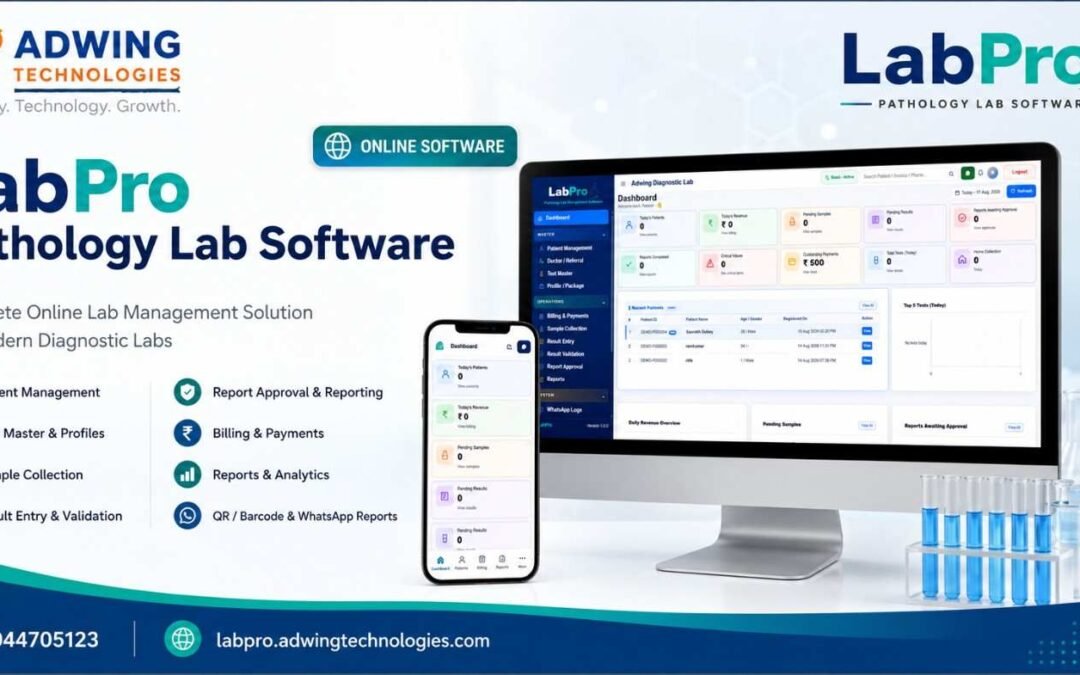
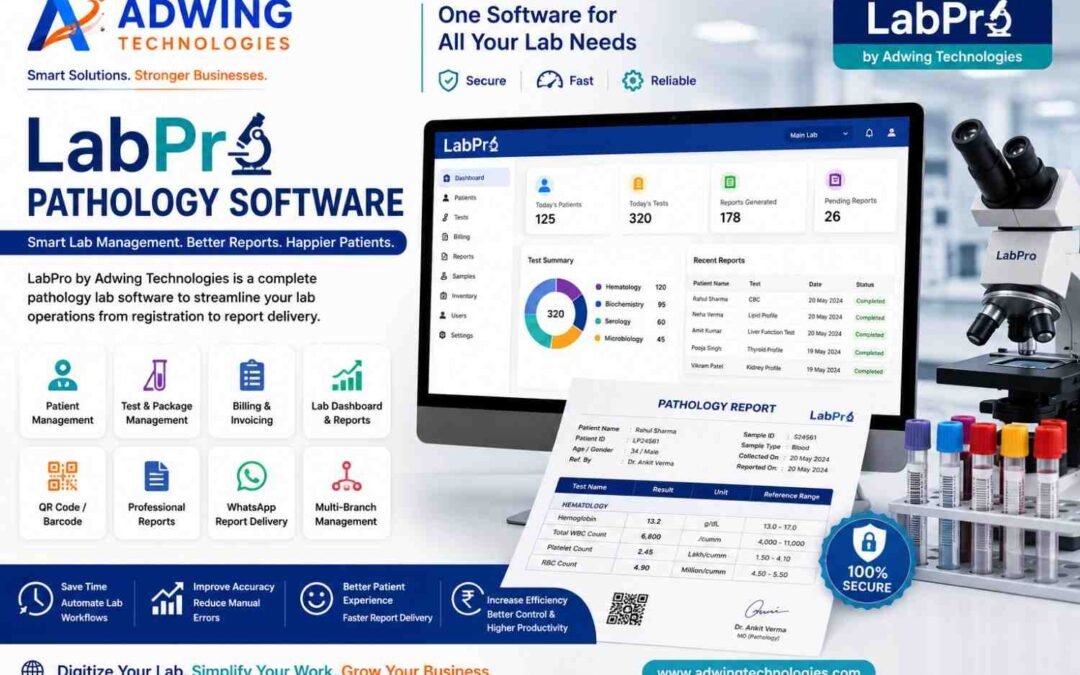
LabPro Pathology Lab Software – Complete Web-Based Laboratory Management Solution
Modern pathology laboratories need much more than a system for simply typing and printing test reports. Patient registration, test selection, billing, sample collection, result entry, report verification, doctor referrals, payments and final report delivery all need to work together efficiently.
LabPro Pathology Lab Software by Adwing Technologies provides a structured laboratory-management workflow designed for pathology labs, diagnostic centres and growing clinical laboratories.
Instead of maintaining multiple registers, spreadsheets and disconnected records, LabPro helps bring important laboratory activities into a centralized digital system.
What is LabPro Pathology Lab Software?
LabPro is a pathology and diagnostic laboratory management solution designed to help laboratories manage their day-to-day workflow. Adwing’s existing LabPro product information describes the software around patient records, pathology tests, customized test configurations, billing, reporting and laboratory automation.
A typical LabPro workflow can be organized as:
Patient Registration → Test Selection → Billing → Sample Collection → Result Entry → Result Validation → Report Approval → Report Generation → Digital Delivery
This systematic approach can reduce dependency on scattered manual processes.
Why Do Pathology Labs Need Management Software?
Even a small pathology lab deals with a large amount of information every day.
This may include:
- Patient details
- Referring doctor details
- Test information
- Test rates
- Sample details
- Billing information
- Test results
- Pending reports
- Final reports
- Payments
- Previous patient records
As patient volume increases, manual registers and spreadsheets can become difficult to maintain. A dedicated pathology lab management software helps organize these processes into a consistent workflow.
1. Patient Management
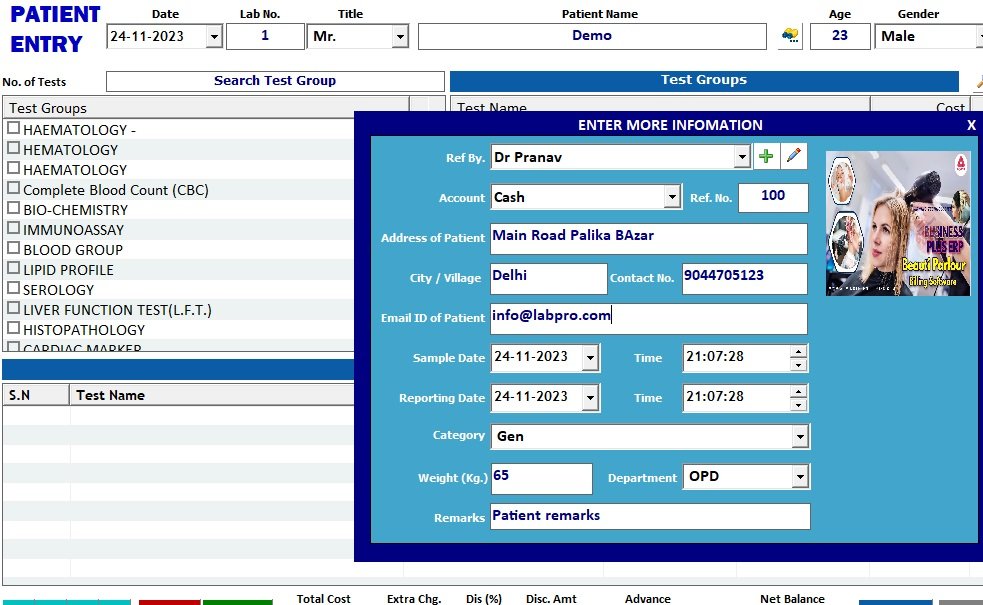
Patient registration is the starting point of most laboratory workflows. LabPro can help maintain patient-related information in an organized format so authorized users can manage patient records and access historical information when required.
Patient management can include:
- Patient registration
- Basic demographic information
- Contact details
- Test history
- Billing records
- Previous reports
- Referral information
Adwing’s earlier LabPro documentation specifically describes patient-entry and patient-record management as a core module.
2. Doctor & Referral Management
Many pathology laboratories receive patients through doctors, clinics and referral partners. LabPro provides a structured way to maintain doctor and referral information alongside patient records. This can help laboratories maintain better records of referral sources and related activity.
3. Test Master Management
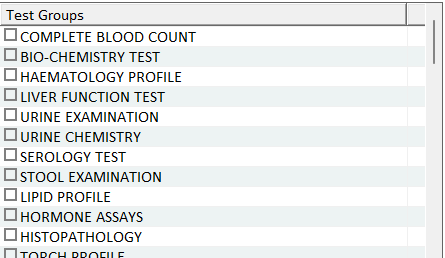
Different laboratories offer different test menus. LabPro allows laboratories to organize their test structure according to their operational requirements.Test management may include:
- Individual tests
- Test rates
- Normal ranges
- Test parameters
- Profiles
- Packages
- Test groups
Existing LabPro materials also describe support for customizable tests, ranges and test groups.
4. Test Profiles & Health Packages
Diagnostic centres often provide bundled health-check packages.Examples may include:
- Diabetes Profile
- Thyroid Profile
- Liver Function Profile
- Kidney Function Profile
- Lipid Profile
- Preventive Health Checkup
- Customized Diagnostic Packages
Creating profiles can simplify test selection and billing.
5. Billing & Payment Management
Billing is an important part of laboratory operations. LabPro connects billing with patient and test workflows so financial records can be maintained in a more organized manner.
The system can help labs manage:
- Test charges
- Package charges
- Payments
- Outstanding amounts
- Billing history
- Daily revenue information
6. Sample Collection
After registration and billing, samples need to be collected and tracked. A structured sample workflow helps staff know which tests are pending, collected or ready for further processing. This becomes increasingly useful as daily patient volume grows.
7. Result Entry
Laboratory staff can enter test results against registered patients and selected tests.An organized result-entry interface can reduce repetitive formatting and help standardize daily reporting.
8. Result Validation
Result validation adds an important control stage before a report is finalized. Instead of immediately releasing every entered result, laboratories can follow a workflow where results are checked before final approval. This can improve internal reporting discipline.
9. Report Approval Workflow
LabPro can provide a separate approval stage before reports are finalized. A structured workflow may therefore look like:
Result Entry → Validation → Approval → Final Report
This is useful for laboratories where different users are responsible for data entry, validation and final authorization.
10. Professional Pathology Report Generation
The final laboratory report is one of the most important documents provided to a patient. LabPro helps laboratories maintain a systematic report-generation workflow. Adwing’s LabPro materials describe customizable and QR-based pathology reporting as part of the product family. Professional reports can help laboratories provide a more consistent patient experience.
11. QR Code & Barcode Support
QR codes and barcodes can help laboratories improve identification and report workflows. Depending on the configured setup, they can support:
- Patient identification
- Sample identification
- Report verification
- Faster record access
- Digital report workflows
QR/barcode capability is also highlighted in Adwing’s pathology-software materials.
12. WhatsApp Report Sharing
Patients increasingly prefer receiving diagnostic reports digitally. LabPro can support WhatsApp-oriented report-sharing workflows, reducing the need for patients to visit the laboratory only to collect a printed report. Adwing’s current pathology-software content specifically describes digital and WhatsApp-based report delivery as part of its laboratory solutions.
13. Outstanding Payment Management
Outstanding amounts can be difficult to track when billing information is maintained manually. LabPro provides better visibility into payment-related records so laboratories can keep track of pending dues alongside everyday operations.
14. Home Collection Management
Home sample collection has become an important service for many diagnostic centres. A laboratory-management workflow can help maintain information relating to home collections so staff can better coordinate patient requests and sample-processing activities.
15. Reports & Analytics
Business owners need more than test reports. A management dashboard can provide a quick overview of laboratory operations such as:
- Patients
- Tests
- Pending samples
- Pending results
- Completed reports
- Payments
- Outstanding amounts
- Operational activity
This gives laboratory owners and managers greater visibility into day-to-day operations.
16. Critical Value Alerts
Certain results may require immediate attention. A critical-alert workflow helps highlight important values or pending actions so authorized laboratory users can review them appropriately.
17. User Roles & Access Control
Not every employee should necessarily have access to every function. Role-based access can help divide responsibilities among:
- Administrator
- Reception
- Billing
- Lab operator
- Report-entry staff
- Validation users
- Authorized report approvers
This creates a more controlled laboratory workflow.
18. Web-Based & Mobile-Friendly Access
The current LabPro application is designed around a web-based interface with responsive access.This gives users a modern dashboard experience across supported desktop and mobile devices while keeping important laboratory functions organized within the same workflow.
Who Can Use LabPro?
LabPro can be suitable for:
- Pathology laboratories
- Diagnostic centres
- Clinical laboratories
- Independent laboratories
- Blood testing centres
- Collection centres
- Small pathology labs
- Growing multi-user diagnostic businesses
Benefits of Using LabPro Pathology Software
Better Organization
Patient, test, billing and reporting data can be maintained through one structured workflow.
Faster Routine Operations
Digital workflows can reduce repetitive manual record handling.
Professional Reporting
Structured reporting improves consistency in laboratory documents.
Better Patient Convenience
Digital report delivery can make reports easier for patients to receive.
Improved Financial Visibility
Integrated billing and outstanding-payment information provides better operational visibility.
Better Management Control
Dashboard information gives owners a quick overview of important laboratory activities.
LabPro for Small Pathology Labs
Small labs sometimes assume that laboratory software is useful only for large diagnostic centres. However, a small pathology lab often has limited staff handling registration, billing, testing and report preparation simultaneously. Using a structured digital system can reduce repetitive work and help maintain professional records from the beginning.
LabPro for Growing Diagnostic Centres
As patient volume increases, laboratory operations become more complex. A growing diagnostic centre may need:
- More users
- Better test management
- More structured approval workflows
- Easier report retrieval
- Better billing control
- Digital report delivery
- Better management visibility
LabPro provides a foundation around which these operations can be organized.
Why Choose LabPro by Adwing Technologies?
LabPro is designed around the practical workflow of pathology and diagnostic laboratories. Existing Adwing product information emphasizes simple operation, patient and test management, customizable reports and laboratory automation as major LabPro capabilities. Adwing Technologies can also assist businesses with software consultation, implementation and support requirements.
Book a LabPro Demo
If your laboratory still relies heavily on registers, spreadsheets or separately prepared reports, moving to a structured pathology-management application can help simplify everyday operations. LabPro Pathology Lab Software helps connect patient management, tests, billing, samples, results, approvals and reporting into one organized workflow.
Manage your laboratory smarter with LabPro.
Call / WhatsApp: 9044705123
Website: labpro.adwingtechnologies.com
FAQs
What is LabPro Pathology Lab Software?
LabPro is a pathology and diagnostic laboratory management solution for organizing patients, tests, billing, samples, results and report workflows.
Is LabPro web based?
The current LabPro application is designed around a web-based laboratory-management interface with responsive access.
Can LabPro manage pathology reports?
Yes. LabPro provides a structured workflow for result entry, validation, approval and report management.
Does LabPro support QR codes and barcodes?
QR/barcode-oriented workflows are supported according to the configured LabPro setup. Adwing’s pathology-software materials also highlight QR and barcode capabilities.
Can reports be shared on WhatsApp?
LabPro can support digital and WhatsApp-oriented report-sharing workflows where configured.
Is LabPro Pathology Lab Software suitable for small pathology labs?
Yes. It can be used by smaller laboratories as well as growing diagnostic centers depending on their workflow and configuration requirements.
How can I request a LabPro demo?
Contact Adwing Technologies on 9044705123 to discuss your laboratory requirements and request a product demonstration.
by adwingservices | Aug 16, 2026 | Lab Software, Pathology Lab Management, Pathology Software
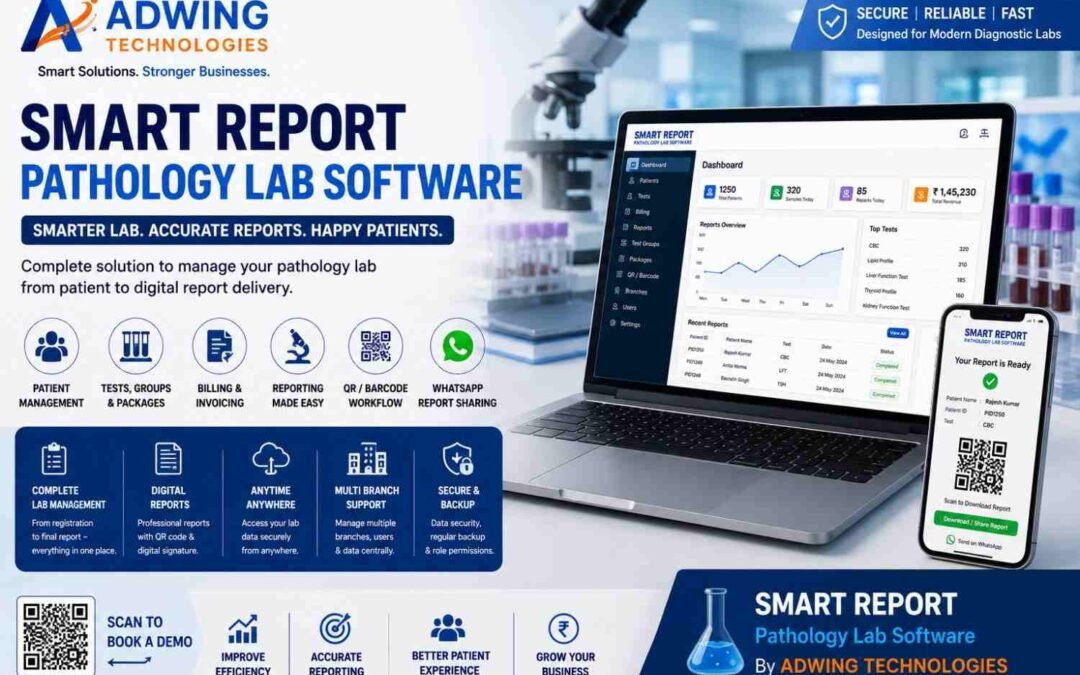
Smart Report Pathology Lab Software – Smarter Reporting & Lab Management
Managing a modern pathology laboratory requires much more than preparing test reports. From patient registration and test selection to billing, report preparation and digital delivery, every step needs to be organized, accurate and easy for laboratory staff to manage.
Smart Report Pathology Lab Software provides an integrated solution for pathology laboratories and diagnostic centres looking to digitize their routine workflow.
Marketed by Adwing Technologies, Smart Report helps laboratories organize important activities such as patient management, pathology reporting, billing, test groups, packages, QR/barcode-based workflows, branch operations and digital report delivery through a centralized system.Instead of managing different processes separately, laboratories can create a connected workflow:
Patient Registration → Test Selection → Billing → Report Processing → Report Generation → Digital Delivery
What is Smart Report Pathology Lab Software?
Smart Report is a specialized Pathology Lab Software designed to simplify routine diagnostic laboratory operations.Traditional laboratories may depend on multiple registers, spreadsheets, manually prepared reports and separate billing systems. As patient volume increases, this approach can become difficult to manage.
Smart Report brings key laboratory functions together so that staff can work through a more structured digital process.It is suitable for businesses such as:
- Pathology laboratories
- Diagnostic centres
- Independent diagnostic labs
- Collection centres
- Small and medium laboratories
- Growing pathology businesses
- Multi-location laboratory operations, where configured
Complete Patient Management
Patient registration is the starting point of most laboratory workflows.Smart Report helps laboratory staff maintain patient information digitally and associate relevant tests and reports with the patient’s record.This can make it easier to retrieve previous information when required and reduces dependence on handwritten registers.A structured patient workflow also helps staff move more efficiently from registration to billing and reporting.
Professional Pathology Reporting Software
Preparing clear and professional pathology reports is one of the most important activities of a diagnostic laboratory. Smart Report provides a structured Pathology Reporting Software workflow that helps laboratories enter test information and generate organized reports.
Digital reporting can improve consistency compared with repeatedly preparing individual documents manually. Laboratories can maintain a more standardized reporting process while keeping relevant patient and test information connected.
Pathology Test Management
A diagnostic laboratory can offer hundreds of individual tests, profiles and packages.Smart Report helps organize this information through centralized test management.Depending on the configured setup, laboratories can maintain:
- Individual pathology tests
- Test groups
- Test profiles
- Health packages
- Test rates
- Relevant reporting parameters
- Other configured test information
This helps staff find and select required tests during patient registration and billing.
Test Groups & Health Packages
Health packages are increasingly common in diagnostic centres.Instead of entering each test individually, related tests can be organized into appropriate groups or packages according to the laboratory’s requirements.For example, a laboratory may create its own preventive or diagnostic packages containing several relevant tests.
This can simplify:
Package Selection → Billing → Testing → Reporting
and make package management easier for laboratory staff.
QR Code & Barcode Enabled Workflow
QR codes and barcodes can make laboratory processes easier to identify and organize.Smart Report can support QR/barcode-oriented pathology workflows according to the configured software setup.Barcode-based identification can help connect samples, patients or reports within an organized digital process.QR-enabled reports can also add a useful digital component to professional pathology reporting.
Pathology Billing Software
Billing should not operate completely separately from the laboratory workflow.Smart Report can connect relevant billing activities with patient and test information.The workflow becomes:
Patient → Selected Tests → Charges → Billing → Report
This can make transaction records easier to organize and retrieve.For pathology laboratories currently using one application for billing and another system for reporting, an integrated workflow can reduce unnecessary duplication.
Digital Pathology Report Delivery
Patients increasingly expect convenient digital access to reports.Requiring every patient to physically return to the laboratory just to collect a printed report can create unnecessary work for both patients and staff.Smart Report supports digital report workflows so laboratories can provide reports through appropriate electronic channels.
This creates a more convenient patient experience while helping the laboratory modernize its service delivery.
WhatsApp Report Sharing
WhatsApp has become an important communication channel for many businesses in India.Where appropriately configured, Smart Report can support a workflow for sharing pathology reports digitally through WhatsApp.
This can help laboratories:
- Reduce repetitive report collection enquiries
- Provide greater convenience to patients
- Improve report-delivery workflow
- Modernize patient communication
Laboratories should maintain appropriate patient privacy and access controls when using any digital report-delivery method.
Online & Offline Working Requirements
Internet connectivity can vary between locations and laboratories.For this reason, laboratories should evaluate whether their workflow requires online access, offline/local operation or a deployment that accommodates both requirements. The appropriate Smart Report configuration should be selected based on the actual laboratory environment.This is particularly important for diagnostic businesses where daily operations should not depend on assumptions about connectivity.
Branch Management for Growing Labs
As a diagnostic business expands, managing information across different locations can become more complicated.Where supported by the selected configuration, Smart Report can help laboratories organize branch-oriented workflows.
This can be useful for businesses operating:
- Main laboratories
- Branch laboratories
- Collection locations
- Multiple service points
The precise branch architecture should be configured according to how the laboratory actually operates.
Centralized Lab Dashboard
A laboratory owner should not have to examine multiple registers just to understand routine business activity.A centralized dashboard can provide quicker visibility into relevant laboratory information.Depending on the configured software features, management can access important operational information and reports from a more organized interface.This helps transform laboratory software from merely a report-printing tool into a broader Lab Management Software solution.
Why Move From Manual Reporting to Pathology Software?
Many small pathology labs begin with Word documents, spreadsheets or manually maintained registers.This may initially appear simple, but increasing patient volumes can create problems such as:
- Repetitive data entry
- Difficult record retrieval
- Inconsistent report formatting
- Separate billing records
- Manual test-rate management
- More paperwork
- Difficulty tracking previous information
- Time-consuming report preparation
A dedicated Pathology Lab Management Software creates a more structured workflow.
Manual Workflow
Register → Separate Billing → Manual Report → Print → Physical Collection
Smart Digital Workflow
Patient → Test → Billing → Report → Digital Delivery
The objective is not merely to replace paper. It is to create a better-organized laboratory process.
Smart Report for Small Pathology Labs
Digital lab management is not limited to large diagnostic chains.Small and independent pathology laboratories can also benefit from software.A small lab can use Smart Report to organize core processes such as:
Patient Records + Tests + Billing + Reports + Digital Delivery
Starting with a structured system can also make future business expansion easier.
Smart Report for Diagnostic Centres
Diagnostic centres may need to manage larger test catalogues, patient volumes and reporting requirements.A centralized system can help staff access relevant information without maintaining multiple disconnected records.
The software configuration should be selected according to:
- Number of users
- Test volume
- Reporting requirements
- Branch requirements
- Billing workflow
- Digital delivery requirements
Professional Reports Can Strengthen Your Lab Brand
Patients may not see the internal technology used by a laboratory, but they do see the final report.A professionally structured report contributes to the overall experience of interacting with the diagnostic centre.Consistent report presentation can help a laboratory maintain a more professional identity across its patient communication.This makes pathology reporting software relevant not only to internal efficiency but also to the lab’s customer-facing experience.
Pathology Software + Website
Laboratories can extend digital transformation beyond internal management.A professional pathology or diagnostic centre website can provide:
- Lab information
- Available services
- Health packages
- Contact information
- Location
- WhatsApp enquiry
- Home collection enquiry
- Other relevant patient information
The digital journey can become:
Google Search → Lab Website → Patient Enquiry → Laboratory → Test → Digital Report
This connects customer acquisition with laboratory operations.
Pathology Software + Google Business Profile
For eligible diagnostic laboratories, Google Business Profile can also support local discovery.Potential patients often search for diagnostic services in their nearby area.A strong digital ecosystem can connect:
Google Search → Google Business Profile → Website → Enquiry → Lab Visit → Smart Report Workflow
This helps laboratories think beyond software alone and develop a more complete digital presence.
Pathology Lab Software for Business Growth
Technology cannot replace good laboratory service, but it can help organize the business behind that service.A structured lab-management solution can help improve:
Workflow Organization
Patient, test, billing and report information can be managed more systematically.
Record Management
Digital information can be easier to retrieve than physical registers.
Professional Reporting
Reports can follow a more standardized workflow.
Patient Convenience
Digital report delivery can simplify report collection.
Operational Visibility
Management can access relevant information through a centralized system.
How to Choose the Best Pathology Lab Software
Before purchasing pathology software, laboratory owners should ask practical questions.
- Is patient registration simple for staff?
- Can tests and test groups be configured?
- Can health packages be created?
- Is report generation easy to manage?
- Can billing work with the test workflow?
- Are previous patient records accessible?
- Does it support the required QR/barcode workflow?
- Can reports be delivered digitally?
- Does the deployment match the lab’s online/offline requirements?
- Can it accommodate branch requirements where needed?
- Is implementation assistance available?
- Is ongoing support available?
The best pathology software is not simply the system with the longest feature list.It should match the actual workflow of your laboratory.
Why Choose Smart Report Pathology Software?
Smart Report is designed around important requirements of pathology and diagnostic businesses.
Patient Management
Organize patient registration and related laboratory records.
Test Management
Maintain tests, groups, profiles and packages systematically.
Professional Reporting
Create a structured digital pathology reporting workflow.
Billing Management
Connect billing with patient and test information.
QR & Barcode Workflow
Support digital identification according to the configured system.
Digital Report Delivery
Provide patients with more convenient report-delivery options.
WhatsApp Workflow
Enable appropriate digital report sharing where configured.
Branch-Oriented Operations
Support growing laboratory requirements according to the selected deployment.
Organized Business Management
Bring important laboratory processes together rather than maintaining disconnected records.
Smart Report Pathology Software by Adwing Technologies
Adwing Technologies provides Smart Report Pathology Lab Software for pathology laboratories and diagnostic centres looking to improve their digital workflow.The solution focuses on combining important laboratory processes:
Patient Management → Test Management → Billing → Reporting → Digital Delivery
Businesses can discuss their existing workflow before implementation so that the appropriate software setup can be evaluated.
Looking for Pathology Lab Software?
If your laboratory still relies heavily on registers, spreadsheets, manually prepared reports or disconnected billing systems, this may be the right time to evaluate a dedicated Pathology Lab Software.Smart Report can help create a more structured environment for managing patients, tests, billing, reports and digital report delivery.
Whether you operate a small pathology laboratory or a growing diagnostic centre, the objective is to make routine lab management simpler, more organized and digitally connected.
Contact Adwing Technologies to discuss Smart Report Pathology Software and request a product demonstration.
Frequently Asked Questions
What is Smart Report Pathology Lab Software?
Smart Report is a pathology and diagnostic laboratory software solution designed to help organize patient records, tests, billing, reporting and related laboratory workflows.
Is Smart Report suitable for small pathology labs?
Yes. It can be considered for smaller pathology laboratories as well as growing diagnostic centers, depending on their requirements.
Can Smart Report generate pathology reports?
Yes, Smart Report is designed to support structured digital pathology reporting workflows.
Does Smart Report support billing?
Billing functionality can be integrated with patient and test workflows according to the configured solution.
Can pathology reports be sent through WhatsApp?
Digital and WhatsApp-oriented report delivery can be supported where appropriately configured.
Does the software support QR codes and barcodes?
QR/barcode workflows can be supported according to the selected Smart Report configuration.
Can test groups and packages be created?
Yes, tests can be organized into suitable groups, profiles and packages according to the laboratory setup.
Can Smart Report work for multiple branches?
Branch-oriented requirements can be evaluated and configured according to the selected deployment.
Is Smart Report online or offline?
The appropriate deployment should be selected according to the laboratory’s connectivity and operational requirements.
How can I get a Smart Report demo?
Contact Adwing Technologies with your laboratory requirements to discuss the appropriate Smart Report setup and product demonstration.
by adwingservices | Aug 14, 2026 | Lab Software, Pathology Lab Management, Pathology Software
Smart Report Pathology Software – Simplify Your Laboratory Management
Running a pathology or diagnostic laboratory involves much more than preparing test reports. Patient registration, billing, test management, sample handling, report preparation, result delivery and daily records all need to work together accurately and efficiently. When these processes depend heavily on manual registers, spreadsheets or disconnected applications, everyday laboratory operations can become unnecessarily complicated.
Smart Report Pathology Software by Adwing Technologies provides a structured digital solution to help pathology laboratories manage routine operations from one system. Whether you operate an independent pathology lab, diagnostic Centre or collection facility, the software can help organize your workflow and improve the way patient and laboratory information is managed.
Why Pathology Labs Need Dedicated Laboratory Software
A general billing application is not designed around the workflow of a pathology laboratory. A diagnostic Centre has specific requirements. A patient needs to be registered, tests need to be selected, charges calculated, samples processed, results entered and the final report delivered. As patient volume increases, manually coordinating all these activities becomes more difficult. A dedicated pathology lab management system helps create a structured workflow from registration to final reporting.
Instead of maintaining multiple disconnected records, laboratory staff can access relevant information through a centralized system.
Patient Registration Made Simple
Patient registration is generally the first step in the laboratory workflow. Smart Report helps staff maintain patient information in an organized format and associate requested tests with the correct patient record. This can reduce repetitive data entry and make previous records easier to locate when required .A streamlined registration process is particularly useful during busy laboratory hours when multiple patients need to be processed quickly.
Test Master & Test Group Management
Different laboratories offer different combinations of tests. The software can organize commonly performed investigations into a structured Test Master, allowing the laboratory to maintain test information according to its working requirements. Tests can also be grouped into relevant categories to make selection and reporting easier for staff. For laboratories offering health checkups or combined investigations, predefined packages can further simplify billing and test selection.
Professional Pathology Report Generation
The quality of a laboratory report is an important part of the patient experience. A digital reporting system helps maintain a consistent report format while making the result-entry process easier for laboratory staff. Patient information, selected investigations and recorded results can be organized into a professional report suitable for printing or digital delivery. This reduces dependence on manually prepared report documents.
Sample Collection & Workflow Management
A pathology laboratory may process many samples throughout the day. Maintaining a structured sample workflow helps staff understand which patient and investigation a sample belongs to and where it currently stands in the reporting process. Depending on the configured workflow, laboratories can manage activities such as:
Patient Registration → Test Selection → Sample Collection → Result Entry → Validation → Report Generation → Report Delivery
This provides better operational visibility than relying entirely on paper-based tracking.
Barcode & QR-Based Identification
For laboratories handling larger patient volumes, sample identification becomes increasingly important. Barcode or QR-based workflows can help associate samples and records with the appropriate patient information, depending on the configured implementation. This can make sample handling more organized and reduce unnecessary manual searching.
Pathology Billing Management
Billing is another important part of diagnostic-centre operations.The software can help maintain charges associated with selected tests and packages, creating a more organized billing process alongside patient registration.Having billing and reporting within the same operational environment can reduce the need to maintain separate records for the same patient visit.
Test Packages & Health Profiles
Many diagnostic centres provide combined health packages such as preventive checkups or groups of commonly requested investigations.Instead of selecting each test individually every time, predefined packages can help staff quickly add the relevant set of investigations.This makes the process more convenient for both billing staff and patients.
WhatsApp Report Sharing
Patients increasingly expect digital access to reports .Where configured, pathology reports can be shared through WhatsApp, helping laboratories provide a more convenient report-delivery experience. Patients may no longer need to visit the laboratory solely to collect a printed copy when an appropriate digital delivery option is available .Laboratories should, of course, use patient information and messaging features in accordance with their applicable privacy and consent requirements.
Doctor & Referral Management
Doctors and referral sources can be an important part of a diagnostic laboratory’s operations .A structured laboratory system can help maintain relevant referral information and associate it with patient records where required. This can make referral-related reporting and operational analysis easier than maintaining disconnected manual records.
Report Validation & Approval
Laboratory reporting often requires review before the final report is issued.A validation or approval workflow can provide an additional control stage between result entry and final report generation.This helps the laboratory structure responsibilities according to its internal processes.
Patient & Doctor Access
For laboratories that require a more connected digital experience, portal-based access can be useful.Depending on the selected setup, patient-facing or doctor-facing access can make relevant reports or information available digitally.This can reduce repetitive communication while improving convenience for authorized users.
Multi-Branch & Collection Centre Management
Growing pathology businesses may operate more than one branch or work with collection centres.A centralized laboratory-management environment can make it easier to organize information across multiple operational locations, depending on the configuration selected.This becomes particularly useful as a diagnostic business expands beyond a single laboratory.
Reports, Analytics & MIS
Software should not only store information—it should help management understand the business.Operational reports and MIS can provide insights into areas such as patient activity, tests, billing and other configured business metrics.This helps laboratory owners make decisions using organized information rather than manually compiling data from registers or spreadsheets.
Who Can Use Smart Report?
The solution can be suitable for different diagnostic setups, including:
Independent Pathology Labs
Diagnostic Centres
Clinical Laboratories
Collection Centres
Multi-Branch Diagnostic Businesses
Hospital-Associated Labs
The required modules and workflow can be selected according to the laboratory’s actual operations.
Key Benefits for a Pathology Laboratory
Moving to a structured laboratory-management solution can help create a smoother working environment.Instead of switching between registers, spreadsheets and separate reporting documents, important processes can be brought together.
Potential operational benefits include:
Faster patient registration
Structured test management
Professional report generation
Organized billing
Improved sample workflow
Convenient digital report delivery
Better record management
Management reports and analytics
Scalability for growing labs
The objective is not simply to replace paper—it is to make daily laboratory operations easier to manage.
Pathology Software for Small and Growing Labs
A small laboratory may initially need only registration, billing and reporting.As the business grows, requirements may expand to include sample tracking, packages, portals, WhatsApp delivery, analytics or multiple locations.Choosing software with room for operational growth can reduce the need to repeatedly change systems. Adwing Technologies can help laboratories understand which features are relevant to their present workflow instead of implementing unnecessary complexity from the beginning.
Why Choose Adwing Technologies?
Software implementation does not end when an application is installed.A laboratory also needs proper setup, understanding of the workflow and ongoing assistance.Adwing Technologies provides software marketing, implementation and support solutions for businesses, including diagnostic and pathology operations.Our approach focuses on understanding how the laboratory currently works and then configuring an appropriate digital workflow around those requirements.
Along with laboratory software, Adwing Technologies also provides solutions related to:
Website Design & Development
Digital Marketing
Google Business Profile
Business Software
CRM & Lead Management
Attendance & Payroll
Hosting & Technology Solutions
This allows a diagnostic business to develop both its operational systems and its online presence through a coordinated technology partner.
Pathology Software + Professional Website + Local Marketing
For a growing diagnostic centre, software can improve internal operations while digital marketing improves customer discovery.
A connected strategy may look like:
Google Search → Google Business Profile → Pathology Website → Test/Service Information → Call or WhatsApp → Patient Registration → Lab Software → Report Delivery
This connects marketing and operational technology instead of treating them as completely separate activities.For example, a laboratory can use its website to explain available services while its internal software handles patient registration and reporting.
Suitable for Labs in Mirzapur, Varanasi, Prayagraj & Across India
Adwing Technologies provides software solutions and implementation assistance for businesses in Mirzapur and surrounding commercial markets such as Varanasi, Prayagraj and Bhadohi, while software solutions can also be supported for customers in other locations depending on requirements. Remote demonstrations and consultations make it possible for laboratories outside the immediate local area to evaluate the solution as well.
Move from Manual Lab Management to a Smarter Workflow
As a pathology laboratory grows, efficient management becomes increasingly important. Patient registration, tests, billing, reports and communication should work as parts of one organized process rather than separate tasks. Smart Report Pathology Software helps laboratories move toward a more structured digital workflow while keeping everyday operations practical for laboratory staff.
Request a Software Demo
If you are planning to digitize your pathology laboratory or replace an existing reporting system, contact Adwing Technologies for product information and a demonstration. Tell us about your laboratory size, current workflow and required modules so the appropriate solution can be discussed.
Adwing Technologies
Pathology Software • Business Software • Website Development • Digital Marketing • Technology Support
Explore Adwing Technologies Software Solutions
by adwingservices | Aug 12, 2026 | Lab Software, Pathology Lab Management, Pathology Software
Best Offline Pathology Software– LabPro by Adwing Technologies for Smarter Lab Management
Managing a pathology laboratory involves much more than preparing test reports. Patient registration, test selection, billing, sample tracking, report preparation, record management and report delivery all need to work together efficiently.
LabPro by Adwing Technologies is a pathology and diagnostic lab software solution designed to help laboratories organize these everyday operations through a structured digital workflow.
Whether you operate an independent pathology lab, diagnostic centre or a growing laboratory business, LabPro can help reduce repetitive manual work and make patient, billing and reporting processes easier to manage.
LabPro is designed to provide laboratories with a centralized system for managing routine pathology operations.
Instead of maintaining patient information, test details, invoices and reports across multiple registers or spreadsheets, a pathology lab can organize important information through one software workflow.
The objective is simple:
Patient Registration → Test Selection → Billing → Sample/Report Workflow → Report Generation → Digital Delivery
This helps laboratories maintain a more systematic process from patient entry to final report delivery.
Patient Registration & Management
Fast and accurate patient registration is an important part of laboratory operations. LabPro can help maintain important patient and visit information in an organized format, making it easier to retrieve records when required.A digital patient workflow can also reduce repeated manual entry and make previous records easier to manage.
Pathology Test Management
Different laboratories offer different tests, profiles and packages. LabPro helps organize laboratory test information so that available tests can be managed systematically.Depending on the configured setup, laboratories can maintain:
- Individual tests
- Test groups
- Profiles
- Packages
- Test rates
- Relevant reporting information
This provides a structured test catalogue for day-to-day laboratory operations.
Professional Pathology Report Generation
The final pathology report is one of the most important outputs of a diagnostic laboratory. LabPro is designed to simplify the reporting workflow and help laboratories create professional digital reports. An organized reporting system can make it easier to maintain patient information, test results and report records while reducing dependence on manually prepared documents.
QR Code & Barcode Support
Digital identification can make laboratory workflows easier to organize. LabPro can support QR/barcode-oriented workflows according to the configured system, helping connect patient, test or report information more systematically. QR-enabled reports can also provide an additional digital element to professional laboratory reporting.
Digital & WhatsApp Report Delivery
Patients increasingly expect convenient access to their reports.Instead of requiring every patient to visit the laboratory only to collect a printed report, digital reporting can simplify report delivery.LabPro can support digital report workflows, including options for sharing reports through appropriate online or WhatsApp-based processes.This can improve convenience for both the laboratory and the patient.
Pathology Billing Software
Billing is another important part of laboratory management.A pathology billing system can help maintain patient billing records alongside test and reporting information.This creates a more connected workflow:
Patient → Tests → Charges → Invoice → Report
Instead of maintaining completely separate billing and reporting records, laboratory operations can become easier to track.
Test Groups & Health Packages
Many diagnostic centres offer profiles or health packages containing multiple tests.LabPro can help laboratories organize tests into appropriate groups and packages.For example, laboratories may configure their own preventive health packages or diagnostic profiles according to the services they actually provide.Centralized package management can make test selection and billing more convenient for staff.
Lab Dashboard & Business Overview
A well-designed dashboard gives laboratory operators quick access to important operational information.Instead of checking multiple records manually, management can use the software dashboard to understand relevant laboratory activity from a centralized interface.This can make routine monitoring and reporting more convenient.
Branch Management for Growing Diagnostic Labs
Laboratories expanding to multiple collection points or branches may require better control over records and reporting workflows.Where supported by the selected LabPro configuration, branch-oriented management can help organize operations across different locations.The exact branch workflow should be configured according to the laboratory’s operational requirements.
Why Move From Manual Reporting to Pathology Software?
Manual registers, spreadsheets and separately prepared reports may work for a very small laboratory, but the process can become difficult to manage as patient volume increases.A dedicated pathology software solution can help improve:
Organization
Patient, test, billing and report information can be maintained in a more structured format.
Reporting Workflow
Laboratory staff can follow a consistent process for entering results and preparing reports.
Record Retrieval
Digital records can be easier to locate than searching through physical registers and files.
Patient Convenience
Digital report delivery can reduce unnecessary visits for report collection.
Operational Visibility
Centralized dashboards and reports can provide management with a clearer view of routine activities.
Best Offline Pathology Software LabPro for Diagnostic Centers
LabPro can be considered by different types of diagnostic businesses, including:
- Pathology laboratories
- Diagnostic centres
- Independent labs
- Collection centres
- Growing laboratory businesses
The appropriate configuration should depend on the tests offered, reporting workflow, number of users and operational requirements of the laboratory.
Online and Offline Workflow Requirements
Internet availability and operating conditions can vary between laboratories.When selecting pathology software, labs should evaluate whether their workflow requires online access, local/offline operation or a combination supported by the chosen deployment.This should be discussed during software consultation so that the deployment matches the laboratory’s actual working environment.
Professional Reports Build a Better Lab Experience
A pathology report is not only a medical document; it is also one of the primary documents through which patients interact with a diagnostic laboratory.Clear, consistent and professionally formatted reports can contribute to a more organized patient experience.Digital pathology software can also reduce the amount of repetitive formatting required during everyday reporting.
Pathology Software for Small & Growing Labs
A laboratory does not need to be a large diagnostic chain to benefit from digital management.Small and medium pathology labs can also use software to organize:
- Patient records
- Test information
- Packages
- Billing
- Reports
- Digital report delivery
- Day-to-day lab records
Starting with an organized digital workflow can also make future expansion easier.
How to Choose the Right Best Offline Pathology Software LabPro?
Before choosing pathology lab software, laboratory owners should evaluate their actual workflow.Important questions include:
- Is patient registration easy for staff?
- Can tests and profiles be managed conveniently?
- Can the laboratory configure its test rates?
- Does the software simplify report generation?
- Can previous patient records be retrieved?
- Is billing integrated into the workflow?
- Can reports be delivered digitally?
- Does the software support the lab’s required QR/barcode workflow?
- Can the solution handle the laboratory’s future growth?
- Is implementation and support available?
The best software is not necessarily the product with the longest feature list. It should match the actual requirements of the laboratory.
Why Choose LabPro by Adwing Technologies?
LabPro focuses on bringing important laboratory activities into a more organized digital workflow.The solution can help pathology and diagnostic businesses move toward:
Faster Registration
Organize patient entry and test selection.
Structured Test Management
Maintain tests, groups, profiles and packages.
Professional Reporting
Create a more systematic pathology reporting process.
Billing Management
Connect billing with patient and test workflows.
Digital Reports
Provide more convenient report-delivery options.
QR & Barcode Workflow
Use digital identification features according to the configured solution.
Business Organization
Reduce dependence on disconnected registers, spreadsheets and manual documents.
Pathology Software + Digital Presence
Modern diagnostic centres can go beyond internal lab management.A professional laboratory website can work alongside pathology software to create a broader digital journey:Google Search → Lab Website → Patient Enquiry → Laboratory → Test → Digital Report
Diagnostic centres can also strengthen their online presence through a professional website, local SEO and Google Business Profile optimization.This helps connect operational digitization with customer-facing digital visibility.
Looking for Best Offline Pathology Software LabPro for Your Lab?
If your laboratory still depends heavily on registers, spreadsheets or manually prepared reports, moving to a dedicated pathology software system can help create a more organized workflow.LabPro by Adwing Technologies provides pathology and diagnostic lab software capabilities for managing patients, tests, billing, reporting and digital report workflows.Whether you operate a small pathology lab or a growing diagnostic centre, the right system can simplify everyday operations and provide a stronger foundation for future growth.
Contact Adwing Technologies to discuss LabPro and request a product demonstration for your laboratory.
Frequently Asked Questions
What is LabPro Pathology Software?
LabPro is a pathology and diagnostic laboratory software solution for organizing patient registration, tests, billing, reports and related laboratory workflows.
Can LabPro generate pathology reports?
LabPro is designed to support digital pathology reporting and structured report-management workflows.
Does LabPro support QR codes or barcodes?
QR/barcode functionality can be supported according to the configured LabPro workflow and deployment.
Can pathology reports be shared digitally?
Digital report-delivery workflows can be supported, including appropriate WhatsApp-based report sharing where configured.
Can tests and packages be managed?
LabPro can help organize individual tests, test groups, profiles and packages according to the laboratory’s setup.
Is LabPro suitable for small pathology labs?
Yes. The software can be considered by smaller laboratories as well as growing diagnostic businesses, depending on their operational requirements.
Can LabPro be used for multiple branches?
Branch-management requirements can be evaluated and configured according to the selected LabPro setup.
How can I get a LabPro demo?
Businesses interested in LabPro can contact Adwing Technologies to discuss their laboratory workflow and arrange a suitable product demonstration.
by adwingservices | Aug 10, 2026 | Adwing Technologies, Lab Software, Pathology Lab Management, Pathology Software, Software company
Pathology Software – LabPro by Adwing Technologies for Smarter Lab Management
Managing a pathology laboratory involves much more than preparing test reports. Patient registration, test selection, billing, sample tracking, report preparation, record management and report delivery all need to work together efficiently.LabPro by Adwing Technologies is a pathology and diagnostic lab software solution designed to help laboratories organize these everyday operations through a structured digital workflow.
Whether you operate an independent pathology lab, diagnostic centre or a growing laboratory business, LabPro can help reduce repetitive manual work and make patient, billing and reporting processes easier to manage.
What is LabPro Pathology Software?
LabPro is designed to provide laboratories with a centralized system for managing routine pathology operations.Instead of maintaining patient information, test details, invoices and reports across multiple registers or spreadsheets, a pathology lab can organize important information through one software workflow.
The objective is simple:
Patient Registration → Test Selection → Billing → Sample/Report Workflow → Report Generation → Digital Delivery
This helps laboratories maintain a more systematic process from patient entry to final report delivery.
Patient Registration & Management
Fast and accurate patient registration is an important part of laboratory operations.LabPro can help maintain important patient and visit information in an organized format, making it easier to retrieve records when required.A digital patient workflow can also reduce repeated manual entry and make previous records easier to manage.
Pathology Test Management
Different laboratories offer different tests, profiles and packages.LabPro helps organize laboratory test information so that available tests can be managed systematically.Depending on the configured setup, laboratories can maintain:
- Individual tests
- Test groups
- Profiles
- Packages
- Test rates
- Relevant reporting information
This provides a structured test catalogue for day-to-day laboratory operations.
Professional Pathology Report Generation
The final pathology report is one of the most important outputs of a diagnostic laboratory.LabPro is designed to simplify the reporting workflow and help laboratories create professional digital reports.An organized reporting system can make it easier to maintain patient information, test results and report records while reducing dependence on manually prepared documents.
QR Code & Barcode Support
Digital identification can make laboratory workflows easier to organize.LabPro can support QR/barcode-oriented workflows according to the configured system, helping connect patient, test or report information more systematically.QR-enabled reports can also provide an additional digital element to professional laboratory reporting.
Digital & WhatsApp Report Delivery
Patients increasingly expect convenient access to their reports.Instead of requiring every patient to visit the laboratory only to collect a printed report, digital reporting can simplify report delivery.LabPro can support digital report workflows, including options for sharing reports through appropriate online or WhatsApp-based processes.This can improve convenience for both the laboratory and the patient.
Pathology Billing Software
Billing is another important part of laboratory management.A pathology billing system can help maintain patient billing records alongside test and reporting information.This creates a more connected workflow:
Patient → Tests → Charges → Invoice → Report
Instead of maintaining completely separate billing and reporting records, laboratory operations can become easier to track.
Test Groups & Health Packages
Many diagnostic centres offer profiles or health packages containing multiple tests.LabPro can help laboratories organize tests into appropriate groups and packages.For example, laboratories may configure their own preventive health packages or diagnostic profiles according to the services they actually provide.Centralized package management can make test selection and billing more convenient for staff.
Lab Dashboard & Business Overview
A well-designed dashboard gives laboratory operators quick access to important operational information.Instead of checking multiple records manually, management can use the software dashboard to understand relevant laboratory activity from a centralized interface.This can make routine monitoring and reporting more convenient.
Branch Management for Growing Diagnostic Labs
Laboratories expanding to multiple collection points or branches may require better control over records and reporting workflows.Where supported by the selected LabPro configuration, branch-oriented management can help organize operations across different locations.The exact branch workflow should be configured according to the laboratory’s operational requirements.
Why Move From Manual Reporting to Pathology Software?
Manual registers, spreadsheets and separately prepared reports may work for a very small laboratory, but the process can become difficult to manage as patient volume increases.A dedicated pathology software solution can help improve:
Organization
Patient, test, billing and report information can be maintained in a more structured format.
Reporting Workflow
Laboratory staff can follow a consistent process for entering results and preparing reports.
Record Retrieval
Digital records can be easier to locate than searching through physical registers and files.
Patient Convenience
Digital report delivery can reduce unnecessary visits for report collection.
Operational Visibility
Centralized dashboards and reports can provide management with a clearer view of routine activities.
LabPro for Diagnostic Centres
LabPro can be considered by different types of diagnostic businesses, including:
- Pathology laboratories
- Diagnostic centres
- Independent labs
- Collection centres
- Growing laboratory businesses
The appropriate configuration should depend on the tests offered, reporting workflow, number of users and operational requirements of the laboratory.
Online and Offline Workflow Requirements
Internet availability and operating conditions can vary between laboratories.When selecting pathology software, labs should evaluate whether their workflow requires online access, local/offline operation or a combination supported by the chosen deployment.This should be discussed during software consultation so that the deployment matches the laboratory’s actual working environment.
Professional Reports Build a Better Lab Experience
A pathology report is not only a medical document; it is also one of the primary documents through which patients interact with a diagnostic laboratory.Clear, consistent and professionally formatted reports can contribute to a more organized patient experience.Digital pathology software can also reduce the amount of repetitive formatting required during everyday reporting.
Pathology Software for Small & Growing Labs
A laboratory does not need to be a large diagnostic chain to benefit from digital management.Small and medium pathology labs can also use software to organize:
- Patient records
- Test information
- Packages
- Billing
- Reports
- Digital report delivery
- Day-to-day lab records
Starting with an organized digital workflow can also make future expansion easier.
How to Choose the Right Pathology Software
Before choosing pathology lab software, laboratory owners should evaluate their actual workflow.
Important questions include:
- Is patient registration easy for staff?
- Can tests and profiles be managed conveniently?
- Can the laboratory configure its test rates?
- Does the software simplify report generation?
- Can previous patient records be retrieved?
- Is billing integrated into the workflow?
- Can reports be delivered digitally?
- Does the software support the lab’s required QR/barcode workflow?
- Can the solution handle the laboratory’s future growth?
- Is implementation and support available?
The best software is not necessarily the product with the longest feature list. It should match the actual requirements of the laboratory.
Why Choose LabPro by Adwing Technologies?
LabPro focuses on bringing important laboratory activities into a more organized digital workflow.The solution can help pathology and diagnostic businesses move toward:
Faster Registration
Organize patient entry and test selection.
Structured Test Management
Maintain tests, groups, profiles and packages.
Professional Reporting
Create a more systematic pathology reporting process.
Billing Management
Connect billing with patient and test workflows.
Digital Reports
Provide more convenient report-delivery options.
QR & Barcode Workflow
Use digital identification features according to the configured solution.
Business Organization
Reduce dependence on disconnected registers, spreadsheets and manual documents.
Pathology Software + Digital Presence
Modern diagnostic centres can go beyond internal lab management.A professional laboratory website can work alongside pathology software to create a broader digital journey:Google Search → Lab Website → Patient Enquiry → Laboratory → Test → Digital Report
Diagnostic centres can also strengthen their online presence through a professional website, local SEO and Google Business Profile optimization.This helps connect operational digitization with customer-facing digital visibility.
Looking for Pathology Software for Your Lab?
If your laboratory still depends heavily on registers, spreadsheets or manually prepared reports, moving to a dedicated pathology software system can help create a more organized workflow.LabPro by Adwing Technologies provides pathology and diagnostic lab software capabilities for managing patients, tests, billing, reporting and digital report workflows.Whether you operate a small pathology lab or a growing diagnostic centre, the right system can simplify everyday operations and provide a stronger foundation for future growth.
Contact Adwing Technologies to discuss LabPro and request a product demonstration for your laboratory.
Frequently Asked Questions
What is LabPro Pathology Software?
LabPro is a pathology and diagnostic laboratory software solution for organizing patient registration, tests, billing, reports and related laboratory workflows.
Can LabPro generate pathology reports?
LabPro is designed to support digital pathology reporting and structured report-management workflows.
Does LabPro support QR codes or barcodes?
QR/barcode functionality can be supported according to the configured LabPro workflow and deployment.
Can pathology reports be shared digitally?
Digital report-delivery workflows can be supported, including appropriate WhatsApp-based report sharing where configured.
Can tests and packages be managed?
LabPro can help organize individual tests, test groups, profiles and packages according to the laboratory’s setup.
Is LabPro suitable for small pathology labs?
Yes. The software can be considered by smaller laboratories as well as growing diagnostic businesses, depending on their operational requirements.
Can LabPro be used for multiple branches?
Branch-management requirements can be evaluated and configured according to the selected LabPro setup.
How can I get a LabPro demo?
Businesses interested in LabPro can contact Adwing Technologies to discuss their laboratory workflow and arrange a suitable product demonstration.
by adwingservices | Aug 29, 2025 | Lab Software, Pathology Lab Management, Pathology Software
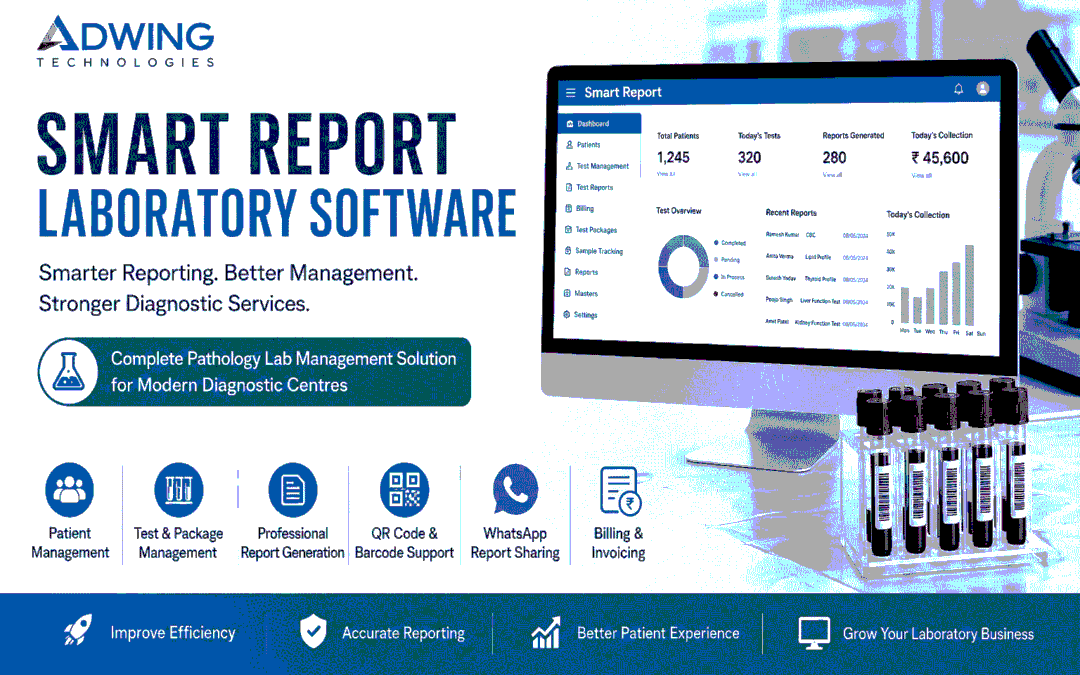
Smart Report Laboratory Software: Smarter Pathology Reporting for Modern Diagnostic Labs
Running a pathology or diagnostic laboratory involves much more than performing tests. Labs need to manage patients, test records, reports, billing, samples, packages, collections and day-to-day operations accurately and efficiently.
Smart Report Laboratory Software by Adwing Technologies is designed to help pathology labs and diagnostic centres simplify report management, improve workflow and deliver professional diagnostic reports with better speed and accuracy.
What is Smart Report Laboratory Software?
Smart Report is a laboratory and pathology management solution that helps diagnostic businesses manage patient registrations, test records, report generation, billing and laboratory operations from one organized system. Instead of maintaining multiple registers, spreadsheets and manual report formats, labs can use a centralized platform for faster and more professional working.
The software can be useful for:
- Pathology laboratories
- Diagnostic centres
- Collection centres
- Small and medium testing labs
- Independent diagnostic businesses
- Multi-user laboratory teams
Why Pathology Labs Need Laboratory Management Software?
Manual laboratory processes can create several operational problems. Patient details may be entered repeatedly, reports can take longer to prepare, test records become difficult to search and billing information may remain scattered across different files.
A laboratory management software can help bring these activities into one streamlined workflow.
With Smart Report, labs can improve:
- Patient record management
- Test and package organization
- Report preparation
- Billing efficiency
- Sample tracking
- Data accessibility
- Professional report presentation
- Daily operational control
1. Patient Registration
Patient details can be recorded systematically for every laboratory visit.The system can help maintain information such as:
- Patient name
- Age and gender
- Contact information
- Referred doctor
- Test details
- Registration history
- Previous reports
This helps labs maintain an organized patient database and quickly locate earlier records when required.
2. Test Management
Laboratories can create and manage different pathology tests according to their service portfolio.Examples may include:
- CBC
- Blood Sugar
- Lipid Profile
- Liver Function Test
- Kidney Function Test
- Thyroid Profile
- Urine Examination
- Vitamin Tests
- Infection-related tests
- Custom laboratory investigations
Test names, normal ranges, pricing and report parameters can be managed according to laboratory requirements.
3. Test Group and Profile Management
Diagnostic centres frequently offer groups or profiles containing multiple investigations.
Smart Report can help create structured test groups such as:
- Complete Health Checkup
- Diabetes Profile
- Thyroid Profile
- Liver Profile
- Kidney Profile
- Cardiac Profile
- Preventive Health Package
This makes package-based billing and reporting easier.
4. Professional Laboratory Report Generation
One of the most important features of pathology software is professional report preparation.Smart Report helps laboratories generate structured reports with patient information, test values, reference ranges and laboratory branding.Professional digital reports can help improve the overall customer experience and make the laboratory look more organized and reliable.
5. QR Code and Barcode Support
QR codes and barcodes can help improve record identification and workflow. Depending on the laboratory setup, these can be useful for:
- Patient identification
- Report verification
- Sample identification
- Faster record retrieval
- Digital report access
This reduces dependency on manual searching.
6. WhatsApp Report Sharing
Customers increasingly expect reports digitally.Smart Report can support a workflow where laboratory reports can be shared with patients through WhatsApp, helping reduce unnecessary visits just to collect printed reports.
This can improve convenience for both the laboratory and patients.
7. Billing and Invoice Management
Laboratory billing can be managed alongside test records.The system can help maintain:
- Test charges
- Package charges
- Patient invoices
- Payment records
- Discounts
- Billing history
- Daily collection records
This makes laboratory financial tracking more organized.
8. Package Management
Diagnostic centres offering preventive health packages can create and manage packages within the system.A package can include multiple tests under one pricing structure.
This is particularly useful for:
- Full body checkups
- Corporate health packages
- Senior citizen packages
- Women health packages
- Diabetes monitoring packages
- Routine wellness packages
9. Sample and Test Tracking
Labs need clear visibility of pending and completed investigations.A structured software workflow can help teams track test progress and reduce confusion between registration, testing and final report preparation.
This is especially useful when several patient samples are being handled at the same time.
10. Patient History
Previous laboratory records can be useful when patients return for repeat investigations.Instead of searching through physical registers, authorized users can access historical test information from the system.This improves operational efficiency and continuity of records.
11. Branch and User Management
For laboratories operating with multiple users or locations, centralized software can help maintain better control.User access may be configured according to responsibilities such as:
- Administrator
- Reception
- Billing staff
- Lab operator
- Report entry user
This helps improve accountability and workflow management.
12. Reports and Dashboard
A dashboard provides a quick overview of laboratory activity.Depending on configuration, management can monitor information such as:
- Patient registrations
- Tests performed
- Collections
- Pending reports
- Completed reports
- Revenue summaries
- Daily activity
This gives business owners a better understanding of laboratory operations.
Benefits of Smart Report Laboratory Software
Faster Reporting
Digital report creation can reduce the time required for preparing repetitive laboratory reports.
Better Accuracy
Structured test parameters and predefined report formats help reduce manual formatting errors.
Professional Presentation
Branded and properly formatted reports provide a more professional experience to patients.
Improved Patient Service
Digital report delivery, searchable history and organized records can improve customer convenience.
Reduced Paperwork
A centralized system can reduce dependency on registers and multiple spreadsheets.
Better Business Control
Billing records, test data and operational reports can be accessed from a unified system.
Smart Report for Small Pathology Labs
Smaller pathology labs often assume laboratory software is only for large diagnostic chains. In reality, smaller labs may benefit significantly from automation because even a small team has to manage registration, report preparation, billing and customer communication simultaneously.
Smart Report can help small laboratories build a more professional workflow without unnecessarily complicated processes.
Laboratory Software for Growing Diagnostic Centers
As a diagnostic centre grows, the number of tests, patients and reports increases. Manual systems become increasingly difficult to manage at scale.A laboratory management system can provide a structured foundation for future growth by keeping records organized and making repetitive operational tasks easier.
Why Choose Adwing Technologies?
Adwing Technologies provides business software and technology solutions focused on practical operational requirements.For laboratory businesses, the objective is to provide a system that helps improve daily workflow rather than adding unnecessary complexity.
Support can include:
- Software demonstration
- Requirement discussion
- Initial configuration
- User setup
- Training
- Implementation assistance
- Ongoing support
Who Can Use Smart Report?
Smart Report Laboratory Software can be suitable for:
- Pathology labs
- Diagnostic centres
- Blood testing laboratories
- Collection centres
- Independent laboratories
- Multi-user diagnostic businesses
- Healthcare service providers managing laboratory reporting
Conclusion
Modern diagnostic laboratories need speed, accuracy and professional patient service.
Smart Report Laboratory Software by Adwing Technologies helps pathology and diagnostic businesses manage patient records, tests, reports, billing and laboratory workflows in a more organized way.
By replacing scattered manual processes with a centralized system, laboratories can save time, improve report management and provide a better experience to patients.
Smarter Reports. Better Laboratory Management.
For product demonstration and requirements, connect with Adwing Technologies.
by adwingservices | Apr 7, 2025 | Adwing Technologies, Lab Software, Pathology Lab Management, Pathology Software
Smart Report Pathology Software :For Accurate & fast Report By Adwing Technologies
Smart Report Pathology Software by Adwing technologies is designed for clinical, diagnostic, and pathology labs, offering comprehensive lab management with features like customizable test reports, patient record management, and lab automation.
Key Features:
- Accurate Test Reports: Supports various tests like Biochemistry, Serology, Widal, HB, TLC, DLC, Complete Blood Test, X-ray, etc..
- Customizable Options: Labs can modify test formulations and report formats.
- Offline & Secure: Runs on Windows, does not require internet, and allows secure data backup.
- Fast Implementation: User-friendly interface with quick setup.
- Multi-User Support: Enables multiple users to access and manage lab operations.
- QR & Barcode Integration: Supports QR-coded reports and barcode scanning.
- WhatsApp & Android Compatibility: Allows report sharing via WhatsApp and mobile access.
Updates:
Recent updates include enhanced security features, improved report customization, and better integration with mobile platforms.
You can explore more details here. Would you like help comparing it with other pathology software?
by adwingservices | Jun 15, 2024 | Lab Software, Pathology Lab Management, Pathology Software, Pharmacy Software
Offline Pathology Software| Best Offline Lab Software in India
WHY LABPRO PATHOLOGY MANAGEMENT SOFTWARE?
LabPro Pathology Offline Software is very Comprehensive and Extensive research Based Laboratory management Software . it has All Built in Module and Very Easy to operate .Labpro is Desktop Offline Application Software runs On Windows Platform and Can Run Without Internet and Secure your data in Easily as a Backup in Desktop Drive .Very Affordable Cost as Compared in market .
Offline LabPro Pathology Software is specially designed for Clinical, Diagnostic & Pathology Labs to maintain complete record of patients with accurate test reports Like Biochemistry, Serology, Widal, HB, TLC, DLC, Complete Blood Test etc. This software is super easy to handle and comes with fast Implementation. This Software provides you Complete customizable options with own Tests and formulations.
Offline LabPro is Complete Lab Automation Software that suites to almost every clinical or diagnostic & pathology labs from patient entry to patient report generation. LabPro Clinical, Diagnostic & Pathology Lab Management Software generate Accurate Test Reports, Maintain patient records & keep total control over your business.
Adwing “LABPRO” Clinical Lab Software is such a solution that handles your precious data in a very compact and secure method, their is no file system so that your data redundancy is totally minimized. Adwing Technologies “LABPRO” Clinical Lab Software is a very very simple software to operate. There is no need to learn and also no need for any training of computers.
by adwingservices | Jun 14, 2024 | Lab Software, Pathology Lab Management, Pathology Software
LabPro Pathology Software is very Comprehensive and Extensive research Based Laboratory management Software . it has All Built in Module and Very Easy to operate .Labpro is Desktop Application Software runs On Windows Platform and Can Run Without Internet and Secure your data in Easily as a Backup in Desktop Drive .Very Affordable Cost as Compared in market .
LabPro Pathology Software is specially designed for Clinical, Diagnostic & Pathology Labs to maintain complete record of patients with accurate test reports Like Biochemistry, Serology, Widal, HB, TLC, DLC, Complete Blood Test etc.This software is super easy to handle and comes with fast Implementation. This Software provides you Complete customizable options with own Tests and formulations.
LabPro is Complete Lab Automation Software that suites to almost every clinical or diagnostic & pathology labs from patient entry to patient report generation. LabPro Clinical, Diagnostic & Pathology Lab Management Software generate Accurate Test Reports, Maintain patient records & keep total control over your business.
Why LabPro Pathology Software is Most preferred Offline Software in India ?
LabPro Pathology Software is a Offline Diagnostic Lab Software which gives User a Simple and affordable pay option. very easy to setup and manage . even a fresher lab operator can manage easily .
Features of LabPro Pathology Software
User Interface
Quick Billing
Patient windows
PDF report
Report Customization
Want to See More: https://adwingtechnologies.com/
Download From : https://adwingtechnologies.com/support/
by adwingservices | Dec 16, 2023 | Adwing Technologies, Lab Software, Pathology Lab Management, Pathology Software
LabPro Pathology Management Software
LabPro is an advanced Pathology Lab management software created with keep in mind which makes it a user-friendly software for anyone trying it for the first time
WHY LABPRO PATHOLOGY MANAGEMENT SOFTWARE?
LabPro Pathology Software is very Comprehensive and Extensive research Based Laboratory management Software . it has All Built in Module and Very Easy to operate .Labpro is Desktop Application Software runs On Windows Platform and Can Run Without Internet and Secure your data in Easily as a Backup in Desktop Drive .Very Affordable Cost as Compared in market .
Laboratory software is a broad suite of products that typically include laboratory information systems (LIS) and laboratory information management systems (LIMS). These systems are designed to automate medical labs daily activities and are perfectly designed for pathology and clinical labs.
How do I choose the right lab management system for my business?
Choosing the right laboratory management system depends purely on the requirement of the lab and the processes involved in it. You have to know the exact way in which the user data have to be logged in and the ways of analyses. This way you can easily find the exact LIMs software that would suit your requirement the best.
Lab Pro Pathology and Diagnostic Lab Management Software Gives Accurate Test Report and Customised Option & Reciept

Patient Entry Management Module is for managing patient ,inquiry with All required Field , i.e. Patient Name , Age ,Sex ,Gender, and other info etc.
Test Management is very crucial module to manage Test ,Test Groups ,Range Min and Max Level With Cost of Test .

Easy to management your Laboratory with all latest and updated test report ,customised and Attractive QR Based report generated for Download of customer and Patients
by adwingservices | Sep 19, 2023 | Lab Software, Pathology Software
LabPro Pathology Software is very Comprehensive and Extensive research Based Laboratory management Software Since 2015.it has All Built in Module and Very Easy to operate .Smart Labpro is Desktop Application Software runs On Windows Platform and Can Run Without Internet and Secure your data in Easily as a Backup in Desktop Drive . Very Affordable Cost as Compared in market .
Laboratory software is a broad suite of products that typically include laboratory information systems (LIS) and laboratory information management systems (LIMS). These systems are designed to automate medical labs daily activities and are perfectly designed for pathology and clinical labs.
Choosing the right laboratory management system depends purely on the requirement of the lab and the processes involved in it. You have to know the exact way in which the user data have to be logged in and the ways of analyses. This way you can easily find the exact LIMs software that would suit your requirement the bes
by adwingservices | Aug 2, 2023 | billingSoftware, Lab Software, Pathology Software
Best Pathology Software With QR and WhatsApp reporting Features , Now Available ..
LabPro Plus Advance Pathology and Diagnostic Management Software with Features Of QR reporting ,WhatsApp Messaging , Automated test report , Test entry and Formula .Notes and Interpretaion available with best and Latest report by Adwing technologies .
Best Pathology Software With QR & WhatsApp: LabPro Plus,An Advance Lab reporting Software With Attractive Report & Test by AdwingTechnologies
Pathology Software
LabPro Pathology Software is very Comprehensive and Extensive research Based Laboratory management Software Since 2015.it has All Built in Module and Very Easy to operate .Smart Labpro is Desktop Application Software runs On Windows Platform and Can Run Without Internet and Secure your data in Easily as a Backup in Desktop Drive . Very Affordable Cost as Compared in market .
Laboratory software is a broad suite of products that typically include laboratory information systems (LIS) and laboratory information management systems (LIMS). These systems are designed to automate medical labs daily activities and are perfectly designed for pathology and clinical labs.
How do I choose the right lab management system for my business?
Choosing the right laboratory management system depends purely on the requirement of the lab and the processes involved in it. You have to know the exact way in which the user data have to be logged in and the ways of analyses. This way you can easily find the exact Laboratory Management software that would suit your requirement the best
See Video How Lab Pro Works :
Video 1:
See More About LabPro Plus : Click Here
by Rakesh | Jan 27, 2023 | Lab Software, Pathology Software
LabPro Pathology Software with Accurate Test report and Wide Test Category with Customizes Bills Available at best and Affordable Prices in Prayagraj, Near Mirzapur.
Pathology & Lab Management software :Why Laboratory and Pathology Software Is Required For Any Testing and Laboratory ?Lab Software is Vital for Accuracy and Authentic test report for Any Laboratory.
Smart Lab ERP Software help to Predefine Standard Testing Parameters and Credible report with Fast Process. Patient Entry and Doctor report with Attractive Accurate testing report looks Goods and trust ful .While Choosing a Best Laboratory Software One Can Keep in Mind that Authentic and Credible Test values Defined .
Get Best and Genuine Software With Best Features Of testing and Report Near your City Mirzapur in uttarpradesh .Smart Pathology software is Suitable For Clinical Labs to maintain record of patients with accurate test reports. Fastest report Generation With Based on test. Easy customization with own Tests and formulations.