by adwingservices | Oct 30, 2026 | namecheap doamin, CloudWay Hosting, Digital Business Growth, Hostinger, Namecheap Domains & Hosting, Software company
Technology Partners for business in India – Build a Smarter Business with Adwing Technologies
One Business. Multiple Technology Needs. One Reliable Technology Support Partner.
Running a successful business today requires more than a professional website. A growing business may need a domain name, secure web hosting, professional email, online payment collection, GST billing software, inventory management, employee attendance, payroll and technical support. Choosing these technologies independently can become confusing, especially when different providers offer multiple plans, pricing structures and technical requirements.
Adwing Technologies brings together a carefully selected technology ecosystem to help Indian businesses choose, implement and manage the right digital solutions.
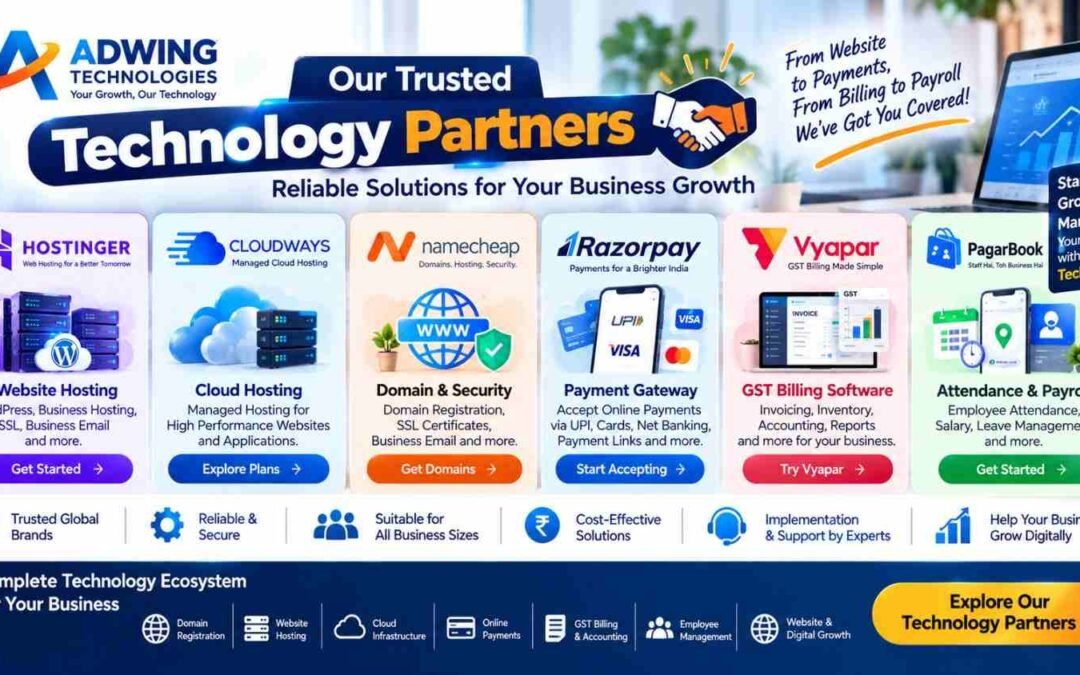
Through our technology partner, affiliate, referral and solution-provider relationships, we help businesses access established platforms including:
- Hostinger – Website Hosting, WordPress and Business Email
- Cloudways – Managed Cloud Hosting and Scalable Infrastructure
- Namecheap – Domain Registration, SSL and Business Email
- Razorpay – Online Payment Gateway and Payment Collection
- Vyapar – GST Billing, Inventory and Accounting
- PagarBook – Employee Attendance, Salary and Payroll Management
Our goal is simple: help businesses select suitable technology and use it effectively—not just purchase software or hosting.
Explore our complete ecosystem:
https://adwingtechnologies.com/technology-partners/
Why Technology Partnerships Matter for Indian Businesses
Businesses across India are adopting digital tools to improve operations, serve customers and manage everyday activities.
However, selecting the right technology can be challenging. A startup may need affordable hosting and a domain name.An established business may require better server performance.An online store may need a payment gateway.A retailer may need GST billing and inventory software.A company with employees may need attendance and payroll management.Each requirement calls for a different solution.
Instead of recommending the same platform to every customer, Adwing Technologies evaluates the business requirement and helps identify suitable options.This approach is especially valuable for startups, MSMEs, retailers, manufacturers, distributors, professional service providers, educational institutions and growing companies.
1. Hostinger – Website Hosting and Business Email Solutions
A website needs dependable hosting infrastructure.Whether you’re launching a WordPress blog, company website, portfolio, business landing page or online store, hosting plays an important role in website availability, performance and management.Hostinger provides hosting and website-related services for individuals, entrepreneurs and businesses.
Hostinger Solutions
- WordPress Hosting
- Business Web Hosting
- Cloud Hosting
- Domain Registration
- SSL Security
- Professional Business Email
- Website Builder Options
- Hosting Control Panel
- Website Migration Options
How Adwing Technologies Helps
Adwing Technologies can assist with selecting a hosting plan, connecting domains, configuring DNS, setting up WordPress, activating SSL, configuring business email and reviewing migration requirements. For businesses that don’t have a technical team, this can make the website-launch process easier to manage. Business Technology Solutions, Cloud Hosting Partners, GST Billing Software, Payment Gateway Integration and Payroll Software for Business all in one place.
Who Can Benefit?
Hostinger may be suitable for small businesses, startups, bloggers, professionals, service companies and businesses launching WordPress-based websites.
Explore Hostinger through Adwing Technologies:
https://adwingtechnologies.com/hostinger-partner/
Technology Partners:
https://adwingtechnologies.com/technology-partners/
2. Cloudways – Managed Cloud Hosting for Growing Businesses
As website traffic and application requirements increase, some businesses need more flexible infrastructure.Cloudways provides managed cloud hosting solutions designed to simplify deployment and server management.It can be relevant for businesses running WordPress, WooCommerce and compatible web applications.
Cloudways Features
- Managed Cloud Hosting
- Scalable Server Resources
- WordPress Hosting Optimisation
- WooCommerce Hosting
- Backup and Recovery Options
- SSL Configuration
- Server Monitoring
- Application Management
- Website Migration Support
Why Consider Managed Cloud Hosting?
Managing a server directly may require technical knowledge.A managed cloud platform provides tools that simplify many common infrastructure tasks.For a growing eCommerce website or business application, this can be a practical alternative to managing every server component manually.
How Adwing Technologies Helps
We can help businesses evaluate their hosting requirements, choose an appropriate configuration, plan website migrations and review application deployment needs.
Explore Cloudways:
https://www.cloudways.com/
Get Cloud Hosting Consultation:
https://adwingtechnologies.com/technology-partners/
3. Namecheap – Domain Names, SSL and Professional Email
Your domain name is an important part of your business identity.It appears on your website, business email, visiting cards, advertisements and digital communication.Choosing and managing the right domain therefore deserves careful attention.Namecheap provides domain registration and related website infrastructure services.
Namecheap Solutions
- Domain Registration
- Domain Transfer
- DNS Management
- SSL Certificates
- Business Email
- Domain Privacy Options
- WordPress Hosting Options
- Website Security Services
Why a Professional Domain Matters
Compare these two email addresses:
yourbusiness@gmail.com
and
contact@yourbusiness.com
Both can be used for business communication, but a domain-based email address helps establish a consistent company identity.Likewise, a relevant domain name makes your website easier to recognise and share.
How Adwing Technologies Helps
Our assistance can include domain-name planning, registration guidance, DNS configuration, domain-to-hosting connection, SSL installation and business email setup.
Explore Namecheap:
https://adwingtechnologies.com/technology-partners/
4. Razorpay – Online Payment Gateway for Businesses
A professional website can do more than display business information.For eligible businesses, it can also support online payments.Razorpay offers payment solutions that can be integrated with compatible websites, eCommerce stores and applications.
Razorpay Payment Options
Depending on the product, account eligibility and current provider support, businesses can use:
- UPI Payments
- Credit Cards
- Debit Cards
- Net Banking
- Payment Links
- Website Checkout
- eCommerce Payment Integration
Business Applications
Online Stores: Collect payments during checkout.Service Providers: Share payment links or collect eligible service payments online.Educational Organisations: Integrate appropriate payment collection workflows.Booking Platforms: Connect payments with compatible booking systems.Custom Applications: Implement supported payment APIs and workflows.
How Adwing Technologies Helps
Our technical services can include reviewing payment requirements, assisting with gateway integration, configuring compatible website checkout flows and testing payment processes.Account approval, settlement, KYC, transaction fees and payment eligibility remain subject to Razorpay’s policies.
Explore Razorpay Integration:
https://adwingtechnologies.com/technology-partners/
5. Vyapar – GST Billing, Inventory and Business Accounting
For many Indian retailers, traders and distributors, billing and stock management are everyday operational requirements.
Manual invoicing and disconnected records can make it difficult to track sales, purchases, inventory and customer payments.
Vyapar is a business billing and accounting application that supports common workflows used by small and medium businesses.
Vyapar Software Features
- GST Billing
- Sales Invoices
- Inventory Tracking
- Purchase Management
- Expense Records
- Customer and Supplier Information
- Payment Tracking
- Payment Reminders
- Business Reports
- Desktop and Mobile Options
Suitable Businesses
Vyapar can be considered by retail shops, wholesalers, distributors, traders, small manufacturers and other businesses with billing and inventory requirements.
How Adwing Technologies Helps
We can assist with Business Technology Solutions, Cloud Hosting Partners, GST Billing Software, Payment Gateway Integration and Payroll Software for Business understanding the product, choosing a suitable plan, onboarding and evaluating the software against your existing billing workflow.
Vyapar Referral Code: Z2NJJ55
Download Vyapar : Vyapar Referral Code: Z2NJJ55
Use the referral code where supported during registration. Any applicable benefit depends on Vyapar’s current terms.
Explore Vyapar:
https://adwingtechnologies.com/technology-partners/
6. PagarBook – Employee Attendance and Payroll Management
Managing employee attendance, salary and leave records manually can become difficult as a team grows.
Businesses need reliable records and repeatable processes for monthly salary calculations.
PagarBook provides tools for managing everyday workforce operations.
PagarBook Features
- Employee Attendance
- Staff Records
- Salary Management
- Payroll Processing
- Leave Management
- Employee Information
- Workforce Reports
- Payroll Administration
Who Can Benefit?
PagarBook can be useful for businesses such as:
- Retail Stores
- Restaurants
- Offices
- Service Companies
- Small and Medium Enterprises
- Organisations Managing Multiple Employees
Adwing Technologies – PagarBook Channel Partner
Adwing Technologies supports businesses through product consultation, demonstration, onboarding and implementation guidance according to the agreed service scope.
This can help organisations move from manual attendance and salary records toward a more structured workforce-management process.
Request PagarBook Consultation:
https://adwingtechnologies.com/technology-partners/
Complete Technology Ecosystem for Your Business
The real value of these solutions becomes clearer when we look at how they can work together.
Consider a new retail business launching its digital operations.
Step 1: Register a Domain
Choose a professional domain name using a provider such as Namecheap.
Step 2: Set Up Hosting
Deploy the business website on Hostinger or evaluate Cloudways for appropriate cloud-hosting requirements.
Step 3: Create a Professional Website
Develop a mobile-friendly business website with Adwing Technologies.
Step 4: Enable Online Payments
Integrate Razorpay where the business requires supported online payment collection.
Step 5: Digitise Billing
Use Vyapar for suitable GST billing, inventory and accounting workflows.
Step 6: Manage Employees
Use PagarBook for relevant attendance and payroll requirements.
Step 7: Build Digital Visibility
Use SEO, Google Business Profile and digital marketing services to improve online discovery and customer engagement.
The result is not simply a collection of subscriptions.
It is a more connected business technology ecosystem.
Which Technology Solution Is Right for Your Business?
| Business Requirement | Technology Solution |
|---|
| Domain Name & DNS | Namecheap |
| WordPress & Business Hosting | Hostinger |
| Managed Cloud Infrastructure | Cloudways |
| Online Payment Gateway | Razorpay |
| GST Billing & Inventory | Vyapar |
| Attendance & Payroll | PagarBook |
| Website Designing | Adwing Technologies |
| SEO & Digital Marketing | Adwing Technologies |
| Software Integration & Setup | Adwing Technologies |
The best solution depends on your business requirements, budget, existing infrastructure and expected growth.
Not every business needs every platform.
Why Choose Adwing Technologies for Technology Solutions?
Buying a subscription is only one part of implementing technology successfully.Businesses may also need assistance with configuration, migration, integration, training and ongoing operational questions.Adwing Technologies focuses on practical support across these stages.
1. Requirement Analysis
We discuss your business workflow, existing tools, technical requirements and future plans.
2. Technology Recommendation
We help compare suitable options rather than assuming every business needs the same product.
3. Plan Selection
We assist with understanding relevant plans, functionality and deployment considerations.
4. Setup and Configuration
Depending on the project, we can help with domain configuration, hosting, website setup, payment integration and software onboarding.
5. Migration Assistance
Where technically feasible, we help plan migrations from existing hosting or software environments.
6. Training and Support
We provide implementation guidance and support according to the selected product and agreed service arrangement.
Our focus is not simply recommending technology—it is helping businesses put technology to work.
Technology Solutions for Businesses Across India
Adwing Technologies works with businesses seeking digital and software solutions in Uttar Pradesh and other Indian markets.Our technology ecosystem can support organizations operating in cities such as:
Delhi NCR, Noida, Ghaziabad, Lucknow, Varanasi, Prayagraj, Mirzapur, Sonbhadra, Kanpur, Mumbai, Pune, Bengaluru, Hyderabad, Chennai, Jaipur, Ahmedabad and Kolkata.
Because many domain, hosting and software solutions are delivered digitally, consultation and remote implementation can support customers beyond a single city.On-site service, where required, depends on location and project arrangements.
Technology Partners for Startups and MSMEs
Startups and micro, small and medium enterprises often face a common challenge:They need professional technology but may not have a dedicated IT department.A startup might begin with a domain, website and professional email.
A retailer may prioritise GST billing.A service company may need online payment collection.A growing business may later require employee-management tools and better hosting infrastructure.nstead of purchasing every available platform immediately, businesses can introduce technology in stages.This helps align technology spending with actual operational requirements.
Technology Partners vs Technology Implementation Support
There is an important distinction between recommending a platform and implementing it.
A hosting company provides hosting services.A payment gateway processes eligible payments.A billing software company develops and maintains its application.Adwing Technologies helps customers understand, configure and integrate suitable solutions within the agreed scope.The underlying providers remain responsible for their own products, policies, subscriptions, platform availability and applicable service terms.This distinction helps businesses understand what support comes from the provider and what assistance comes from Adwing Technologies.
Frequently Asked Questions
What are technology partners for business?
Technology partners are companies or platforms that provide specialised business solutions such as hosting, domains, payments, accounting, billing and payroll. Businesses can combine suitable platforms to support their operations.
Which hosting is better: Hostinger or Cloudways?
The answer depends on the project. Hostinger may be practical for many conventional business and WordPress hosting requirements, while Cloudways can be considered for managed cloud infrastructure and applications requiring different resource-management options.
Can Adwing Technologies help set up a business website?
Yes. Adwing Technologies provides website design and development services, including assistance with domain connection, hosting setup and related configuration according to project requirements.
Can Razorpay be integrated with a WordPress website?
Eligible Razorpay accounts can be integrated with supported WordPress, WooCommerce and other compatible website environments, subject to technical requirements and provider approval.
Is Vyapar suitable for retail businesses?
Vyapar provides GST billing, inventory and accounting functionality that may be suitable for retailers, traders, wholesalers and other businesses. The appropriate plan should be evaluated against the business workflow.
What is PagarBook used for?
PagarBook supports employee attendance, salary, payroll, leave and related workforce-management activities.
Can I purchase partner services directly?
Yes. Where applicable, businesses can register or purchase directly through the provider’s official or referral links. Adwing Technologies can provide separate consultation and implementation assistance according to the agreed scope.
Do affiliate links guarantee discounts?
No. Discounts, eligibility, renewal pricing and promotions depend on each provider’s current terms and checkout conditions.
Build a Smarter Business with Adwing Technologies
Technology should simplify business—not make it more complicated.
Whether you are launching your first website, upgrading your hosting, registering a domain, accepting online payments, managing GST billing or digitising employee payroll, choosing the right tools is an important business decision.
Through our ecosystem of Hostinger, Cloudways, Namecheap, Razorpay, Vyapar and PagarBook, Adwing Technologies helps businesses evaluate solutions and access implementation guidance.
From Domain to Hosting. From Website to Payments. From Billing to Payroll.
One Technology Ecosystem. Multiple Business Solutions.
Explore All Technology Partners:
https://adwingtechnologies.com/technology-partners/
Website Designing & Digital Marketing:
https://adwingtechnologies.in/
Contact Adwing Technologies:
Phone: +91 90447 05123
Email: info@adwingtechnologies.com
Location: Mirzapur, Uttar Pradesh, India
Adwing Technologies – Your Growth, Our Technology
Affiliate Disclosure: Some links to third-party platforms may be affiliate or referral links. Adwing Technologies may receive a commission or referral benefit from eligible transactions. Prices, discounts, product features, renewal terms and eligibility are controlled by the respective providers.
by adwingservices | Oct 29, 2026 | hotel software, Restaurant Management Software, website designing
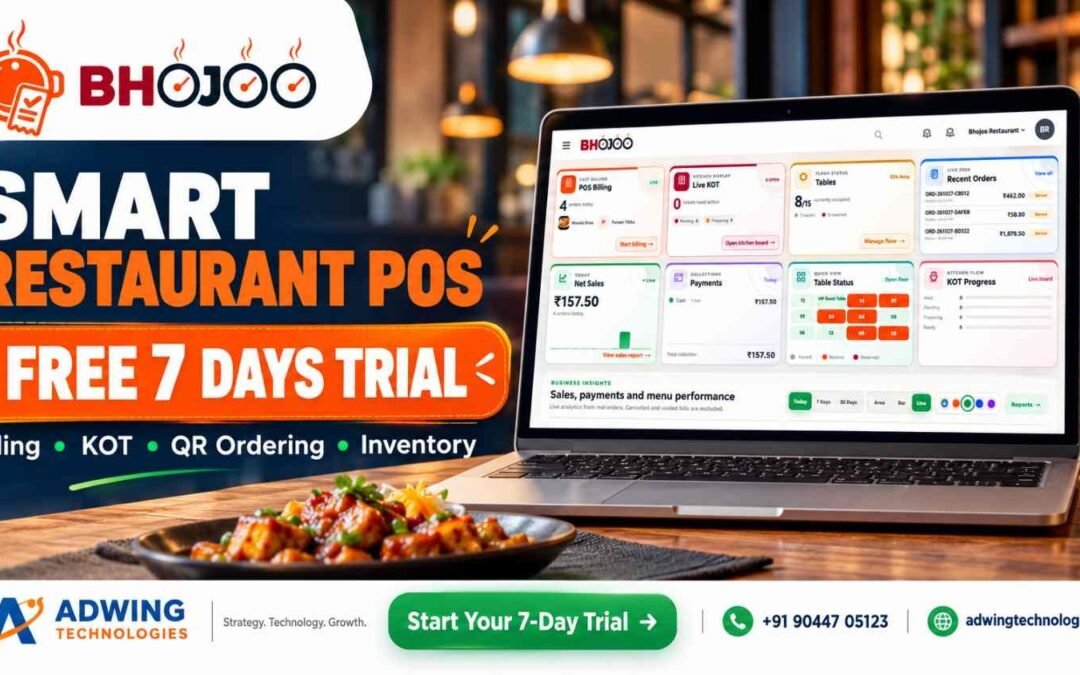
Looking for a Free Restaurant POS System? Discover Bhojoo for Complete Restaurant Management
A busy restaurant needs more than a billing screen. Orders must reach the kitchen correctly, repeat orders must stay linked to the right table, payments must match the final bill, and stock movement must remain visible to the owner.
If you are searching for a free restaurant POS system, start by asking a bigger question: Will this system support the way my restaurant actually works?
A basic billing tool may be enough for simple transactions. But dine-in restaurants, cafés, quick-service outlets and cloud kitchens often need connected ordering, kitchen, inventory and reporting workflows.
Bhojoo Restaurant POS by Adwing Technologies brings these operations together, helping restaurant teams manage the journey from order entry to kitchen preparation, settlement and daily review.
Explore Bhojoo Restaurant POS Software
Free Restaurant POS Software: What Should You Check First?
Before selecting any restaurant billing software, understand what the advertised offer includes. “Free” may refer to a limited edition, a temporary trial or selected functions.
Check whether your required package includes:
- POS billing and kitchen tickets.
- Table management and repeat orders.
- QR menu and customer ordering.
- Inventory and recipe consumption.
- Payment reconciliation and reports.
- Staff permissions, training and support.
- Suitable deployment, backup and renewal arrangements.
Bhojoo’s pricing, demo availability and included modules should be confirmed with Adwing Technologies. This article does not describe Bhojoo as a free-forever product. The right choice is the software that fits your service workflow and gives your team dependable support.
What Is Bhojoo Restaurant POS?
Bhojoo is a restaurant management platform designed to connect the counter, kitchen, floor staff and owner. Its product portfolio covers billing, KOT, table operations, menu management, QR ordering, inventory, procurement, customer engagement and management reporting. Module availability depends on the selected package and restaurant setup.
Here is how these features support everyday restaurant work.
1. POS Billing for Dine-In, Takeaway and Delivery
Bhojoo helps staff create orders, select menu items, adjust quantities and prepare customer bills. The billing workflow includes:
- Dine-in, takeaway and delivery order handling.
- Customer and table selection.
- Item rates, quantities, taxes and discounts.
- Kitchen notes and preparation instructions.
- Hold orders and running bills.
- Customer bill printing and final settlement.
For example, a family can order starters first and main courses later while the team maintains one running table bill.
2. Live KOT and Kitchen Communication
A Kitchen Order Ticket, or KOT, tells the kitchen what to prepare. Bhojoo’s kitchen workflow connects order details with preparation activity. Staff can work with table references, items, quantities and instructions such as “less spicy” or “no onion.”
Key functions include:
- New KOT and additional KOT.
- Kitchen ticket printing and reprinting.
- Pending, preparing, ready and served stages.
- Controlled quantity changes.
- Item replacement and cancellation.
- Traceable kitchen adjustments.
This helps the counter and kitchen stay aligned when guests change or extend an order.
3. Same-Table Repeat Orders
Customers frequently order additional dishes during a meal. Bhojoo supports this through the running-table workflow. Additional items can generate a separate ADD KOT while remaining connected to the existing bill. The kitchen receives the new preparation requirement, and the cashier retains a consolidated view for settlement. This is useful for family restaurants, cafés and other outlets where a single visit involves several ordering rounds.
4. Tables, Floors, Reservations and Waitlist
Bhojoo supports floor-wise table organisation, table capacity, reservations and running-order visibility. Restaurants can organise sections such as:
- Ground floor and upper floor.
- Family dining area.
- Main hall.
- Rooftop or outdoor seating.
- Private or group tables.
Graphical and floating table views help staff identify table activity. Reservation and waitlist workflows support advance bookings and walk-in coordination where enabled. The goal is straightforward: staff should be able to find the right table, open its order and understand its service status quickly.
5. QR Menu and Customer Ordering
With a configured QR ordering system, guests can scan a table QR code, browse the menu and submit an order from their phone. The customer journey can include:
- Scan the table QR.
- Browse categories and food images.
- Select dishes and available options.
- Review the cart and instructions.
- Submit the order into the restaurant workflow.
QR ordering provides another ordering channel while keeping menu information easier to update.
6. Menu Management 2.0
Bhojoo’s advanced menu tools go beyond item names and prices.
Categories, Images and Descriptions
Organise dishes into categories, add food photos, maintain descriptions and control availability.
Sizes and Variations
Create options such as small, medium and large, with individual prices.
Add-ons and Modifiers
Offer toppings, extra cheese and preparation choices that help customers customise their order.
Meal Combos
Group items into offers such as a burger, fries and beverage.
Dynamic Pricing and Timed Menus
Configure applicable price rules and service-time availability for breakfast, lunch, dinner or other selected periods. These tools help restaurants present more structured choices without managing every option manually.
7. Digital Kitchen Screens, Kiosks and Token Displays
Different teams and customers need different screens. Bhojoo’s product portfolio includes configuration-dependent options for:
- Digital kitchen display: preparation tickets and status tracking.
- Self-ordering kiosk: customer menu browsing and order submission on a dedicated device.
- Customer token display: visibility of preparing and ready orders.
- Customer feedback: structured input after service.
These options are particularly relevant to QSRs, takeaway counters and food courts. Required devices, enabled modules and connected workflows should be demonstrated before deployment.
8. Inventory and Recipe Costing
Restaurant stock control becomes more useful when it connects to menu sales. Bhojoo’s inventory tools cover stock records, transactions, recipe mapping, consumption, wastage and low-stock visibility. For example, a configured recipe can define the ingredient quantities used in a dish. Relevant sales activity can then drive stock consumption through that mapping.
This helps owners review:
- Ingredient balances.
- Stock movement.
- Recorded wastage.
- Replenishment needs.
- Recipe-related food costs.
Accurate opening stock, units and recipe quantities are essential for meaningful results.
9. Suppliers, Purchases and Goods Receipt
Bhojoo connects procurement with stock and supplier-account visibility. The purchasing workflow includes:
Supplier setup → Draft purchase order → Approval → Goods receipt → Supplier-account review
Supporting functions include purchase returns, supplier payments, outstanding balances, due ageing and purchase-related reports. This gives management a clearer view of what was ordered, what arrived and what remains payable.
10. Payments, Split Settlement and Controlled Corrections
Restaurant payment handling often involves more than one method. Bhojoo supports cash, UPI, card and split-payment workflows, along with cash-received and change-return calculations.
Other controls include:
- Bill round-off.
- Discounts and relevant remarks.
- Customer bill before final settlement.
- Authorised payment-mode corrections.
- Controlled settled-bill void approval.
- Payment summaries and audit-oriented records.
Recording a payment method should not be confused with an activated online payment gateway. Connected online payment requires the relevant supported integration and setup.
11. Customer Management, Loyalty and Wallet
Returning guests are valuable to a restaurant. Bhojoo’s customer tools help connect customer records with repeat visits and configured engagement workflows. Depending on the enabled modules, these can include:
- Customer database and visit activity.
- Loyalty points.
- Customer offers.
- Wallet or advance balances.
- Feedback collection.
Earning, redemption and wallet rules should be configured clearly so staff can explain them consistently.
12. Dashboard, Reports and Business Insights
Owners need visibility into service activity and financial results. Bhojoo’s dashboard brings together operating information such as billing activity, recent orders, KOT, tables, net sales and payments.
Its reporting portfolio covers:
- Sales and order activity.
- Item and category movement.
- Payment-mode summaries.
- Kitchen and table-related information.
- Inventory and purchases.
- Supplier dues.
- Shift and cash-closing review.
These reports support practical questions: Which dishes are moving? What payments were collected? Which supplier balances need attention?
13. Staff Permissions, Audit and Recovery
Bhojoo supports role-based access for owner/admin, cashier, waiter and kitchen users. Permissions help define who can manage menus, settle payments, adjust orders or perform sensitive actions. Audit-oriented workflows, backups and recovery capabilities support operational accountability. Backup schedules and recovery procedures should form part of the restaurant’s implementation plan.
14. Web, Mobile and Deployment Options
Bhojoo is designed for responsive browser-based use on compatible desktop, laptop, tablet and mobile devices. Deployment planning can cover online, local/LAN or hybrid requirements, depending on the available edition and configuration. QR access, remote owner access, printers and synchronisation should be checked against the selected setup.
Discuss Bhojoo Deployment and Request a Demo
How Bhojoo Works: A Practical Restaurant Journey
- Prepare: configure menus, taxes, tables, staff and recipes.
- Take orders: use POS, waiter access or enabled customer ordering.
- Send KOT: communicate dishes and instructions to the kitchen.
- Manage service: handle preparation, repeat orders and changes.
- Present the bill: review the customer’s active items.
- Settle: record payment and complete the order.
- Review: check collections, stock, purchases and daily reports.
Support Restaurant Growth Beyond Billing
Software manages operations; your online presence helps customers discover your restaurant. Adwing also provides related services that can complement restaurant growth:
Explore Adwing Technologies’ digital services alongside software consulting and support.
Frequently Asked Questions
Is Bhojoo a free restaurant POS system?
A permanent free plan is not confirmed here. Contact Adwing Technologies for current pricing, demo terms and included modules.
Can Bhojoo handle QR orders and kitchen tickets?
QR ordering and KOT are part of the product offering. The complete order-to-kitchen flow should be configured and demonstrated for your restaurant.
Can customers split a bill payment between cash and UPI?
Bhojoo supports split-payment workflows, including supported combinations of cash, UPI and card.
Does Bhojoo manage inventory and suppliers?
Its portfolio includes inventory, recipe mapping, purchases, goods receipt, purchase returns and supplier-account workflows.
Is Bhojoo suitable for a small restaurant or café?
It can be considered for restaurants, cafés, QSRs and takeaway businesses. Select the modules and deployment that match your operation.
Can owners use Bhojoo from a mobile device?
Responsive browser access is supported for permitted users. Remote access depends on the deployment and connectivity.
See Bhojoo With Your Own Restaurant Workflow
Choose a restaurant POS system by testing your actual needs: a repeat table order, a kitchen change, a split payment, a stock transaction and a daily closing report.
Adwing Technologies can help you evaluate Bhojoo, plan implementation and train your team around those workflows.
Call or WhatsApp: +91 90447 05123
Request a Personalised Bhojoo Demo
View Bhojoo Restaurant POS Features
by adwingservices | Oct 27, 2026 | hotel software, Restaurant Management Software
Bhojoo Restaurant Management Software in India
Complete Restaurant Control – From Customer Order to Kitchen, Billing, Inventory & Owner Reports
Modern restaurants need much more than a billing machine.
Customers expect faster ordering.
Kitchen teams need accurate KOTs.
Waiters need live table information.
Cashiers need fast settlements.
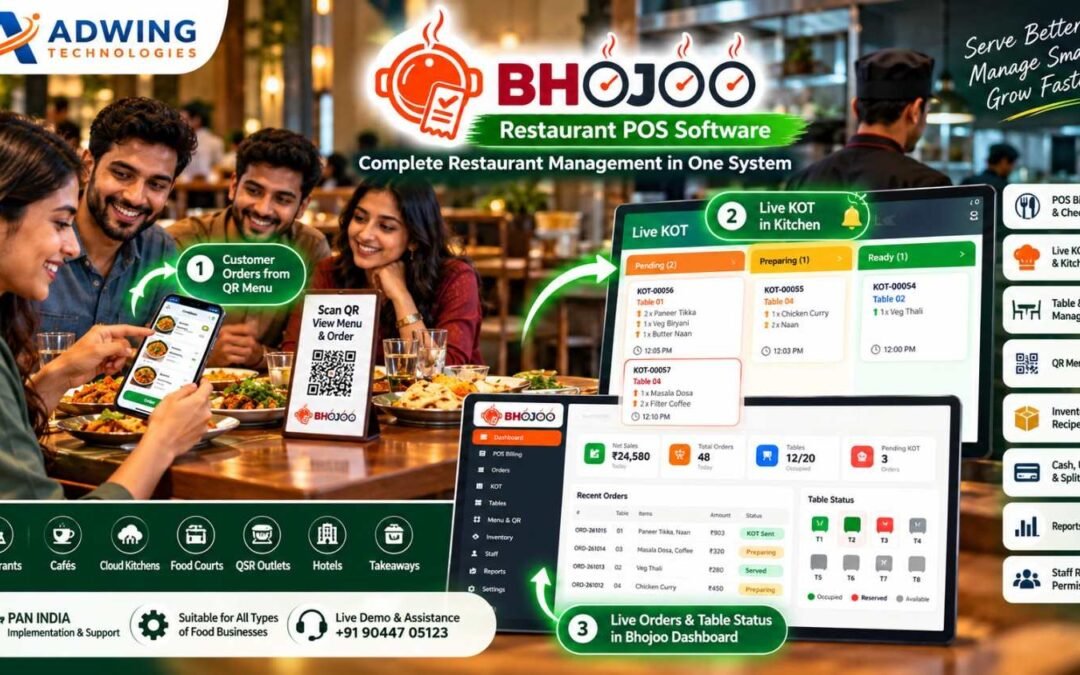
Owners need control over inventory, suppliers, customers, staff, payments and daily closing. Bhojoo Restaurant Management Software by Adwing Technologies brings these restaurant operations together through one connected web-based platform.
From POS Billing and Live KOT to QR Ordering, Self-Ordering Kiosk, Digital Kitchen Display, Customer Token Screen, Table Management, Inventory, Supplier Purchases, Customer Loyalty and Business Reports, Bhojoo is designed around the way modern restaurants actually operate.
Serve Better. Manage Smarter. Grow Faster.
CTA: Request Bhojoo Live Demo
Call / WhatsApp: +91 90447 05123
One Restaurant Management System. Multiple Operations Connected.
Bhojoo connects the complete restaurant journey:
Customer Order → Table / QR / Kiosk → Live KOT → Kitchen → Ready Status → Billing → Payment → Inventory → Customer → Reports
Instead of using different software for billing, QR menu, stock, kitchen and customer management, Bhojoo keeps the important restaurant workflow connected. This gives the team a simpler operating process and gives the owner stronger visibility over daily business activity.
Built as a Web & Mobile Restaurant Application
One of Bhojoo’s major strengths is its browser-based restaurant workflow. Authorized users can access relevant Bhojoo screens through supported web browsers according to their login permissions. This makes Bhojoo suitable for different restaurant operating points.
Desktop & Laptop
Use the complete restaurant dashboard, POS, reports, settings and administrative controls.
Tablet
Useful for counter billing, table management, waiter operations or kiosk-style environments.
Mobile
Restaurant owners, waiters and authorized team members can access mobile-friendly workflows according to assigned permissions.
Secure URL-Based Access
Open the restaurant application through the assigned Bhojoo URL, sign in with authorized credentials and access relevant modules. One system designed to work across the restaurant—not only on one billing computer.
Fast POS Billing & Checkout
Bhojoo provides a fast restaurant billing workflow designed for everyday counter operations. Restaurants can manage applicable order types such as:
Dine-In • Takeaway • Delivery
Billing can include item quantity, applicable GST/tax, discounts, round-off, payment information and restaurant-specific transaction details. The billing process remains connected with orders, KOTs, tables, payments and reports.
Customer Bill Before Payment Settlement
Bhojoo can maintain the difference between preparing the customer bill and finally settling the transaction. A customer can request the bill before actually making payment. The running order can remain active until settlement is completed by an authorized user. This reflects how dine-in restaurants actually operate.
Live KOT & Kitchen Display System
The kitchen should know immediately when a new order arrives. Bhojoo provides Live KOT – Kitchen Order Ticket Management to connect order-taking staff with the kitchen. KOT workflow can move through statuses such as:
Pending → Preparing → Ready → Served
Kitchen teams can view active orders, preparation requirements and order status through the live kitchen interface. Waiters and operating staff get better visibility without repeatedly asking the kitchen for updates.
Digital Kitchen Screen
Move beyond only printed KOT slips. Bhojoo can provide a Digital Kitchen Display where active restaurant orders appear on-screen for kitchen staff. The kitchen can identify:
New Orders
Pending Orders
Preparing Orders
Ready Orders
Table Number
Order Items
Special Instructions
This gives kitchens a more organized digital workflow and becomes especially useful during peak restaurant hours.
Same Table Repeat Order – ADD KOT
Customers rarely complete their entire order at once. A table may first order starters and beverages, then add main course and dessert later. With Bhojoo, the same running table can continue receiving additional orders. Only the newly added items can be sent to the kitchen through an ADD KOT, while the final customer bill remains combined. This avoids duplicate billing and keeps kitchen communication clear.
Modify, Cancel & Replace KOT with Control
Restaurant orders sometimes change after being placed. Bhojoo supports controlled KOT operations such as:
Modify Quantity
Cancel Item
Replace Item
Repeat KOT
Cancel KOT
Reprint KOT
Changes can be controlled according to user permissions and operational rules so restaurant owners maintain better accountability.
Smart Table & Floor Management
Bhojoo provides a visual table-management workflow for dine-in restaurants. Restaurants can create different service areas such as:
Main Hall
Family Area
Ground Floor
First Floor
Rooftop
Outdoor Seating
Window Area
Tables can display operational status such as: Available • Occupied • Booked • Reserved This gives the front desk, waiter and cashier a common live view of restaurant seating.
Floating Table View – Faster Table Control
Bhojoo’s table workflow can be presented through a floating / visual table view so staff can quickly see the restaurant floor without opening individual order screens repeatedly. The floating table interface can help authorized users identify:
Which table is running
Which table is free
Which table is reserved
Which tables have active orders
Which table needs attention
Current table order status
This makes table handling especially useful on tablets and mobile-friendly screens.
Quick Table Transfer & Running Order Control
If a guest changes seats or the restaurant needs to move an active party, a running order can be managed through the table workflow rather than recreating the complete bill.
This keeps restaurant operations cleaner and helps reduce duplicate entries.
Public Reservation & Digital Waitlist
Bhojoo can support restaurant reservation and waiting workflows for restaurants that manage busy dining periods. Customers can be added to the reservation or digital waitlist, while authorised restaurant users can monitor upcoming and waiting guests. This can help restaurants manage:
Advance Reservations
Walk-In Waiting Customers
Table Allocation
Estimated Waiting Flow
Reservation Status
A digital waitlist provides a more professional alternative to handwritten waiting registers.
QR Menu – Scan, View & Order from Mobile
Bhojoo transforms the restaurant table into a digital ordering point. Customers can scan a QR code using their mobile phone and access the restaurant’s digital menu. The customer journey becomes:
Scan QR → Browse Menu → Select Items → Choose Table → Add Instructions → Place Order → Live KOT
The customer can order without installing a separate application. This makes QR ordering practical for restaurants that want faster table service and a modern digital experience.
Customer Order Confirmation
After a QR order is successfully placed, the customer can receive a clear confirmation screen with order reference information. This reassures the customer that the order has reached the restaurant and kitchen workflow. The order can then appear inside Bhojoo for authorized restaurant processing.
Self-Ordering Kiosk
For restaurants, cafés, QSR outlets and food courts that want customer self-service, Bhojoo can support a Self-Ordering Kiosk workflow. Customers can use a dedicated tablet or kiosk screen to:
Browse Menu
Select Food
Add Quantity
Choose Options
Review Cart
Place Order
The order can then flow into the restaurant’s Bhojoo order and KOT system. This helps reduce counter dependency and creates a modern quick-service ordering experience.
Digital Customer Token Display
Bhojoo can extend restaurant operations beyond billing and kitchen management with a Customer Token Display. Once an order enters preparation, restaurants can display token/order information on a separate customer-facing screen.
A typical flow can be:
Token Generated → Preparing → Ready → Customer Called
This is especially useful for:
QSR Restaurants
Takeaway Counters
Food Courts
Cafés
Self-Service Restaurants
Fast Food Outlets
Where configured, token-ready status can also be paired with an audible/voice alert to improve customer communication.
Customer Display Screen
Restaurants can use a dedicated screen to communicate important order information to waiting customers. The display can show relevant tokens or order statuses without exposing internal restaurant management information. This keeps the customer-facing experience separate from the cashier or kitchen dashboard.
Advanced Menu Management 2.0
Bhojoo’s Menu Management is designed for more than basic food-item entry. Restaurant operators can manage:
Categories
Menu Items
Food Images
Descriptions
Prices
GST / Tax
Availability
Variants
Combos
Customizations
Recommended Items
Popular Items
This improves both internal POS usability and the customer-facing QR / kiosk menu experience.
Item Availability Control
If an item becomes temporarily unavailable, staff can update its availability rather than deleting the product. This reduces confusion for staff and helps customers avoid selecting unavailable food through digital ordering interfaces.
Inventory & Stock Management
Restaurant profitability depends heavily on inventory control. Bhojoo connects restaurant operations with stock-management workflows.
Restaurants can manage:
Raw Material Stock
Current Stock
Stock Transactions
Low Stock
Reorder Levels
Consumption
Stock Adjustments
Inventory Reports
The goal is to give restaurant owners better visibility over what is available and what is being consumed.
Recipe Mapping & Automatic Stock Consumption
Menu items can be connected with configured recipe ingredients. For example, when a menu item is sold, related ingredient quantities can be consumed from stock according to the configured recipe. This helps owners understand:
Ingredient Consumption
Food Cost
Stock Movement
Recipe Usage
Item Profitability
Restaurant software becomes much more valuable when billing and inventory work together.
Wastage Management
Food wastage affects profit. Bhojoo can maintain wastage and stock-adjustment activity so restaurant owners can identify why inventory changed. This helps distinguish real sales consumption from spoilage, damage or operational wastage.
Supplier Management
Restaurant inventory begins with suppliers. Bhojoo provides supplier-management workflows so purchasing and inventory are not managed separately. Restaurant operators can maintain supplier details and connect them with purchases, received stock and payment information.
Purchase Order → Approval → GRN
Bhojoo supports a structured purchasing workflow:
Supplier → Purchase Order → Approval → GRN → Stock
This allows restaurants to create purchase requirements, approve purchases and record the actual quantity received through Goods Receipt Note processing. Accepted stock can then become part of inventory records.
Purchase Return
If goods are damaged, incorrect or need to be returned, Bhojoo can maintain purchase-return transactions. This keeps supplier records and inventory more accurate.
Supplier Outstanding & Accounts
Restaurant owners can track supplier-related information such as:
Purchases
Payments
Outstanding Amount
Purchase Returns
Supplier Ledger
Pending / Ageing Information
This creates a stronger back-office procurement and account-control workflow.
Customer Database
Bhojoo can maintain customer information for restaurants that want to understand repeat business. Customer history provides the foundation for better loyalty, service and promotional strategies.
Customer Loyalty & Wallet
Bhojoo’s customer-management capabilities can extend into Loyalty and Wallet workflows. Supported restaurant setups can maintain:
Customer Wallet
Advance Balance
Loyalty Points
Repeat Customer History
Special Offers
Discount Programs
This helps restaurants focus on customer retention rather than only first-time transactions.
Customer Feedback Management
Understanding the customer experience is important for improving restaurant service. Bhojoo can include a Customer Feedback workflow so restaurants can collect structured feedback after dining or ordering. Feedback can help management understand areas such as:
Food Quality
Service Experience
Restaurant Experience
Order Accuracy
Overall Satisfaction
This creates a structured customer-feedback channel rather than relying only on informal comments.
Fast Payments – Cash, UPI & Card
Bhojoo supports practical restaurant settlement workflows through commonly used payment modes such as:
Cash • UPI • Card
Restaurant payments remain connected with the actual order and reporting workflow.
Split Payment
One restaurant bill can be settled using multiple payment modes where configured.
For example:
Part Cash + Part UPI + Part Card
The restaurant does not need to create artificial duplicate bills just to accommodate different payment methods.
Cash Received & Change Return
Cashiers can record cash received from the customer and determine applicable change return. This helps make counter settlement clearer during busy service periods.
Automatic Round-Off
Applicable bill values can be rounded according to configured restaurant billing rules. The final payable amount remains clear to both customer and cashier.
Payment Mode Correction with Audit
Human mistakes happen.
If a Cash transaction is accidentally recorded as UPI—or another payment mode is entered incorrectly—authorized users can correct the payment mode through a controlled workflow. The reason for correction can remain part of the system’s audit history. This gives restaurant owners more control than simply deleting and recreating bills.
Settled Bill Void Approval
Voiding a completed restaurant bill should not be available to every employee. Bhojoo supports controlled bill-void workflows where sensitive actions can require appropriate permissions or owner/admin approval. This protects restaurant financial records and improves accountability.
Discounts with Remarks
Discounts can affect restaurant margins. Bhojoo can maintain discount information and applicable remarks so management can understand why concessions were given. This provides better visibility when reviewing restaurant reports.
Shift Management
Restaurants often operate through multiple staff shifts. Bhojoo provides shift-management functionality to organise cashier and operational activity according to working periods. This becomes particularly valuable for restaurants operating long hours.
Shift & Cash Closing
At the end of a shift, restaurant management needs clear reconciliation. Bhojoo can help review:
Cash Sales
UPI Collection
Card Collection
Split Payments
Payment Corrections
Voided Transactions
Expected Cash
This helps restaurant owners compare actual cashier collection with system records.
Online Payment Framework
Bhojoo includes an online-payment framework designed to support applicable digital-ordering and payment workflows. This strengthens the platform for restaurants moving toward QR ordering, customer self-service and broader digital operations.
Owner Dashboard & Mobile Control
Restaurant owners should not have to remain permanently seated at the billing counter. Bhojoo provides management views designed to bring important restaurant information together. The owner can review relevant information such as:
Sales
Orders
Active Tables
Pending KOT
Payments
Recent Orders
Inventory Information
Business Reports
The mobile-friendly web architecture makes restaurant information easier to review from supported devices according to user permissions.
Multi-User Role-Based Access
Different employees need different permissions. Bhojoo can provide role-based restaurant access for users such as:
Admin / Owner
Full management visibility, configuration, reports, approvals and sensitive controls.
Cashier
POS billing, settlement and permitted cashier functions.
Waiter
Tables, guest orders and relevant service workflows.
Kitchen
KOT, preparation and kitchen-order status. Role-based control keeps sensitive restaurant functions away from users who do not require them.
Reports & Restaurant Analytics
Bhojoo turns daily restaurant transactions into useful business information. Management reporting can cover areas such as:
Sales Reports
Order Reports
Item-Wise Sales
Category-Wise Sales
Payment Mode Reports
Table Reports
KOT Reports
Inventory Reports
Purchase Reports
Supplier Reports
Customer Activity
Shift Closing
Audit Activity
Restaurant owners can use these reports to understand operations rather than relying only on total daily sales.
Live Restaurant Dashboard
The Bhojoo dashboard can provide a quick operating snapshot containing indicators such as:
Today’s Sales
Total Orders
Active Tables
Pending KOT
Payments
Recent Orders
Table Status
This gives restaurant management a quick overview before opening detailed reports.
Security & Data Protection
Restaurant data contains important information related to billing, payments, customers, suppliers and stock. Bhojoo includes role-based access controls and other security-oriented workflows to help protect restaurant operations.
Database Backup & Encrypted Recovery
Business software should have a strategy not only for creating data but also for recovering it. Bhojoo’s latest architecture includes backup-oriented protection and encrypted database recovery capability. This strengthens the reliability of the restaurant operating environment.
Audit Trail
Sensitive restaurant changes can remain traceable. Audit workflows can help authorised restaurant management review activities such as:
Payment Corrections
Bill Void
KOT Modification
Administrative Changes
This improves staff accountability and protects business records.
One System for the Complete Restaurant Team
Bhojoo connects the restaurant from customer to owner. Customer: QR ordering, kiosk, token status and feedback.
Waiter: Tables and orders.
Kitchen: Live KOT and Digital Kitchen Screen.
Cashier: Billing and settlement.
Inventory Team: Stock and consumption.
Purchase Team: Suppliers, PO and GRN.
Manager: Staff control, shifts and reports.
Owner: Business visibility, audit and decision-making.
That is why Bhojoo should be positioned as a Restaurant Management Platform, not only a POS.
Suitable for Different Food Businesses
Bhojoo can be configured for different food-service operations including:
Restaurants
Family Restaurants
Cafés
QSR Outlets
Food Courts
Cloud Kitchens
Takeaway Counters
Hotel Restaurants
Fast Food Outlets
Other organised food businesses
The final modules and configuration should be planned according to actual restaurant operations.
Bhojoo Restaurant Software Across India
Adwing Technologies provides Bhojoo product demonstration, implementation discussion, onboarding and support for restaurants across India. Restaurants in Delhi NCR, Noida, Ghaziabad, Lucknow, Varanasi, Prayagraj, Mirzapur, Mumbai, Pune, Bengaluru, Hyderabad, Chennai, Kolkata, Jaipur, Ahmedabad and other Indian cities can discuss their requirements remotely.
PAN-India Restaurant Software – Local Workflow, Digital Control.
Why Restaurants Choose Bhojoo
Bhojoo connects the features that matter during actual restaurant service.
Fast Billing
Live Kitchen Control
Visual Tables
Customer QR Ordering
Self-Service Kiosk
Digital Kitchen Screen
Customer Token Display
Advanced Menu
Inventory & Recipe Costing
Supplier Procurement
Customer Loyalty
Feedback
Payment Control
Shift Closing
Owner Reports
Role Security
Encrypted Recovery
Instead of adding disconnected applications one by one, Bhojoo provides a connected restaurant-management foundation.
See Bhojoo with Your Restaurant Workflow
The best way to evaluate restaurant software is to see how it works with your actual business.
Share your:
Restaurant Name
Number of Tables
Floors / Areas
Billing Counters
Kitchen Setup
QR Ordering Requirement
Kiosk Requirement
Token Display Requirement
Inventory Requirement
Staff Roles
Supplier Workflow
Customer Loyalty Requirement
Reporting Requirement
and request a guided Bhojoo demonstration.
Request a Bhojoo Live Demo
Call / WhatsApp: +91 90447 05123
Bhojoo Restaurant Management Software by Adwing Technologies
Serve Better. Manage Smarter. Grow Faster.
Frequently Asked Questions
What is Bhojoo Restaurant Management Software?
Bhojoo is a restaurant-management platform designed to connect POS billing, Live KOT, tables, QR ordering, menu, kiosk, inventory, suppliers, customers, payments, reports and owner controls.
Is Bhojoo a web-based application?
Bhojoo is designed with web-based restaurant workflows that can be accessed on supported browsers and devices according to the restaurant setup and user permissions.
Can Bhojoo work on mobile?
Bhojoo includes mobile-friendly restaurant workflows so authorised users can access relevant functions from supported mobile devices.
Does Bhojoo support QR ordering?
Yes. Customers can use a restaurant QR menu to view food items and place orders through the configured workflow.
Does Bhojoo support self-ordering kiosk?
Bhojoo can support customer self-ordering kiosk workflows for suitable restaurant and QSR setups.
Can Bhojoo display customer tokens?
Customer-facing token/order-status displays can be used for applicable takeaway, QSR and self-service workflows.
Does Bhojoo have a Digital Kitchen Display?
Yes. Bhojoo can provide a digital Live KOT / kitchen display workflow to help kitchen teams manage active orders.
Can customers give feedback?
Bhojoo includes customer-feedback workflows that restaurants can use to capture structured dining or ordering feedback.
Does Bhojoo manage restaurant tables?
Yes. Bhojoo supports floor-wise tables, table status, reservations, running orders and visual table workflows.
Does Bhojoo support inventory and recipe costing?
Yes. Inventory workflows can include stock, consumption, recipe mapping, wastage and applicable food-cost monitoring.
Does Bhojoo manage suppliers and purchases?
Supplier workflows can include supplier master, purchase orders, approvals, GRN, purchase returns, supplier payments and outstanding records.
Does Bhojoo have customer loyalty?
Customer-management functions can support loyalty, wallet, advances, points and repeat-customer workflows according to configuration.
Can Bhojoo handle split payment?
Yes. Applicable restaurant bills can be settled through supported combinations of Cash, UPI and Card.
Can payment mistakes be corrected?
Authorised Bhojoo users can use controlled payment-correction workflows with audit visibility.
Does Bhojoo provide cash closing?
Yes. Shift and cash-closing workflows can help authorised restaurant management reconcile payments and cashier activity.
Does Bhojoo provide reports?
Bhojoo provides restaurant dashboards and reports covering relevant sales, orders, payments, KOT, tables, inventory, purchasing and operational activity.
Is Bhojoo suitable for restaurants across India?
Yes. Adwing Technologies can discuss Bhojoo demonstrations, implementation requirements and support with restaurants across India.
by adwingservices | Oct 27, 2026 | Restaurant Management Software, hotel software
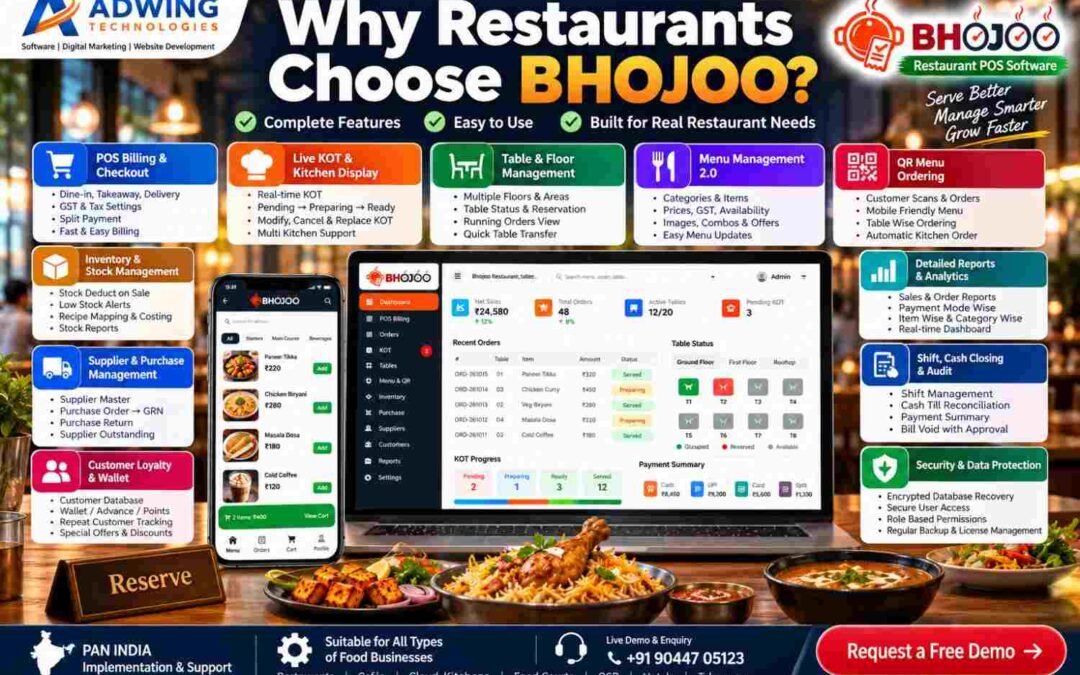
Why Are Restaurant Owners Choosing Bhojoo Restaurant POS Software?
A restaurant may look simple from the customer side.
A customer enters, selects a table, places an order, receives food, pays the bill and leaves. But behind that single experience, the restaurant is handling dozens of connected activities.
The waiter needs the right order.
The kitchen needs the correct KOT.
The cashier needs accurate billing.
The owner needs stock visibility.
Suppliers need to be managed.
Payments need to reconcile.
Tables need to become available again.
Customer history needs to remain organized.
And at the end of the day, the restaurant owner needs to know one thing: “What actually happened in my business today?”
This is exactly where Bhojoo Restaurant POS Software by Adwing Technologies becomes different from a basic billing application.
Bhojoo is designed as a complete restaurant operating system where billing, orders, KOT, tables, menu, inventory, purchases, suppliers, customers, loyalty, payments, shifts, reports and security work together. It is designed for restaurant owners who want more control over their operations—not just a faster way to print a bill.
Bhojoo Is More Than Restaurant Billing Software
Many restaurant applications begin and end with POS billing.
Select items.
Create bill.
Take payment.
Print receipt.
That may be enough for a very small counter, but a restaurant has much more happening behind the bill. Bhojoo connects the restaurant workflow from the moment the order begins. A typical Bhojoo workflow can look like:
Customer/Table → Order → KOT → Kitchen → Additional Order → Final Bill → Payment → Inventory → Reports
The same system can then extend into supplier purchases, customer loyalty, cash closing and business analytics. That connected workflow is one of the biggest reasons a restaurant owner should consider Bhojoo.
1. Fast POS Billing That Connects with the Entire Restaurant
Billing should be fast, but speed alone is not enough. The bill should also remain connected with the restaurant table, KOT, payment, inventory and reporting system.
Bhojoo POS Billing is designed for restaurant workflows including Dine-In, Takeaway and Delivery, according to the configured setup.Users can select menu items, quantity and applicable pricing while the system maintains the transaction inside the restaurant workflow.For busy restaurants, cafés and food outlets, this means less dependence on handwritten notes and disconnected billing records.
Customer Bill and Final Settlement Are Different
A particularly practical feature is that the customer bill can be generated before the transaction is finally settled.
This reflects how restaurants actually work.The customer may ask for the bill, review it, and then pay a few minutes later.Bhojoo can maintain the running order until authorised settlement is completed.This gives the cashier and restaurant team better operational clarity.
2. Live KOT Creates a Direct Connection with the Kitchen
One of the biggest operational problems in restaurants is communication between the order-taking team and the kitchen. Bhojoo addresses this through Live KOT and Kitchen Display workflows. When an order reaches the kitchen, the team can track its status through stages such as:
Pending → Preparing → Ready → Served
This creates much clearer communication. The waiter does not need to repeatedly ask the kitchen whether an order is ready. The kitchen gets a structured view of incoming orders. Management gets visibility into pending KOT activity. For a busy restaurant, this can significantly improve order coordination.
3. Same Table, Additional Order, One Final Bill
Real restaurant customers rarely order everything at once.
They may begin with starters. Later they add another beverage. Then main course. Then dessert.
Bhojoo supports this real-life behavior through same-table repeat ordering and ADD KOT workflows. Newly ordered items can be sent separately to the kitchen without unnecessarily recreating the original transaction. At final settlement, the customer can still receive one combined bill. This is a small operational feature that can make a major difference during busy service hours.
4. Better Control When Customers Change Their Order
Customers change their minds. An item may need to be cancelled. Quantity may need to change. One dish may need to be replaced with another.
A restaurant management system should not simply erase the previous activity and pretend nothing happened. Bhojoo supports controlled KOT modifications so operational changes can be handled more systematically. This improves both kitchen communication and management accountability.
5. Smart Table & Floor Management
Restaurants with multiple dining areas need more than a numbered table list. Bhojoo can organize restaurant seating into different floors or areas, such as Main Hall, Family Section, Rooftop, Ground Floor, Outdoor Area or other restaurant-specific layouts.
The team can view table status and understand which tables are available, occupied or reserved. This helps reception, waiters and cashiers operate from the same information rather than relying only on verbal communication. Reservations can also be handled as part of the table workflow.
6. Customers Can Order Through QR Menu
Modern customers increasingly prefer digital convenience. With Bhojoo QR Menu Ordering, a customer can scan the restaurant’s QR code using a smartphone and access the menu. Depending on the configured workflow, customers can view dishes, prices and menu categories, select items and submit an order.
The real advantage is what happens next. The digital order does not remain separate from restaurant operations. It can move into the Bhojoo restaurant workflow and become available for kitchen/KOT processing.
The journey becomes:
Scan QR → View Menu → Select Food → Place Order → Live KOT → Kitchen
This gives restaurants a modern customer experience while keeping the operational side connected.
7. Advanced Menu Management for Real Restaurant Needs
Restaurant menus are constantly changing. Prices change. Seasonal dishes are added .Items become unavailable. Different categories need to be organised. Restaurants may want images, descriptions or recommended items. Bhojoo’s menu-management structure is designed to make these updates easier.
Instead of treating the menu as a simple price list, restaurants can maintain a more organised digital menu experience for both staff and QR customers.
8. Billing and Inventory Work Together
One of the strongest reasons to move beyond basic POS software is inventory control. If the restaurant sells 50 dishes but stock remains completely disconnected from sales, the owner still has to manually understand what was consumed. Bhojoo can connect restaurant billing with inventory and recipe-based consumption.
That means restaurant owners can develop better visibility over raw materials, current stock, stock transactions, low-stock situations and consumption. This is extremely useful for controlling one of the biggest restaurant expenses: Food Cost.
9. Recipe Costing Helps Owners Understand What They Are Actually Selling
Revenue alone does not determine restaurant profitability. A dish may sell well but still produce a poor margin if ingredient costs are too high. Recipe mapping and costing allow restaurant owners to better understand how menu sales relate to raw-material consumption. This creates a stronger management foundation for controlling wastage, identifying expensive recipes and evaluating menu profitability.
Bhojoo therefore moves restaurant owners beyond the simple question: “How much did we sell?” towards the more useful question: “How efficiently did we sell it?”
10. Supplier & Purchase Management Connects the Back Office
Restaurant inventory comes from suppliers. Vegetables, grocery items, dairy products, beverages, packaging and other materials need to be purchased continuously. Bhojoo’s supplier and procurement workflow can help connect these activities through processes such as: Supplier → Purchase Order → Approval → GRN → Stock → Supplier Account
Purchase returns and supplier outstanding can also form part of the procurement workflow. This gives restaurant owners a much clearer picture of what was purchased, what was received and what remains payable.
11. Customer Loyalty & Wallet Can Encourage Repeat Business
A good restaurant does not only need new customers. It needs customers to return. Bhojoo’s Customer Loyalty and Wallet capabilities allow restaurants to build stronger repeat-customer strategies.
Depending on the configured setup, restaurants can maintain customer information, wallet balances, advances, points, repeat-customer history, discounts or promotional benefits. Instead of every transaction being anonymous, restaurants can gradually create a valuable customer relationship database. This can become especially useful for cafés, family restaurants and outlets with regular local customers.
12. Cash, UPI, Card and Split Payment Support
Indian restaurants regularly receive payment through different modes. Bhojoo supports structured settlement through options such as:
Cash, UPI, Card and Split Payment.
Split payment is especially useful when customers want to divide one bill between multiple payment methods. For example, part of the bill may be paid through UPI and the remaining amount in cash. The transaction can remain connected to one order instead of requiring artificial duplicate bills.
13. Payment Mistakes Can Be Corrected with Better Control
Restaurant cashiers are human. Mistakes can happen. A UPI payment may accidentally be recorded as Cash. A payment mode may be selected incorrectly.In many basic billing systems, fixing this requires deleting or recreating the transaction.Bhojoo provides a more controlled approach where authorised corrections can be made with appropriate reasons and audit visibility.This protects both the cashier and the restaurant owner.
14. Shift and Cash Closing Helps Owners Reconcile the Day
One of the most important moments in restaurant operations happens after customers leave.
Day closing.
How much cash should be available?
How much came through UPI?
What was collected through card?
Were any bills corrected? Were there voided transactions?
Does the cashier’s amount match the software? Bhojoo’s Shift and Cash Closing workflow is designed to support this reconciliation process. For restaurant owners who are not physically present at the counter every minute, this gives much stronger operational control.
15. Detailed Reports Turn Transactions into Business Information
Restaurant software should not only record transactions. It should help the owner understand them. Bhojoo provides reporting and dashboard capabilities that can help owners review information related to sales, payments, orders, tables, KOT activity, inventory and other configured restaurant operations.
Reports can help answer practical questions such as: Which payment mode is being used most?
How much was sold today?
Which orders are still pending?
What stock is becoming low?
How are restaurant operations performing? Better information allows better decisions.
16. Different Staff Get Different Access
Your waiter should not have the same access as your administrator. Your kitchen staff should not be changing financial reports. Your cashier should not necessarily have unrestricted system configuration access.
Bhojoo uses role-based access and restrictions so different restaurant employees can receive the controls appropriate to their responsibilities. Possible operational roles include Admin, Cashier, Waiter, Kitchen and other configured user types. This reduces unnecessary access to sensitive functions.
17. Security and Encrypted Database Recovery
Restaurant data is valuable.
Orders, payments, customers, inventory, suppliers and reports represent months or years of business activity. Bhojoo’s newer security framework includes stronger controls around user access, data protection, database backup and encrypted database recovery.
This becomes especially important when restaurant software is being treated as a core operational system rather than a temporary billing utility. A restaurant owner should always think about not only how data is created—but how it can be protected and recovered.
18. Online Payment Framework Makes Bhojoo Ready for Digital Ordering
Restaurant ordering is increasingly moving beyond the counter. QR orders, online orders and digital customer experiences are becoming normal. Bhojoo includes an online payment framework that provides the foundation for supported online payment workflows. This helps prepare restaurant operations for a more digital ordering environment while maintaining the central POS and reporting system.
19. Bhojoo Is Built for the Whole Restaurant, Not One Employee
One of the strongest reasons to choose Bhojoo is that it is not designed only for the cashier. It connects multiple participants inside a restaurant.
The customer can interact through QR ordering.
The waiter works with tables and orders.
The kitchen receives KOT information.
The cashier manages billing and settlement.
The inventory team manages stock and purchases.
The owner or administrator gets reports, controls and audit visibility.
When everyone works through the same connected workflow, restaurant operations can become much easier to monitor.
Why Choose Bhojoo Instead of Basic POS Software?
The difference becomes clearer when you look at the complete system. Bhojoo can bring together:
- POS Billing & Checkout
- Dine-In, Takeaway and Delivery
- Live KOT & Kitchen Display
- Same-Table ADD KOT
- Table & Floor Management
- Reservations
- Advanced Menu Management
- QR Menu & Customer Ordering
- Inventory & Stock Management
- Recipe Mapping & Costing
- Supplier & Purchase Management
- Customer Loyalty & Wallet
- Cash, UPI, Card & Split Payments
- Payment Correction & Audit
- Shift & Cash Closing
- Detailed Reports & Analytics
- Role-Based Staff Access
- Online Payment Framework
- Security, Backup & Encrypted Database Recovery
Instead of purchasing different applications for these processes, restaurant owners can manage more of their operation through one connected platform.
Who Should Choose Bhojoo?
Bhojoo can be considered by businesses such as family restaurants, cafés, cloud kitchens, food courts, QSR outlets, takeaway restaurants, hotel restaurants and other organised food businesses.
It is particularly useful for restaurant owners who have moved beyond simply needing a bill printer and now want stronger control over kitchen operations, stock, staff, customers, suppliers and financial reporting.
Why Bhojoo Can Be a Better Long-Term Investment
The cheapest POS is not necessarily the lowest-cost restaurant system. If the owner later has to buy separate applications for inventory, QR menu, supplier management, reporting or customer loyalty, the restaurant may end up managing multiple disconnected systems.
The real value of Bhojoo comes from connecting these workflows. The restaurant can start with its immediate operational requirements and use a system designed around broader restaurant management. That makes Bhojoo particularly relevant for restaurants that want to build better processes as the business grows.
Built for Restaurants Across India
Bhojoo is designed for Indian restaurant workflows and can be demonstrated for restaurant requirements across India. Restaurants can discuss their number of tables, billing workflow, kitchen setup, menu, staff structure, inventory requirements and reporting expectations before final implementation.
Whether you operate a restaurant in a metro city or a growing regional market, the goal remains the same: faster service, better control and clearer business information.
See Bhojoo Working with Your Own Restaurant Name
Software should be evaluated through a real workflow—not only screenshots and feature lists. Restaurant owners can request a Bhojoo Live Demo and discuss how their actual restaurant operations can be handled. During the demonstration, you can review billing, tables, KOT, QR orders, payments, inventory, reports and other relevant modules.
Live Demo & Enquiry:
+91 90447 05123
Bhojoo Restaurant POS Software by Adwing Technologies
Serve Better. Manage Smarter. Grow Faster.
Frequently Asked Questions
Why should I choose Bhojoo for my restaurant?
Bhojoo combines restaurant billing with KOT, table management, QR ordering, inventory, purchases, suppliers, customer loyalty, payments, reports, staff controls and security workflows. This makes it suitable for restaurant owners looking for broader operational control rather than only billing.
Is Bhojoo only a billing software?
No. Billing is one component of Bhojoo. The platform is designed around broader restaurant operations including orders, KOT, tables, inventory, procurement, customer management, reporting and administrative controls.
Does Bhojoo support QR ordering?
Yes. QR-based menu and ordering workflows can allow customers to view the menu and place orders using their smartphones according to the configured restaurant setup.
Can Bhojoo manage inventory?
Yes. Bhojoo supports inventory and stock workflows and can connect restaurant operations with recipe mapping and consumption where configured.
Can Bhojoo manage suppliers?
Yes. Supplier, purchase, GRN, purchase return and supplier-account workflows can form part of Bhojoo’s procurement management.
Does Bhojoo support customer loyalty?
Bhojoo includes customer loyalty and wallet capabilities for supported setups, allowing restaurants to develop stronger repeat-customer engagement.
Can the owner see business reports?
Yes. Bhojoo provides restaurant dashboards and detailed operational reporting so authorised users can review relevant sales, payment, order, KOT and inventory information.
Can cashier payments be corrected?
Authorised workflows can support payment-mode corrections with reasons and audit visibility instead of simply deleting transaction history.
Does Bhojoo support cash closing?
Yes. Shift and cash-closing workflows can help restaurants reconcile collections and operational activity.
Is Bhojoo secure?
Bhojoo’s current feature set includes role-based controls, data protection, backups and encrypted database-recovery capabilities as part of its security approach.
How do I get a Bhojoo demo?
Contact Adwing Technologies on +91 90447 05123 and share your restaurant name and key requirements to arrange a Bhojoo demonstration.
by adwingservices | Oct 15, 2026 | Adwing Technologies, Web Hosting, website designing, Website Development, WordPress Website
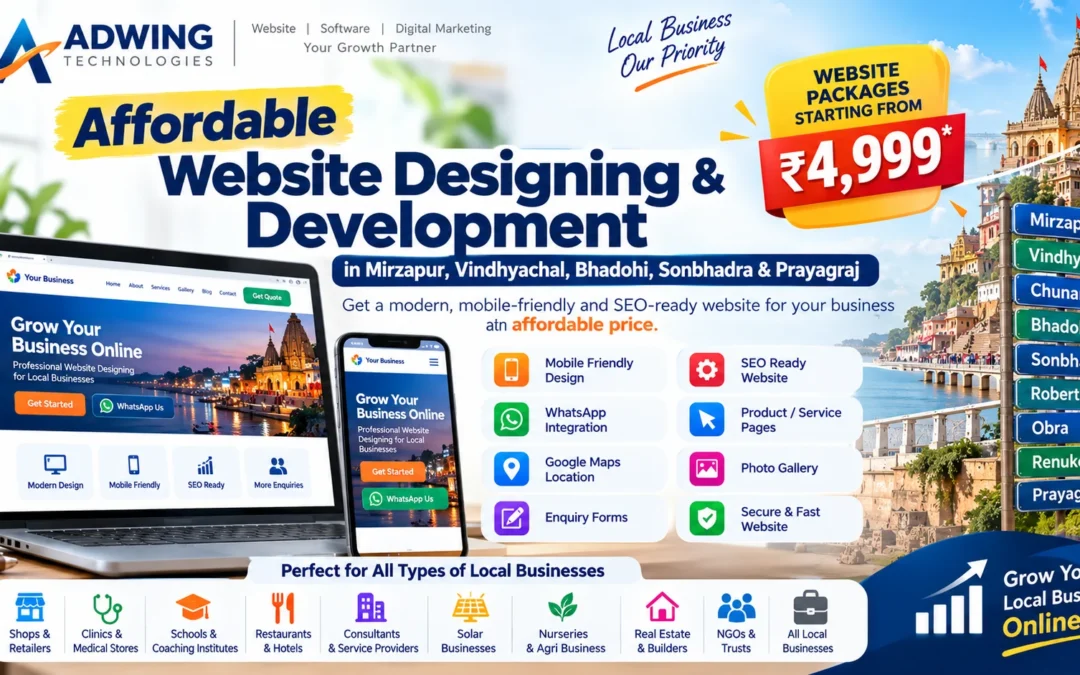
Affordable Website Designing & Development in Mirzapur, Bhadohi, Sonbhadra & Prayagraj
Having a professional website is no longer something only large companies need. Today, customers search online before choosing a shop, clinic, school, hotel, restaurant, consultant, service provider or local business. Even if your business is well established offline, an outdated or missing website can make it difficult for new customers to discover and trust your business.
Adwing Technologies provides affordable website designing and development services for businesses in Mirzapur, Vindhyachal, Chunar, Bhadohi, Sonbhadra, Robertsganj, Obra, Renukoot, Prayagraj and nearby areas.
Our focus is simple: build professional websites that small and growing businesses can actually use without requiring an unnecessarily high budget. A good website should be attractive, mobile-friendly, easy to understand and designed to generate enquiries—not simply exist online.
Why Local Businesses Need a Website
Many local businesses still depend primarily on referrals, banners, visiting cards and WhatsApp. These channels are useful, but they have limits. When someone hears about your business, one of the first things they may do is search for your business name on Google. If they cannot find a professional website, they may hesitate. A website gives customers a central source of information about your business. It can clearly explain your services, products, experience, location, contact details and working hours. More importantly, your website remains available 24×7, even when your office or shop is closed.
Affordable Website Designing in Mirzapur
Mirzapur has thousands of local businesses across healthcare, retail, education, solar, hospitality, manufacturing and professional services. Many businesses want a professional website but assume website development is too expensive.
That does not have to be the case. A business website can be planned according to actual requirements. A small local business may only require a professionally designed homepage, service pages, About section, contact information and WhatsApp integration.
There is no need to pay for features that your business does not use. This allows us to build budget-friendly websites for small businesses in Mirzapur while keeping the design professional. Businesses that can particularly benefit include clinics, medical stores, restaurants, schools, coaching institutes, solar dealers, consultants, nurseries, real-estate businesses, retailers and service providers.
Website Designing in Vindhyachal
Vindhyachal is an important religious and commercial area of Mirzapur district. Businesses operating around Vindhyachal receive customers from both local areas and visitors. A professional website can help hotels, guest houses, restaurants, pharmacies, travel businesses, shops and service providers make their information easier to find online.
For example, a hotel in Vindhyachal can display room information, location, WhatsApp booking and nearby attractions. A medical store can display its location, business hours, services and enquiry options. A restaurant can show its menu, photos, location and direct contact information. A website transforms a local business from simply having a physical location into having a professional digital presence.
Website Development in Chunar
Chunar is another growing market where businesses are increasingly competing online. If your competitors have no professional website, building one can create an early digital advantage. If they already have websites, you need a better one.
A website designed for a Chunar-based business can include local SEO content to help Google understand where the business operates and what services it provides. Useful searches may include terms such as website designing in Chunar, business website Chunar, or industry-specific searches such as clinic in Chunar, school in Chunar or restaurant in Chunar.
The objective is not keyword stuffing. The website should provide genuinely useful information for customers in the area.
Website Designing Services in Bhadohi
Bhadohi is internationally recognized for its carpet industry but also has a growing ecosystem of traders, manufacturers, retailers, schools, healthcare businesses and professional services. A website can be especially valuable for businesses wanting to reach customers beyond their immediate locality.
For manufacturers or exporters, the website can act as a product showcase. For service businesses, it can work as a lead-generation platform. For local businesses, it can strengthen visibility in Google search. An affordable business website can help a Bhadohi company present products, services, projects, contact information and enquiries professionally.
Website Designing in Sonbhadra
Sonbhadra covers a large geographical market with important commercial centres such as Robertsganj, Obra and Renukoot. Businesses operating across these locations can benefit greatly from digital visibility. Customers may not always know where a service provider is physically located.
A website helps them discover:
- business services
- location
- contact information
- coverage areas
- work examples
- customer enquiry options
For service providers covering multiple areas, a properly structured website can create individual pages for key service areas where appropriate.
Website Designing in Robertsganj, Obra & Renukoot
Robertsganj, Obra and Renukoot have growing demand for professional services, education, healthcare, retail and industrial support.
Businesses in these areas do not necessarily need complicated corporate websites. They need websites that clearly explain the business and make it easy for customers to enquire. For example, a local solar business may need project photos, services, enquiry forms and WhatsApp. A coaching institute may need course details, results, faculty and admission enquiry.
A clinic may need treatment information, doctor details and appointment enquiry.The website should match the actual business workflow.
Website Designing in Prayagraj / Allahabad
Prayagraj is a much larger and more competitive market. Businesses targeting Prayagraj need stronger website presentation because customers often compare several businesses before contacting one. A professional website helps create better first impressions. It also allows a business to create dedicated service pages and location-focused SEO content. Instead of only saying “we provide services,” the website can explain exactly what customers receive, who the service is suitable for and how to contact the business.
This improves both SEO and conversions.
What Is Included in an Affordable Business Website?
Our website packages can be designed according to project requirements. Common features include:
- Responsive mobile-friendly design
- Homepage, About, Services and Contact pages
- WhatsApp integration
- Click-to-call button
- Enquiry/contact form
- Google Maps integration
- Product or service showcase
- Photo gallery
- Social media links
- Basic SEO structure
- SEO-friendly headings and URLs
- Image optimization
- Blog setup where required
- Testimonials
- Google Business Profile link
- Secure HTTPS setup
- Basic performance optimization
Advanced features such as ecommerce, online payment, booking systems, customer login or custom dashboards can be added separately based on requirements.
Low-Cost Does Not Mean Low Quality
There is an important difference between an affordable website and a cheap-quality website.
A very low-quality website may have:
- poor mobile layout
- copied content
- slow loading
- no SEO structure
- broken forms
- no security
- confusing navigation
That may save money initially but can create more expense later. Our approach is to control project cost by focusing on the features a business actually needs. A small local business should not have to pay for enterprise-level features if a simpler professional website will achieve its objective.
Website Designing for Small Businesses
Small businesses often benefit most from a professional website because the website can help them compete with larger companies. For example, a small local service provider may not have a large marketing budget. But if its website clearly explains services and appears in relevant Google searches, it can still generate enquiries. A professional small-business website should focus on three things:
Trust + Visibility + Enquiry
Visitors should immediately understand what you do, where you operate and how to contact you.
Local SEO-Ready Website Development
Local SEO helps businesses appear for location-specific searches.
For example:
Website Designer in Mirzapur
Solar Company in Bhadohi
Clinic in Sonbhadra
Restaurant in Vindhyachal
Business Consultant in Prayagraj
A website should have a clear service and location structure so Google can understand these relationships.
Local SEO can include location pages, Google Business Profile integration, optimized headings, proper titles and useful local content.
Website + Google Business Profile
For local businesses, one of the most powerful combinations is:
Website + Google Business Profile + Local SEO
Google Business Profile helps customers discover your business in Google Maps. The website provides more detailed information. Together, they create a much stronger digital presence than relying on either one alone. Adwing Technologies can help businesses improve both their website and local Google presence.
Mobile-Friendly Website Design
Most local customers access websites through smartphones. That means mobile experience is critical. Important elements should remain easy to use on a small screen. Customers should not need to zoom in to read content or struggle to find the contact button. WhatsApp, Call and Enquiry buttons should be visible and easy to tap.
Websites for Different Types of Businesses
Adwing Technologies can develop websites for many business categories.
These include pharmacies, clinics, hospitals, restaurants, schools, coaching institutes, hotels, NGOs, charitable trusts, real estate companies, solar dealers, plant nurseries, consultants, retailers, gyms, beauty businesses, legal professionals and local service providers.
Each category requires a different website approach. A hospital website should not look like a restaurant website. A school website should not use the same content structure as a solar company. The website should represent the actual business.
Website Redesigning Services Affordable Website Designing & Development in Mirzapur
Already have a website but it looks old? You may not need to start from scratch. Website redesigning can improve:
- homepage design
- mobile layout
- speed
- content structure
- CTAs
- SEO
- images
- navigation
An older website can often be transformed into a professional modern business website.
Domain & Hosting Support
Businesses creating their first website may also need help with domain and hosting.A domain is your website address.Hosting stores the website files.Adwing Technologies can help with domain selection, hosting guidance, WordPress installation, SSL setup and website deployment.This simplifies the process for customers who are new to websites.
Why Choose Adwing Technologies?
Adwing Technologies works with businesses that need practical digital solutions .Instead of only creating a website, we can combine website development with:
SEO + Google Business Profile + Digital Marketing + Business Software + Digital Visiting Card
This provides a broader digital growth ecosystem.Our objective is to help businesses build a professional digital presence without unnecessary complexity.
Affordable Website Development Across Eastern Uttar Pradesh
We particularly support businesses targeting: Mirzapur, Vindhyachal, Chunar, Bhadohi, Sonbhadra, Robertsganj, Obra, Renukoot, Prayagraj / Allahabad and nearby areas.
For businesses operating in these markets, local SEO and regional targeting can be integrated into the website structure.
How Much Does a Website Cost?
Website cost depends on actual requirements. A simple local business website costs less than a full ecommerce portal or custom software application.
The price can vary based on:
- number of pages
- design complexity
- product catalogue
- payment integration
- booking features
- custom functionality
- SEO requirements
This is why Adwing Technologies can provide budget-friendly website options for small businesses rather than forcing every customer into the same package.
Build Your Website Before Your Competitors Do
Digital competition is growing even in smaller cities.
Businesses that establish their websites, Google profiles and SEO early can build a stronger presence over time. Waiting until every competitor is already online makes the competition harder. A professional website gives your business a permanent digital address. Social media platforms may change, but your website remains under your business control.
Get an Affordable Business Website
If you are searching for an affordable website designing company in Mirzapur, Vindhyachal, Chunar, Bhadohi, Sonbhadra, Robertsganj, Obra, Renukoot or Prayagraj, Adwing Technologies can help.
We build modern, responsive and SEO-ready websites designed specifically for local and growing businesses.
Start small, look professional and grow digitally.
Adwing Technologies
📞 9044705123
🌐 adwingtechnologies.in
FAQ
Do you provide low-cost website designing in Mirzapur?
Yes. Website packages can be planned according to the size and requirements of the business.
Can you design websites for businesses in Sonbhadra?
Yes. Websites can be developed for businesses in Sonbhadra, including Robertsganj, Obra, Renukoot and nearby service areas.
Can my website target multiple cities?
Yes, provided the locations are genuine service areas. Separate useful location pages can be created where appropriate.
Does the website include WhatsApp?
Yes. WhatsApp and click-to-call functionality can be integrated.
Is SEO included?
The website can be built with an SEO-ready structure. Ongoing SEO campaigns can be planned separately based on competition and objectives.
Can you redesign my existing website?
Yes. Existing WordPress or other websites can be reviewed for redesign, mobile improvement and SEO enhancements.
Do you also provide domain and hosting?
Adwing Technologies can provide guidance and assistance for domain registration, hosting setup, SSL and WordPress deployment.
Can I manage the website myself?
For WordPress-based projects, the website can be configured so routine content changes are manageable from the admin dashboard.
by adwingservices | Oct 9, 2026 | website designing
Web-Based Pathology Lab Software in India – Manage Your Complete Lab with LabPro
Pathology laboratories today manage far more than test reports. A modern diagnostic centre has to handle patient registration, doctor referrals, billing, samples, test configuration, result entry, validation, approvals, report delivery, outstanding payments and management reporting—often at the same time.
When these activities are handled through registers, spreadsheets or disconnected applications, routine work can become difficult to monitor. This is where a Web-Based Pathology Lab Software can make a major difference.
LabPro by Adwing Technologies is designed as a connected online pathology and diagnostic laboratory management system. It brings the workflow from patient registration to final report delivery into one web-based platform. Adwing Technologies
Explore LabPro Pathology Software
What Is Web-Based Pathology Lab Software?
Web-based pathology software is laboratory management software designed to operate through supported web browsers instead of depending entirely on one desktop computer.With proper authorization and deployment, users can access relevant modules according to their assigned roles.For laboratories, this can make it easier to connect front-desk activities, sample workflows, reporting and management information in one system.
LabPro is built around this connected approach and supports workflows including:
- Patient registration
- Doctor and referral management
- Test master
- Profiles and packages
- Billing and payments
- Sample collection
- Result entry
- Result validation
- Report approval
- Professional pathology reports
- QR/barcode-supported workflows
- WhatsApp-oriented report delivery
- Doctor portal
- Patient portal
- Collection centres
- Multi-branch operations
- Home collection
- Analytics and MIS Adwing Technologies
Why Pathology Labs Are Moving to Online Lab Software
Traditional pathology workflows may involve different registers or applications for different activities.
For example:
A receptionist registers the patient. Another employee creates the bill. Sample information is recorded somewhere else. Results are entered manually. Reports are reviewed and printed. Management later tries to understand revenue, pending samples and outstanding payments from separate records. An integrated online pathology software can make this workflow easier to monitor because each stage remains connected. Instead of thinking only about report printing, laboratories can manage the complete operational cycle.
Complete Patient-to-Report Workflow
LabPro follows a clear pathology workflow:
1. Register Patient
Create or search a patient and maintain relevant details.
2. Generate Billing
Select required tests or profiles and generate billing.
3. Collect Sample
Track sample collection and pending status.
4. Enter Results
Enter investigation results according to configured tests and parameters.
5. Validate & Approve
Authorized users can validate results and approve reports before release.
6. Deliver Report
Reports can be printed, accessed digitally or shared through configured delivery workflows. Adwing Technologies This structured process helps labs maintain better control between registration and final report release.
Patient Management for Faster Front-Desk Operations
Patient handling is one of the busiest areas of a pathology lab. LabPro provides a connected patient-management workflow where front-desk users can register new patients, search existing records and move from patient information into billing, tests and reporting. Adwing Technologies
Useful functions can include:
- New patient registration
- Existing patient search
- Phone-based lookup
- Patient ID lookup
- Patient profile
- Visit history
- Direct connection with billing and tests
For repeat patients, being able to search existing information can reduce unnecessary duplicate data entry.
Doctor & Referral Management
Referring doctors can be an important part of diagnostic lab operations. LabPro allows laboratories to maintain doctor and referral information and connect relevant patient activity with referring doctors. Adwing Technologies This can help with operational coordination and management analysis.
Test Master, Parameters & Reference Ranges
Every pathology lab has its own investigation catalogue. LabPro’s Test Master can be configured with information such as:
This provides a structured foundation for billing and result entry.
Profiles & Packages
Many labs sell groups of investigations together. Instead of selecting every test separately, LabPro allows related investigations to be organised into profiles and packages for faster test selection and billing. Adwing Technologies
This can be useful for routine health packages and grouped diagnostic profiles.
Pathology Billing & Payment Management
Billing is another important part of laboratory operations. LabPro supports bill generation along with payment, discount and outstanding tracking. Adwing Technologies This gives laboratory management better financial visibility than relying only on manually maintained billing records. A connected billing workflow can help users understand:
- Total billing
- Payment received
- Outstanding amounts
- Discounts
- Patient-linked transactions
Sample Collection & Pending Workflow
Once tests are booked, the laboratory has to know which samples have been collected and which activities remain pending. LabPro provides sample workflow management linked to patients and tests. Adwing Technologies This can help laboratories monitor pending work instead of depending only on verbal coordination.
Result Entry
LabPro provides a structured result-entry workflow based on configured tests, parameters, units and reference ranges. Adwing Technologies A structured result workflow is important because reporting is one of the most critical functions of any diagnostic laboratory.
Result Validation & Report Approval
For growing diagnostic centres, simply entering a result may not be enough. Labs may require a controlled process where results are reviewed before being released. LabPro Professional and higher workflows can support:
Result Entry → Validation → Approval → Report Release. Adwing Technologies
This helps provide clearer authorization controls within the reporting process.
Professional Pathology Reports
Approved laboratory results can be converted into professional reports suitable for digital access, downloading and printing. Adwing Technologies This makes LabPro useful not only as a billing tool, but as a complete pathology reporting software.
WhatsApp Report Delivery
Patients increasingly expect digital communication. Instead of asking every patient to return physically only to collect a report, labs can use configured WhatsApp-oriented report delivery workflows for approved reports. Adwing Technologies This can improve convenience for both the laboratory and patient. The exact WhatsApp workflow depends on the enabled deployment configuration.
Doctor Portal for Referring Doctors
Advanced LabPro packages can provide a secure Doctor Portal. Authorized doctors can access relevant referred patient information, report status and available reports. Adwing Technologies
Possible functions include:
- Secure doctor login
- Referred patient view
- Report status
- Report viewing
- PDF report download
This can be especially useful for diagnostic centres working regularly with doctors and clinics.
Patient Portal for Online Reports
The Patient Portal gives patients another way to access their available reports digitally. According to the current LabPro feature structure, patients can use secure portal access to view available reports, download PDF reports and see pending report status where configured. Adwing Technologies
This can reduce repeated visits to the laboratory only for collecting reports.
QR & Barcode Workflow
LabPro can support QR and barcode-based workflows where configured. These functions can assist with identification and report-access processes depending on the laboratory setup. Adwing Technologies For higher-volume labs, barcode-supported processes can become especially useful when designing more structured sample workflows.
Multi-Branch Pathology Lab Management
A diagnostic business may start with one laboratory and later expand. Managing several branches separately can make consolidated reporting difficult. Advanced LabPro deployments can support multi-branch operations with central management visibility. Adwing Technologies Management can review relevant operational information across locations according to the enabled package and deployment.
Collection Centre Management
Many pathology labs work through collection centres where patient samples are collected away from the main laboratory. LabPro’s advanced deployments can manage collection-centre activity and provide central monitoring. Adwing Technologies This can be valuable for labs expanding their reach without creating a complete processing laboratory at every location.
Home Collection Workflow
Home sample collection has become an important service for many diagnostic centres. LabPro can support home-collection-related patient and sample workflows where the module is enabled. Adwing Technologies This allows laboratories to include another customer-service channel within the broader lab-management workflow.
Analytics & MIS for Pathology Lab Owners
A good laboratory system should not only handle transactions. It should also help management understand what is happening inside the business. LabPro’s analytics and MIS functionality can provide management views covering areas such as:
- Patient volume
- Test workload
- Revenue
- Collections
- Outstanding payments
- Pending samples
- Pending results
- Referral activity
- Branch performance
- Collection-centre performance Adwing Technologies
This can help owners identify workload, trends and areas requiring follow-up.
Revenue & Collection MIS
Lab management can review billed amounts, collections and outstanding balances through management-oriented financial views. Adwing Technologies Instead of only knowing how many reports were generated, owners can also monitor business performance.
Pending Workflow Monitoring
One of the useful advantages of connected pathology software is the ability to identify pending work. Management views can help track: Pending Sample → Pending Result → Validation → Report Status. Adwing Technologies
This can improve visibility across routine operations.
Web-Based Software for Small and Growing Pathology Labs
Not every pathology lab has the same requirement. A small laboratory may initially need patient registration, billing and basic reports. A growing diagnostic centre may need validation, report approval and WhatsApp workflows. A multi-location diagnostic business may need portals, collection centres and consolidated MIS. LabPro currently offers three package levels structured around these requirements. Adwing Technologies
LabPro Pricing
Basic – ₹7,999/year*
Designed for smaller pathology labs beginning digital operations. Current listed modules include:
- Patient Management
- Doctor / Referral
- Test Master
- Profiles & Packages
- Billing & Payments
- Sample Collection
- Result Entry
- Basic Reports Adwing Technologies
Professional – ₹14,999/year*
Designed for growing diagnostic centres requiring stronger reporting controls. It currently adds features such as:
- Result Validation
- Report Approval
- QR / Barcode
- WhatsApp Report Workflow
- Advanced Reports
- Role-Based Access
- Analytics / MIS where enabled Adwing Technologies
Premium – ₹20,999/year*
Designed for advanced and multi-location operations.
It can include:
- Doctor Portal
- Patient Portal
- Multi-Branch
- Collection Centres
- Home Collection
- Consolidated Analytics & MIS
- Priority Support Adwing Technologies
*Current pricing and modules may change, and implementation, GST, customization and third-party costs should be confirmed in the final quotation. Adwing Technologies
Why Choose Web-Based Pathology Software?
A web-based system can be useful for laboratories because it creates a connected operational environment. Instead of installing disconnected software for each requirement, laboratories can bring major workflows together.
Benefits can include:
Centralized Information
Patients, tests, billing, samples and reports remain connected.
Better Workflow Visibility
Users can more easily understand the status of samples and reports.
Digital Report Access
Reports can be accessed through configured digital channels.
Role-Based Operations
Different users can access relevant functions according to their authorization.
Management Reporting
Lab owners can monitor revenue, workload and pending operations.
Expansion Support
Advanced configurations can support branches and collection centres.
Who Can Use LabPro?
LabPro can be considered by:
- Independent pathology laboratories
- Diagnostic centres
- Clinical laboratories
- Multi-specialty diagnostic facilities
- Collection centre networks
- Multi-branch pathology businesses
- Labs offering home sample collection
The appropriate package depends on laboratory size and required modules.
LabPro vs Basic Pathology Reporting Software
A simple reporting application may primarily focus on entering values and printing reports. LabPro is designed around a broader laboratory-management workflow. It connects:
Patient → Billing → Sample → Result → Validation → Approval → Report → Management MIS
and can extend into portals, branches and collection centres. Adwing Technologies For laboratories planning to grow, this connected structure can be more useful than treating every function independently.
Modernize Your Diagnostic Lab with LabPro
Digital transformation in a pathology lab should make routine work easier to track—not simply replace a paper report with a computer printout. A modern system should connect front-desk operations, laboratory workflow, reporting and management. LabPro Web-Based Pathology Lab Software is designed around this complete patient-to-report workflow. Whether you run a small diagnostic laboratory or are building a larger collection-centre network, you can select modules according to your current operational requirements and future expansion plans.
Request a LabPro Demo
Before selecting pathology software, see how the actual workflow fits your laboratory. Request a demonstration and discuss:
- Lab size
- Number of users
- Tests and packages
- Billing requirements
- Report format
- WhatsApp workflow
- Doctor portal
- Patient portal
- Collection centre
- Multi-branch requirement
- Analytics & MIS
Request a LabPro Demo / View Complete Features
Frequently Asked Questions
What is LabPro Pathology Lab Software?
LabPro is a web-based pathology and diagnostic laboratory management system connecting patient registration, billing, samples, test configuration, result entry, validation, approval, reporting, digital delivery and management reporting. Adwing Technologies
Is LabPro web based?
Yes. LabPro is designed as a web-based application that can be accessed through supported browsers on authorized devices, with available screens depending on user role and deployment. Adwing Technologies
Does LabPro support WhatsApp reports?
Approved reports can be shared through configured WhatsApp-oriented report delivery workflows where enabled. Adwing Technologies
Does it include Doctor and Patient Portals?
Doctor Portal and Patient Portal are available in advanced LabPro packages for secure access to available reports and related information. Adwing Technologies
Can LabPro manage multiple branches?
Advanced deployments can support multi-branch and collection-centre operations with centralized monitoring and consolidated management reporting. Adwing Technologies
Can results be validated before final release?
Yes. Authorized users can enter results, validate them and approve reports before release. Adwing Technologies
What is the starting price of LabPro?
The current Basic plan is listed at ₹7,999/year, Professional at ₹14,999/year, and Premium at ₹20,999/year, subject to current commercial terms and implementation scope. Adwing Technologies
by adwingservices | Oct 8, 2026 | website designing, Software company, Website Development, WordPress Website
Web Designing & Development Services in Noida – Build a Website That Generates Business
A professional website is no longer simply an online brochure. For businesses in a competitive market such as Noida and Delhi NCR, your website often becomes the first serious interaction between your brand and a potential customer. People search Google, compare websites, check services, reviews and credibility, and then decide which business to contact.
This means your website should do more than look attractive. It should clearly explain your services, work smoothly on mobile devices, build trust, support Google visibility and make it easy for visitors to call, WhatsApp or send an enquiry. If you are searching for reliable Web Designing Services in Noida, Adwing Technologies provides responsive website design and development solutions for startups, small businesses, professional service providers and growing organizations.
Our website service includes business websites, WordPress and Divi development, landing pages, ecommerce/catalogue websites, redesign work, mobile optimisation, enquiry forms, Google Maps, SEO foundations and conversion-focused calls to action. Mirzapur Digital Solutions
Explore our complete Website Design & Development Services.
Why Businesses in Noida Need a Professional Website
Noida has a strong mix of IT companies, consultants, manufacturers, startups, healthcare businesses, education providers, real estate companies, restaurants, retailers and professional service firms. Whatever your industry, customers increasingly expect to find reliable information online before making contact. A poorly designed or outdated website can create problems such as slow loading, weak mobile experience, confusing navigation, unclear services and very few enquiry opportunities.
A professionally structured business website gives your company a stronger digital foundation. It can help customers quickly understand: Who you are, what you offer, where you operate, why they should trust you, and how they can contact you.
That is the basic objective behind a conversion-focused website.
Website Designing Company in Noida for Business Growth
A good Website Designing Company in Noida should think beyond colors and images. Before designing pages, the customer journey should be planned.
For example, someone searching for your service may first land on a service page instead of your homepage. That page should immediately explain the service, establish relevance, provide supporting information and offer a clear next action.
At Adwing Technologies, the website-design process can include requirement planning, sitemap structure, responsive layouts, service pages, contact forms, WhatsApp actions, call buttons, Google Maps integration, basic on-page SEO, image optimisation and analytics/Search Console connection. Mirzapur Digital Solutions
WordPress Website Development in Noida
WordPress is a practical platform for many business websites because it allows websites to remain manageable after launch.Instead of building a website that becomes difficult to update, WordPress allows businesses to manage pages, images, blog posts and service information more easily.
Adwing Technologies works with WordPress and Divi development, including new website setup, custom page sections, website restructuring, plugin/form integration and ongoing updates. Mirzapur Digital Solutions
This can be useful for businesses that require:
- Corporate websites
- Local business websites
- Consultant websites
- Clinic and healthcare websites
- School and educational websites
- Restaurant and hospitality websites
- Service business websites
- Product catalogue websites
- Landing pages
- Ecommerce websites
- Existing website redesign
Responsive Website Design for Mobile Users
A large percentage of customers now discover businesses through smartphones.If your website looks good on desktop but becomes difficult to navigate on a mobile screen, you may lose potential enquiries.A responsive website should adjust smoothly across desktop, tablet and mobile devices.
Important mobile elements include easy navigation, readable content, appropriately sized buttons, fast access to Call and WhatsApp, and forms that are easy to complete. Adwing’s current website-development offering specifically includes responsive layouts and mobile CTA placement across its listed website packages. Mirzapur Digital Solutions
SEO-Friendly Web Development in Noida
Website design and SEO should not be treated as completely separate activities. A website can look excellent and still remain difficult to discover on Google if the structure is weak. An SEO-friendly website should have properly organised headings, relevant page titles, clear service URLs, optimised images, useful content, internal links and a logical page hierarchy. For businesses targeting Noida, service pages should also naturally communicate genuine location relevance.
Adwing Technologies provides dedicated SEO & Local Search Services covering audits, keyword research, titles and meta descriptions, internal linking, technical checks, local landing-page optimisation and Search Console review. Mirzapur Digital Solutions
Explore SEO & Local Search Services.
Local SEO + Website Design for Noida Businesses
Suppose a customer searches:
“website designer in Noida”
“business consultant in Noida”
“clinic near me”
“SEO company in Noida”
“restaurant in Noida”
“solar company Noida”
Google has to understand what service your business provides and which location it genuinely serves.
This is where your website, location pages and Google Business Profile can work together.
Adwing’s Google Business Profile service covers business-information accuracy, category review, descriptions, services/products, posts, photos, reviews and local competitor/keyword review. Mirzapur Digital Solutions
Learn more about Google Business Profile Management.
Business Website Development That Focuses on Enquiries
Traffic alone is not enough.
A business website should give visitors a clear path toward becoming an enquiry.
Useful conversion actions may include:
Call Now
WhatsApp
Request a Quote
Book a Consultation
Send an Enquiry
Get Directions
These actions should appear naturally at the points where users are most likely to make a decision. Adwing’s current digital-service model connects website, search, social and advertising activities around customer actions such as calls, WhatsApp enquiries, quotation requests and forms. Mirzapur Digital Solutions
Explore the complete Website & Digital Marketing Services.
Ecommerce Website Development in Noida
Businesses selling products may need more than a standard corporate website. An ecommerce or catalogue website can organize products into categories, provide detailed product information and create clearer buying or enquiry journeys.
Depending on the requirement, ecommerce development may include product categories, cart and checkout setup, payment workflows, WhatsApp commerce and store-management support. Adwing currently lists ecommerce development among its digital services. Mirzapur Digital Solutions
Website Redesign Services in Noida
Having an existing website does not mean you need to start from zero. An older website can often be improved by retaining useful information and redesigning the layout, mobile experience and customer journey.
Website redesign may be appropriate when: Your design looks outdated.
The site is difficult to use on mobile.
Important services are difficult to find.
Calls to action are weak.
Pages load slowly.
The website does not support SEO properly.
Forms or links are no longer working.
Adwing’s website-design service specifically supports auditing and rebuilding existing websites while retaining useful content. Mirzapur Digital Solutions
Website + Digital Marketing for Noida & Delhi NCR
A new website becomes more valuable when customers can actually discover it. That is why businesses can connect web development with SEO, Google Business Profile, social content and paid campaigns. Adwing Technologies currently provides website development alongside SEO, Google Business Profile, social media marketing and Google/Meta advertising services. Mirzapur Digital Solutions
For businesses requiring faster lead generation, explore Google & Meta Ads Management. Adwing’s paid-campaign service includes keyword/audience research, campaign structure, location configuration, conversion tracking, landing-page review and optimisation. Mirzapur Digital Solutions
For broader digital strategy and older Adwing articles, visit Adwing Blogs & Insights.
Domain, Hosting & Website Maintenance
A business website also needs reliable infrastructure. Domain registration, SSL, hosting, backups, security and ongoing maintenance all affect how dependable your website is. Adwing provides hosting guidance, WordPress installation, website migration and technical assistance according to the selected requirement. Mirzapur Digital Solutions
Explore Web Hosting Services. Businesses considering Hostinger can also read the existing Hostinger Hosting Guide by Adwing Technologies. Mirzapur Digital Solutions
Digital Visiting Card with Your Business Website
A website provides detailed information, while a digital business card can make quick sharing easier through WhatsApp, QR and Save Contact options. Adwing’s GoDigiCard offering can complement a website with quick business actions, Google Business/review links and social sharing. Mirzapur Digital Solutions
Explore GoDigiCard Digital Visiting Card.
Why Choose Adwing Technologies for Website Development?
A business website should bring together design, usability, search visibility and conversion. Adwing Technologies combines WordPress/Divi website development with SEO, local search, Google Business Profile, social marketing, paid advertising and supporting digital services. Mirzapur Digital Solutions
This connected approach is useful because customers rarely interact with a business through only one channel. They may discover you on Google, check your website, look at your reviews and then contact you through WhatsApp. The stronger and more consistent that journey is, the better your chance of converting interest into an enquiry.
Web Designing Services in Noida for Different Industries
Adwing Technologies can structure business websites according to the customer’s industry and target audience.
A consulting company may require detailed service pages and lead forms. A school may require admissions, facilities, notices and enquiry sections. A clinic may need doctor/service information and appointment actions. A restaurant may require menu, location and WhatsApp ordering links.
A manufacturer may need product categories, technical details and B2B enquiry forms. A local service provider may need stronger Noida-focused landing pages and Google Business integration. The design should follow the actual business journey instead of forcing every company into the same template.
Web Designing & Development Services in Noida – Get Started
If your business needs a new website, an existing website redesign, WordPress development, ecommerce setup or an SEO-ready business website for Noida and Delhi NCR, Adwing Technologies can help plan the right structure. A well-designed website can become the centre of your online presence—supporting Google Search, Local SEO, Google Business Profile, social media, paid campaigns and direct customer enquiries.
For a customized website requirement and commercial proposal, use the existing Adwing Contact & Quotation Page. The current page supports website/marketing enquiries and a branded quotation workflow. Mirzapur Digital Solutions
Frequently Asked Questions
Which company provides web designing services in Noida?
Businesses looking for Web Designing Services in Noida can work with Adwing Technologies for responsive WordPress websites, business websites, landing pages, ecommerce projects and website redesign.
Does Adwing Technologies develop WordPress websites?
Yes. Adwing’s published website service includes WordPress and Divi development, custom page structures, responsive optimisation, forms and website updates. Mirzapur Digital Solutions
Is SEO included with website development?
Adwing’s website packages include SEO-ready structure and specified on-page foundations, while ongoing SEO campaigns are handled separately through dedicated SEO plans. Mirzapur Digital Solutions
Can you redesign an existing business website?
Yes. Existing websites can be reviewed and restructured while retaining useful content and improving design, mobile behaviour and conversion flow. Mirzapur Digital Solutions
Do you provide website hosting support?
Yes. Adwing offers hosting guidance, WordPress setup, migration and related technical assistance according to the selected service. Mirzapur Digital Solutions
Can website development be combined with SEO and digital marketing?
Yes. Adwing’s published service structure combines website design with SEO, Google Business Profile, social media and paid advertising where businesses require a connected digital plan.
by adwingservices | Sep 26, 2026 | School CMS, School Dynamic Website, school erp, School ERP Software, school management software, Software company
Student ID Card & Admit Card Software for Schools, Colleges & Coaching Institutes
Creating hundreds of student identity cards and examination admit cards manually can take considerable administrative time. Student names, photographs, class details, roll numbers and other information often need to be entered repeatedly. When examination time arrives, staff may again have to prepare admit cards using spreadsheets, Word files or individual templates. Student ID Card and Admit Card Software from Adwing Technologies provides a simpler approach.
Schools and educational institutions can maintain student information in one place and use it to create professional ID cards and examination admit cards whenever required. The objective is simple:
Enter student information once → Select a design → Generate cards → Download or print.
Why Schools Need ID Card & Admit Card Software
A school may have hundreds or even thousands of students. Preparing individual cards manually can involve several repetitive activities:
Student information has to be collected, photographs organized, card layouts prepared, names and roll numbers checked, cards exported and finally sent for printing. The same type of work starts again when examinations approach. A dedicated card-generation system can organize this process and reduce repetitive formatting work. Instead of designing every card separately, authorized staff can work with student records and reusable templates.
Student Database Management
The student database forms the foundation of the system. School staff can maintain important information such as:
- Student name
- Photograph
- Admission or student ID
- Roll number
- Class
- Section
- Date of birth
- Parent/guardian details where required
- Contact information
- Academic session
- Other institution-specific fields
Once the required data is available, it can be used for generating cards without repeatedly preparing separate documents.
Bulk Student Import
For institutions that already maintain student information digitally, entering every record individually may not be practical. A bulk-import facility can make onboarding easier where supported by the configured version. Schools can prepare the required student information in the prescribed format and import multiple records instead of creating every student profile manually. This becomes particularly useful for institutions with a large number of students.
Professional Student ID Card Generation
A student ID card represents both the student and the institution. The software can help create standardized cards using the school’s selected design. Depending on the template, an ID card can contain information such as:
School Name & Logo
Student Photograph
Student Name
Class & Section
Roll Number
Student/Admission ID
Academic Session
Contact or Emergency Information
Authorized Signature
QR Code or Barcode
This creates a consistent identity-card format across the institution.
Custom ID Card Templates
Different schools have different branding. A school may want its own colors, logo, information arrangement and card format rather than using a generic design. Customizable templates can help create an ID-card layout that matches the institution’s identity. Schools can choose the information that needs to appear prominently while keeping the design professional and easy to read.
Front & Back ID Card Design
Where required, the ID card can also be designed for both sides. The front may contain the student’s primary identification information, while the reverse can be used for additional details, instructions or institution information according to the selected template. This gives schools more flexibility than a basic single-side card generator.
QR Code & Barcode Support
QR codes and barcodes can add another identification layer to student cards. Depending on the implementation, a unique code can be associated with relevant student information or identification data. This can make cards more structured and may also support future integration possibilities according to the institution’s system requirements.
Bulk ID Card Generation
One of the biggest advantages of dedicated School ID Card Software is bulk generation. Instead of manually creating one card after another, authorized staff can select the required students and prepare multiple cards through a structured workflow. For example, cards may be generated according to:
Class
Section
Academic Session
Selected Students
Entire Student Database
This can significantly simplify the administrative process for larger schools.
Examination Admit Card Generation
The same student database can also be useful during examinations. Instead of recreating basic student details, the institution can generate examination admit cards using the existing records. An admit card can be configured to include information such as:
Student Name
Photograph
Class
Roll Number
Examination Name
Academic Session
Exam Centre
Subject
Examination Date
Reporting/Exam Time
Important Instructions
Authorized Signature
The exact layout and information can be configured according to the institution’s requirements.
Exam-Wise Admit Cards
Schools conduct different examinations throughout the academic year. For example:
Unit Tests
Half-Yearly Examination
Pre-Board Examination
Annual Examination
Internal Assessment
Instead of designing a new card manually for each examination, an Admit Card Generator can help create cards according to the selected examination setup. This keeps the format consistent and makes future card preparation easier.
Bulk Admit Card Generation
Preparing admit cards individually for every student can become a major administrative task before examinations. Bulk generation helps schools prepare multiple admit cards together. Staff can select the relevant class, section or group of students and generate the required documents according to the configured examination information. This can save considerable preparation time during busy examination periods.
PDF Download & Print-Ready Output
After generation, cards need to move smoothly into the printing process. The system can provide print-ready output or PDF generation according to the configured workflow. This makes it easier for schools to print internally or provide the generated file to their preferred printing service.
Easy Correction & Reprint
Student cards sometimes need correction or replacement. A photograph may need updating, a card may be damaged, or information may require correction. Because the student information remains available in the system, authorized staff can update the relevant record and regenerate the card rather than recreating the complete design from scratch.
The same principle can be useful for admit-card corrections.
One Student Database, Multiple Uses
The real benefit of the system is not simply generating attractive cards. It is the ability to maintain organized student information and reuse it. A typical workflow can be:
Add/Import Students → Upload Photos → Select Template → Generate ID Cards → Configure Examination → Generate Admit Cards → Download/Print
This is considerably more structured than maintaining separate Word, Excel and image files for each activity.
Useful for Different Educational Institutions
The solution can be suitable for:
Primary Schools
Secondary & Senior Secondary Schools
CBSE Schools
ICSE Schools
UP Board Schools
Colleges
Coaching Institutes
Computer Institutes
Training Centres
Educational Academies
The configuration can be planned according to the institution’s actual card and examination requirements.
Standalone Software or Part of a Complete School Solution
Not every institution needs a complete School ERP immediately. Some schools may currently need only a practical system for managing student records and generating ID cards and admit cards. For them, this solution can work as a focused digital tool. Institutions requiring broader digital management can combine it with other solutions from Adwing Technologies, including:
School Management Software
Dynamic School Website
Student & Parent Portal
Attendance Management
Fee Management
Result Management
TC Management & Verification
Staff Attendance & Payroll
This gives schools the flexibility to choose solutions according to their present requirements.
Student ID Card Software vs Manual Card Creation
| Manual Process | Dedicated Software |
|---|
| Repeated data entry | Reusable student database |
| Individual card preparation | Bulk generation |
| Separate student photos/files | Organized student records |
| Repeated layout work | Reusable templates |
| Manual exam card preparation | Exam-wise admit cards |
| Difficult corrections | Update and regenerate |
| Multiple disconnected files | Centralized workflow |
The objective is not simply automation for its own sake. The main benefit is creating a more manageable administrative process.
Ideal for Schools That Don’t Need a Full ERP
This product can also address an important requirement in smaller schools and coaching centres.An institution may not be ready to implement a complete ERP but may still want to digitize repetitive administrative work.In that situation, a focused ID Card Maker and Admit Card Generator can provide immediate practical value without requiring the institution to change every school process at once.
Later, additional modules can be considered according to requirements.
Why Choose Adwing Technologies?
Adwing Technologies provides software and digital solutions for educational institutions and businesses.Rather than limiting the service to software access alone, implementation requirements can be discussed according to the institution’s workflow.Schools can also work with Adwing Technologies for related requirements such as:
School Website Development
School Management Software
Student & Parent Portals
TC Management
Attendance & Payroll
Google Business Profile
Local SEO & Digital Marketing
Website Hosting & Support
This provides institutions with the option to build their digital systems step by step.
School ID Card & Admit Card Solution Across India
Educational institutions can evaluate the software through a product demonstration before deciding on implementation. Schools, colleges and coaching institutes in Mirzapur, Varanasi, Prayagraj, Bhadohi and surrounding regions can contact Adwing Technologies for assistance, while remote consultation makes it possible to support suitable projects in other parts of India as well.
Create Hundreds of Cards Without Repetitive Design Work
Preparing student identity cards and examination admit cards should not require school staff to rebuild the same information again and again.A centralized student database combined with reusable templates and bulk-generation tools creates a simpler workflow.
Student Data → ID Card → Examination → Admit Card → PDF → Print
With Adwing Technologies’ solution, educational institutions can move from repetitive manual card preparation toward a more organized digital process.
Request a Demo
See how the software can work with your institution’s student records and card requirements.
Open Student ID Card & Admit Card Software
Adwing Technologies
School Software • ID Card & Admit Card Solutions • Dynamic School Websites • Digital Solutions
by adwingservices | Sep 25, 2026 | Dynamic School Portal, School CMS, School Dynamic Website, school erp, School ERP Software, school management software
Dynamic School Website Portal Developer – Build a Smarter Digital School with Adwing Technologies
A modern school needs more than a beautiful website. Parents want admission information quickly. Students need notices and results. School management needs an easy way to update content. Teachers and administrators need a structured system for publishing important information without contacting a website developer for every small change.
That is why schools are moving from traditional static websites toward dynamic school websites and web portals.
Adwing Technologies provides Dynamic School Website Development and School Portal Solutions for schools and educational institutions that want a professional website combined with practical administration features. From online admission enquiries and notices to results, gallery management, TC verification and administrative controls, we can develop a school website around the institution’s actual workflow.
What Is a Dynamic School Website?
A static school website mainly displays fixed information. Whenever something changes, technical intervention may be required. A dynamic school website developer provides an administrative backend from which authorized school staff can manage selected website content.
For example, instead of asking a developer to upload every new notice, the school administrator can publish it through the admin . The same concept can be applied to:
Notices • Results • Gallery • Faculty • Events • Admissions • Documents • TC Records • School Updates
This transforms the website from a digital brochure into a practical communication platform.
Dynamic School Website Developer Features by Adwing Technologies
1. School Admin Dashboard
The admin dashboard acts as the control Centre of the school website. Depending on the project requirements, authorized administrators can manage important website information from a secure backend. The objective is to give the school greater control over routine updates while keeping the public website professional and consistent.
2. Online Admission Enquiry
Parents increasingly research schools online before visiting a campus. A school website can provide detailed admission information along with an Online Admission Enquiry Form. Parents can submit basic information such as student name, class, parent details and contact information. The school can then follow up with interested parents. This makes the website useful not only for existing students but also for new admission lead generation.
3. Notice & Announcement Management
Important announcements should not remain buried in WhatsApp groups. A dynamic Notice Board allows schools to publish information such as:
- Admission announcements
- Examination schedules
- Holiday notices
- Parent meetings
- School events
- Academic updates
- Important circulars
Latest notices can also be highlighted on the homepage.
4. Online Result Section
Schools can provide a structured Result section where permitted academic results or result-related information can be published according to the institution’s requirements. This gives parents and students a convenient online access point and reduces repetitive administrative enquiries.
5. Transfer Certificate (TC) Management & Verification
TC management can be particularly useful for schools that regularly issue student transfer certificates. Depending on requirements, the portal can provide facilities for authorized administrators to upload or manage TC records. A public verification interface can then allow permitted information to be checked using a TC number or other configured identifier. This can help schools maintain a more structured digital process for certificate verification.
6. School Gallery Management
School activities play an important role in demonstrating the institution’s environment and culture. A dynamic gallery can showcase:
Annual Functions • Sports • Cultural Activities • Classroom Activities • Competitions • Celebrations • Educational Tours • Achievements
School administrators can add new images as activities take place rather than keeping the gallery unchanged for years.
7. Faculty & Staff Management
A professional school website can introduce its teachers and administrative team. Depending on requirements, faculty profiles can contain information such as: Name • Designation • Department • Qualification • Photograph An administrative interface can make future staff updates easier.
8. Principal, Director & Management Messages
Leadership pages help communicate the school’s philosophy, vision and educational approach. Dedicated sections can be developed for:
Principal’s Message
Director’s Message
Chairman’s Message
CEO/Manager Message
Photographs and content can be managed according to the permissions provided to the school administration.
9. Mandatory Disclosure & Important Documents
Schools may need to publish various institutional documents depending on their board, regulatory requirements and policies. A dedicated disclosure/document section can organize items such as:
Fee Structure
Staff Information
Management Details
Safety Documents
Recognition/Affiliation Information
Trust/Society Information
Academic Information
The exact documents should always follow the school’s applicable regulatory requirements.
10. Events & School Activities
A dedicated events section allows schools to showcase upcoming and completed activities. Instead of publishing everything only on Facebook or WhatsApp, important activities can remain available on the school’s own website. Over time, this also builds a useful digital record of the institution.
Mobile-Friendly School Website
Parents frequently access school information through smartphones. Therefore, a modern school website should provide a responsive experience across:
Mobile • Tablet • Laptop • Desktop
Important options such as Admission, Contact, Notice, Result and Directions should remain easy to access on smaller screens.
WhatsApp & One-Click Calling
For admission-related enquiries, reducing friction is important. A school website can include direct:
WhatsApp Enquiry
Click-to-Call
Admission Form
Contact Form
Google Maps Directions
A parent visiting from a mobile phone can therefore move quickly from research to enquiry.
School Website + Student/Parent Portal
A public school website and a private portal serve different purposes. The public website primarily communicates information about the institution to parents, students and prospective families. A protected portal can be developed or integrated for authorized functions depending on the project’s scope.
Potential modules may include:
Student Login
Parent Login
Teacher Login
Attendance
Homework/Assignments
Fee Information
Academic Records
Circulars
Reports
Not every school requires all these modules, so the portal should be planned according to the institution’s actual operational requirements.
School ERP Integration
For institutions requiring more advanced management capabilities, the website can also be designed to work alongside a School ERP system. A broader ERP environment may cover areas such as:
Student Management
Admission Management
Attendance
Fee Management
Examination & Results
Staff Management
Payroll
Reports
Parent Communication
This creates a progression from a simple school website toward a more integrated digital school-management ecosystem.
Website Solutions for Different Educational Institutions
Adwing Technologies can structure educational websites for different types of institutions, including:
Primary Schools
Secondary & Senior Secondary Schools
CBSE Schools
ICSE Schools
UP Board Schools
Play Schools
Coaching Institutes
Training Institutes
Colleges and Educational Organizations
The feature set can be adapted instead of forcing every institution into the same template.
SEO-Ready School Website
A professional website should also make it easier for search engines to understand the school. The site can be structured around relevant information such as:
School Name + Location
Admissions
Facilities
Academic Programs
Contact & Directions
School Activities
Technical elements such as page titles, headings, image ALT text, internal links and structured page content can also be planned from the beginning. SEO does not guarantee a particular Google ranking, but a properly structured website provides a better foundation for organic search visibility.
Google Business Profile Integration
For a local school, the website can work together with its Google Business Profile. A prospective parent journey may look like:
Google Search → School Business Profile → School Website → Facilities/Admission → WhatsApp or Admission Enquiry
This is much stronger than treating the website and Google profile as unrelated platforms.
Why Choose Adwing Technologies for a Dynamic School Website?
Adwing Technologies combines website development with business software and digital marketing capabilities. Instead of delivering only a homepage design, a school project can be structured around practical requirements such as:
Dynamic Content Management
Admin Dashboard
Admission Enquiries
Notice Management
Result Section
TC Management & Verification
Gallery Management
Faculty Management
Document/Disclosure Section
Mobile Responsive Design
WhatsApp & Call Integration
SEO-Friendly Structure
Training & Technical Support
Most importantly, the solution can be adapted to the school’s workflow rather than adding unnecessary modules.
From School Website to Complete Digital Presence
A school website can also become the foundation for a broader digital strategy. For example:
Professional Website → Google Business Profile → Local SEO → Admission Campaign → Online Enquiry → School Follow-up
During admission season, dedicated landing pages can also be created for campaigns such as: Admissions Open 2027–28 .These pages can explain classes, facilities, admission process and contact options while supporting Google or social-media campaigns.
School Website Development in Mirzapur, Varanasi & Prayagraj
Adwing Technologies provides website and digital solutions from Mirzapur and can support educational institutions in other locations according to project requirements. Schools in Mirzapur, Varanasi, Prayagraj, Bhadohi, Chunar and other locations can use a dynamic website to improve communication with parents while building a stronger professional presence online.
For institutions outside these locations, development and support can also be provided remotely depending on project scope.
Static School Website vs Dynamic School Portal
| Static Website | Dynamic School Website/Portal |
|---|
| Mostly fixed content | Admin-manageable content |
| Developer needed for routine updates | Authorized staff can manage selected sections |
| Basic information | Notices, results, gallery and more |
| Limited administrative functions | Admin dashboard |
| Basic admission information | Online admission enquiry |
| Static documents | Manageable documents/disclosures |
| Simple gallery | Dynamic gallery management |
| Website-focused | Website + portal expansion possible |
For a school that regularly publishes information, a dynamic platform can therefore provide considerably more operational flexibility.
A School Website Should Work for Parents, Students and Management
The best school website isn’t necessarily the one with the most animations. It is the one where:
Parents can quickly understand the school.
Prospective parents can enquire about admission.
Students can find important information.
School staff can update relevant content.
Management maintains control over its digital presence.
That is the philosophy behind a practical dynamic school portal.
Build Your Dynamic School Website with Adwing Technologies
If your school still relies on a static website—or does not yet have a professional online presence—this can be an opportunity to create a platform that supports both school branding and day-to-day communication.
Adwing Technologies can help plan a solution ranging from a professional school website to a dynamic admin portal and broader school-management integrations.
Adwing Technologies
Dynamic School Websites • School Portals • School ERP Solutions • Website Development • SEO • Digital Marketing
Adwing Technologies – Website & Digital Solutions
by adwingservices | Sep 25, 2026 | website designing, Website Development, WordPress Website
Website Design Company in Mirzapur, Uttar Pradesh – Build a Website That Grows Your Business
Today, a website is much more than an online visiting card. For many customers, it is their first interaction with your business. Whether you run a shop, school, restaurant, clinic, pathology lab, hotel, manufacturing business, NGO, consultancy or professional service in Mirzapur, your potential customers are increasingly searching online before making an enquiry. A professionally designed website helps your business explain its services, establish credibility and make it easier for customers to contact you.
Adwing Technologies provides professional website design services in Mirzapur, Uttar Pradesh, focused on modern design, mobile usability, search visibility and practical lead generation. Our objective is simple: build websites that support real business growth.
Why Does a Local Business in Mirzapur Need a Professional Website?
Customers no longer depend only on references, banners or printed advertisements. Before contacting a business, they may search Google for terms such as:
“website designer near me”
“restaurant in Mirzapur”
“best school in Mirzapur”
“pathology lab near me”
“hospital in Mirzapur”
“business consultant near me”
A Google Business Profile can help customers discover a business, while a professional website gives them a place to understand the business in much greater detail. Your website can display your services, products, photographs, location, testimonials, contact information and enquiry options—all in one place.
Adwing Technologies – Website Design Company in Mirzapur
Adwing Technologies provides website design and digital solutions for businesses in Mirzapur and businesses targeting customers in nearby markets. Instead of using the same website layout for every industry, we structure websites according to the business’s actual requirements.
A restaurant website needs menus and reservations or enquiries. A school needs admission information, notices and galleries. A clinic needs treatment/service information and appointment contact options. A B2B company may need detailed service pages and lead-generation forms. This business-focused approach is at the core of our website design process.
Our Website Design Services
1. Business Website Design
We create professional websites for local businesses, SMEs, service providers and professionals. A typical business website can include Home, About, Services, Products, Gallery, Testimonials, Blog and Contact sections, depending on requirements. The objective is to communicate clearly:
Who you are → What you offer → Why customers should consider you → How they can contact you.
2. Mobile-Friendly Website Design
A significant share of local customers browse websites from smartphones. Therefore, a business website should work properly across mobile phones, tablets, laptops and desktops. Our websites are designed with responsive layouts, readable typography, accessible buttons and mobile-friendly contact options. Call and WhatsApp actions can be positioned prominently so mobile visitors can contact the business quickly.
3. SEO-Ready Website Structure
A beautiful website has limited marketing value if search engines cannot properly understand its content.We build websites with an SEO-conscious structure, including appropriate page headings, titles, descriptions, internal links, image optimization and service-focused content. For local businesses, we can also structure relevant pages around actual service areas and customer search intent.
SEO is an ongoing process rather than a guarantee of a particular ranking, but starting with a technically and structurally sound website provides a stronger foundation.
4. Local SEO Integration
For businesses primarily serving Mirzapur and nearby markets, local visibility can be particularly important. Website content can be aligned with your Google Business Profile and genuine business information to help create a consistent online presence. Depending on the business’s real service coverage, content may also address customers in locations such as Varanasi, Prayagraj, Bhadohi, Chunar and nearby areas.
We avoid creating meaningless duplicate city pages. Each location page should provide useful and relevant information for customers in that market.
5. WhatsApp & Call Integration
For many local businesses, customers prefer calling or sending a WhatsApp message rather than completing a lengthy enquiry process.Websites can therefore include:
One-click WhatsApp chat
Click-to-call buttons
Quick enquiry forms
Request-a-quote options
Google Maps integration
Reducing the number of steps between discovering your business and contacting you can improve the customer journey.
6. eCommerce & Product Websites
Businesses that want to display or sell products online can use an eCommerce website. Depending on the project requirements, features can include product categories, product pages, shopping cart, enquiry options and payment integration.For businesses that do not require complete online checkout, a product-catalogue website with WhatsApp enquiry can also be an effective alternative.
7. Website Redesign
Already have a website but it looks outdated or does not perform well on mobile?A redesign can improve the site’s visual presentation, navigation, content hierarchy, mobile experience and calls to action.We can evaluate an existing website and identify areas that need improvement instead of rebuilding unnecessarily.
Websites for Different Business Industries
Adwing Technologies can develop websites for a variety of business categories.
Restaurants & Cafés
Restaurant websites can showcase menus, photographs, location, opening hours, WhatsApp enquiries and other relevant information.
Hospitals, Clinics & Doctors
Professional healthcare websites can clearly present services, facilities, doctor information and contact or appointment options.
Pathology Labs
A pathology website can communicate tests, packages, collection services, location and report-related information.
Schools & Educational Institutes
School websites can include admission information, facilities, notices, results, galleries, faculty details and important disclosures.
Hotels & Guest Houses
Hospitality websites can showcase rooms, amenities, galleries, location and enquiry options.
Manufacturers & B2B Companies
Corporate websites can communicate capabilities, products, industries served and enquiry information to potential buyers and business partners.
NGOs & Trusts
NGO and trust websites can communicate their mission, activities, projects, galleries, documents and contact information.
Shops & Local Businesses
A website can help local businesses display products, services, directions and direct contact options beyond their physical storefront.
Website + Google Business Profile = Stronger Local Presence
For local businesses, a website and Google Business Profile can complement each other.A potential customer might first discover the business through Google Maps, then visit its website to learn more about its services before making a call or WhatsApp enquiry.
That customer journey may look like:
Google Search → Google Business Profile → Website → Service Page → WhatsApp/Call → Enquiry
This is why Adwing Technologies considers the website as part of a broader digital presence rather than an isolated design project.
Website Design + Digital Marketing
Launching a website is only the beginning. Depending on business goals, the website can later become the foundation for:
Search Engine Optimization (SEO)
Local SEO
Google Business Profile marketing
Google Ads
Facebook & Instagram advertising
Content marketing
Blogging
Lead-generation campaigns
Instead of sending paid advertising traffic to a generic social profile, a dedicated landing page can explain an offer and provide a focused conversion path.
Important Features of a Modern Business Website
When planning a new business website, we generally recommend considering features such as:
- Responsive mobile-friendly design
- Fast and lightweight pages
- SSL/security configuration
- Clear service and product pages
- WhatsApp and call buttons
- Contact/enquiry forms
- Google Maps integration
- Social-media integration
- SEO-friendly page structure
- Blog functionality where appropriate
- Analytics and tracking readiness
- Easy content management
- Backup and maintenance planning
The exact combination depends on the business rather than using unnecessary features simply to make the website appear complex.
Why Choose Adwing Technologies for Website Design in Mirzapur?
Adwing Technologies combines website design, digital marketing and business software solutions under one service ecosystem. This means a business can begin with a professional website and later integrate other digital solutions as its requirements grow.
Our services include:
Website Design & Development
SEO & Local Search
Google Business Profile Services
Social Media Marketing
Google & Meta Ads
Digital Visiting Cards
Business Software Solutions
Hosting & Technology Solutions
This approach is particularly useful for small and growing businesses that prefer coordinated digital support rather than dealing with several unrelated service providers.
Websites Should Generate Opportunities, Not Just Look Good
Design matters, but business results depend on more than attractive colours and graphics.A business website should guide visitors toward an action.
For example:
Restaurant → View Menu → WhatsApp
School → View Admission Information → Enquire
Clinic → View Services → Contact
B2B Business → Understand Services → Request Consultation
Software Product → View Features → Request Demo
This is why we focus on business-focused website design rather than design alone.
Serving Mirzapur and Beyond
Adwing Technologies provides website and digital solutions from Mirzapur and can support businesses in other locations depending on project requirements. For businesses operating locally, we can develop a digital presence around their genuine market and customer base rather than attempting to target irrelevant locations.
Whether your customers are primarily in Mirzapur, Varanasi, Prayagraj, Bhadohi, Chunar or across India, the website strategy should reflect where and how your customers actually search.
Looking for a Website Design Company in Mirzapur?
If you are starting a new business, replacing an outdated website or want to build a stronger professional presence online, Adwing Technologies can help you plan the right website for your requirements. From the initial website structure to mobile design, SEO foundations, WhatsApp integration and ongoing digital marketing, we can help create a connected online presence for your business.
Build a website that does more than represent your business—build one that helps customers discover, understand and contact you.
Get Started with Adwing Technologies
Adwing Technologies
Website Design • SEO • Google Business Profile • Digital Marketing • Business Software
Explore Website Design & Digital Marketing Services
by adwingservices | Sep 22, 2026 | website designing, Website Development, WordPress Website
Professional Website Developer in Varanasi for Growing Businesses
Your website is often the first place where customers check your business before making a call, sending a WhatsApp message or requesting a quotation. If your website looks outdated, loads slowly, does not work properly on mobile or fails to explain your services clearly, potential customers may simply move to another business.
Adwing Technologies provides professional website designing and development services in Varanasi for businesses that need a modern, mobile-friendly and conversion-focused online presence. We develop websites for businesses, schools, hospitals, clinics, restaurants, hotels, manufacturers, consultants, retailers, solar companies, NGOs and service providers.
Our focus is not just to create an attractive website. We design websites that help visitors understand your business, explore your services and take the next step through a clear call, WhatsApp message, enquiry form or quotation request. Adwing’s existing web-services offering already includes responsive design, SEO-ready structure, clear calls-to-action and easy content management.
Website Designing & Development Services in Varanasi
Every business needs a different type of website. A local retailer may need a simple company website with WhatsApp enquiries, while a manufacturer may require product pages, downloadable brochures and lead-generation forms. A school needs admission, notices and gallery sections, whereas a hospital may need doctor profiles and appointment enquiries.
Adwing Technologies can plan the website according to your actual business requirements rather than forcing every business into the same template.
Our website services include:
- Business Website Design – Professional company websites presenting your services, strengths and contact details.
- WordPress Development – Easy-to-manage WordPress websites that can grow with your business.
- Website Redesign – Modernize an old or outdated website with improved branding and mobile usability.
- E-Commerce Website – Product catalogue, enquiry, payment and order-related functionality.
- Landing Page Development – Focused pages for Google Ads, Facebook campaigns and lead generation.
- Website Maintenance – Content changes, updates, backups and ongoing technical assistance.
- Local SEO Setup – Search-friendly page structure for relevant services and locations.
- WhatsApp & Lead Integration – Make it easier for visitors to contact your business.
These service categories align with Adwing’s current website-design offering.
Why Your Business Needs a Professional Website
Customers increasingly search online before deciding which company to contact. A professional website gives your business its own digital platform where you control how your services, products, credentials and contact information are presented. Instead of depending only on social media or third-party listings, your website becomes the central destination for your digital presence.
A potential customer journey can look like:
Google Search → Google Business Profile → Website → Service Page → WhatsApp / Call / Enquiry
This is particularly important for local businesses competing for customers in Varanasi.
Build Customer Trust
Visitors should immediately understand:
Who you are → What you provide → Where you serve → Why they should contact you → How they can enquire
Clear business information, professional design, genuine images, testimonials, services and contact options help create that confidence.
Generate More Enquiries
A website should not leave visitors wondering what to do next.We can strategically place:
Call Now • WhatsApp • Get a Quote • Request Consultation • Enquiry Form
throughout the website. Adwing’s current website-design page specifically emphasizes conversion-focused layouts and strong calls-to-action.
Mobile-Friendly Website Development
Many potential customers discover local businesses through smartphones. Your website therefore needs to work properly on different screen sizes. Menus, text, images, forms and CTA buttons should remain easy to use across mobile, tablet, laptop and desktop. Adwing currently positions its website work as responsive across devices and built around a mobile-first experience.
SEO-Friendly Website Development in Varanasi
A beautiful website alone is not enough. A strong website should also have a search-friendly structure so Google can understand its pages and users can navigate them easily. We can build the SEO foundation around:
proper H1/H2 structure, page titles, meta descriptions, internal links, service pages, location-focused content, image alt text, fast loading, sitemap and Google Search Console setup.
For a Varanasi-focused business, pages can naturally target searches such as:
Website Developer in Varanasi
Website Designing Company in Varanasi
Web Development Company in Varanasi
WordPress Developer in Varanasi
Business Website Design in Varanasi
Location keywords should be used naturally; simply repeating “Varanasi” throughout a page does not make it more useful.
WordPress Website Development in Varanasi
WordPress is suitable for businesses that want flexibility and easier future content management. Depending on project requirements, a WordPress website can allow your team to update: text, images, blogs, services, gallery, testimonials and other routine content without rebuilding the website. Adwing’s existing website service uses WordPress and Divi as an easy-to-manage content approach.
Websites for Different Businesses in Varanasi
School & Educational Websites
Professional school websites can include admissions, academics, management profiles, notices, galleries, downloads and enquiry functionality.
Hospital & Clinic Websites
Healthcare websites can showcase doctors, departments, treatments, appointments, locations and patient enquiry options.
Restaurant & Café Websites
Digital menus, gallery, reservation enquiries, WhatsApp ordering, maps and promotions can be integrated.
Solar Business Websites
Solar installers, distributors and dealers can showcase services, projects, brands, quotations and customer enquiries.
Manufacturer & Distributor Websites
Product categories, company profile, brochures, dealer enquiries and B2B lead forms can be incorporated.
Consultant & Professional Websites
Consultants can present expertise, services, case examples, appointments and enquiry options professionally.
Local Shops & Service Businesses
A compact local-business website can connect Google search visibility with calls, WhatsApp and location information.
Website + Google Business Profile
A website and Google Business Profile should support each other. Your Google profile helps local customers discover the business, while your website provides detailed information that cannot always fit into a business listing. Adwing also provides Google Business Profile optimisation, including profile information, services, products, photos, posts, reviews and available performance reporting.
For a local business, this creates a stronger structure:
Google Maps visibility → Website visit → Service information → Enquiry
Website + Digital Marketing
Your website can become the central destination for multiple marketing channels. Google SEO, Google Business Profile, Facebook, Instagram, Google Ads and other campaigns can all direct interested customers to dedicated service or landing pages. Instead of simply creating a website and leaving it unused, the site becomes part of a broader lead-generation strategy. Adwing currently combines website development with SEO, Google Business Profile and digital marketing services.
Lead Generation Website for Varanasi Businesses
If your primary goal is enquiries, your website should be structured differently from a simple information website. A lead-generation setup may contain:
Strong hero message → Customer problem → Service solution → Benefits → Proof → FAQ → CTA
Enquiries can then reach you through:
WhatsApp • Phone • Contact Form • Request Quote • Consultation Form Businesses receiving larger numbers of enquiries can also connect website leads with a CRM workflow.
Our Website Development Process
Requirement Discussion: We understand your business, customers, services and project objectives. Website Planning: Pages, navigation, content hierarchy and lead flow are planned. Design & Development: The approved plan is converted into a responsive website.
Content & SEO Setup: Business content, titles, headings and basic search structure are implemented.
Testing: Mobile compatibility, links, forms and essential functionality are reviewed. Launch & Support: After approval, the website is published and support continues according to the selected service plan.This mirrors Adwing’s current documented workflow of requirement discussion, planning, development, review and launch.
Why Choose Adwing Technologies for Website Development in Varanasi?
Adwing Technologies combines website development, software solutions and digital marketing, allowing businesses to build a more connected technology setup rather than managing each requirement separately.We also support organisations in Varanasi and other locations through remote consultation, demonstrations and online assistance.Our approach focuses on professional design, business-focused content, responsive development, clear enquiry options and practical post-launch support.
Frequently Asked Questions
Do you provide website designing services in Varanasi?
Yes. Adwing Technologies provides professional website designing and development solutions suitable for businesses and institutions in Varanasi.
Can you design a website for a small local business?
Yes. The website structure can be planned according to business size, services and required features.
Will my website work properly on mobile?
Yes. Responsive website development is part of Adwing’s current website offering.
Can WhatsApp be connected to my website?
Yes. Direct WhatsApp buttons and enquiry CTAs can be added.
Can Google Maps be added?
Yes. Your verified business location or relevant map can be integrated into the contact section.
Can you redesign my existing website?
Yes. Existing websites can be redesigned to improve appearance, responsiveness, branding and user experience.
Can I update my website myself?
For WordPress projects, routine content such as text and images can generally be managed through the website dashboard, depending on the final setup.
Looking for a Website Developer in Varanasi?
Your website should help customers understand your business and make contacting you simple. Whether you need a business website, WordPress website, website redesign, landing page, e-commerce website or lead-generation website, Adwing Technologies can help you build a professional digital presence for your business.
Adwing Technologies
Website Designing • Development • SEO • Google Business • Digital Marketing
Call / WhatsApp: 9044705123
Website: adwingtechnologies.com
CTA: Request a Free Website Consultation
by adwingservices | Sep 22, 2026 | Adwing Technologies, Digital Business Growth, digital marketing software tools, website designing
Complete Fully Dynamic School Website: More Than Just a School Website
A modern school website should do much more than display the school name, address and a few photographs.Parents today expect to find admission information, school notices, academic details, faculty information, results, events, downloadable documents and contact options online. At the same time, schools need an easy way to update their website without depending on a developer for every small change.
A Fully Dynamic School Website solves both requirements.It combines a professional public-facing school website with an easy management panel through which authorised users can update important information, manage students, publish announcements and perform administrative activities.The referenced dynamic-school system demonstrates this approach with editable website pages, student management and separate Admin, Staff, Teacher and Student login panels.
What Is a Fully Dynamic School Website?
A static school website usually requires technical changes whenever the school wants to update content.For example, if a school wants to change:
- Principal’s message
- Admission information
- Notices
- Events
- Gallery images
- Staff information
- Fee details
- Downloads
someone may need to manually edit the website.
A dynamic school website, on the other hand, provides a secure admin panel where authorised users can update this information themselves.This makes the website easier to maintain and more useful throughout the academic year.
Important Pages in a Complete School Website
A properly structured school website should make important information easily accessible to students and parents.
1. Home Page
The homepage creates the school’s first digital impression. It can include:
- School banner or image slider
- Welcome message
- Principal or Director message
- Latest notices
- News
- Student birthday wishes
- School highlights
- Events
- Achievements
- Facilities
- Faculty highlights
- Quick admission enquiry
- WhatsApp and call buttons
The referenced system similarly includes sliders, school messages, news, birthday wishes, events, achievements and teacher sections on its homepage.
2. About the School
This page helps parents understand the institution.It may contain:
- School history
- Mission and vision
- Management information
- Director’s message
- Principal’s message
- Recognition or affiliation details
- School infrastructure
- Educational philosophy
A good About page builds trust before a parent visits the campus.
3. Admission Information
Admissions are one of the most important purposes of a school website.The admission section can include:
- Admission procedure
- Eligibility
- Required documents
- School timings
- Uniform information
- Admission guidelines
- Fee information
- Prospectus
- Downloadable admission form
- Online admission enquiry
A comparable dynamic-school implementation provides admission procedure, document, policy, timing, uniform, fee structure and admission-form information.
4. Notice & Announcement Section
Schools generate new information throughout the year. Instead of sending every update manually, authorised staff can publish notices directly to the website.
Examples include:
- School holidays
- Examination schedules
- Parent meetings
- Admission announcements
- Competition notices
- School events
- Result notifications
- Important circulars
Notices can also include PDF attachments where required.
5. School Gallery
Parents often want to see the learning environment before admission.A dynamic gallery can display:
- Annual functions
- Sports
- Cultural programmes
- Class activities
- Competitions
- School trips
- Infrastructure
- Laboratories
- Smart classrooms
The admin should be able to add or remove gallery images without editing the website code.
Admin, Staff, Teacher & Student Login
A major advantage of an advanced school website is role-based access.Instead of giving every user the same permissions, the system can have separate dashboards.The reference project uses four types of login: Admin, Staff, Teacher and Student, with different access permissions.
Admin Panel
The administrator can control major website and school-management functions.Possible options include:
- Website settings
- Header and footer
- School branding
- Homepage content
- Gallery
- Notices
- Student records
- Staff management
- User management
- Certificates
- Admissions
- Downloads
- Reports
The exact permissions can be customized according to each school’s requirements.
Staff Panel
School office staff may need access to operational functions without receiving full administrator rights.Staff permissions may include:
- Student records
- Admission details
- Certificates
- Gallery
- Staff information
- Payment details
- Notices
- Document uploads
This provides better control and accountability.
Teacher Panel
Teachers can have a separate dashboard for academic communication. Possible features include:
- Homework upload
- Student announcements
- Study material
- Class updates
- Examination information
- Leave request
- Profile management
The referenced implementation includes teacher-side homework assignments, announcements, payment checks and leave requests.
Student Panel
A student login can provide important school information from one place.Students may access:
- Profile
- Homework
- Announcements
- Exam timetable
- Syllabus
- Learning material
- Admit card
- Leave request
- Documents
This makes the school website a useful student communication platform instead of only a public information site.
Online Student Admission Management
A dynamic school website can also support student registration and admission management.School staff may be able to:
- Add new students
- Search student records
- Edit student information
- Update student login credentials
- Print admission forms
- Export data
The referenced system includes student admission, record editing/search, password changes and Excel export functionality.
Student ID Card Generation
Schools regularly need student identity cards.A school management website can allow authorised users to generate ID cards using saved student information.This may include:
- Student photograph
- Name
- Class
- Roll number
- Admission number
- School branding
- Contact information
Batch generation can significantly reduce repetitive administrative work.
Transfer Certificate Management
Transfer Certificates are an important school document.Instead of manually preparing every TC, a digital system can provide:
- Create TC
- Search by TC number
- Edit details
- Download PDF
- Print TC
- Verify TC online
- Keep historical records
The reference project includes creation, printing, searching, updating and exporting transfer/leaving certificate data.For a modern implementation, an online TC verification page can also allow another institution or parent to verify a certificate using its TC number.
School Certificates
A complete system can generate frequently required documents such as:
- Bonafide certificate
- Character certificate
- Studying certificate
- Transfer certificate
- Student ID card
- Admit card
This reduces dependence on manually formatted Word or Excel files.
Homework & Assignment Management
Teachers should be able to communicate academic work digitally.
The system can allow teachers to:
Create assignment → select class → publish → students access from login
Old assignments can also be removed or archived.
The reference implementation includes homework assignment management for students.
Student Leave Request System
Instead of relying completely on paper applications, students can submit leave requests online.
The workflow can be:
Student submits request → School receives request → Approve / Reject → Student checks status
A similar approval workflow is included in the referenced school system.
Exam & Academic Information
Schools can also publish:
- Examination timetable
- Syllabus
- Learning kits
- Admit cards
- Important exam instructions
This makes information available to students whenever required.
Teacher & Staff Management
The administrative dashboard can maintain employee information including:
- Staff name
- Designation
- Department
- Contact
- Photograph
- Joining details
- Login
- Payment information
Schools can decide how much employee data should remain internal and what should appear publicly.
Automatic Student Birthday Wishes
A small but attractive feature is automated birthday wishes.If student date-of-birth information is stored in the system, the homepage can automatically display birthday wishes for students whose birthday falls on that date.The referenced dynamic-school platform includes automatic student birthday display functionality.
Website Content Management
One of the most important requirements of a dynamic school website is that school staff should be able to update the site themselves. Admin-editable items can include:
- School logo
- Contact number
- Email
- Address
- School codes
- Hero banners
- Principal image
- Management photos
- Notices
- Gallery
- Admissions
- Downloads
- Footer
- Social media links
This prevents every small update from becoming a technical task.
Mobile-Friendly School Website
Many parents will visit the website from smartphones.Therefore, a modern school website should be fully responsive.
Important elements such as:
- Admission enquiry
- Phone button
- WhatsApp
- Notices
- Menu
- Downloads
- Maps
should work properly on mobile devices. A mobile-first experience is especially important for local schools where parents may access the website primarily through WhatsApp links or Google Search.
Google-Friendly School Website
A school website should also have a strong search foundation. SEO implementation can include:
- Proper page titles
- Meta descriptions
- Heading hierarchy
- Search-friendly URLs
- Local school keywords
- Image alt text
- XML sitemap
- Search Console
- Schema markup
- Fast loading
- Mobile optimization
Example local searches could include:
School in Mirzapur
English Medium School in Mirzapur
UP Board School in Mirzapur
The exact keywords should match the school’s actual board, location and educational offering.
Google Business Profile Integration
A school website can be integrated with its Google Business Profile through consistent business information.The website should clearly show:
- School name
- Address
- Phone
- Google Map
- Working hours
- Admission contact information
This creates a consistent local online presence.
WhatsApp Integration
WhatsApp can make parent communication easier.Buttons can be added for:
- Admission enquiry
- General enquiry
- School office
- Callback request
A visitor should be able to start a WhatsApp conversation directly from the school website.
School ERP Integration
A fully dynamic school website can also be connected with a larger School ERP system.The website handles the public presence while ERP modules manage internal processes.Possible ERP modules include:
- Admissions
- Fees
- Attendance
- Examination
- Student management
- Employee management
- Payroll
- Reports
- Communication
This creates a more complete school digital ecosystem.
Benefits of a Fully Dynamic School Website
Better Parent Communication
Notices, events and admission details remain accessible online.
Less Dependence on Developers
School administrators can manage routine content changes.
Professional School Image
A modern website helps present the institution professionally.
Better Admission Enquiries
Clear admission pages and enquiry buttons make it easier for parents to contact the school.
Centralised Information
Important documents, events, notices and student services become easier to manage.
Reduced Manual Work
Certificates, forms and announcements can be handled digitally.
Better Transparency
Parents and students can access updated information directly.
Who Needs a Dynamic School Website?
This solution is suitable for:
- Nursery schools
- Primary schools
- Junior high schools
- High schools
- Intermediate schools
- CBSE schools
- ICSE schools
- UP Board schools
- Coaching institutes
- Educational institutions
The feature set should be customized according to the institution rather than installing unnecessary modules.
Dynamic School Website Development by Adwing Technologies
Adwing Technologies provides website designing and digital solutions for schools looking to build a professional and manageable online presence.
A school solution can be designed according to requirements such as:
Website + Admin Panel + Admission + Notices + Gallery + Certificates + Student Management + Teacher/Staff Access + SEO + WhatsApp Integration
Advanced modules can then be added according to the school’s administrative workflow.The objective is to give the school a system that is easy to manage, useful for parents and suitable for long-term digital operations.
Frequently Asked Questions
What is a fully dynamic school website?
It is a school website in which authorised users can manage content, notices, images and other information through an admin dashboard instead of editing website code.
Can the school update its own website?
Yes. A properly designed admin panel can allow authorised school staff to update selected website content.
Can student login be provided?
Yes. Student login can be developed for features such as homework, announcements, exam information and profile access.
Can teachers have separate login access?
Yes. Teacher permissions can be separated from administrator and student permissions.
Can a transfer certificate module be added?
Yes. TC creation, printing, records and online verification can be integrated according to requirements.
Can admission forms be available online?
Yes. Schools can provide online enquiry, downloadable admission forms or complete digital admission workflows.
Can the website work on mobile?
Yes. A modern school website should be responsive across desktop, tablet and mobile devices.
Can School ERP be integrated?
Yes. The public website can be combined or integrated with ERP modules depending on the school’s requirements.
Take Your School Digital
A school’s website is no longer only an online brochure.With the right architecture, it can become a powerful communication and management platform connecting school administration, teachers, students and parents.A Complete Fully Dynamic School Website can simplify website management, improve parent communication and provide a professional digital identity for the institution.
If your school is planning a new website or wants to upgrade an existing static website into a dynamic platform, connect with Adwing Technologies.
Adwing Technologies
Strategy. Technology. Growth.
Call / WhatsApp: 9044705123
Website: www.adwingtechnologies.com
by adwingservices | Sep 22, 2026 | website designing
Best IT Services Company in Mirzapur: Website, Software & Digital Solutions by Adwing Technologies
Businesses today need more than just a computer or a basic website. Customers search on Google, communicate through WhatsApp, compare businesses online and expect faster, more professional service. At the same time, businesses need reliable systems for billing, sales, attendance, customer management, inventory, reporting and daily operations. If you are searching for an IT Services Company in Mirzapur, Adwing Technologies provides practical technology solutions for businesses, schools, hospitals, clinics, pathology labs, restaurants, retailers and other organizations.
From professional website development and digital marketing to business software, ERP solutions, CRM, restaurant POS and technical support, our focus is to help businesses use technology more effectively.
Complete IT Services for Businesses in Mirzapur
Every business has different technology requirements. A retail store may need billing and inventory software, while a school may require an ERP system. A restaurant may need POS billing and kitchen management, while a clinic may need a professional website and patient management solution. Adwing Technologies brings multiple technology services together under one roof.
Our major IT services include:
- Website Designing & Development
- WordPress Website Development
- Business Software Solutions
- ERP Software Consultation
- Software Implementation & Training
- Restaurant POS Software
- CRM & Lead Management Software
- Attendance & Payroll Software
- School ERP
- Hospital ERP
- Pathology Lab Software
- Billing & Accounting Software
- SEO Services
- Google Business Profile Optimization
- Digital Marketing
- Social Media Marketing
- Website Maintenance
- Domain & Hosting Assistance
- Technical Support
This allows local businesses to work with one technology partner for both their online presence and business management requirements.
Professional Website Designing & Development in Mirzapur
A website is often the first place where a potential customer learns about your business.An outdated, slow or poorly designed website can make even an established business appear less professional.Adwing Technologies creates modern, mobile-friendly and SEO-ready websites for businesses and institutions.
Our website solutions can include:
- Professional responsive design
- Mobile and tablet optimization
- WhatsApp integration
- Click-to-call buttons
- Enquiry and lead forms
- Google Maps integration
- Service and product pages
- Image galleries
- Blog setup
- Social media integration
- Basic SEO configuration
- Speed optimization
- SSL and security setup
- Website maintenance
We create websites for a wide range of industries, including schools, clinics, hospitals, restaurants, solar businesses, consultants, NGOs, retailers, manufacturers and service providers.
Website Development for Local Businesses
A local business website should do more than simply display information.It should help customers:Discover the business → understand its services → build trust → contact the business
That is why we focus on practical features such as WhatsApp enquiries, mobile usability, clear calls-to-action and local SEO.For businesses targeting areas such as Mirzapur, Chunar, Madihan, Vindhyachal and nearby regions, location-focused website content can also improve the relevance of the website for local searches.
SEO Services in Mirzapur
Having a website is only the beginning. If customers cannot find it on Google, the website may not generate meaningful business opportunities. Our SEO services focus on improving the structure, content and visibility of a website.
SEO services can include:
- Keyword research
- On-page SEO
- Page title and meta optimization
- Heading structure
- Internal linking
- Image optimization
- Local SEO
- Technical SEO checks
- Google Search Console setup
- Sitemap optimization
- Local business content
- Competitor analysis
- Performance monitoring
Our objective is to help businesses create a stronger foundation for sustainable search visibility rather than relying on keyword stuffing or unrealistic ranking promises.
Google Business Profile Optimization
For local businesses, Google Search and Google Maps can be important sources of customer discovery. A properly maintained Google Business Profile can help customers find information such as:
- Services
- Location
- Business hours
- Website
- Photos
- Reviews
- Directions
- Contact options
Adwing Technologies provides Google Business Profile optimization and local search support for businesses that want to strengthen their visibility in their target area. This can include profile optimization, service setup, business descriptions, Google posts, review strategy, photos and local keyword planning.
Digital Marketing Services in Mirzapur
Digital marketing can help local businesses communicate with potential customers more consistently. Adwing Technologies provides digital marketing support including:
Social Media Marketing
Build a stronger presence on platforms such as Facebook and Instagram through professional posts, promotional creatives and content planning.
Google Business Marketing
Publish regular updates, products, services and local business content through Google Business Profile.
Local SEO
Improve your business visibility for location-based searches.
Promotional Creatives
Professional marketing graphics for products, services, offers, events and social media campaigns.
Google & Meta Advertising Support
Reach targeted audiences through paid campaigns when advertising is suitable for your business objective.
Business Software Solutions in Mirzapur
As businesses grow, manual registers and spreadsheets often become difficult to manage. Business software can help organize data, reduce repetitive tasks and improve reporting. Adwing Technologies provides software consultation, demonstrations, implementation, training and support for different industries.
Bhojoo Restaurant POS Software
Bhojoo POS is designed for restaurants, cafés, cloud kitchens and other food businesses.Key functions include:
- POS billing
- Live KOT
- Table management
- QR menu ordering
- Inventory management
- Recipe costing
- Supplier management
- Purchase workflow
- Wastage tracking
- Split payments
- GST billing
- Reports and analytics
- User roles and permissions
Bhojoo helps restaurant owners manage billing, kitchen operations and inventory from one system.
CRM+ Lead Management Software
Businesses often lose opportunities because enquiries and follow-ups are managed manually.CRM+ by Adwing Technologies helps organize the complete sales process.
Features can include:
- Lead management
- Follow-up reminders
- Sales pipeline
- Customer management
- Quotations
- Invoices
- Payments
- Tasks
- Team management
- Reporting
- Outstanding tracking
It is useful for businesses with sales teams, service enquiries or regular customer follow-ups.
Attend+ Attendance & Payroll Software
Managing employee attendance and salary manually can consume significant administrative time. Attend+ helps businesses manage:
- Employee attendance
- Shift management
- Late arrival tracking
- Overtime
- Leave
- Payroll
- Salary slips
- Employee records
- Reports
It is suitable for offices, institutions, shops and growing businesses that need a structured attendance and payroll process.
LabPro Pathology Lab Software
LabPro helps pathology laboratories manage their workflow digitally. Important modules can include:
- Patient registration
- Sample management
- Test master
- Packages
- Billing
- Report generation
- Validation and approval
- WhatsApp report delivery
- Doctor portal
- Patient portal
- Analytics and MIS
- Multi-branch support
It is designed for pathology labs, diagnostic centres and collection centres.
School ERP Software
Educational institutions need to manage large amounts of student, academic and administrative information.School ERP solutions can help manage:
- Student records
- Admissions
- Fee management
- Attendance
- Examination records
- Staff management
- Reports
- Communication
Adwing Technologies helps schools evaluate suitable ERP software and provides implementation and support assistance.
Hospital & Clinic Software Solutions
Hospitals and clinics require efficient systems for patient and administrative management.Solutions can support areas such as:
- Patient registration
- OPD
- IPD
- Billing
- Doctor management
- Department management
- Reports
- Patient records
We help healthcare organizations select appropriate software according to their operational requirements.
Billing & Accounting Software
Retailers and small businesses need accurate billing and financial records.Billing software can help with:
- GST invoices
- Customer records
- Inventory
- Sales reports
- Purchase tracking
- Outstanding payments
- Business reports
Adwing Technologies helps businesses identify suitable billing and accounting software and supports implementation and training.
Digital Visiting Card Solutions
Business networking is also becoming digital. A digital visiting card can allow customers to access:
- Call
- WhatsApp
- Website
- Products
- Services
- Social media
- Google Maps
- QR code
- Contact saving
- Enquiry options
Solutions such as GoDigiCard can help professionals and businesses maintain a modern digital business identity that is easy to share.
Why Businesses Choose Adwing Technologies
Businesses generally need technology that is practical, understandable and properly supported.Our approach focuses on:
Business Requirement First
We understand the actual business requirement before suggesting a solution.
Multiple Solutions Under One Roof
Website, software, SEO, Google Business, digital marketing and support can be managed through one technology partner.
Implementation Assistance
Software alone is not enough. Setup and user guidance are important for successful adoption.
User Training
We help users understand the system so that they can use the available features effectively.
Technical Support
Support after implementation is an important part of maintaining smooth operations.
Local Understanding
Being associated with businesses in and around Mirzapur helps us understand the needs of local businesses as well as organizations targeting customers across India.
Industries We Serve
Adwing Technologies provides IT and digital solutions for a wide range of businesses:
- Retail shops
- Restaurants & cafés
- Schools
- Hospitals
- Clinics
- Pathology labs
- Solar businesses
- Hotels
- Jewellery businesses
- Dairy businesses
- Consultants
- NGOs and trusts
- Coaching institutes
- Service providers
- Professional firms
- Small and growing businesses
Local IT Services in Mirzapur and Nearby Areas
Along with Mirzapur, businesses from nearby locations can also contact Adwing Technologies for technology solutions and remote support. Service areas may include:
Mirzapur • Chunar • Madihan • Vindhyachal • Bhadohi • Varanasi • Prayagraj and other locations Software demonstrations and consultation can also be provided remotely for businesses outside the local area.
How to Choose the Right IT Services Company in Mirzapur
Before selecting an IT service provider, businesses should consider a few important points.Look for a company that understands your actual requirement rather than recommending unnecessary technology.
Check whether the provider offers:
- Proper consultation
- Clear solution explanation
- Implementation assistance
- Training
- Technical support
- Website and digital expertise
- Relevant software options
- Transparent communication
A technology solution becomes valuable only when it actually helps improve business operations.
Frequently Asked Questions
Which IT services does Adwing Technologies provide in Mirzapur?
Adwing Technologies provides website designing, WordPress development, SEO, Google Business optimization, digital marketing, business software, ERP solutions, CRM, payroll software, restaurant POS, pathology software and implementation support.
Do you provide website designing services in Mirzapur?
Yes. We provide professional, responsive and SEO-ready website designing services for different types of businesses and institutions.
Do you provide ERP software?
We help businesses and institutions with ERP software consultation, demonstration, implementation, training and support according to their requirements.
Do you provide software for restaurants?
Yes. Bhojoo POS provides restaurant billing, KOT, table management, inventory and other restaurant management features.
Do you offer pathology lab software?
Yes. Lab management solutions such as LabPro support patient registration, tests, reports, billing, portals, analytics and other pathology workflows.
Do you provide SEO and Google Business services?
Yes. We provide SEO, local SEO and Google Business Profile optimization services for businesses looking to strengthen their online visibility.
Can businesses outside Mirzapur use your services?
Yes. Many website, software consultation and technical support services can be provided remotely to clients in other locations.
Grow Your Business with the Right Technology Partner
Technology should make business operations easier, not more complicated. Whether you need a professional website, better Google visibility, business software, ERP, restaurant POS, CRM, payroll software or digital marketing support, Adwing Technologies can help you identify and implement a suitable solution.
If you are searching for an IT Services Company in Mirzapur, connect with Adwing Technologies to discuss your business requirements.
Adwing Technologies
Strategy. Technology. Growth.
Call / WhatsApp: 9044705123
Website: www.adwingtechnologies.com
Suggested CTA
Need a website, software or digital marketing solution? Contact Adwing Technologies today for a consultation.
by adwingservices | Aug 18, 2026 | Lab Software, Pathology Lab Management, Pathology Software
LabPro Pathology Lab Software – Complete Web-Based Laboratory Management Solution
Modern pathology laboratories need much more than a system for simply typing and printing test reports. Patient registration, test selection, billing, sample collection, result entry, report verification, doctor referrals, payments and final report delivery all need to work together efficiently.
LabPro Pathology Lab Software by Adwing Technologies provides a structured laboratory-management workflow designed for pathology labs, diagnostic centres and growing clinical laboratories.
Instead of maintaining multiple registers, spreadsheets and disconnected records, LabPro helps bring important laboratory activities into a centralized digital system.
What is LabPro Pathology Lab Software?
LabPro is a pathology and diagnostic laboratory management solution designed to help laboratories manage their day-to-day workflow. Adwing’s existing LabPro product information describes the software around patient records, pathology tests, customized test configurations, billing, reporting and laboratory automation.
A typical LabPro workflow can be organized as:
Patient Registration → Test Selection → Billing → Sample Collection → Result Entry → Result Validation → Report Approval → Report Generation → Digital Delivery
This systematic approach can reduce dependency on scattered manual processes.
Why Do Pathology Labs Need Management Software?
Even a small pathology lab deals with a large amount of information every day.
This may include:
- Patient details
- Referring doctor details
- Test information
- Test rates
- Sample details
- Billing information
- Test results
- Pending reports
- Final reports
- Payments
- Previous patient records
As patient volume increases, manual registers and spreadsheets can become difficult to maintain. A dedicated pathology lab management software helps organize these processes into a consistent workflow.
1. Patient Management
Patient registration is the starting point of most laboratory workflows. LabPro can help maintain patient-related information in an organized format so authorized users can manage patient records and access historical information when required.
Patient management can include:
- Patient registration
- Basic demographic information
- Contact details
- Test history
- Billing records
- Previous reports
- Referral information
Adwing’s earlier LabPro documentation specifically describes patient-entry and patient-record management as a core module.
2. Doctor & Referral Management
Many pathology laboratories receive patients through doctors, clinics and referral partners. LabPro provides a structured way to maintain doctor and referral information alongside patient records. This can help laboratories maintain better records of referral sources and related activity.
3. Test Master Management
Different laboratories offer different test menus. LabPro allows laboratories to organize their test structure according to their operational requirements.Test management may include:
- Individual tests
- Test rates
- Normal ranges
- Test parameters
- Profiles
- Packages
- Test groups
Existing LabPro materials also describe support for customizable tests, ranges and test groups.
4. Test Profiles & Health Packages
Diagnostic centres often provide bundled health-check packages.Examples may include:
- Diabetes Profile
- Thyroid Profile
- Liver Function Profile
- Kidney Function Profile
- Lipid Profile
- Preventive Health Checkup
- Customized Diagnostic Packages
Creating profiles can simplify test selection and billing.
5. Billing & Payment Management
Billing is an important part of laboratory operations. LabPro connects billing with patient and test workflows so financial records can be maintained in a more organized manner.
The system can help labs manage:
- Test charges
- Package charges
- Payments
- Outstanding amounts
- Billing history
- Daily revenue information
6. Sample Collection
After registration and billing, samples need to be collected and tracked. A structured sample workflow helps staff know which tests are pending, collected or ready for further processing. This becomes increasingly useful as daily patient volume grows.
7. Result Entry
Laboratory staff can enter test results against registered patients and selected tests.An organized result-entry interface can reduce repetitive formatting and help standardize daily reporting.
8. Result Validation
Result validation adds an important control stage before a report is finalized. Instead of immediately releasing every entered result, laboratories can follow a workflow where results are checked before final approval. This can improve internal reporting discipline.
9. Report Approval Workflow
LabPro can provide a separate approval stage before reports are finalized. A structured workflow may therefore look like:
Result Entry → Validation → Approval → Final Report
This is useful for laboratories where different users are responsible for data entry, validation and final authorization.
10. Professional Pathology Report Generation
The final laboratory report is one of the most important documents provided to a patient. LabPro helps laboratories maintain a systematic report-generation workflow. Adwing’s LabPro materials describe customizable and QR-based pathology reporting as part of the product family. Professional reports can help laboratories provide a more consistent patient experience.
11. QR Code & Barcode Support
QR codes and barcodes can help laboratories improve identification and report workflows. Depending on the configured setup, they can support:
- Patient identification
- Sample identification
- Report verification
- Faster record access
- Digital report workflows
QR/barcode capability is also highlighted in Adwing’s pathology-software materials.
12. WhatsApp Report Sharing
Patients increasingly prefer receiving diagnostic reports digitally. LabPro can support WhatsApp-oriented report-sharing workflows, reducing the need for patients to visit the laboratory only to collect a printed report. Adwing’s current pathology-software content specifically describes digital and WhatsApp-based report delivery as part of its laboratory solutions.
13. Outstanding Payment Management
Outstanding amounts can be difficult to track when billing information is maintained manually. LabPro provides better visibility into payment-related records so laboratories can keep track of pending dues alongside everyday operations.
14. Home Collection Management
Home sample collection has become an important service for many diagnostic centres. A laboratory-management workflow can help maintain information relating to home collections so staff can better coordinate patient requests and sample-processing activities.
15. Reports & Analytics
Business owners need more than test reports. A management dashboard can provide a quick overview of laboratory operations such as:
- Patients
- Tests
- Pending samples
- Pending results
- Completed reports
- Payments
- Outstanding amounts
- Operational activity
This gives laboratory owners and managers greater visibility into day-to-day operations.
16. Critical Value Alerts
Certain results may require immediate attention. A critical-alert workflow helps highlight important values or pending actions so authorized laboratory users can review them appropriately.
17. User Roles & Access Control
Not every employee should necessarily have access to every function. Role-based access can help divide responsibilities among:
- Administrator
- Reception
- Billing
- Lab operator
- Report-entry staff
- Validation users
- Authorized report approvers
This creates a more controlled laboratory workflow.
18. Web-Based & Mobile-Friendly Access
The current LabPro application is designed around a web-based interface with responsive access.This gives users a modern dashboard experience across supported desktop and mobile devices while keeping important laboratory functions organized within the same workflow.
Who Can Use LabPro?
LabPro can be suitable for:
- Pathology laboratories
- Diagnostic centres
- Clinical laboratories
- Independent laboratories
- Blood testing centres
- Collection centres
- Small pathology labs
- Growing multi-user diagnostic businesses
Benefits of Using LabPro Pathology Software
Better Organization
Patient, test, billing and reporting data can be maintained through one structured workflow.
Faster Routine Operations
Digital workflows can reduce repetitive manual record handling.
Professional Reporting
Structured reporting improves consistency in laboratory documents.
Better Patient Convenience
Digital report delivery can make reports easier for patients to receive.
Improved Financial Visibility
Integrated billing and outstanding-payment information provides better operational visibility.
Better Management Control
Dashboard information gives owners a quick overview of important laboratory activities.
LabPro for Small Pathology Labs
Small labs sometimes assume that laboratory software is useful only for large diagnostic centres. However, a small pathology lab often has limited staff handling registration, billing, testing and report preparation simultaneously. Using a structured digital system can reduce repetitive work and help maintain professional records from the beginning.
LabPro for Growing Diagnostic Centres
As patient volume increases, laboratory operations become more complex. A growing diagnostic centre may need:
- More users
- Better test management
- More structured approval workflows
- Easier report retrieval
- Better billing control
- Digital report delivery
- Better management visibility
LabPro provides a foundation around which these operations can be organized.
Why Choose LabPro by Adwing Technologies?
LabPro is designed around the practical workflow of pathology and diagnostic laboratories. Existing Adwing product information emphasizes simple operation, patient and test management, customizable reports and laboratory automation as major LabPro capabilities. Adwing Technologies can also assist businesses with software consultation, implementation and support requirements.
Book a LabPro Demo
If your laboratory still relies heavily on registers, spreadsheets or separately prepared reports, moving to a structured pathology-management application can help simplify everyday operations. LabPro Pathology Lab Software helps connect patient management, tests, billing, samples, results, approvals and reporting into one organized workflow.
Manage your laboratory smarter with LabPro.
Call / WhatsApp: 9044705123
Website: labpro.adwingtechnologies.com
FAQs
What is LabPro Pathology Lab Software?
LabPro is a pathology and diagnostic laboratory management solution for organizing patients, tests, billing, samples, results and report workflows.
Is LabPro web based?
The current LabPro application is designed around a web-based laboratory-management interface with responsive access.
Can LabPro manage pathology reports?
Yes. LabPro provides a structured workflow for result entry, validation, approval and report management.
Does LabPro support QR codes and barcodes?
QR/barcode-oriented workflows are supported according to the configured LabPro setup. Adwing’s pathology-software materials also highlight QR and barcode capabilities.
Can reports be shared on WhatsApp?
LabPro can support digital and WhatsApp-oriented report-sharing workflows where configured.
Is LabPro Pathology Lab Software suitable for small pathology labs?
Yes. It can be used by smaller laboratories as well as growing diagnostic centers depending on their workflow and configuration requirements.
How can I request a LabPro demo?
Contact Adwing Technologies on 9044705123 to discuss your laboratory requirements and request a product demonstration.
by adwingservices | Aug 16, 2026 | Lab Software, Pathology Lab Management, Pathology Software
Smart Report Pathology Lab Software – Smarter Reporting & Lab Management
Managing a modern pathology laboratory requires much more than preparing test reports. From patient registration and test selection to billing, report preparation and digital delivery, every step needs to be organized, accurate and easy for laboratory staff to manage.
Smart Report Pathology Lab Software provides an integrated solution for pathology laboratories and diagnostic centres looking to digitize their routine workflow.
Marketed by Adwing Technologies, Smart Report helps laboratories organize important activities such as patient management, pathology reporting, billing, test groups, packages, QR/barcode-based workflows, branch operations and digital report delivery through a centralized system.Instead of managing different processes separately, laboratories can create a connected workflow:
Patient Registration → Test Selection → Billing → Report Processing → Report Generation → Digital Delivery
What is Smart Report Pathology Lab Software?
Smart Report is a specialized Pathology Lab Software designed to simplify routine diagnostic laboratory operations.Traditional laboratories may depend on multiple registers, spreadsheets, manually prepared reports and separate billing systems. As patient volume increases, this approach can become difficult to manage.
Smart Report brings key laboratory functions together so that staff can work through a more structured digital process.It is suitable for businesses such as:
- Pathology laboratories
- Diagnostic centres
- Independent diagnostic labs
- Collection centres
- Small and medium laboratories
- Growing pathology businesses
- Multi-location laboratory operations, where configured
Complete Patient Management
Patient registration is the starting point of most laboratory workflows.Smart Report helps laboratory staff maintain patient information digitally and associate relevant tests and reports with the patient’s record.This can make it easier to retrieve previous information when required and reduces dependence on handwritten registers.A structured patient workflow also helps staff move more efficiently from registration to billing and reporting.
Professional Pathology Reporting Software
Preparing clear and professional pathology reports is one of the most important activities of a diagnostic laboratory. Smart Report provides a structured Pathology Reporting Software workflow that helps laboratories enter test information and generate organized reports.
Digital reporting can improve consistency compared with repeatedly preparing individual documents manually. Laboratories can maintain a more standardized reporting process while keeping relevant patient and test information connected.
Pathology Test Management
A diagnostic laboratory can offer hundreds of individual tests, profiles and packages.Smart Report helps organize this information through centralized test management.Depending on the configured setup, laboratories can maintain:
- Individual pathology tests
- Test groups
- Test profiles
- Health packages
- Test rates
- Relevant reporting parameters
- Other configured test information
This helps staff find and select required tests during patient registration and billing.
Test Groups & Health Packages
Health packages are increasingly common in diagnostic centres.Instead of entering each test individually, related tests can be organized into appropriate groups or packages according to the laboratory’s requirements.For example, a laboratory may create its own preventive or diagnostic packages containing several relevant tests.
This can simplify:
Package Selection → Billing → Testing → Reporting
and make package management easier for laboratory staff.
QR Code & Barcode Enabled Workflow
QR codes and barcodes can make laboratory processes easier to identify and organize.Smart Report can support QR/barcode-oriented pathology workflows according to the configured software setup.Barcode-based identification can help connect samples, patients or reports within an organized digital process.QR-enabled reports can also add a useful digital component to professional pathology reporting.
Pathology Billing Software
Billing should not operate completely separately from the laboratory workflow.Smart Report can connect relevant billing activities with patient and test information.The workflow becomes:
Patient → Selected Tests → Charges → Billing → Report
This can make transaction records easier to organize and retrieve.For pathology laboratories currently using one application for billing and another system for reporting, an integrated workflow can reduce unnecessary duplication.
Digital Pathology Report Delivery
Patients increasingly expect convenient digital access to reports.Requiring every patient to physically return to the laboratory just to collect a printed report can create unnecessary work for both patients and staff.Smart Report supports digital report workflows so laboratories can provide reports through appropriate electronic channels.
This creates a more convenient patient experience while helping the laboratory modernize its service delivery.
WhatsApp Report Sharing
WhatsApp has become an important communication channel for many businesses in India.Where appropriately configured, Smart Report can support a workflow for sharing pathology reports digitally through WhatsApp.
This can help laboratories:
- Reduce repetitive report collection enquiries
- Provide greater convenience to patients
- Improve report-delivery workflow
- Modernize patient communication
Laboratories should maintain appropriate patient privacy and access controls when using any digital report-delivery method.
Online & Offline Working Requirements
Internet connectivity can vary between locations and laboratories.For this reason, laboratories should evaluate whether their workflow requires online access, offline/local operation or a deployment that accommodates both requirements. The appropriate Smart Report configuration should be selected based on the actual laboratory environment.This is particularly important for diagnostic businesses where daily operations should not depend on assumptions about connectivity.
Branch Management for Growing Labs
As a diagnostic business expands, managing information across different locations can become more complicated.Where supported by the selected configuration, Smart Report can help laboratories organize branch-oriented workflows.
This can be useful for businesses operating:
- Main laboratories
- Branch laboratories
- Collection locations
- Multiple service points
The precise branch architecture should be configured according to how the laboratory actually operates.
Centralized Lab Dashboard
A laboratory owner should not have to examine multiple registers just to understand routine business activity.A centralized dashboard can provide quicker visibility into relevant laboratory information.Depending on the configured software features, management can access important operational information and reports from a more organized interface.This helps transform laboratory software from merely a report-printing tool into a broader Lab Management Software solution.
Why Move From Manual Reporting to Pathology Software?
Many small pathology labs begin with Word documents, spreadsheets or manually maintained registers.This may initially appear simple, but increasing patient volumes can create problems such as:
- Repetitive data entry
- Difficult record retrieval
- Inconsistent report formatting
- Separate billing records
- Manual test-rate management
- More paperwork
- Difficulty tracking previous information
- Time-consuming report preparation
A dedicated Pathology Lab Management Software creates a more structured workflow.
Manual Workflow
Register → Separate Billing → Manual Report → Print → Physical Collection
Smart Digital Workflow
Patient → Test → Billing → Report → Digital Delivery
The objective is not merely to replace paper. It is to create a better-organized laboratory process.
Smart Report for Small Pathology Labs
Digital lab management is not limited to large diagnostic chains.Small and independent pathology laboratories can also benefit from software.A small lab can use Smart Report to organize core processes such as:
Patient Records + Tests + Billing + Reports + Digital Delivery
Starting with a structured system can also make future business expansion easier.
Smart Report for Diagnostic Centres
Diagnostic centres may need to manage larger test catalogues, patient volumes and reporting requirements.A centralized system can help staff access relevant information without maintaining multiple disconnected records.
The software configuration should be selected according to:
- Number of users
- Test volume
- Reporting requirements
- Branch requirements
- Billing workflow
- Digital delivery requirements
Professional Reports Can Strengthen Your Lab Brand
Patients may not see the internal technology used by a laboratory, but they do see the final report.A professionally structured report contributes to the overall experience of interacting with the diagnostic centre.Consistent report presentation can help a laboratory maintain a more professional identity across its patient communication.This makes pathology reporting software relevant not only to internal efficiency but also to the lab’s customer-facing experience.
Pathology Software + Website
Laboratories can extend digital transformation beyond internal management.A professional pathology or diagnostic centre website can provide:
- Lab information
- Available services
- Health packages
- Contact information
- Location
- WhatsApp enquiry
- Home collection enquiry
- Other relevant patient information
The digital journey can become:
Google Search → Lab Website → Patient Enquiry → Laboratory → Test → Digital Report
This connects customer acquisition with laboratory operations.
Pathology Software + Google Business Profile
For eligible diagnostic laboratories, Google Business Profile can also support local discovery.Potential patients often search for diagnostic services in their nearby area.A strong digital ecosystem can connect:
Google Search → Google Business Profile → Website → Enquiry → Lab Visit → Smart Report Workflow
This helps laboratories think beyond software alone and develop a more complete digital presence.
Pathology Lab Software for Business Growth
Technology cannot replace good laboratory service, but it can help organize the business behind that service.A structured lab-management solution can help improve:
Workflow Organization
Patient, test, billing and report information can be managed more systematically.
Record Management
Digital information can be easier to retrieve than physical registers.
Professional Reporting
Reports can follow a more standardized workflow.
Patient Convenience
Digital report delivery can simplify report collection.
Operational Visibility
Management can access relevant information through a centralized system.
How to Choose the Best Pathology Lab Software
Before purchasing pathology software, laboratory owners should ask practical questions.
- Is patient registration simple for staff?
- Can tests and test groups be configured?
- Can health packages be created?
- Is report generation easy to manage?
- Can billing work with the test workflow?
- Are previous patient records accessible?
- Does it support the required QR/barcode workflow?
- Can reports be delivered digitally?
- Does the deployment match the lab’s online/offline requirements?
- Can it accommodate branch requirements where needed?
- Is implementation assistance available?
- Is ongoing support available?
The best pathology software is not simply the system with the longest feature list.It should match the actual workflow of your laboratory.
Why Choose Smart Report Pathology Software?
Smart Report is designed around important requirements of pathology and diagnostic businesses.
Patient Management
Organize patient registration and related laboratory records.
Test Management
Maintain tests, groups, profiles and packages systematically.
Professional Reporting
Create a structured digital pathology reporting workflow.
Billing Management
Connect billing with patient and test information.
QR & Barcode Workflow
Support digital identification according to the configured system.
Digital Report Delivery
Provide patients with more convenient report-delivery options.
WhatsApp Workflow
Enable appropriate digital report sharing where configured.
Branch-Oriented Operations
Support growing laboratory requirements according to the selected deployment.
Organized Business Management
Bring important laboratory processes together rather than maintaining disconnected records.
Smart Report Pathology Software by Adwing Technologies
Adwing Technologies provides Smart Report Pathology Lab Software for pathology laboratories and diagnostic centres looking to improve their digital workflow.The solution focuses on combining important laboratory processes:
Patient Management → Test Management → Billing → Reporting → Digital Delivery
Businesses can discuss their existing workflow before implementation so that the appropriate software setup can be evaluated.
Looking for Pathology Lab Software?
If your laboratory still relies heavily on registers, spreadsheets, manually prepared reports or disconnected billing systems, this may be the right time to evaluate a dedicated Pathology Lab Software.Smart Report can help create a more structured environment for managing patients, tests, billing, reports and digital report delivery.
Whether you operate a small pathology laboratory or a growing diagnostic centre, the objective is to make routine lab management simpler, more organized and digitally connected.
Contact Adwing Technologies to discuss Smart Report Pathology Software and request a product demonstration.
Frequently Asked Questions
What is Smart Report Pathology Lab Software?
Smart Report is a pathology and diagnostic laboratory software solution designed to help organize patient records, tests, billing, reporting and related laboratory workflows.
Is Smart Report suitable for small pathology labs?
Yes. It can be considered for smaller pathology laboratories as well as growing diagnostic centers, depending on their requirements.
Can Smart Report generate pathology reports?
Yes, Smart Report is designed to support structured digital pathology reporting workflows.
Does Smart Report support billing?
Billing functionality can be integrated with patient and test workflows according to the configured solution.
Can pathology reports be sent through WhatsApp?
Digital and WhatsApp-oriented report delivery can be supported where appropriately configured.
Does the software support QR codes and barcodes?
QR/barcode workflows can be supported according to the selected Smart Report configuration.
Can test groups and packages be created?
Yes, tests can be organized into suitable groups, profiles and packages according to the laboratory setup.
Can Smart Report work for multiple branches?
Branch-oriented requirements can be evaluated and configured according to the selected deployment.
Is Smart Report online or offline?
The appropriate deployment should be selected according to the laboratory’s connectivity and operational requirements.
How can I get a Smart Report demo?
Contact Adwing Technologies with your laboratory requirements to discuss the appropriate Smart Report setup and product demonstration.
by adwingservices | Aug 16, 2026 | website designing
Business Website Development in Delhi – Turn Your Website Into a Growth Platform
For a modern business, a website should do much more than display a company name and contact details. Professional Business Website Development in Delhi should help potential customers understand the company, evaluate its services, build confidence and take the next step toward an enquiry. Adwing Technologies develops business-focused websites designed around these objectives.
Why Does a Delhi Business Need a Professional Website?
Delhi is a highly competitive business market. Customers can quickly compare several providers online before deciding whom to contact. A professional website helps communicate:
Brand → Services → Expertise → Trust → Contact
Without this clarity, businesses can lose opportunities even when they provide excellent services offline.
Website Development for Small Businesses
Small businesses do not necessarily need huge websites. They need the right pages .A strong small-business website might include:
- Homepage
- About
- Services
- Individual service pages
- Testimonials
- FAQ
- Blog
- Contact
- Enquiry form
The objective is clarity rather than unnecessary complexity.
Website Development for Startups
Startup websites need flexibility. An early-stage company may begin with a focused solution and later add:
- Products
- New services
- Case studies
- Careers
- Blogs
- Landing pages
- Investor information
Choosing an expandable platform can make this growth easier.
Corporate Website Development
Corporate organizations may require more sophisticated information architecture. Typical sections can include:
- Company profile
- Business divisions
- Leadership
- Industries
- Solutions
- Projects
- Resources
- Careers
- Contact locations
The design should maintain consistency across the entire website.
Business Website + SEO
A business website should be structured around how customers search. For example,
instead of having only:
Services
you might have individual pages for:
Website Designing
SEO
Digital Marketing
Software Solutions
This gives each important service more room to communicate its value and target relevant search intent.
Read our SEO-Friendly Website Design in Delhi guide for a deeper explanation.
Business Website + Lead Generation
Your website should make contacting the business easy. Useful lead-generation elements include:
- WhatsApp
- Click-to-call
- Consultation form
- Request a Quote
- Contact form
- Service-specific enquiry
A visitor who is ready to contact you should not have to search through the entire site to find a phone number.
Business Website + CRM
Businesses generating a significant number of enquiries can connect website forms with an appropriate CRM workflow.
For example:
Visitor → Form → CRM → Sales Executive → Follow-Up → Proposal → Conversion
This helps organize the process after the website generates the lead.
A professional website can act as the destination for traffic generated through:
- Google SEO
- Google Ads
- Google Business Profile
- Facebook
- Instagram
- YouTube
- Referral campaigns
This makes the website central to the wider digital strategy.
WordPress for Business Websites
For many businesses, WordPress provides a flexible content-management environment.It can make it easier to add pages, publish blogs and create campaign landing pages.Read our complete guide to WordPress Website Development in Delhi if you are considering the platform.
Business Website Performance
Performance should remain part of the development strategy.Large media files, excessive plugins and unnecessary animations can negatively affect the visitor experience.
A balanced website prioritizes: Professional Appearance + Usability + Performance
How Much Does a Business Website Cost?
The cost depends on the project’s requirements.Factors include:
- Pages
- Design
- Content
- Functionality
- SEO
- Forms
- Integrations
- E-commerce
- Custom development
For a complete explanation, read Website Development Cost in Delhi.
Choosing a Business Website Development Partner
Before selecting a developer, evaluate whether they understand:
- Business objectives
- Responsive design
- SEO
- Conversion
- Performance
- Scalability
- Support
Our guide on How to Choose a Website Designing Company in Delhi provides a complete checklist.
Why Adwing Technologies?
Adwing Technologies focuses on connecting website development with broader business requirements. Depending on the project, websites can combine:
Professional Design + Responsive Development + SEO Structure + Lead Generation + Digital Marketing Readiness + CRM Integration
For the complete service offering, visit our Website Designing Services in Delhi page.
Looking for Business Website Development in Delhi?
Whether you operate a startup, small business, consulting firm or established organization, your website should represent your business professionally and provide customers with a clear route toward enquiry.
Professional Business Website Development in Delhi can help build that foundation. Connect with Adwing Technologies to discuss your business website requirements.
Frequently Asked Questions
What is a business website?
A business website is a digital platform used to present a company’s services, information, credibility and contact options to potential customers.
Can a business website generate leads?
Yes. Websites can incorporate enquiry forms, WhatsApp, Call, Request a Quote and other conversion mechanisms.
Is WordPress suitable for a business website?
WordPress can be suitable for many business websites, depending on the required functionality and technical scope.
Can SEO be included during website development?
Yes. SEO-oriented architecture can be considered during website planning and development.
Can website enquiries connect with CRM?
Depending on the website and CRM configuration, forms can be integrated with an appropriate lead-management workflow.
by adwingservices | Aug 16, 2026 | SEO, Web Hosting, website designing, Website Development, WordPress Website
SEO Friendly Website Design in Delhi – Build for Users and Search Engines
A visually impressive website does not automatically have strong search visibility. Professional SEO Friendly Website Design in Delhi requires design, development and search strategy to work together from the beginning. For businesses competing in Delhi, this can be particularly important because customers may compare many companies before making contact.
What is an SEO-Friendly Website?
An SEO-friendly website makes it easier for search engines to understand its structure and for visitors to find useful information. It typically combines:
Architecture + Content + Mobile UX + Performance + Internal Linking + Technical SEO
1. Start With Search Intent
Before designing pages, understand what potential customers are searching for.For example:A person searching Website Development Cost in Delhi wants pricing guidance. Someone searching Website Designing Services in Delhi is more likely to be evaluating a service provider. Those searches should not necessarily lead to identical content.
2. Create Dedicated Service Pages
A business offering multiple services should avoid trying to rank one homepage for everything. Instead:
Homepage
→ Website Designing
→ SEO
→ Digital Marketing
→ Software
→ Other Core Services
This gives each major service more topical focus.
3. Use Proper Heading Structure
Each page should have a clear primary heading followed by logical subheadings. This improves both readability and content organization.
4. Optimize Website Images
Images can significantly affect page performance. Use:
- Appropriate dimensions
- Modern compression
- Relevant filenames
- Descriptive ALT text
Avoid uploading unnecessarily huge images and displaying them at small sizes.
5. Build for Mobile Users
SEO-friendly design must also consider mobile usability.Check:
- Font sizes
- Button spacing
- Navigation
- Forms
- Image scaling
- CTA visibility
6. Improve Internal Linking
Internal links help visitors and search engines discover related content.For example:
How to Choose a Website Designing Company in Delhi→ Website Designing Services in Delhi
and:
WordPress Website Development in Delhi→ SEO-Friendly Website Design in Delhi
Links should be contextual and useful, not added mechanically.
7. Keep Pages Focused
One page should have a clear primary purpose. Trying to target dozens of unrelated keywords on one page often produces confusing content. Use supporting blogs to cover related questions and then link them to the relevant commercial page.
8. Optimize Conversion Alongside SEO
Ranking is valuable only if visitors can take action.An SEO-focused service page should also provide:
- Call CTA
- WhatsApp
- Enquiry form
- Request a Quote
- Clear service information
SEO brings the visitor; good UX helps convert the opportunity.
9. Connect Analytics & Search Performance Tools
Businesses should be able to understand how their website is performing.Track relevant metrics and search visibility so that improvements can be based on data rather than assumptions.
10. Keep Publishing Useful Supporting Content
A strong website grows over time.For example, a Delhi web-design content cluster could include:
Website Designing Services in Delhi
↳ How to Choose a Website Designing Company in Delhi
↳ Website Development Cost in Delhi
↳ WordPress Website Development in Delhi
↳ SEO-Friendly Website Design in Delhi
↳ Business Website Development in Delhi
This is significantly stronger than publishing several pages with almost identical wording.
Adwing Technologies combines website design with SEO-oriented architecture, responsive development and conversion-focused elements. Businesses planning a new site should also read our Business Website Development in Delhi guide.
For complete professional website solutions, explore Website Designing Services in Delhi.
Conclusion
Strong SEO-Friendly Website Design in Delhi is not about inserting keywords every where. It means creating a website where technology, structure, useful content, user experience and search optimization work together. We Adwing technologies Will Help and Grow Your business at our priority by Best Methodology ethically
Why Adwing Technologies?
Adwing Technologies focuses on connecting website development with broader business requirements.
Depending on the project, websites can combine: Professional Design + Responsive Development + SEO Structure + Lead Generation + Digital Marketing Readiness + CRM Integration For the complete service offering, visit our Website Designing Services in Delhi page.
by adwingservices | Aug 16, 2026 | website designing, Website Development, WordPress Website
WordPress Website Development in Delhi for Modern Businesses
WordPress has become a popular platform for businesses requiring a flexible website that can evolve alongside their digital strategy.
Professional WordPress Website Development in Delhi can provide businesses with a platform for managing service pages, blogs, landing pages and other content without rebuilding the entire website every time requirements change.
Why Choose WordPress Website Development in Delhi?
WordPress can be suitable for:
- Business websites
- Corporate websites
- Consulting companies
- Clinics
- Schools
- Hotels
- Professional services
- Blogs
- Portfolios
- Selected e-commerce projects
The platform itself does not guarantee a good website. Quality depends on how the site is designed, developed and maintained.
Responsive WordPress Development
A WordPress website should be optimized for:
Mobile • Tablet • Laptop • Desktop
Responsive layouts help maintain readability, navigation and CTA accessibility across devices.
WordPress + SEO
WordPress provides a useful foundation for SEO, but correct implementation still matters. Important elements include:
- Clean URLs
- Heading hierarchy
- Metadata
- Internal links
- Image optimization
- Sitemap
- Structured content
- Appropriate schema
- Performance
For a detailed explanation, read SEO-Friendly Website Design for Delhi Businesses.
WordPress for Business Websites
Business owners can create individual pages for important services and publish supporting blog content. A useful architecture could be:
Homepage
→ Services
→ Individual Service Pages
→ About
→ Portfolio
→ Blog
→ Contact
This creates a clearer structure than placing everything on one long homepage.
WordPress for Content Marketing
One of WordPress’s strengths is content publishing. Businesses can develop supporting articles around customer questions and internally connect them with core service pages.
For example:
Website Development Cost in Delhi
↓
Website Designing Services in Delhi
This helps users discover relevant information while building stronger topical relationships between pages.
WordPress Landing Pages
WordPress can also be used to create focused campaign pages for:
- Google Ads
- Meta Ads
- SEO campaigns
- Individual products
- Individual services
A landing page should focus on a specific customer intent and conversion action.
Businesses with an outdated WordPress website do not always need to abandon the platform. A redesign can improve:
- UI
- Mobile experience
- Navigation
- Content
- CTAs
- SEO structure
- Performance
WordPress Maintenance
A WordPress website requires ongoing maintenance. Important tasks can include:
- Updates
- Backups
- Security checks
- Plugin maintenance
- Performance monitoring
- Content updates
Ignoring maintenance can create technical and security problems over time.
Is WordPress Right for Every Project?
No.Some highly specialized applications may require a different technology stack. The platform should be chosen after understanding the business requirements rather than assuming WordPress is automatically suitable for every project.
WordPress Website Development in Delhi by Adwing Technologies
Adwing Technologies provides WordPress development for businesses seeking responsive, professional and SEO-oriented websites. If you are comparing providers, first read our guide on How to Choose a Website Designing Company in Delhi.
For complete website-design requirements, visit our Website Designing Services in Delhi page.
- How to Choose a Website Designing Company in Delhi
- Website Development Cost in Delhi
- WordPress Website Development in Delhi
- SEO-Friendly Website Design in Delhi
- Business Website Development in Delhi
by adwingservices | Aug 16, 2026 | Website Development, website designing, WordPress Website
Website Development Cost in Delhi – What Determines the Price?
One of the first questions businesses ask when planning a website is: “How much does website development cost in Delhi?” There is no single correct price because a five-page business website and a sophisticated e-commerce or custom business platform have completely different requirements. A professional website has become one of the most important tools for businesses that want to build credibility, attract customers and generate enquiries online.
Customers today rarely depend only on visiting a physical office or shop. They search on Google, check websites, compare services and evaluate a business before making contact. Understanding what influences Website Development Cost in Delhi can help businesses compare quotations more intelligently.
What Determines Website Development Cost?
Major factors include:
- Number of pages
- Design requirements
- WordPress or custom development
- E-commerce functionality
- Forms
- Payment integration
- SEO requirements
- Content requirements
- Custom functionality
- CRM integration
- Maintenance
Basic Business Website
A simple business website typically focuses on: Home + About + Services + Contact + Enquiry
It can be appropriate for smaller businesses requiring a professional digital presence without complex functionality.
Professional Business Website
A growth-focused business website usually requires a stronger architecture. It may include:
- Individual service pages
- Professional homepage
- Testimonials
- FAQs
- Blog
- Portfolio
- Lead forms
- WhatsApp
- SEO structure
- Analytics integration
Businesses comparing development options should also read How to Choose a Website Designing Company in Delhi.
A website should represent your business accurately, load smoothly on mobile devices and make it easy for customers to contact you.Adwing Technologies helps businesses create modern, responsive and SEO-ready websites built for long-term digital growth.
WordPress Website Cost
WordPress website pricing depends heavily on the level of customization. A professional WordPress project can involve:
- Theme configuration/customization
- Responsive layouts
- Service pages
- Forms
- Blog architecture
- Performance optimization
- SEO configuration
- Security and backups
For more detail, see our WordPress Website Development in Delhi guide.
E-Commerce Website Cost
E-commerce development typically costs more because additional functionality is involved. Requirements may include:
- Product management
- Categories
- Shopping cart
- Checkout
- Payment gateway
- Customer accounts
- Order management
- Shipping configuration
Catalogue size and custom requirements also affect the final scope.
Does SEO Increase Website Cost?
SEO-friendly development can require additional planning and work. Important considerations include:
- Keyword-aligned page structure
- SEO titles
- Meta descriptions
- Internal linking
- Image optimization
- Schema where appropriate
- Search-friendly URLs
Read SEO-Friendly Website Design for Delhi Businesses to understand why these elements should be planned during development.
SEO During Website Redesign
Redesigning a website without considering SEO can damage existing search visibility. Important elements should be preserved or improved carefully. These include:
- Existing useful URLs
- SEO titles
- Meta descriptions
- Internal links
- Existing content
- Redirects
- Image alt attributes
- Structured headings
A redesign should ideally make SEO stronger rather than starting everything from zero.
Landing Page Development Cost
A dedicated advertising landing page may have only one page but can require significant attention to:
- Conversion copy
- CTA placement
- Forms
- Mobile experience
- Trust elements
- Page performance
- Campaign tracking
Therefore, price should not be judged purely by page count.
Custom Features Increase Scope
Features such as CRM integration, booking systems, payment gateways and custom dashboards can increase development complexity. The developer should clearly identify which functions are included in the quotation.
Cheap Website vs Business Website
A low-cost website may satisfy the requirement of simply “having a website.” A business-focused website aims for:
Visibility → Credibility → Engagement → Lead Generation
The correct choice depends on your objective.
How Should Businesses Compare Website Quotations?
Compare:
- Number and type of pages
- Mobile responsiveness
- Design customization
- SEO setup
- Forms and CTAs
- Performance work
- Security
- Support
- Hosting requirements
- Future scalability
Why Adwing Technologies?
Adwing Technologies focuses on connecting website development with broader business requirements. Depending on the project, websites can combine: Professional Design + Responsive Development + SEO Structure + Lead Generation + Digital Marketing Readiness + CRM Integration For the complete service offering, visit our Website Designing Services in Delhi page.
by adwingservices | Aug 16, 2026 | website designing, Website Development
How to Choose a Website Designing Company in Delhi?
Choosing the right Website Designing Company in Delhi can have a long-term impact on your business’s digital presence. A website is no longer simply a collection of pages containing information about your company. For many potential customers, it is the first place where they evaluate your credibility, services and professionalism. The right website development partner should therefore understand not only design but also SEO, mobile responsiveness, user experience, performance and lead generation.
Why Choosing the Right Website Company Matters
Two websites can look equally attractive but perform very differently.
A business-focused website should help visitors:
Discover Your Business → Understand Your Services → Trust Your Brand → Contact Your Team
If visitors cannot quickly understand what you provide or how to contact you, even an attractive website may produce limited business value.
1. Check Their Website Design Approach: How to Choose a Website Designing Company in Delhi?
Ask whether the company designs websites according to individual business requirements or simply changes the content of an existing template. A professional website should reflect:
- Your brand
- Services
- Target audience
- Industry
- Business objectives
- Desired customer journey
2. Check Mobile Responsiveness
Your website should work properly across:
Mobile • Tablet • Laptop • Desktop
Ask the developer to demonstrate previous websites on different screen sizes. Pay particular attention to navigation, forms, buttons, images and typography on smartphones.
3. Ask About SEO Before Development Starts
SEO should not begin only after the website is completed. A professional development company should understand:
- SEO-friendly URLs
- Heading hierarchy
- Meta information
- Image ALT text
- Internal linking
- Page speed
- Mobile usability
- Service-page architecture
- Schema implementation where appropriate
Businesses looking for a deeper explanation can read our guide to SEO-Friendly Website Design for Delhi Businesses.
4. Look Beyond the Homepage
Many businesses spend most of their attention on the homepage. However, individual service pages are often equally important for SEO and conversion. For example, a digital services company might require dedicated pages for:
- Website Designing
- SEO
- Digital Marketing
- Google Business Optimization
- Software Solutions
This allows each important service to communicate its value clearly.
5. Evaluate Lead Generation Features
Ask how the website will generate enquiries. Important conversion elements can include:
- WhatsApp
- Click-to-call
- Enquiry forms
- Request a Quote
- Free Consultation
- Service-specific CTA
These should appear naturally throughout the website.
6. Ask About Website Performance
Large images, unnecessary scripts and excessive animation can affect website performance. Discuss:
- Image optimization
- Caching
- Mobile performance
- Hosting requirements
- Plugin usage
- Code optimization
A professional website should balance visual quality and performance.
7. Check Whether the Website Can Grow
Your website requirements today may be very different from those two years later. Ask whether you can later add:
- New service pages
- Blogs
- Landing pages
- Products
- Locations
- Forms
- CRM integrations
- Marketing campaigns
WordPress can be useful for businesses requiring this type of flexibility. Our WordPress Website Development in Delhi guide explains this in greater detail.
8. Ask About Analytics & Search Console
A professional website should be measurable. Ask whether the website can be connected with relevant analytics and search-performance tools so that your team can evaluate traffic and user behavior.
9. Compare Scope, Not Just Price
Choosing the cheapest quotation can become expensive if important requirements are excluded. Compare proposals based on:
Design + Pages + SEO Setup + Functionality + Support + Scalability
For a detailed pricing discussion, read our guide to Website Development Cost in Delhi.
10. Ask About Support After Launch
Website development does not necessarily end when the website goes live. Businesses may later require:
- Updates
- Backups
- Security maintenance
- Content changes
- New landing pages
- Technical troubleshooting
Clarify what ongoing support is available before finalizing the project.
Why Consider Adwing Technologies?
Adwing Technologies provides business-focused website solutions combining responsive design, SEO-oriented architecture and lead-generation features. Businesses looking for complete Website Designing Services in Delhi can explore our main Delhi website-design solution for further details.
Conclusion
The best Website Designing Company in Delhi for your business is not necessarily the company offering the lowest quotation or the most elaborate animations. Choose a development partner capable of understanding your business, building a scalable website and connecting design with SEO and customer acquisition.