by adwingservices | Sep 26, 2026 | School CMS, School Dynamic Website, school erp, School ERP Software, school management software, Software company
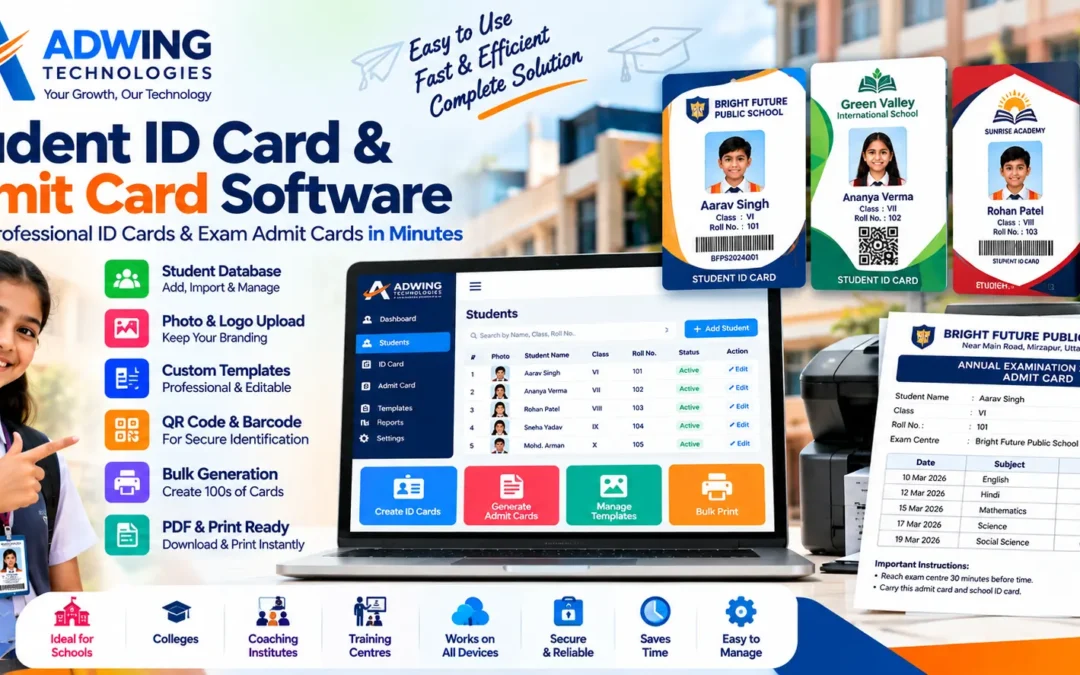
Student ID Card & Admit Card Software for Schools, Colleges & Coaching Institutes
Creating hundreds of student identity cards and examination admit cards manually can take considerable administrative time. Student names, photographs, class details, roll numbers and other information often need to be entered repeatedly. When examination time arrives, staff may again have to prepare admit cards using spreadsheets, Word files or individual templates. Student ID Card and Admit Card Software from Adwing Technologies provides a simpler approach.
Schools and educational institutions can maintain student information in one place and use it to create professional ID cards and examination admit cards whenever required. The objective is simple:
Enter student information once → Select a design → Generate cards → Download or print.
Why Schools Need ID Card & Admit Card Software
A school may have hundreds or even thousands of students. Preparing individual cards manually can involve several repetitive activities:
Student information has to be collected, photographs organized, card layouts prepared, names and roll numbers checked, cards exported and finally sent for printing. The same type of work starts again when examinations approach. A dedicated card-generation system can organize this process and reduce repetitive formatting work. Instead of designing every card separately, authorized staff can work with student records and reusable templates.
Student Database Management
The student database forms the foundation of the system. School staff can maintain important information such as:
- Student name
- Photograph
- Admission or student ID
- Roll number
- Class
- Section
- Date of birth
- Parent/guardian details where required
- Contact information
- Academic session
- Other institution-specific fields
Once the required data is available, it can be used for generating cards without repeatedly preparing separate documents.
Bulk Student Import
For institutions that already maintain student information digitally, entering every record individually may not be practical. A bulk-import facility can make onboarding easier where supported by the configured version. Schools can prepare the required student information in the prescribed format and import multiple records instead of creating every student profile manually. This becomes particularly useful for institutions with a large number of students.
Professional Student ID Card Generation
A student ID card represents both the student and the institution. The software can help create standardized cards using the school’s selected design. Depending on the template, an ID card can contain information such as:
School Name & Logo
Student Photograph
Student Name
Class & Section
Roll Number
Student/Admission ID
Academic Session
Contact or Emergency Information
Authorized Signature
QR Code or Barcode
This creates a consistent identity-card format across the institution.
Custom ID Card Templates
Different schools have different branding. A school may want its own colors, logo, information arrangement and card format rather than using a generic design. Customizable templates can help create an ID-card layout that matches the institution’s identity. Schools can choose the information that needs to appear prominently while keeping the design professional and easy to read.
Front & Back ID Card Design
Where required, the ID card can also be designed for both sides. The front may contain the student’s primary identification information, while the reverse can be used for additional details, instructions or institution information according to the selected template. This gives schools more flexibility than a basic single-side card generator.
QR Code & Barcode Support
QR codes and barcodes can add another identification layer to student cards. Depending on the implementation, a unique code can be associated with relevant student information or identification data. This can make cards more structured and may also support future integration possibilities according to the institution’s system requirements.
Bulk ID Card Generation
One of the biggest advantages of dedicated School ID Card Software is bulk generation. Instead of manually creating one card after another, authorized staff can select the required students and prepare multiple cards through a structured workflow. For example, cards may be generated according to:
Class
Section
Academic Session
Selected Students
Entire Student Database
This can significantly simplify the administrative process for larger schools.
Examination Admit Card Generation
The same student database can also be useful during examinations. Instead of recreating basic student details, the institution can generate examination admit cards using the existing records. An admit card can be configured to include information such as:
Student Name
Photograph
Class
Roll Number
Examination Name
Academic Session
Exam Centre
Subject
Examination Date
Reporting/Exam Time
Important Instructions
Authorized Signature
The exact layout and information can be configured according to the institution’s requirements.
Exam-Wise Admit Cards
Schools conduct different examinations throughout the academic year. For example:
Unit Tests
Half-Yearly Examination
Pre-Board Examination
Annual Examination
Internal Assessment
Instead of designing a new card manually for each examination, an Admit Card Generator can help create cards according to the selected examination setup. This keeps the format consistent and makes future card preparation easier.
Bulk Admit Card Generation
Preparing admit cards individually for every student can become a major administrative task before examinations. Bulk generation helps schools prepare multiple admit cards together. Staff can select the relevant class, section or group of students and generate the required documents according to the configured examination information. This can save considerable preparation time during busy examination periods.
PDF Download & Print-Ready Output
After generation, cards need to move smoothly into the printing process. The system can provide print-ready output or PDF generation according to the configured workflow. This makes it easier for schools to print internally or provide the generated file to their preferred printing service.
Easy Correction & Reprint
Student cards sometimes need correction or replacement. A photograph may need updating, a card may be damaged, or information may require correction. Because the student information remains available in the system, authorized staff can update the relevant record and regenerate the card rather than recreating the complete design from scratch.
The same principle can be useful for admit-card corrections.
One Student Database, Multiple Uses
The real benefit of the system is not simply generating attractive cards. It is the ability to maintain organized student information and reuse it. A typical workflow can be:
Add/Import Students → Upload Photos → Select Template → Generate ID Cards → Configure Examination → Generate Admit Cards → Download/Print
This is considerably more structured than maintaining separate Word, Excel and image files for each activity.
Useful for Different Educational Institutions
The solution can be suitable for:
Primary Schools
Secondary & Senior Secondary Schools
CBSE Schools
ICSE Schools
UP Board Schools
Colleges
Coaching Institutes
Computer Institutes
Training Centres
Educational Academies
The configuration can be planned according to the institution’s actual card and examination requirements.
Standalone Software or Part of a Complete School Solution
Not every institution needs a complete School ERP immediately. Some schools may currently need only a practical system for managing student records and generating ID cards and admit cards. For them, this solution can work as a focused digital tool. Institutions requiring broader digital management can combine it with other solutions from Adwing Technologies, including:
School Management Software
Dynamic School Website
Student & Parent Portal
Attendance Management
Fee Management
Result Management
TC Management & Verification
Staff Attendance & Payroll
This gives schools the flexibility to choose solutions according to their present requirements.
Student ID Card Software vs Manual Card Creation
| Manual Process | Dedicated Software |
|---|
| Repeated data entry | Reusable student database |
| Individual card preparation | Bulk generation |
| Separate student photos/files | Organized student records |
| Repeated layout work | Reusable templates |
| Manual exam card preparation | Exam-wise admit cards |
| Difficult corrections | Update and regenerate |
| Multiple disconnected files | Centralized workflow |
The objective is not simply automation for its own sake. The main benefit is creating a more manageable administrative process.
Ideal for Schools That Don’t Need a Full ERP
This product can also address an important requirement in smaller schools and coaching centres.An institution may not be ready to implement a complete ERP but may still want to digitize repetitive administrative work.In that situation, a focused ID Card Maker and Admit Card Generator can provide immediate practical value without requiring the institution to change every school process at once.
Later, additional modules can be considered according to requirements.
Why Choose Adwing Technologies?
Adwing Technologies provides software and digital solutions for educational institutions and businesses.Rather than limiting the service to software access alone, implementation requirements can be discussed according to the institution’s workflow.Schools can also work with Adwing Technologies for related requirements such as:
School Website Development
School Management Software
Student & Parent Portals
TC Management
Attendance & Payroll
Google Business Profile
Local SEO & Digital Marketing
Website Hosting & Support
This provides institutions with the option to build their digital systems step by step.
School ID Card & Admit Card Solution Across India
Educational institutions can evaluate the software through a product demonstration before deciding on implementation. Schools, colleges and coaching institutes in Mirzapur, Varanasi, Prayagraj, Bhadohi and surrounding regions can contact Adwing Technologies for assistance, while remote consultation makes it possible to support suitable projects in other parts of India as well.
Create Hundreds of Cards Without Repetitive Design Work
Preparing student identity cards and examination admit cards should not require school staff to rebuild the same information again and again.A centralized student database combined with reusable templates and bulk-generation tools creates a simpler workflow.
Student Data → ID Card → Examination → Admit Card → PDF → Print
With Adwing Technologies’ solution, educational institutions can move from repetitive manual card preparation toward a more organized digital process.
Request a Demo
See how the software can work with your institution’s student records and card requirements.
Open Student ID Card & Admit Card Software
Adwing Technologies
School Software • ID Card & Admit Card Solutions • Dynamic School Websites • Digital Solutions
by adwingservices | Sep 25, 2026 | Dynamic School Portal, School CMS, School Dynamic Website, school erp, School ERP Software, school management software
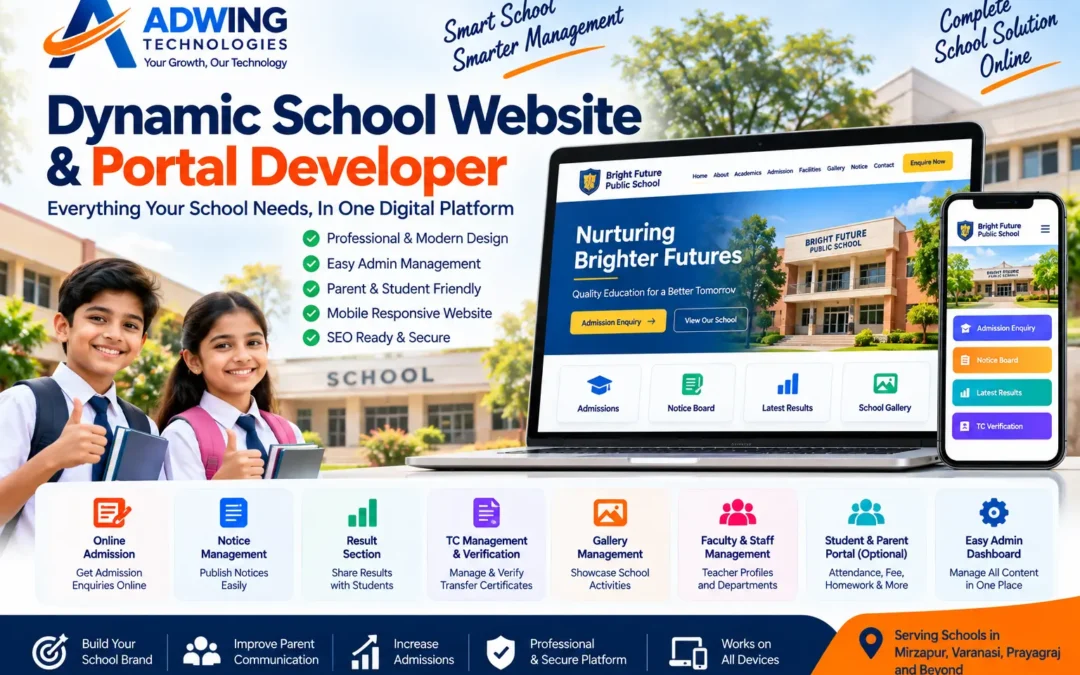
Dynamic School Website Portal Developer – Build a Smarter Digital School with Adwing Technologies
A modern school needs more than a beautiful website. Parents want admission information quickly. Students need notices and results. School management needs an easy way to update content. Teachers and administrators need a structured system for publishing important information without contacting a website developer for every small change.
That is why schools are moving from traditional static websites toward dynamic school websites and web portals.
Adwing Technologies provides Dynamic School Website Development and School Portal Solutions for schools and educational institutions that want a professional website combined with practical administration features. From online admission enquiries and notices to results, gallery management, TC verification and administrative controls, we can develop a school website around the institution’s actual workflow.
What Is a Dynamic School Website?
A static school website mainly displays fixed information. Whenever something changes, technical intervention may be required. A dynamic school website developer provides an administrative backend from which authorized school staff can manage selected website content.
For example, instead of asking a developer to upload every new notice, the school administrator can publish it through the admin . The same concept can be applied to:
Notices • Results • Gallery • Faculty • Events • Admissions • Documents • TC Records • School Updates
This transforms the website from a digital brochure into a practical communication platform.
Dynamic School Website Developer Features by Adwing Technologies
1. School Admin Dashboard
The admin dashboard acts as the control Centre of the school website. Depending on the project requirements, authorized administrators can manage important website information from a secure backend. The objective is to give the school greater control over routine updates while keeping the public website professional and consistent.
2. Online Admission Enquiry
Parents increasingly research schools online before visiting a campus. A school website can provide detailed admission information along with an Online Admission Enquiry Form. Parents can submit basic information such as student name, class, parent details and contact information. The school can then follow up with interested parents. This makes the website useful not only for existing students but also for new admission lead generation.
3. Notice & Announcement Management
Important announcements should not remain buried in WhatsApp groups. A dynamic Notice Board allows schools to publish information such as:
- Admission announcements
- Examination schedules
- Holiday notices
- Parent meetings
- School events
- Academic updates
- Important circulars
Latest notices can also be highlighted on the homepage.
4. Online Result Section
Schools can provide a structured Result section where permitted academic results or result-related information can be published according to the institution’s requirements. This gives parents and students a convenient online access point and reduces repetitive administrative enquiries.
5. Transfer Certificate (TC) Management & Verification
TC management can be particularly useful for schools that regularly issue student transfer certificates. Depending on requirements, the portal can provide facilities for authorized administrators to upload or manage TC records. A public verification interface can then allow permitted information to be checked using a TC number or other configured identifier. This can help schools maintain a more structured digital process for certificate verification.
6. School Gallery Management
School activities play an important role in demonstrating the institution’s environment and culture. A dynamic gallery can showcase:
Annual Functions • Sports • Cultural Activities • Classroom Activities • Competitions • Celebrations • Educational Tours • Achievements
School administrators can add new images as activities take place rather than keeping the gallery unchanged for years.
7. Faculty & Staff Management
A professional school website can introduce its teachers and administrative team. Depending on requirements, faculty profiles can contain information such as: Name • Designation • Department • Qualification • Photograph An administrative interface can make future staff updates easier.
8. Principal, Director & Management Messages
Leadership pages help communicate the school’s philosophy, vision and educational approach. Dedicated sections can be developed for:
Principal’s Message
Director’s Message
Chairman’s Message
CEO/Manager Message
Photographs and content can be managed according to the permissions provided to the school administration.
9. Mandatory Disclosure & Important Documents
Schools may need to publish various institutional documents depending on their board, regulatory requirements and policies. A dedicated disclosure/document section can organize items such as:
Fee Structure
Staff Information
Management Details
Safety Documents
Recognition/Affiliation Information
Trust/Society Information
Academic Information
The exact documents should always follow the school’s applicable regulatory requirements.
10. Events & School Activities
A dedicated events section allows schools to showcase upcoming and completed activities. Instead of publishing everything only on Facebook or WhatsApp, important activities can remain available on the school’s own website. Over time, this also builds a useful digital record of the institution.
Mobile-Friendly School Website
Parents frequently access school information through smartphones. Therefore, a modern school website should provide a responsive experience across:
Mobile • Tablet • Laptop • Desktop
Important options such as Admission, Contact, Notice, Result and Directions should remain easy to access on smaller screens.
WhatsApp & One-Click Calling
For admission-related enquiries, reducing friction is important. A school website can include direct:
WhatsApp Enquiry
Click-to-Call
Admission Form
Contact Form
Google Maps Directions
A parent visiting from a mobile phone can therefore move quickly from research to enquiry.
School Website + Student/Parent Portal
A public school website and a private portal serve different purposes. The public website primarily communicates information about the institution to parents, students and prospective families. A protected portal can be developed or integrated for authorized functions depending on the project’s scope.
Potential modules may include:
Student Login
Parent Login
Teacher Login
Attendance
Homework/Assignments
Fee Information
Academic Records
Circulars
Reports
Not every school requires all these modules, so the portal should be planned according to the institution’s actual operational requirements.
School ERP Integration
For institutions requiring more advanced management capabilities, the website can also be designed to work alongside a School ERP system. A broader ERP environment may cover areas such as:
Student Management
Admission Management
Attendance
Fee Management
Examination & Results
Staff Management
Payroll
Reports
Parent Communication
This creates a progression from a simple school website toward a more integrated digital school-management ecosystem.
Website Solutions for Different Educational Institutions
Adwing Technologies can structure educational websites for different types of institutions, including:
Primary Schools
Secondary & Senior Secondary Schools
CBSE Schools
ICSE Schools
UP Board Schools
Play Schools
Coaching Institutes
Training Institutes
Colleges and Educational Organizations
The feature set can be adapted instead of forcing every institution into the same template.
SEO-Ready School Website
A professional website should also make it easier for search engines to understand the school. The site can be structured around relevant information such as:
School Name + Location
Admissions
Facilities
Academic Programs
Contact & Directions
School Activities
Technical elements such as page titles, headings, image ALT text, internal links and structured page content can also be planned from the beginning. SEO does not guarantee a particular Google ranking, but a properly structured website provides a better foundation for organic search visibility.
Google Business Profile Integration
For a local school, the website can work together with its Google Business Profile. A prospective parent journey may look like:
Google Search → School Business Profile → School Website → Facilities/Admission → WhatsApp or Admission Enquiry
This is much stronger than treating the website and Google profile as unrelated platforms.
Why Choose Adwing Technologies for a Dynamic School Website?
Adwing Technologies combines website development with business software and digital marketing capabilities. Instead of delivering only a homepage design, a school project can be structured around practical requirements such as:
Dynamic Content Management
Admin Dashboard
Admission Enquiries
Notice Management
Result Section
TC Management & Verification
Gallery Management
Faculty Management
Document/Disclosure Section
Mobile Responsive Design
WhatsApp & Call Integration
SEO-Friendly Structure
Training & Technical Support
Most importantly, the solution can be adapted to the school’s workflow rather than adding unnecessary modules.
From School Website to Complete Digital Presence
A school website can also become the foundation for a broader digital strategy. For example:
Professional Website → Google Business Profile → Local SEO → Admission Campaign → Online Enquiry → School Follow-up
During admission season, dedicated landing pages can also be created for campaigns such as: Admissions Open 2027–28 .These pages can explain classes, facilities, admission process and contact options while supporting Google or social-media campaigns.
School Website Development in Mirzapur, Varanasi & Prayagraj
Adwing Technologies provides website and digital solutions from Mirzapur and can support educational institutions in other locations according to project requirements. Schools in Mirzapur, Varanasi, Prayagraj, Bhadohi, Chunar and other locations can use a dynamic website to improve communication with parents while building a stronger professional presence online.
For institutions outside these locations, development and support can also be provided remotely depending on project scope.
Static School Website vs Dynamic School Portal
| Static Website | Dynamic School Website/Portal |
|---|
| Mostly fixed content | Admin-manageable content |
| Developer needed for routine updates | Authorized staff can manage selected sections |
| Basic information | Notices, results, gallery and more |
| Limited administrative functions | Admin dashboard |
| Basic admission information | Online admission enquiry |
| Static documents | Manageable documents/disclosures |
| Simple gallery | Dynamic gallery management |
| Website-focused | Website + portal expansion possible |
For a school that regularly publishes information, a dynamic platform can therefore provide considerably more operational flexibility.
A School Website Should Work for Parents, Students and Management
The best school website isn’t necessarily the one with the most animations. It is the one where:
Parents can quickly understand the school.
Prospective parents can enquire about admission.
Students can find important information.
School staff can update relevant content.
Management maintains control over its digital presence.
That is the philosophy behind a practical dynamic school portal.
Build Your Dynamic School Website with Adwing Technologies
If your school still relies on a static website—or does not yet have a professional online presence—this can be an opportunity to create a platform that supports both school branding and day-to-day communication.
Adwing Technologies can help plan a solution ranging from a professional school website to a dynamic admin portal and broader school-management integrations.
Adwing Technologies
Dynamic School Websites • School Portals • School ERP Solutions • Website Development • SEO • Digital Marketing
Adwing Technologies – Website & Digital Solutions
by adwingservices | Nov 3, 2023 | school erp, school management software, Software company
Best School Software for Desktop & Web :EduPlus 2.0 School ERP Software
by adwingservices | Apr 14, 2023 | Adwing Technologies, School CMS, School Dynamic Website, school erp, School ERP Software, school management software, Software company
Hey Are you Looking For School Software For Your School Operations ?
We Do Provide All in One School Management Software at Very Affordable Price. School can manage Easily and Operate Without hassle. All EduPlus Software Covers All Applicable Module Without Any Hurdle. we Also Provide Online Support For Every Aspect of Satisfaction .
EduPlus is an advanced Education management software created with students in mind which makes it a user-friendly software for anyone trying it for the first time .
EduPlus School Management Software is very Comprehensive and Extensive research Based Education management Software ,it has All Built in Module and Very Easy to operate .
EduPlus is Desktop Application Software runs On Windows Platform and Can Run Without Internet and Secure your data in Easily as a Backup in Desktop Drive . Very Affordable Cost ,so that Any School Can Easily Manage.
Transport Management in EduPlus School Software .
Easy to management your School Transport with Location and Distance wise Fee Planning . Easily Setup your route and Route Fees Plan and Manage dues and Route Wise Report When and Where required .
Fees Management is a Crucial for Any School , in this Software you can Manage Fees Headwise, Frequency wise and Easily setup the Fees Head as per requirement without any hassle .even a beginner cam manage easily .
What Are The Module We Covered?
- Student Registration
- Student enquiry
- ID Card
- Front Office
- Class, Section and Category Setup
- Fees Management
- Fees Dues Reminder
- School Bus Registration
- Transport Management
- Library Management
- Book Issues Date
- Stock management
- Material Management
- Account Management
- Employee Salary Account
- Vendor management
- Messaging
- SMS Integration
- Reports
- Student List
- Notifications
- Calendar and To Do List
- Online Facility on Demand
- Web/Desktop Application
- Admin/Operator Login
- Examination Management (OnDemand)
- TC/CC Certificate
by adwingservices | Feb 10, 2023 | School CMS, School Dynamic Website, school erp, School ERP Software, school management software
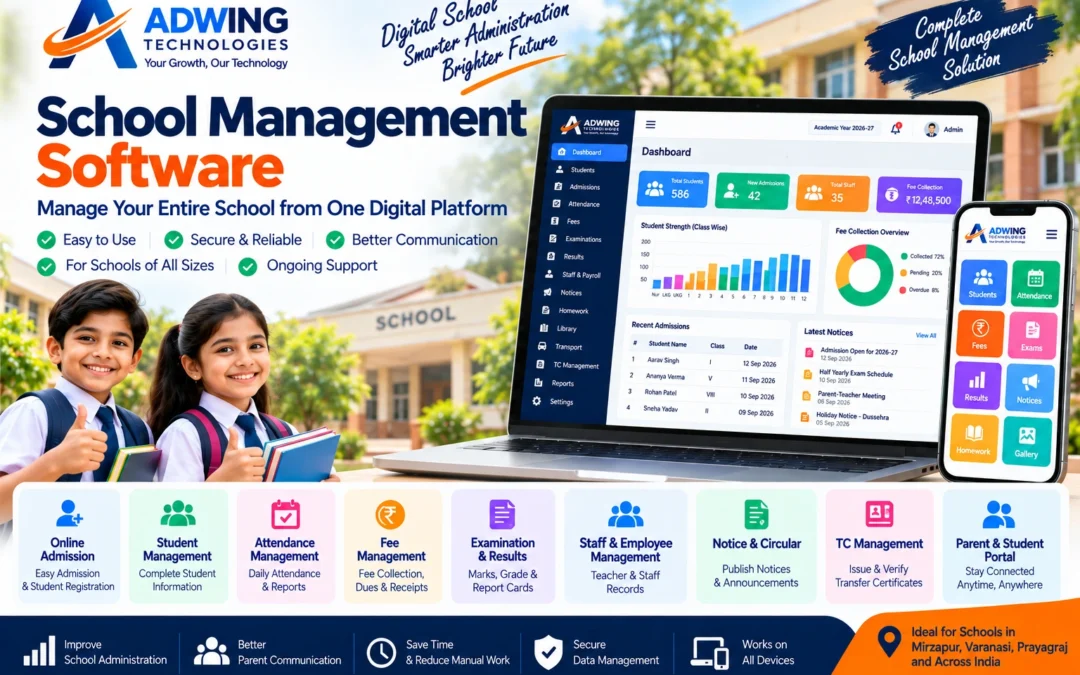
School Management Software – Manage Your Entire School from One Digital Platform
Running a school involves much more than classroom teaching . Every day, school management needs to handle student admissions, attendance, fees, examinations, results, staff records, notices, certificates, reports and parent communication.
When these activities depend on registers, spreadsheets and multiple disconnected applications, routine administration can become time-consuming and difficult to monitor. A modern School Management Software brings important academic and administrative activities into a structured digital system. Adwing Technologies provides school software solutions designed to help educational institutions simplify routine operations, organize records and create a better digital experience for administrators, teachers, students and parents.
What is School Management Software?
It is a digital platform used to manage various academic and administrative activities of an educational institution. Instead of maintaining separate registers for students, fees, attendance and examinations, authorized users can work through a centralized system. Depending on the selected modules and implementation, a school can manage processes such as:
Admission → Student Records → Attendance → Fees → Examination → Results → Communication → Reports
This creates a more organized workflow for school administration.
One Software, Multiple School Operations
A school does not necessarily need separate applications for every routine activity. A properly planned School ERP system can combine multiple modules while providing role-based access to different users. Let’s look at the major modules a school may require.
1. Student Admission & Registration
Admission is one of the most important processes for any educational institution. A digital admission module can help staff capture and maintain student information in a structured format. Depending on requirements, records may include:
- Student details
- Parent/guardian information
- Contact details
- Class and section
- Admission information
- Previous academic details
- Documents
- Other institution-specific information
This creates a centralized student database that can support other modules.
2. Student Information Management
Once a student is admitted, information needs to remain organized throughout the academic session. Authorized staff can maintain student profiles instead of searching through multiple paper files. A centralized record can make it easier to access relevant student information when required.
3. Attendance Management
Daily attendance is an important part of school administration. A digital attendance system can help teachers or authorized staff record attendance class-wise and maintain historical records. Depending on the software configuration, management can generate attendance summaries and reports for monitoring purposes.
4. Fee Management
Managing school fees manually can become complicated when there are hundreds of students, different fee structures and multiple payment periods. A School Fee Management System can help organize:
Fee Structures
Student-wise Fees
Collections
Pending Dues
Receipts
Discounts/Concessions where configured
Fee Reports
This can provide management with better visibility of collections and outstanding amounts.
5. Examination Management
Examinations involve several administrative activities. A digital examination module can help organize exam structures, subjects and related academic information according to the school’s configured process. This reduces dependence on multiple spreadsheets for maintaining examination-related records.
6. Result & Report Card Management
Preparing student results manually can consume significant administrative time. A school software system can help organize marks and generate structured results or report cards according to the configured format. Schools can maintain academic records more systematically and make the result-generation process easier to manage.
7. Class & Section Management
As a school grows, managing different classes, sections, sessions and student allocations becomes increasingly important. The administration can maintain this information centrally and use it across other relevant modules.
8. Staff & Teacher Management
Schools also need organized records for teachers and other employees.
Staff management can maintain information such as:
Employee Profile
Designation
Department
Contact Information
Joining Details
Assigned Responsibilities
Where required, attendance or payroll-related systems can also be integrated or implemented separately.
9. Homework & Assignment Management
Digital communication can make academic information easier to distribute. Where included in the implementation, teachers can publish homework, assignments or related academic updates for students and parents. This provides an additional communication channel beyond handwritten diaries or messaging groups.
10. Notice & Circular Management
Important school announcements should be easy to publish and retrieve. A notice module can be used for information such as:
Exam Dates
Holidays
Parent Meetings
School Events
Academic Updates
General Circulars
When integrated with a school website or portal, selected notices can also be made available online.
Parent & Student Portal
Parents increasingly expect convenient access to relevant school information. Depending on the selected system, a Parent Portal or Student Portal can provide authorized access to information such as attendance, academic updates, notices, homework, fee information or results. The exact information available should be configured according to the school’s policies and software modules. A portal can reduce routine enquiries while creating a more connected communication environment.
Teacher Portal
Teachers may require different access from administrators or parents. A role-based teacher interface can provide access to permitted functions such as:
Attendance
Student Information
Homework
Marks/Results
Notices
This helps ensure users see only the modules relevant to their responsibilities.
Role-Based Admin Control
Not every employee should have unrestricted access to school information. A properly structured system can provide different roles such as:
Administrator
Office Staff
Teacher
Accounts User
Permissions can then be configured according to responsibilities and system capabilities. This helps create a more controlled administrative environment.
TC Management & Verification
Transfer Certificate management can also be an important requirement for schools. Where supported, authorized administrators can maintain relevant TC records and documents through the system. A school website can additionally provide a verification facility where permitted information can be checked using a configured TC number or identifier. This is particularly useful for schools looking to digitize certificate-related processes.
School Reports & Management Insights
Management needs useful information, not simply stored data. Reports can help school administrators review areas such as:
Student Strength
Admissions
Attendance
Fee Collection
Outstanding Fees
Academic Records
The available reports depend on the implemented modules, but centralized reporting can make routine monitoring considerably easier.
School Management Software + Dynamic School Website
One of the strongest digital setups is to connect administrative software with a professional school website strategy. The school management system handles internal operations. The school website handles public information and online presence.
For example:
Public Website
Home • About • Academics • Admission • Facilities • Gallery • Notices • Results • Disclosure • Contact
School Management System
Students • Attendance • Fees • Examination • Staff • Academic Records • Reports • Administration Together, these provide a more complete digital ecosystem for the institution.
Online Admission Enquiry
A professional school website can also become an admission-generation platform. Prospective parents can visit the website, understand the institution and submit an enquiry. A typical journey may look like:
Google Search → School Website → Admission Information → Online Enquiry → School Follow-up → Admission Process
During admission season, this can be supported by local SEO, Google Business Profile and digital advertising campaigns.
Mobile-Friendly Access
School administrators, teachers and parents increasingly access digital systems from mobile devices. Therefore, wherever supported, interfaces should be designed or configured for practical use across:
Desktop • Laptop • Tablet • Smartphone
Responsive access makes the system more convenient for users who may not always be working from a computer.
Data Security & User Access
School systems can contain sensitive student, parent and staff information. Security therefore needs to be considered from the beginning. Depending on the solution and hosting environment, this may involve:
Secure Login
Role-Based Permissions
SSL
Regular Backups
Controlled Administrative Access
Software Updates
Schools should also establish appropriate internal policies for who can access and manage student information.
Who Can Use a School ERP Solution?
The system can be configured for different types of educational institutions, including:
Play Schools
Primary Schools
Secondary Schools
Senior Secondary Schools
UP Board Schools
CBSE Schools
ICSE Schools
Coaching Institutes
Training Centres
Other Educational Institutions
Not every institution requires the same modules, so requirements should be assessed before implementation.
Benefits of Digitizing School Administration
Moving routine administrative activities into a structured system can provide several practical advantages.
Less Manual Record Keeping
Important information can be maintained digitally instead of depending entirely on registers and spreadsheets.
Faster Information Retrieval
Authorized staff can search relevant records more efficiently.
Better Administrative Control
Centralized information and reports can help management monitor routine operations.
Improved Parent Communication
Portals, notices and digital updates can provide additional communication channels.
Reduced Repetitive Work
Information already available in the system can be reused across relevant modules rather than being repeatedly entered into separate records.
Scalable Administration
As student strength increases, a structured system can make larger volumes of information easier to manage.
How to Choose the Right School Software
Schools should avoid selecting software only because it has the longest feature list.
Instead, ask practical questions:
Which processes are currently consuming the most staff time?
Do we primarily need fees, attendance and results, or a broader ERP?
Do parents need portal access?
Do we need a dynamic website as well?
Who will operate the system?
What training will staff require?
What support is available after implementation?
A solution aligned with the school’s actual workflow is generally more useful than an unnecessarily complicated system.
Why Adwing Technologies?
Adwing Technologies provides business software, website and digital solutions, allowing educational institutions to approach their digital requirements in a more coordinated way. Depending on requirements, schools can work with us for:
School Management Software
Dynamic School Website Development
Student & Parent Portal Solutions
TC Management & Verification
Attendance & Payroll Solutions
Website Hosting & Support
Google Business Profile
Local SEO
Digital Marketing
This means a school can begin with the solution it currently needs and expand its digital ecosystem as requirements grow.
School Software Solutions in Mirzapur, Varanasi & Prayagraj
Adwing Technologies provides technology solutions from Mirzapur and can support schools in other locations depending on project requirements. Educational institutions in Mirzapur, Varanasi, Prayagraj, Bhadohi, Chunar and surrounding regions can contact us for consultation, demonstration and implementation discussions. Remote support also makes it possible to work with institutions in other parts of India where the solution is suitable.
Take Your School Administration Digital
Modern education requires efficient administration alongside quality teaching. A well-planned digital system can help schools organize student information, attendance, fees, examinations, staff records and communication within a more structured environment. Instead of managing each process separately, schools can build a connected digital workflow that grows with the institution.
Adwing Technologies can help you evaluate the right combination of school software, website and digital solutions according to your institution’s requirements.
Request a School Software Demo
Adwing Technologies
School Software • Dynamic School Websites • Business Software • Digital Marketing • Technology Support
Explore Adwing Technologies Software Solutions
by adwingservices | Nov 5, 2022 | school erp, school management software, Software company
School ERP System – Manage Your Entire School from One Digital Platform
Running a school involves much more than classroom teaching.
Every day, school management needs to handle student admissions, attendance, fees, examinations, results, staff records, notices, certificates, reports and parent communication. When these activities depend on registers, spreadsheets and multiple disconnected applications, routine administration can become time-consuming and difficult to monitor. A modern School Management Software brings important academic and administrative activities into a structured digital system.
Adwing Technologies provides school software solutions designed to help educational institutions simplify routine operations, organize records and create a better digital experience for administrators, teachers, students and parents.
What is School ERP Software?
It is a digital platform used to manage various academic and administrative activities of an educational institution. Instead of maintaining separate registers for students, fees, attendance and examinations, authorized users can work through a centralized system.
Depending on the selected modules and implementation, a school can manage processes such as:
Admission → Student Records → Attendance → Fees → Examination → Results → Communication → Reports
This creates a more organized workflow for school administration.
One Software, Multiple School Operations
A school does not necessarily need separate applications for every routine activity. A properly planned School ERP system can combine multiple modules while providing role-based access to different users. Let’s look at the major modules a school may require.
1. Student Admission & Registration
Admission is one of the most important processes for any educational institution. A digital admission module can help staff capture and maintain student information in a structured format. Depending on requirements, records may include:
- Student details
- Parent/guardian information
- Contact details
- Class and section
- Admission information
- Previous academic details
- Documents
- Other institution-specific information
This creates a centralized student database that can support other modules.
2. Student Information Management
Once a student is admitted, information needs to remain organized throughout the academic session.Authorized staff can maintain student profiles instead of searching through multiple paper files.A centralized record can make it easier to access relevant student information when required.
3. Attendance Management
Daily attendance is an important part of school administration.A digital attendance system can help teachers or authorized staff record attendance class-wise and maintain historical records.Depending on the software configuration, management can generate attendance summaries and reports for monitoring purposes.
4. Fee Management
Managing school fees manually can become complicated when there are hundreds of students, different fee structures and multiple payment periods.A School Fee Management System can help organize:
Fee Structures
Student-wise Fees
Collections
Pending Dues
Receipts
Discounts/Concessions where configured
Fee Reports
This can provide management with better visibility of collections and outstanding amounts.
5. Examination Management
Examinations involve several administrative activities.A digital examination module can help organize exam structures, subjects and related academic information according to the school’s configured process.This reduces dependence on multiple spreadsheets for maintaining examination-related records.
6. Result & Report Card Management
Preparing student results manually can consume significant administrative time. A school software system can help organize marks and generate structured results or report cards according to the configured format. Schools can maintain academic records more systematically and make the result-generation process easier to manage.
7. Class & Section Management
As a school grows, managing different classes, sections, sessions and student allocations becomes increasingly important.The administration can maintain this information centrally and use it across other relevant modules.
8. Staff & Teacher Management
Schools also need organized records for teachers and other employees.Staff management can maintain information such as:
Employee Profile
Designation
Department
Contact Information
Joining Details
Assigned Responsibilities
Where required, attendance or payroll-related systems can also be integrated or implemented separately.
9. Homework & Assignment Management
Digital communication can make academic information easier to distribute.Where included in the implementation, teachers can publish homework, assignments or related academic updates for students and parents.This provides an additional communication channel beyond handwritten diaries or messaging groups.
10. Notice & Circular Management
Important school announcements should be easy to publish and retrieve.A notice module can be used for information such as:
Exam Dates
Holidays
Parent Meetings
School Events
Academic Updates
General Circulars
When integrated with a school website or portal, selected notices can also be made available online.
Parent & Student Portal
Parents increasingly expect convenient access to relevant school information. Depending on the selected system, a Parent Portal or Student Portal can provide authorized access to information such as attendance, academic updates, notices, homework, fee information or results.The exact information available should be configured according to the school’s policies and software modules .A portal can reduce routine enquiries while creating a more connected communication environment.
Teacher Portal
Teachers may require different access from administrators or parents.
A role-based teacher interface can provide access to permitted functions such as:
Attendance
Student Information
Homework
Marks/Results
Notices
This helps ensure users see only the modules relevant to their responsibilities.
Role-Based Admin Control
Not every employee should have unrestricted access to school information. A properly structured system can provide different roles such as:
Administrator
Office Staff
Teacher
Accounts User
Permissions can then be configured according to responsibilities and system capabilities.This helps create a more controlled administrative environment.
TC Management & Verification
Transfer Certificate management can also be an important requirement for schools. Where supported, authorized administrators can maintain relevant TC records and documents through the system. A school website can additionally provide a verification facility where permitted information can be checked using a configured TC number or identifier.
This is particularly useful for schools looking to digitize certificate-related processes.
School Reports & Management Insights
Management needs useful information, not simply stored data. Reports can help school administrators review areas such as:
Student Strength
Admissions
Attendance
Fee Collection
Outstanding Fees
Academic Records
The available reports depend on the implemented modules, but centralized reporting can make routine monitoring considerably easier.
School Management Software + Dynamic School Website
One of the strongest digital setups is to connect administrative software with a professional school website strategy. The school management system handles internal operations. The school website handles public information and online presence.
For example:
Public Website
Home • About • Academics • Admission • Facilities • Gallery • Notices • Results • Disclosure • Contact
School Management System
Students • Attendance • Fees • Examination • Staff • Academic Records • Reports • Administration
Together, these provide a more complete digital ecosystem for the institution.
Online Admission Enquiry
A professional school website can also become an admission-generation platform. Prospective parents can visit the website, understand the institution and submit an enquiry.A typical journey may look like:
Google Search → School Website → Admission Information → Online Enquiry → School Follow-up → Admission Process
During admission season, this can be supported by local SEO, Google Business Profile and digital advertising campaigns.
Mobile-Friendly Access
School administrators, teachers and parents increasingly access digital systems from mobile devices. Therefore, wherever supported, interfaces should be designed or configured for practical use across: Desktop • Laptop • Tablet • Smartphone Responsive access makes the system more convenient for users who may not always be working from a computer.
Data Security & User Access
School systems can contain sensitive student, parent and staff information.
Security therefore needs to be considered from the beginning.
Depending on the solution and hosting environment, this may involve:
Secure Login
Role-Based Permissions
SSL
Regular Backups
Controlled Administrative Access
Software Updates
Schools should also establish appropriate internal policies for who can access and manage student information.
Who Can Use a School ERP Solution?
The system can be configured for different types of educational institutions, including:
Play Schools
Primary Schools
Secondary Schools
Senior Secondary Schools
UP Board Schools
CBSE Schools
ICSE Schools
Coaching Institutes
Training Centres
Other Educational Institutions
Not every institution requires the same modules, so requirements should be assessed before implementation.
Benefits of Digitizing School Administration
Moving routine administrative activities into a structured system can provide several practical advantages.
Less Manual Record Keeping
Important information can be maintained digitally instead of depending entirely on registers and spreadsheets.
Faster Information Retrieval
Authorized staff can search relevant records more efficiently.
Better Administrative Control
Centralized information and reports can help management monitor routine operations.
Improved Parent Communication
Portals, notices and digital updates can provide additional communication channels.
Reduced Repetitive Work
Information already available in the system can be reused across relevant modules rather than being repeatedly entered into separate records.
Scalable Administration
As student strength increases, a structured system can make larger volumes of information easier to manage.
How to Choose the Right School Software
Schools should avoid selecting software only because it has the longest feature list.
Instead, ask practical questions:
Which processes are currently consuming the most staff time?
Do we primarily need fees, attendance and results, or a broader ERP?
Do parents need portal access?
Do we need a dynamic website as well?
Who will operate the system?
What training will staff require?
What support is available after implementation?
A solution aligned with the school’s actual workflow is generally more useful than an unnecessarily complicated system.
Why Adwing Technologies?
Adwing Technologies provides business software, website and digital solutions, allowing educational institutions to approach their digital requirements in a more coordinated way. Depending on requirements, schools can work with us for:
School Management Software
Dynamic School Website Development
Student & Parent Portal Solutions
TC Management & Verification
Attendance & Payroll Solutions
Website Hosting & Support
Google Business Profile
Local SEO
Digital Marketing
This means a school can begin with the solution it currently needs and expand its digital ecosystem as requirements grow.
School ERP System Solutions in Mirzapur, Varanasi & Prayagraj
Adwing Technologies provides technology solutions from Mirzapur and can support schools in other locations depending on project requirements.
Educational institutions in Mirzapur, Varanasi, Prayagraj, Bhadohi, Chunar and surrounding regions can contact us for consultation, demonstration and implementation discussions. Remote support also makes it possible to work with institutions in other parts of India where the solution is suitable.
Take Your School Administration Digital
Modern education requires efficient administration alongside quality teaching. A well-planned digital system can help schools organize student information, attendance, fees, examinations, staff records and communication within a more structured environment. Instead of managing each process separately, schools can build a connected digital workflow that grows with the institution.
Adwing Technologies can help you evaluate the right combination of school software, website and digital solutions according to your institution’s requirements.
Request a School Software Demo
Adwing Technologies
School Software • Dynamic School Websites • Business Software • Digital Marketing • Technology Support
Explore Adwing Technologies Software Solutions